
-
Hello,
I have been having issues with Facebook not displaying link previews when posting blog articles from WordPress. I’ve tried several solutions found online, including the Facebook debugger tool, but nothing has worked consistently.
The problem is intermittent, working fine for months and then suddenly stopping.
Is there a specific setting within RankMath that can help ensure Facebook correctly captures the image for the link preview?
Thank you,
Tony

-
Hello,
We apologize for the issue you are facing with Facebook link previews not displaying consistently. Thank you for raising this concern.
To ensure that Facebook correctly captures the image for the link preview, you can follow these steps within Rank Math:
-
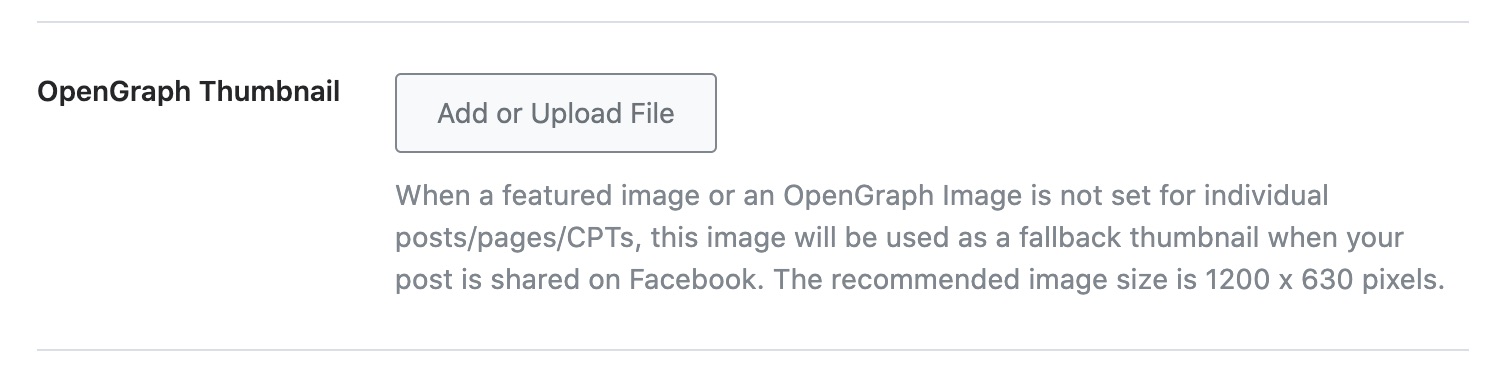
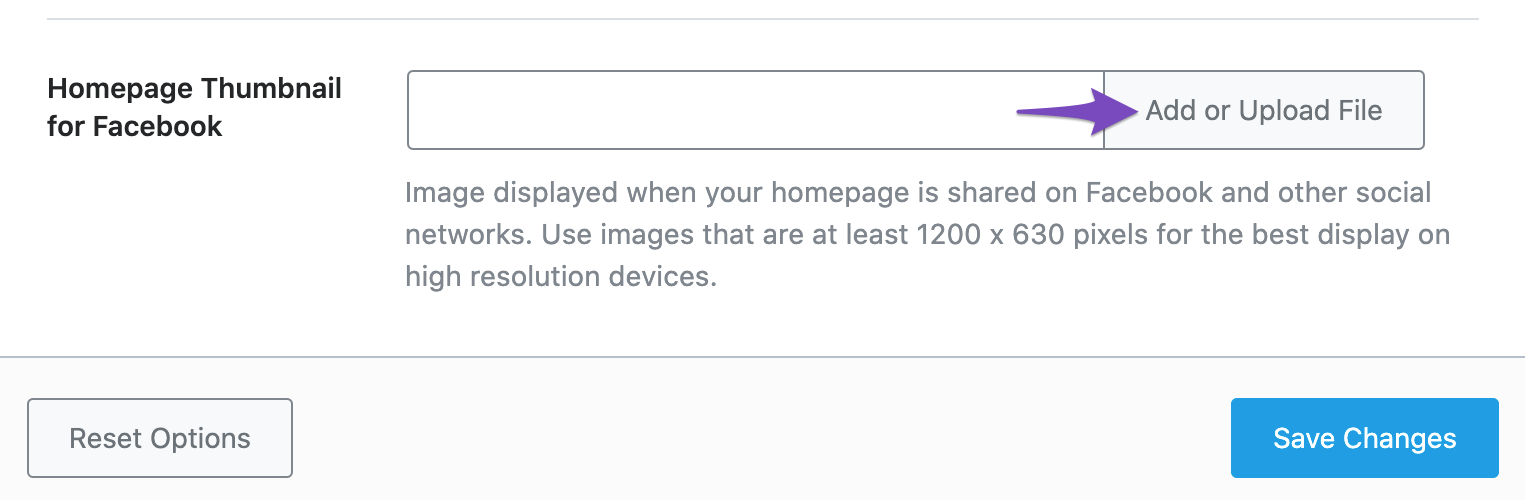
Set the Default Open Graph Image: You can set a fallback Open Graph thumbnail that will be used if no specific image is set for a post or page. Go to WordPress Dashboard → Rank Math → Titles & Meta → Global → OpenGraph Thumbnail. Click on Add or Upload File to set your image and then click Save Changes.
-
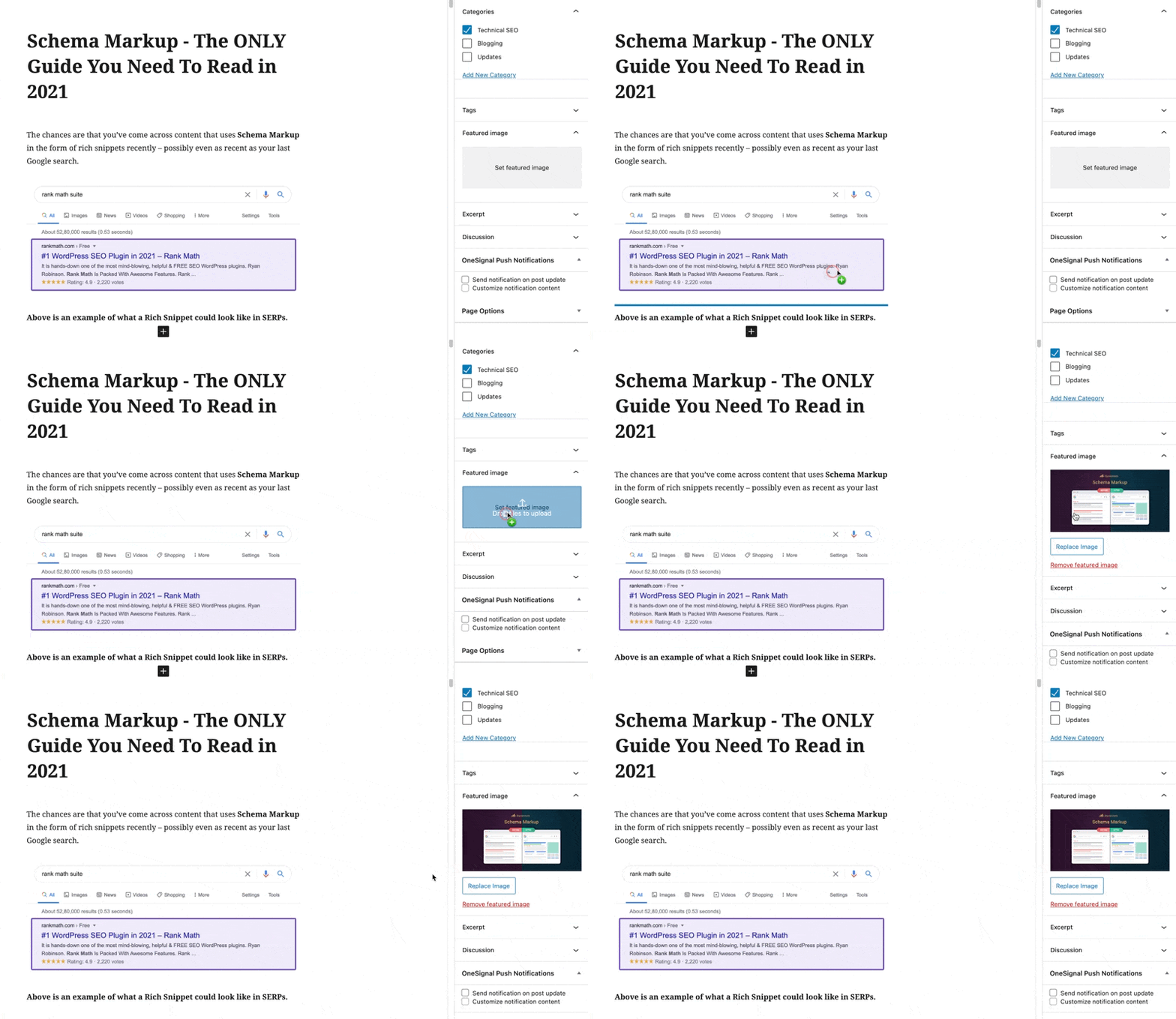
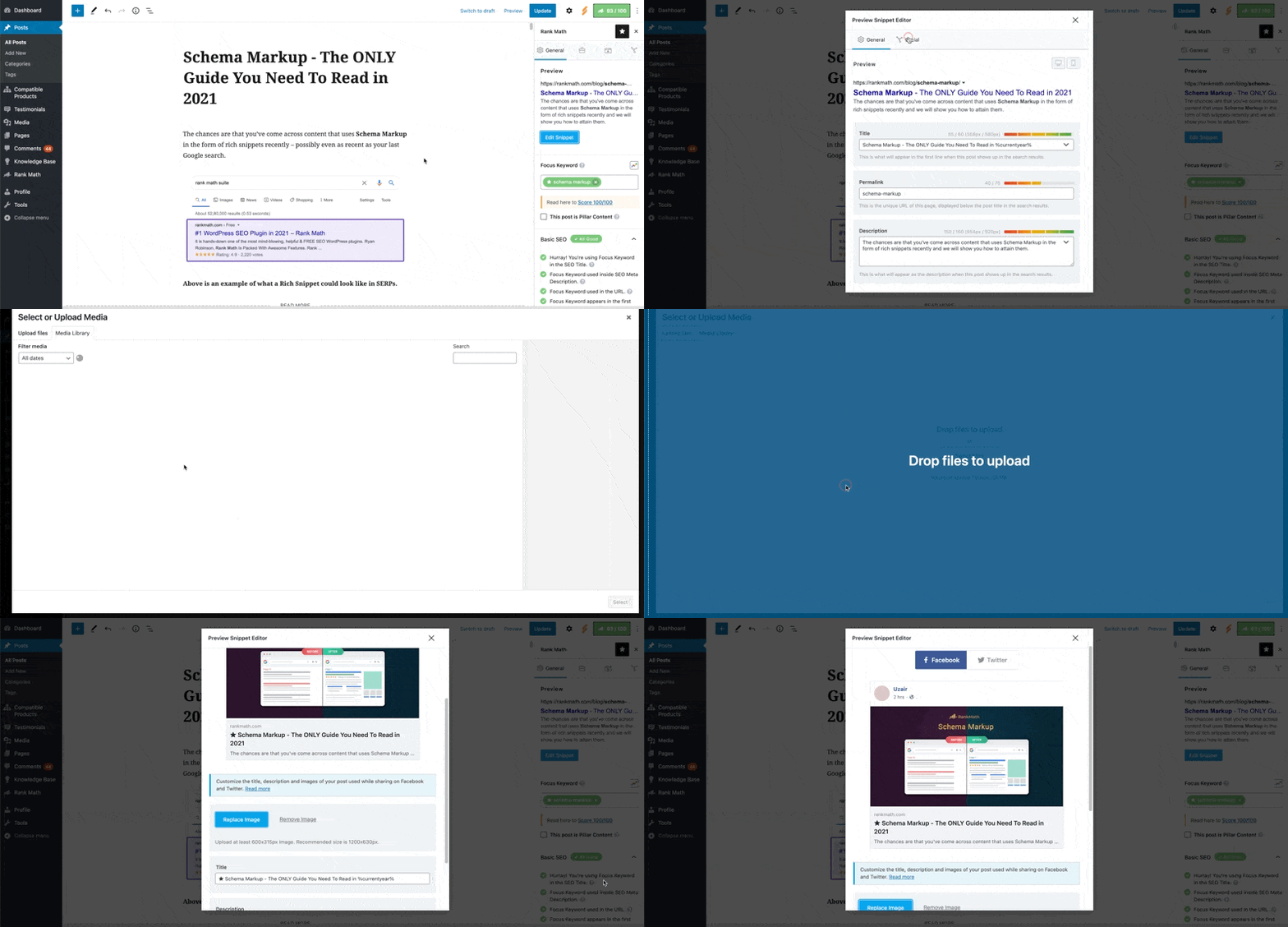
Set Open Graph Image for Individual Posts/Pages: For each post or page, ensure that you have added a specific Open Graph image. You can do this by uploading a featured image or by using the Rank Math Meta Box in the WordPress Block Editor sidebar. Make sure to check the Social tab in the Rank Math settings for that post/page.
-
Check Image Dimensions and Format: Ensure that the images you are using meet Facebook’s requirements. The recommended image size is 1200px X 630px, and supported formats include JPEG, PNG, GIF, and WebP. If the dimensions are too small or too large, Facebook may not display them correctly.
-
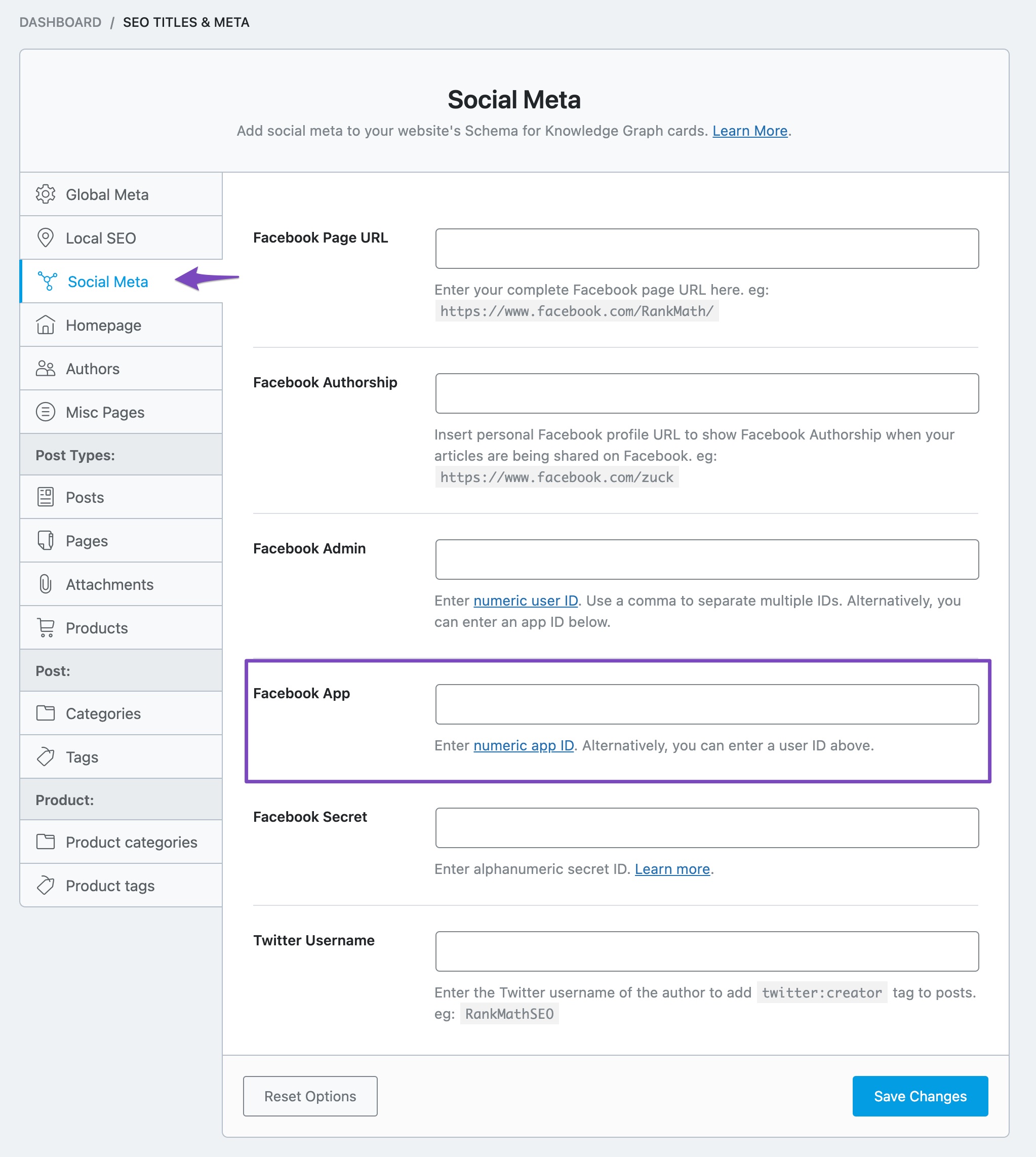
Configure Facebook App ID: Although optional, adding a Facebook App ID can help with analytics and may reduce warnings in the sharing debugger. You can set this under WordPress Dashboard → Rank Math SEO → Titles & Meta → Social Meta.
-
Use Facebook Debugger Tool: After making changes, use the Facebook Sharing Debugger to scrape your URL again. This can help refresh Facebook’s cache for your links.
If you continue to experience issues after following these steps, please reply to this ticket, and a human agent from the Rank Math Support team will assist you further.
We hope this helps resolve your issue!
Sources:
Open Graph/Social Preview Image Is Not Displayed » Rank MathHello,
Thank you for contacting us and sorry for any inconvenience that might have been caused due to that.
We checked your page and looks like Rank Math is not able to generate the
og:imagemeta tag.In this case, please make sure the opengraph image you’re using has the appropriate size and format according to the guidelines: https://rankmath.com/kb/open-graph-image-not-displaying/#num-4-2-image-dimensions-image-format
Once done, please try to clear your website cache including any server-level cache, and check again.
For more details, you can check this URL: https://rankmath.com/kb/open-graph-image-not-displaying/
Let us know how it goes. Looking forward to helping you.
Thank you.
Hi Support Team,
I hope this email finds you well.
I am following up on my previous response regarding the issue I am experiencing with the og:image meta tag not displaying on a post. I have already implemented the steps outlined in your previous email, including checking the source code.
Unfortunately, the problem persists.
Would you be able to provide additional troubleshooting steps or suggest alternative solutions to resolve this matter?
Thank you for your time and assistance.
Tony
Hello,
Thank you for your patience.
We’ve checked the post you have shared, and the
og:imagemeta tag is missing in the source code:
https://rankmath.com/kb/open-graph-image-not-displaying/#num-4-4-check-the-page-sourceAssuming you are using the latest version of all the plugins and the themes (please update if not yet), this can be caused by conflicting plugin/theme on your site.
To determine that, please follow this troubleshooting guide:
https://rankmath.com/kb/check-plugin-conflicts/Here is a video you can follow as well: https://www.youtube.com/watch?v=FcIWRhcUP2c
Only the site admin would know and your users won’t be affected by this troubleshooting.
Let us know how this goes.
Hi Reinelle,
I have already gone through this process of installing the Health Check Plugin and going through the test. I did not find any conflicts. Are you able to take a look if I create a new Username for you? If not, can you advise of alternative steps to take to solve this issue?
Thank you,
Tony
Hello,
we might need to take a closer look at the settings. Please edit the first post on this ticket and include your WordPress & FTP logins in the designated Sensitive Data section.
Please do take a complete backup of your website before sharing the information with us.
It is completely secure and only our support staff has access to that section. If you want, you can use the below plugin to generate a temporary login URL to your website and share that with us instead:
https://wordpress.org/plugins/temporary-login-without-password/
You can use the above plugin in conjunction with the WP Security Audit Log to monitor what changes our staff might make on your website (if any):
https://wordpress.org/plugins/wp-security-audit-log/
Looking forward to helping you.
Thank you.
Hi Rakibuzzaman,
I installed the “Temporary Login Without Password” plugin, however it requires an email address for you to access my account. What email address should I use?
Thank you,
Tony
Hello,
Please use this email address to create temporary login access and then share the login URL in the sensitive data section so that we can check the issue further for you:
s******@r***********Looking forward to helping you.
Thank you.
Hello,
I have updated the sensitive data as requested. Can you please check further?
Thank you.
Hello Rakibuzzaman,
I added the temporary login link in the Sensitive data box. You should be able to access my site using that link.
Let me know if you have any issues logging in.
I look forward to hearing from you regarding the solution.
Thank you,
Tony
Hello,
We checked your website and found that the issue is occurring because of the Easy Social Share Buttons for WordPress plugin you’re using on your website. This plugin conflicts with Rank Math and prevents from generating the
og:imagemeta tag.In order to resolve this issue we suggest you get in touch with this plugin support and inform them about this issue as they might already have a solution for this.
Hope that helps and please don’t hesitate to let us know if you have any other questions.
Thank you.Hi Rakibuzzaman,
Thank you. I will get in touch with them and get back to you.
Tony
Hello,
Sure, let us know how this goes.
Meanwhile, please don’t hesitate to contact us anytime if you have other questions to assist you further.
Looking forward to helping you.
Thank you.
Hello,
I thought you might want to know, I contacted Easy Social Share Buttons support and they provided me with a solution to fix the Open Graph tags issue I have been experiencing on my website.
They replied with the following fix that requires disabling Automatic Generation of Social Share Optimization Tags in Easy Social Share Buttons: https://docs.socialsharingplugin.com/knowledgebase/how-to-disable-social-share-optimization-tags-generated-by-easy-social-share-buttons-for-wordpress/
It worked instantly, so Facebook is now generating previews once again!
Thank you for your help, I appreciate it.
Tony
Hello,
We are glad that you are able to resolve this.
If you have another question in the future, please feel free to create a new forum topic, and it will be our pleasure to assist you again.
Thank you.
-



You must be logged in to reply to this ticket.