Hello,
We apologize for the issue you are facing with your Analytics account not being found. It seems that your website may not be properly connected to your Rank Math account or the Google Analytics property.
Here are a few steps you can take to resolve this:
-
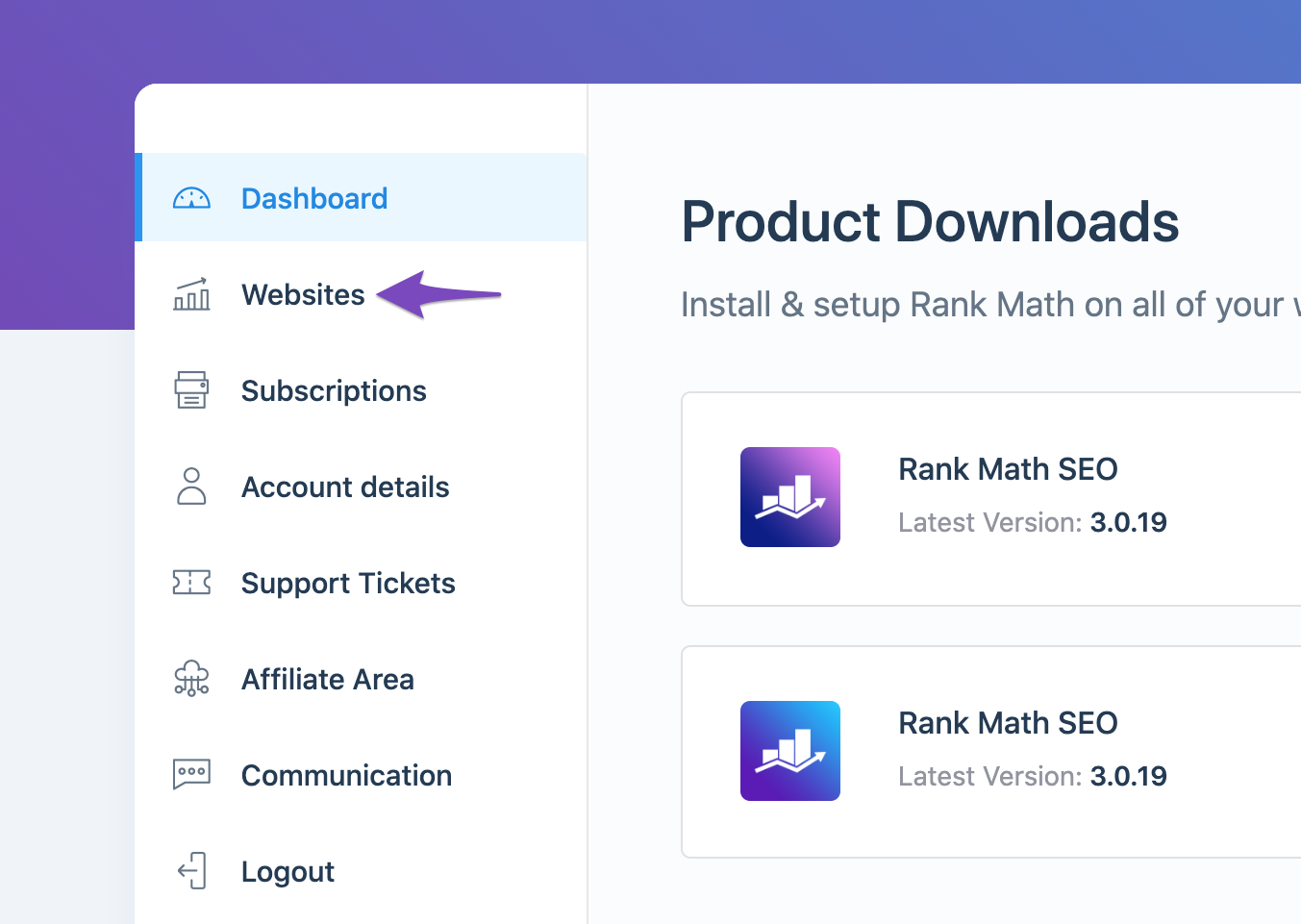
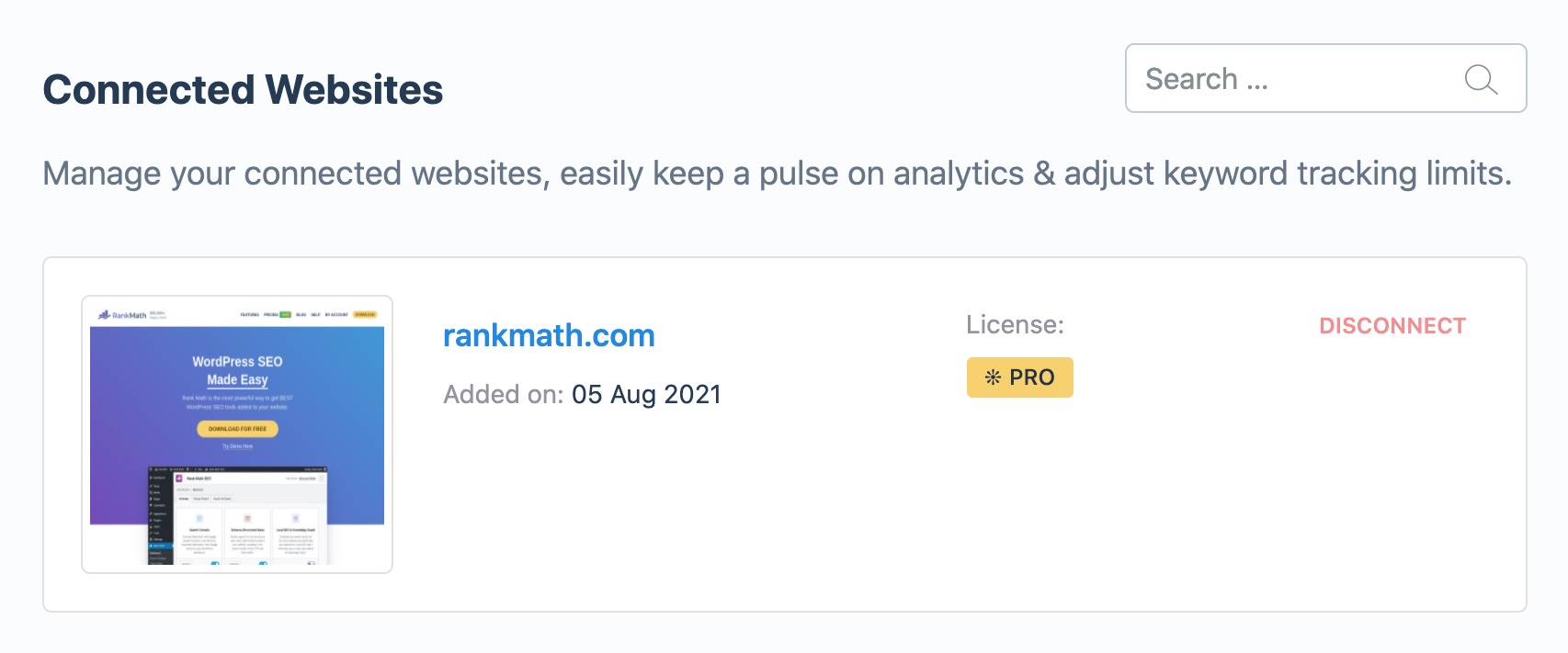
Check if Rank Math SEO Account is Connected: Ensure that your website is connected with the Rank Math account that has a PRO license. You can do this by logging into your Rank Math account and navigating to the My Account area, then clicking on the Websites tab. If your website is not listed, you will need to reconnect it.
-
Reconnect Google Services: If your Analytics data still appears grayed out, it may be necessary to refresh the authorization tokens. You can do this by deleting the Rank Math app from your Google Account permissions and then reconnecting it.
- Open the Google Account permissions from here and remove access to Rank Math SEO.

-
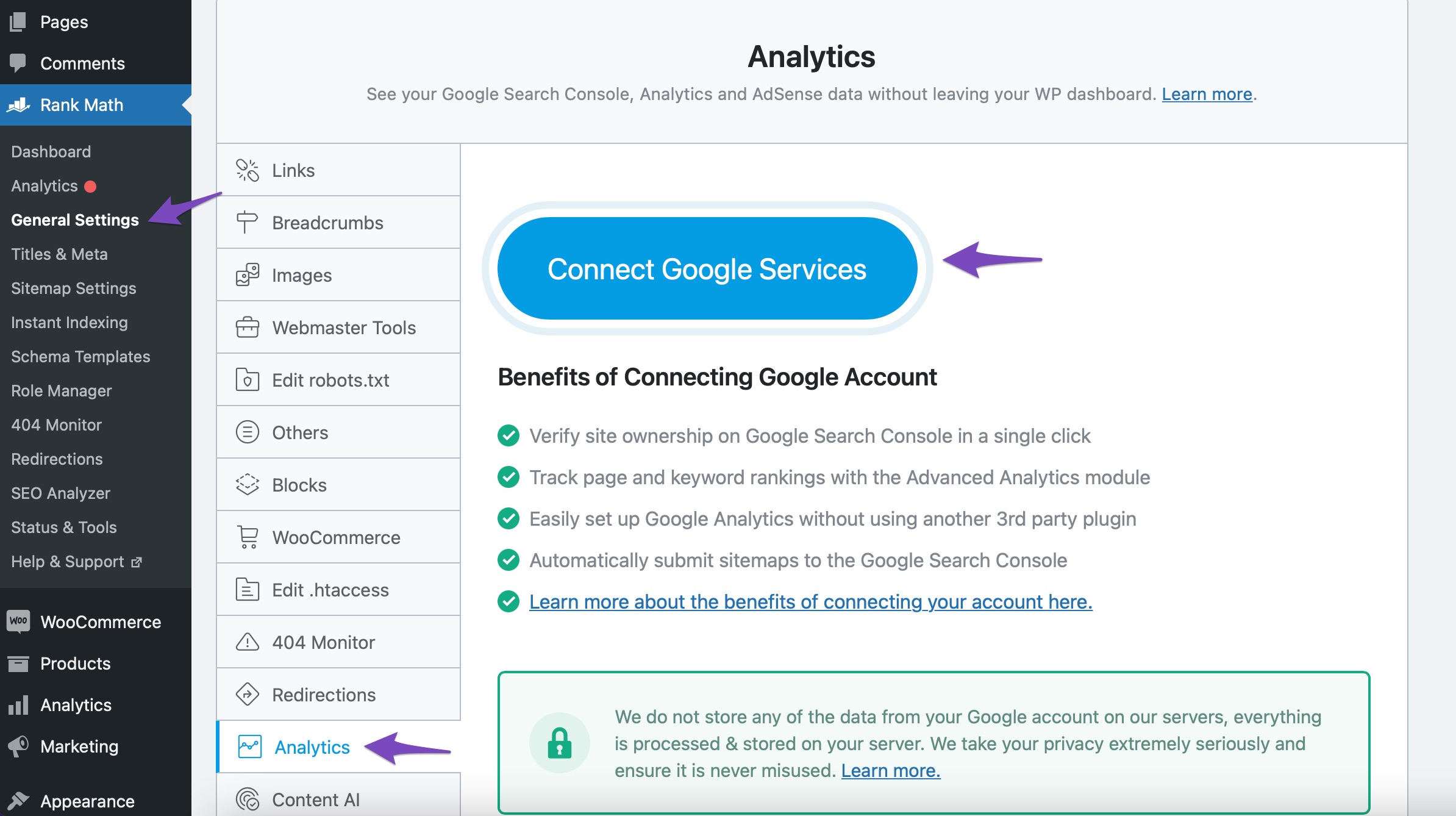
Connect Your Google Account: After refreshing the tokens, go to Rank Math SEO → Analytics → Connect Your Rank Math Account and follow the prompts to connect your Google account again.
-
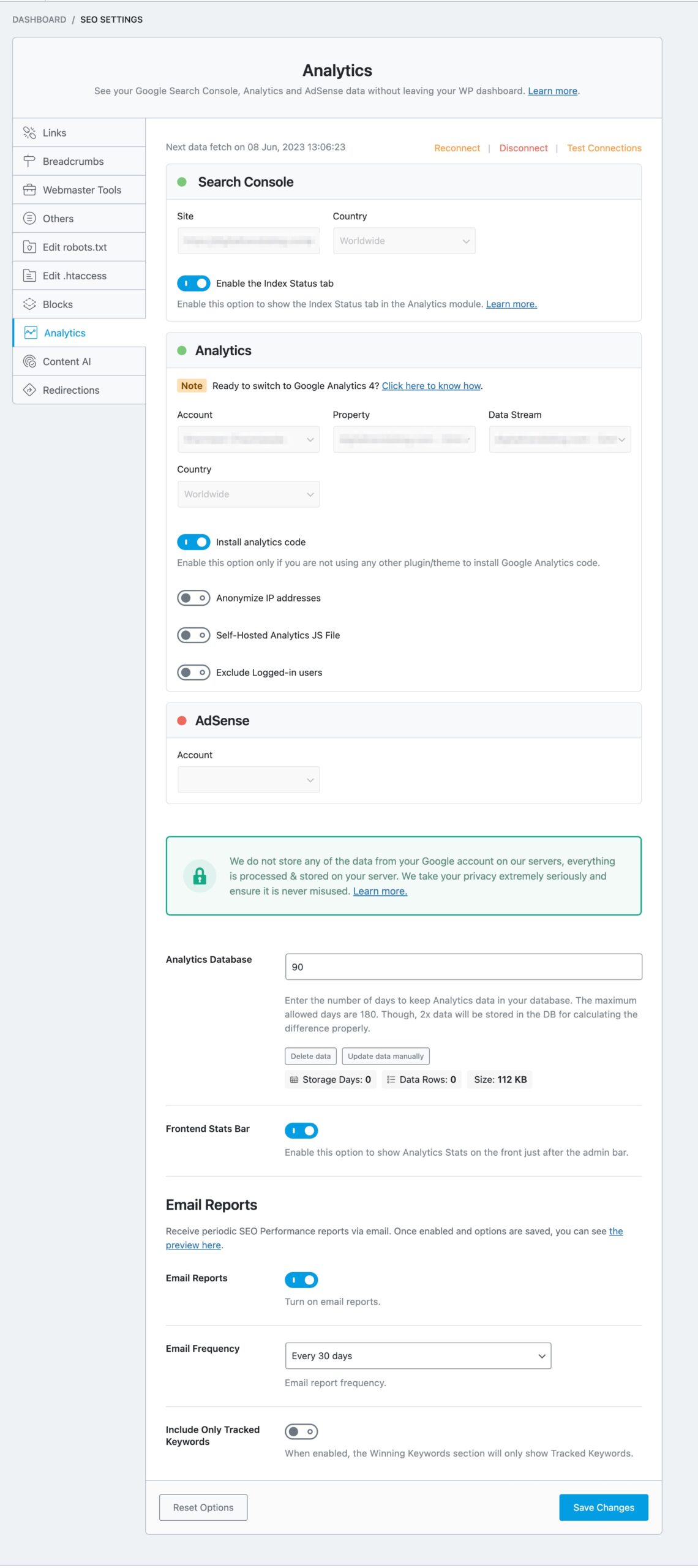
Choose Your Analytics Account & Property: Once connected, ensure you select the correct Analytics account and property in the settings.
If you continue to experience issues after following these steps, please reply to this ticket, and a human agent from the Rank Math Support team will assist you further. Thank you for raising this concern!
Sources:
What to Do When Rank Math Analytics Shows Zero Search Traffic » Rank Math
How to Connect Your Google Account With Rank Math SEO » Rank Math
Hello,
Could you please confirm if you have already created a GA4 property for your website?
If not yet, please visit this page (https://analytics.google.com/analytics/web/) and sign up for a Google Analytics account and property, then reconnect your Google Account so the new Analytics account will reflect in that section.
Let us know how this goes.
It worked. Thank you. Is there a way to change the rating? Accidentally click 4 instead of 5 but not allowing me to change
Hello,
You’re welcome.
No worries, the rating could not be edited further.
However, we are super happy that this issue is already resolved. If you have any other questions in the future, know that we are here to help you.
If you don’t mind us asking, could you please leave us a review (if you haven’t already) on
https://wordpress.org/support/plugin/seo-by-rank-math/reviews/#new-post
about your overall experience with Rank Math? We appreciate your time and patience.
If you do have another question in the future, please feel free to create a new forum topic, and it will be our pleasure to assist you again.
Thank you.
Hello,
Since we did not hear back from you for 15 days, we are assuming that you found the solution. We are closing this support ticket.
If you still need assistance or any other help, please feel free to open a new support ticket, and we will be more than happy to assist.
Thank you.




