Hello,
We apologize for the issue you are facing with connecting your account and setting up the property and data stream in Rank Math. It sounds like you may need to create a Google Analytics 4 (GA4) property and data stream to connect it properly.
Here’s a brief guide on how to do this:
-
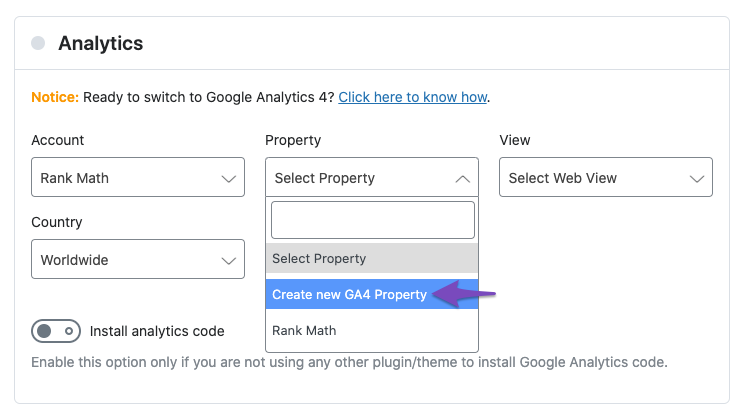
Create a New GA4 Property: In the Analytics section of Rank Math, click the Property dropdown and select the option to create a new GA4 property.
-
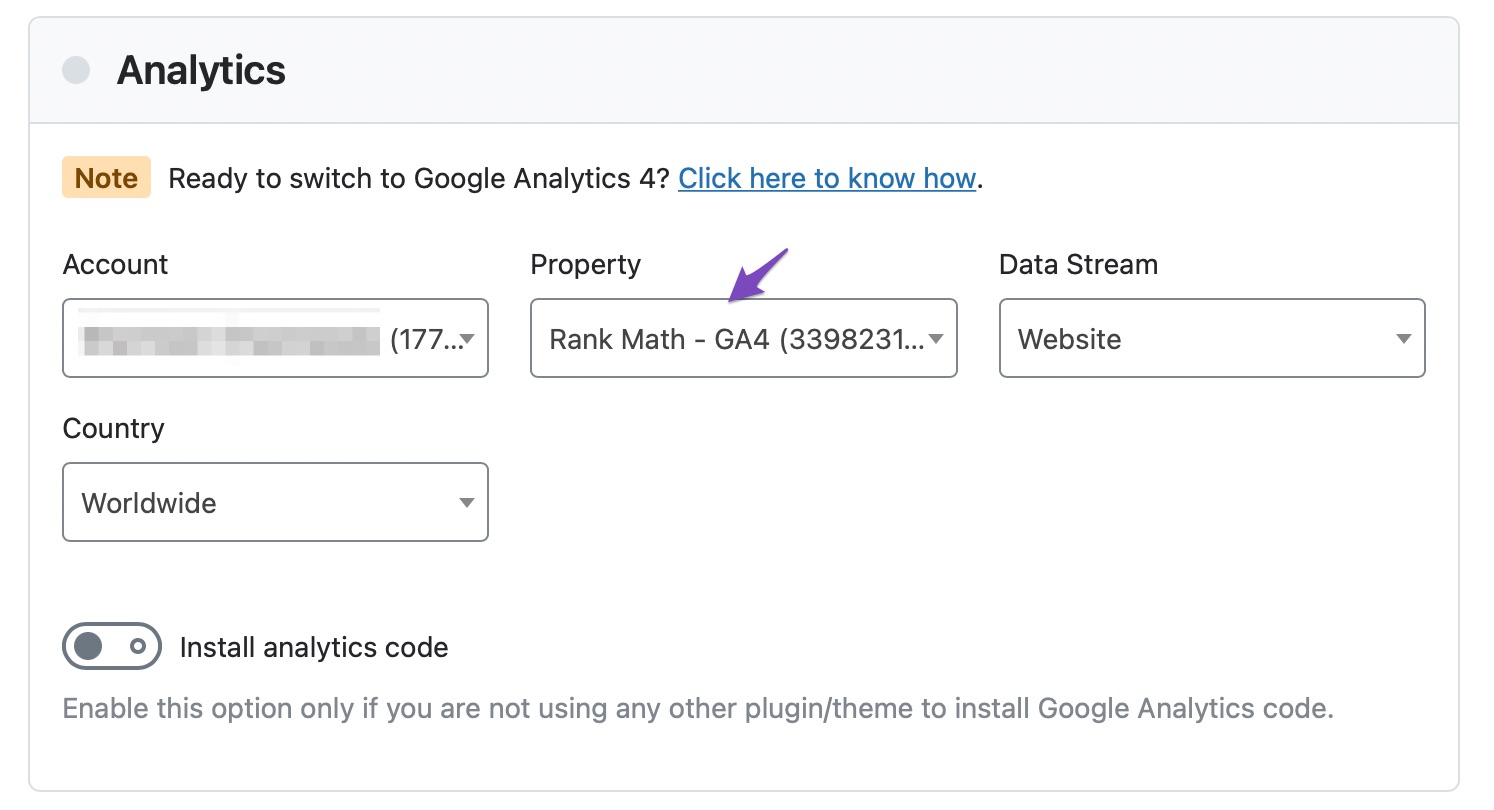
Select the GA4 Property: After creating the property, it should automatically appear in the Property dropdown. You can also select any existing GA4 property from this dropdown.
-
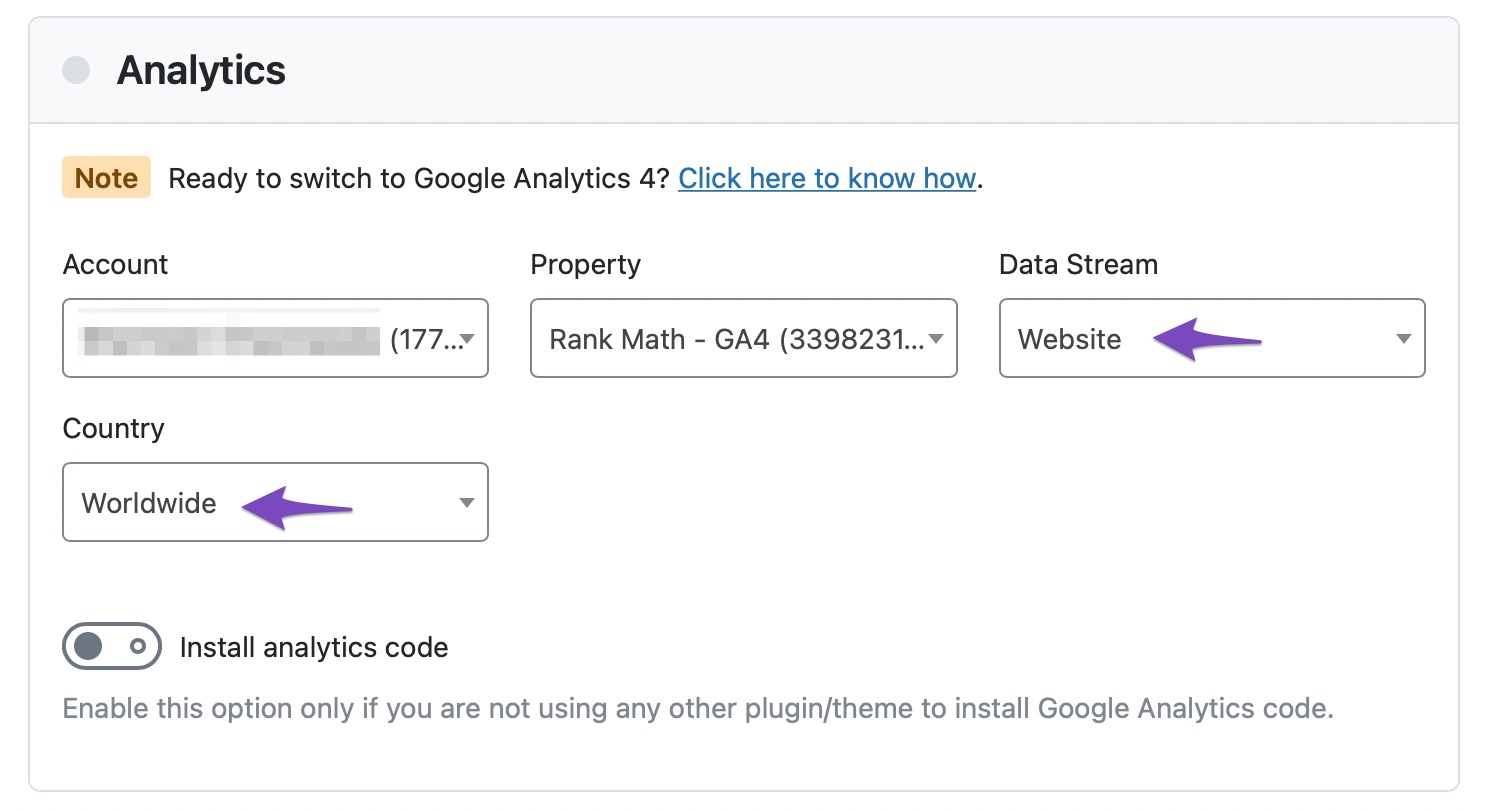
Select Data Stream: Choose the data stream for your GA4 property. Rank Math will typically create a Website data stream automatically for the new property.
-
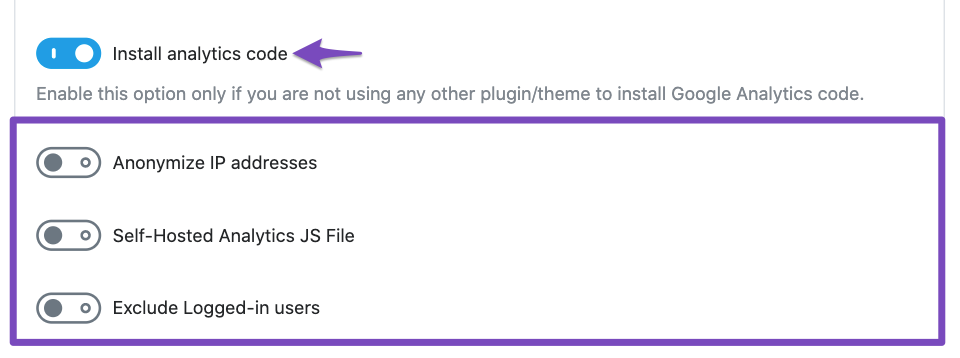
Install Analytics Code: Ensure that you have the GA4 tracking code added to your site. If not, you can enable the option in Rank Math to install the Analytics code.
If you have followed these steps and are still experiencing issues, please reply to this ticket, and a human agent from the Rank Math Support team will assist you further.
Thank you for your patience, and we hope to resolve this for you soon!
Sources:
Using Google Analytics 4 Property With Rank Math Analytics » Rank Math
Resolving Rank Math Analytics Related Issues » Rank Math
I have mo option to change anything
Hello,
Thank you for contacting us and we apologize for any trouble you may have experienced with Rank Math.
To fix the issue, please make sure you have the latest version of the Rank Math plugin installed on your site. You can check the latest version here: https://rankmath.com/changelog/free/
Once you have updated the plugin, please follow these steps to reconnect Rank Math with your Google account and grant all the necessary permissions:
- First of all, check to make sure that you have a verified Google Search Console and Google Analytics properties, if not follow the attached link to create one. If you already have verified properties and you’re still unable to connect them – then follow these steps
- Go to your Google account settings and click on Security.
- Scroll down to the section called Third-party apps with account access and click on Manage third-party access.
- Find Rank Math in the list of apps and click on it.
- Click on Remove access and confirm your action.
- Go back to your WordPress dashboard and navigate to Rank Math > General Settings > Analytics.
- Click on Deauthorize Account and then click on Authorize again.
- Follow the instructions to sign in with your Google account and allow Rank Math to access your data.
You can also refer to this guide for more details: https://rankmath.com/kb/analytics-issues/#expired-google-oauth-token
We hope this resolves the issue for you. If you still face any problems or have any questions, please let us know. We’re always here to help.
Thank you for choosing Rank Math!
Hello,
Since we did not hear back from you for 15 days, we are assuming that you found the solution. We are closing this support ticket.
If you still need assistance or any other help, please feel free to open a new support ticket, and we will be more than happy to assist.
Thank you.



