after installing rank math WordPress database error

#853310
  • Resolved HFT Services
    Rank Math free

    WordPress database error: [Table ‘hftdubai_wp439.wpsw_rank_math_analytics_objects’ doesn’t exist]
    SHOW FULL COLUMNS FROM wpsw_rank_math_analytics_objects

    Warning: Cannot modify header information – headers already sent by (output started at /home/hftdubai/public_html/wp-includes/class-wpdb.php:1849) in /home/hftdubai/public_html/wp-admin/post.php on line 231

    Warning: Cannot modify header information – headers already sent by (output started at /home/hftdubai/public_html/wp-includes/class-wpdb.php:1849) in /home/hftdubai/public_html/wp-includes/pluggable.php on line 1435

    Warning: Cannot modify header information – headers already sent by (output started at /home/hftdubai/public_html/wp-includes/class-wpdb.php:1849) in /home/hftdubai/public_html/wp-includes/pluggable.php on line 1438


Viewing 2 replies - 1 through 2 (of 2 total)
  • Hello,

    We apologize for the issue you are facing with the WordPress database error after installing Rank Math. The error message indicates that the table wpsw_rank_math_analytics_objects does not exist, which is likely a database collation issue or a missing database table.

    To resolve this issue, please follow these steps:

    1. Check for Missing Database Tables:

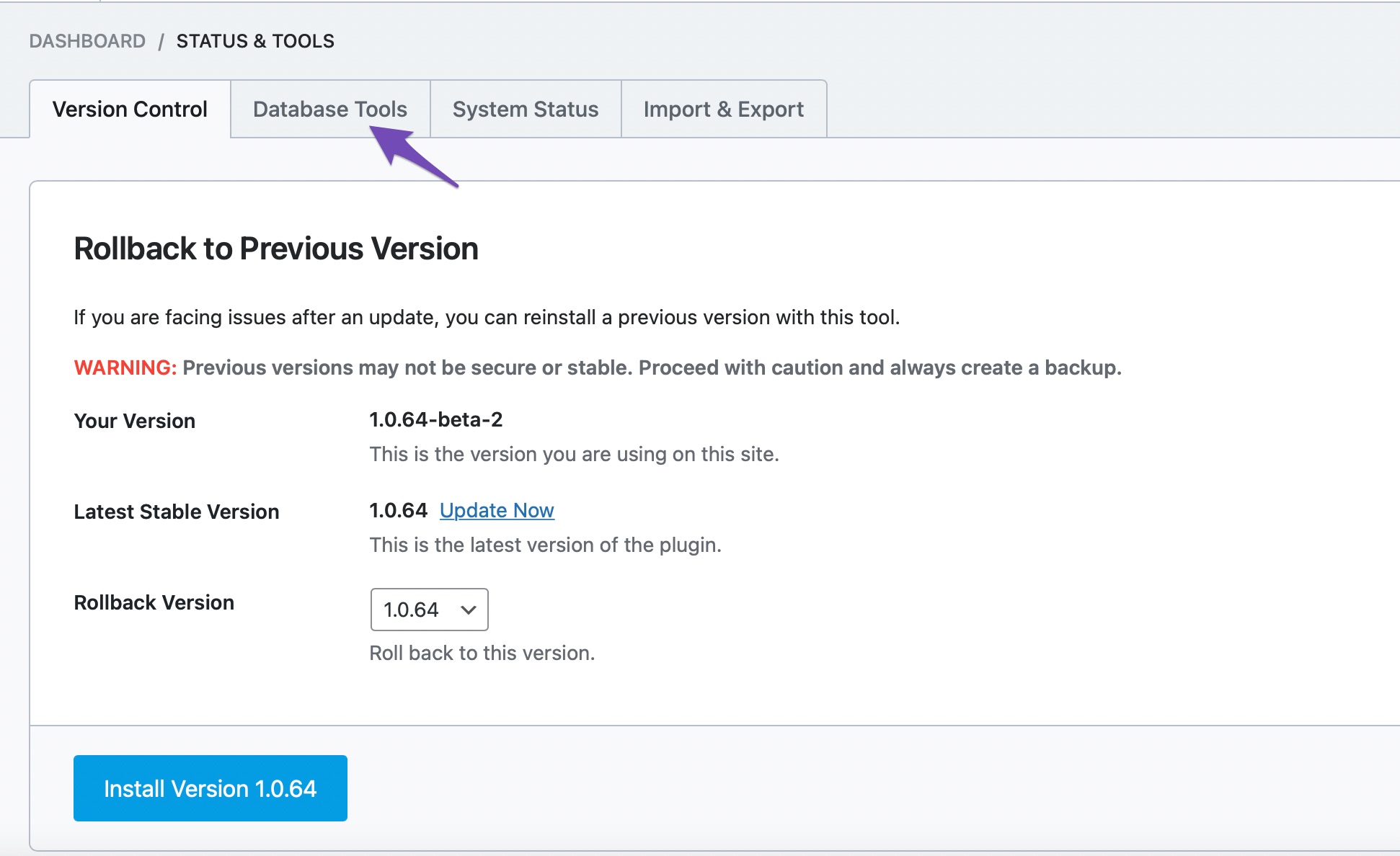
      • Navigate to Rank Math SEO → Status & Tools → Database Tools in your WordPress dashboard.
      • Look for the option Re-create Missing Database Tables and click on it. This will create the necessary tables that are missing.

      Database Tools option under Status and Tools

      Re-create Missing Database Tools

    2. Clear Cache: After re-creating the tables, ensure to clear all caches, including any server-side cache.

    Please note that if you had previously tracked keywords, they will not be available anymore, and you will need to add them to the Keyword Manager again to track their performance.

    If you continue to experience issues, please reply to this ticket, and a human agent from the Rank Math Support team will assist you further.

    Thank you for raising this concern!

    Sources:
    Resolving Rank Math Analytics Related Issues » Rank Math
    How to Recreate Database Tables in Rank Math » Rank Math

    Hello,

    Thank you for contacting us and sorry for any inconvenience that might have been caused due to that.

    Please head over to your WordPress Dashboard > Rank Math > Status & Tools > Database Tools and click the Recreate Missing Database Tables button and see if that works for you: https://rankmath.com/kb/rank-math-status-and-tools/#recreate-missing-database-tools

    Please note that some options are only available when you enable the Advanced Mode in Rank Math. If Database Tools is not showing, please switch to the Advanced Mode: https://rankmath.com/kb/switch-from-easy-to-advanced-mode/

    Let us know how it goes. Looking forward to helping you.

    Thank you.

    Hello,

    Since we did not hear back from you for 15 days, we are assuming that you found the solution. We are closing this support ticket.

    If you still need assistance or any other help, please feel free to open a new support ticket, and we will be more than happy to assist.

    Thank you.

Viewing 2 replies - 1 through 2 (of 2 total)

The ticket ‘after installing rank math WordPress database error’ is closed to new replies.