Hello,
We apologize for the issue you are facing with the AdSense crawling error. It seems that your pages are being blocked by certain Google ad services, which can indeed affect indexing.
To address this issue, you can follow these steps:
-
Check Your Robots.txt File: Ensure that your robots.txt file is not blocking the Google ad services. You can access your robots.txt file by visiting yourdomain.com/robots.txt. Look for any lines that might be disallowing access to pagead2.googlesyndication.com or googleads.g.doubleclick.net.
-
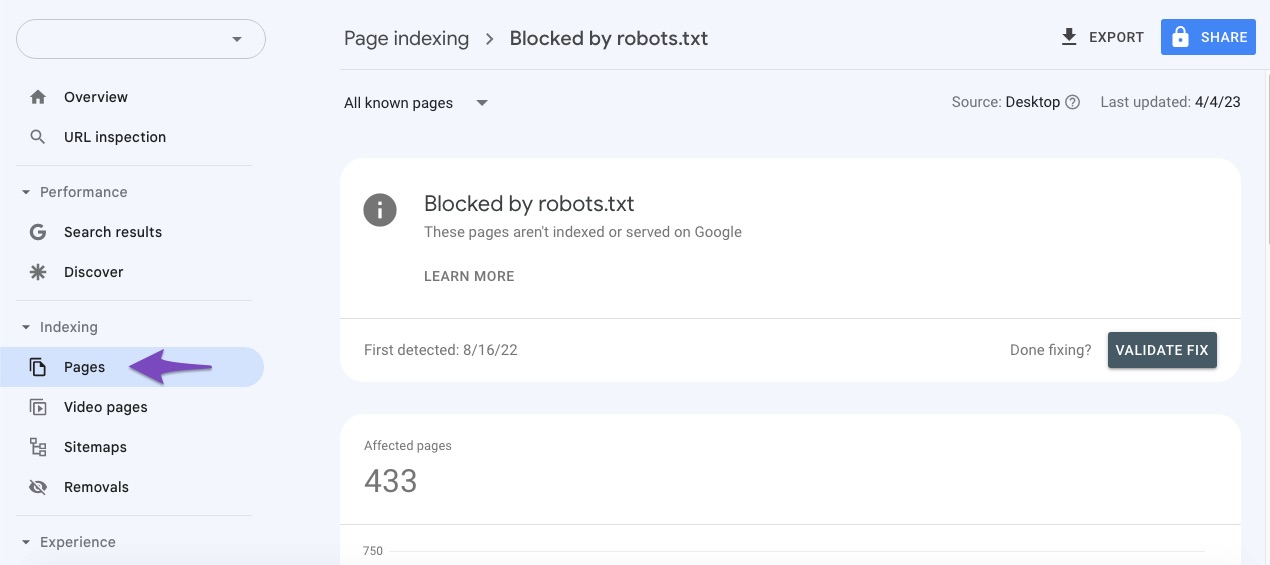
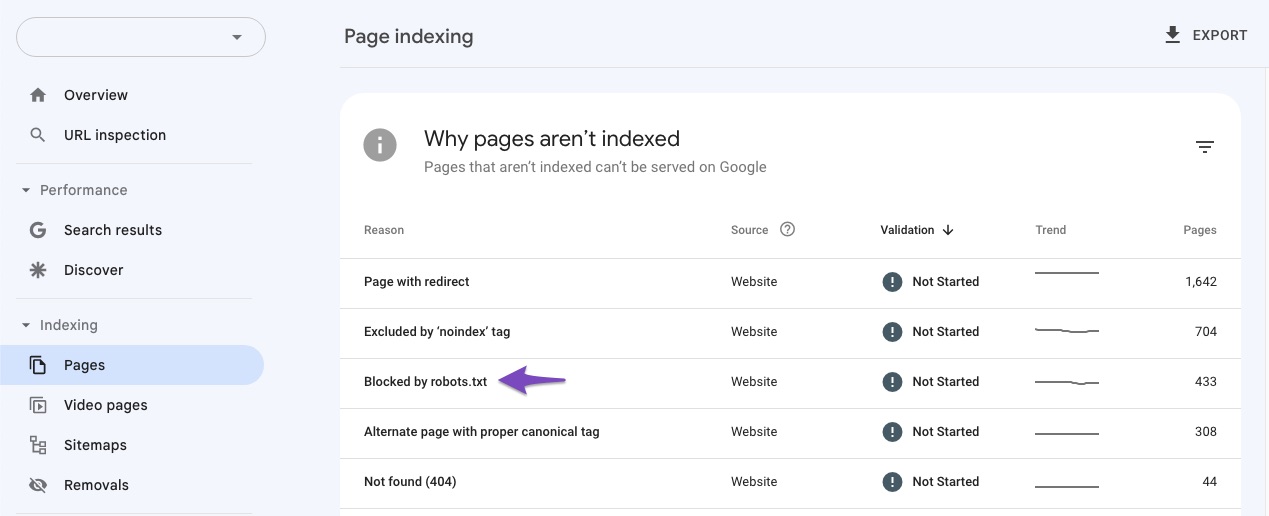
Use Google Search Console: Go to Google Search Console and check the Coverage report. Look for any specific errors related to the blocked pages. You can also use the URL Inspection Tool to see how Google views your pages.
-
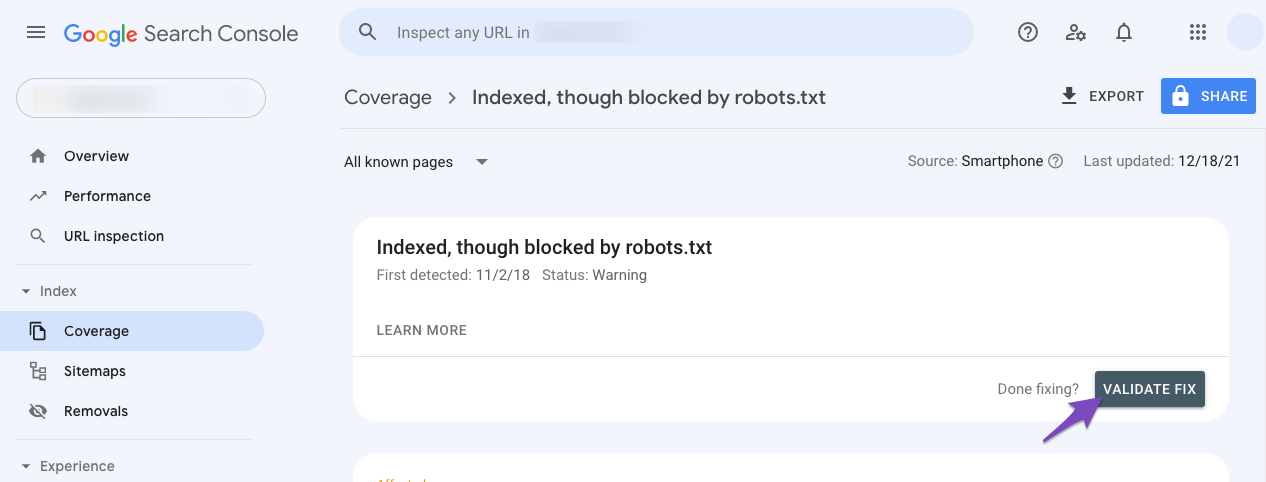
Validate Fix in Google Search Console: After making changes to your robots.txt file or fixing any issues, return to Google Search Console and click on the Validate Fix button for the errors you resolved. This will prompt Google to recrawl your pages.
-
Reach Out for Help: If the issue persists, consider reaching out to the Rank Math support team directly for more personalized assistance.
We hope this helps you resolve the crawling errors and get your pages indexed again! If you have any further questions or need additional assistance, please feel free to reply to this ticket.
Hello,
Thank you for contacting Rank Math support.
Can you please confirm if the error you’re referring to is similar to the one from this screenshot:

If yes, please note that this isn’t an error or something you can fix – it’s from Google’s end and should not cause any issues on your end. Learn more here.
However, if this isn’t related to your issue, then please share a screenshot of the error you’re getting as well as your website URL.
Thank you for your patience and cooperation
Yes this is the same error I am facing and also some javascript message saying AMP page not valid error in amp
But my pages are not getting indexed the day after it start showing these errors
Hello,
If your issue is about page indexing, please check for URLs in your Google Search Console and look for any coverage issues that may tell us why your website is not being indexed on the SERP. You may refer to this guide: https://support.google.com/webmasters/answer/7440203?hl=en
Looking forward to hearing back from you.
Hello,
Since we did not hear back from you for 15 days, we are assuming that you found the solution. We are closing this support ticket.
If you still need assistance or any other help, please feel free to open a new support ticket, and we will be more than happy to assist.
Thank you.




