Hello,
We apologize for the issue you are facing with adding ALT text to your images. To ensure that your images pass the Rank Math test, please make sure of the following:
- Correct Focus Keyword: Ensure that the focus keyword you are using in the ALT text is indeed the primary focus keyword set for that post or page.
- Image ALT Text: The ALT text should contain the focus keyword naturally. Both singular and plural forms of the keyword are considered, so make sure to include variations if applicable.
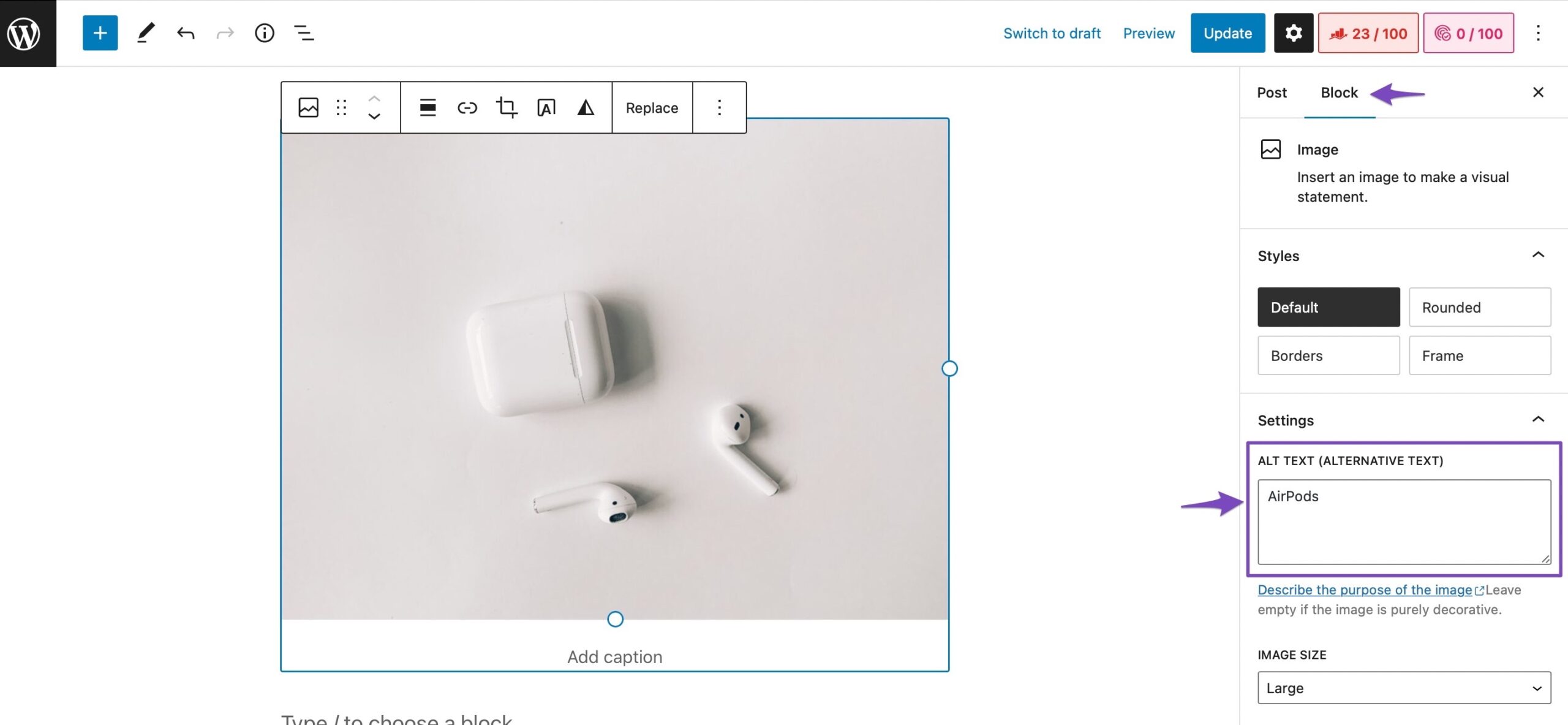
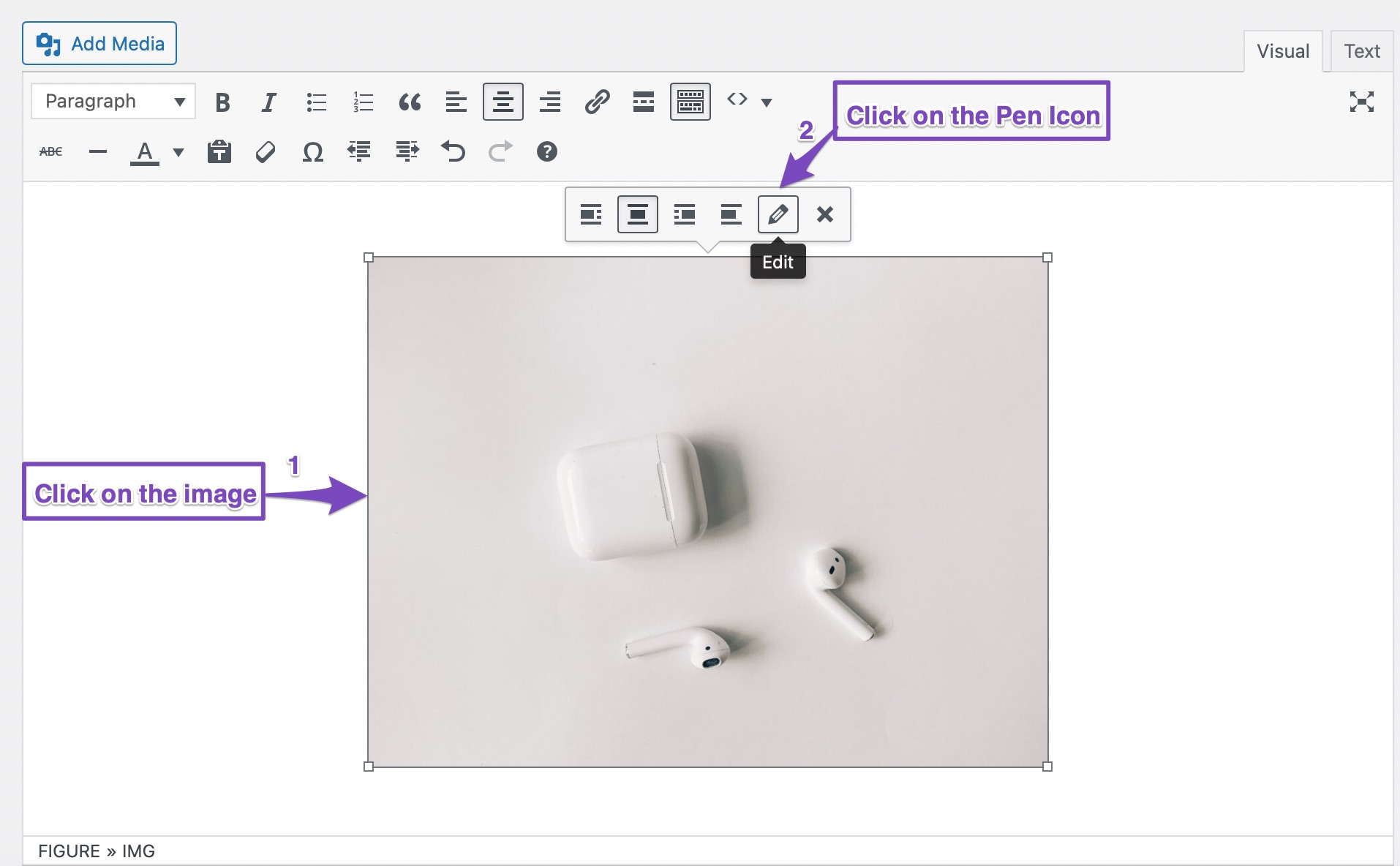
- Image Settings: If you are using the Gutenberg editor, click on the image, and check that the ALT text is correctly entered in the Block settings on the right side. For the Classic editor, click on the image and then the Pen Icon to edit the image settings.
Here are some helpful images to guide you:
If you have checked all these points and are still encountering an error, please reply to this ticket, and a human agent from the Rank Math Support team will assist you further.
Sources:
How to Show Images in the Search Results » Rank Math
Score 100/100 With Rank Math Post Tests » Rank Math
Hello,
Thank you for contacting us and sorry for any inconvenience that might have been caused due to that.
Please note that Rank Math checks for the exact match of the focus keyword with the ALT text.
You can try to copy your focus keyword and paste it into the ALT text field and see if that helps you resolve the issue.
If the issue persists, please let us know if you are using any page builders on your site or not. If so please let us know which page builder you are using.
Let us know how it goes. Looking forward to helping you.
Thank you.
Pet New Cat Ball Toy Intelligent Ball USB Cat Toys Self Rotating Ball Automatic Rotation Ball this is my product name and the Alt text which i am adding to the image is ”interactive caat toy” if its not correct for Alt text then you can suggest me but keep in mind i have tried many alt txt throught Ai tool too
Hello,
In this case, we might need to take a closer look at the settings. Please edit the first post on this ticket and include your WordPress logins in the designated Sensitive Data section.
Please do take a complete backup of your website before sharing the information with us.
It is completely secure and only our support staff has access to that section. If you want, you can use the below plugin to generate a temporary login URL to your website and share that with us instead:
https://wordpress.org/plugins/temporary-login-without-password/
You can use the above plugin in conjunction with the WP Security Audit Log to monitor what changes our staff might make on your website (if any):
https://wordpress.org/plugins/wp-security-audit-log/
We really look forward to helping you.
Hello,
Since we did not hear back from you for 15 days, we are assuming that you found the solution. We are closing this support ticket.
If you still need assistance or any other help, please feel free to open a new support ticket, and we will be more than happy to assist.
Thank you.