Hello,
Thank you for contacting Rank Math and bringing your concern to our attention.
The 404 Monitor only displays if a URL was accessed, and it returns an error 404. If you wanted to redirect them to a specific page, you may need to visit the 404 Monitor and use the bulk redirect feature:
https://rankmath.com/kb/fix-404-errors/#bulk-actions
On the other hand, Rank Math also offers a fallback for all of your website’s 404. Here’s another way to redirect them automatically without visiting the 404 Monitor:
https://rankmath.com/kb/general-settings/#fallback-behaviour
I hope that helps.
Thank you.
Hi!
Thanks for your quick response. I can’t access the 404 monitor log because I can’t seem to see it on my dashboard. I’ve read over the links you sent but it looks different to my dashboard. I also don’t have easy mode on, have the full advanced mode on.
Where can I access the log please? After “Ignore Query Parameters” this is the last section of the page. There is no further section to see a log.
Thanks,
George
Hello,
Could you please check if the 404 Monitor module is enabled on your WordPress dashboard > Rank Math > Dashboard?
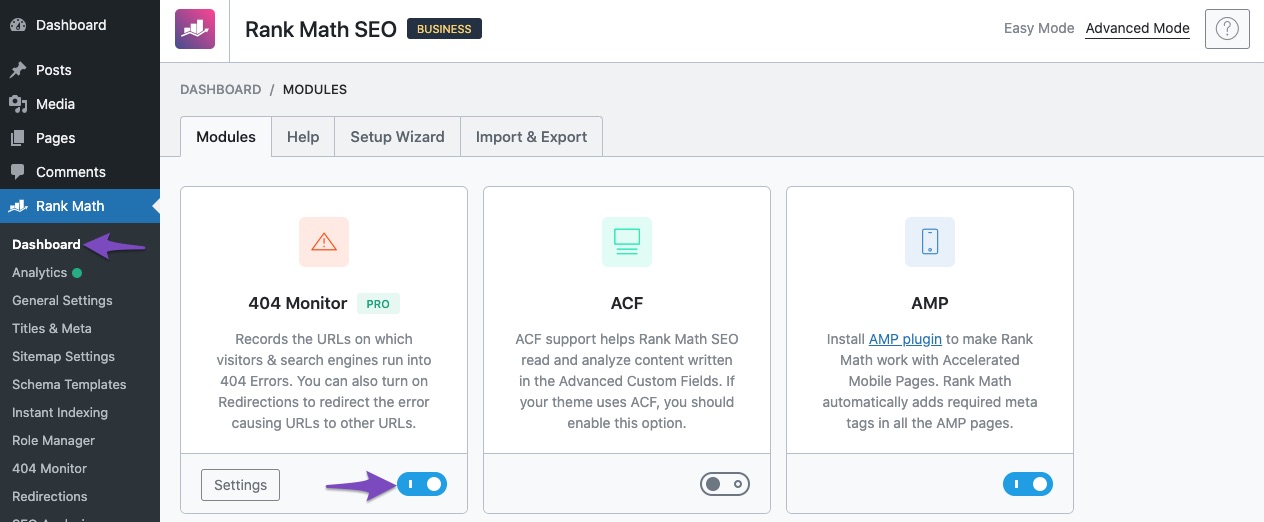
Once done, you should see the 404 Monitor on Rank Math like this
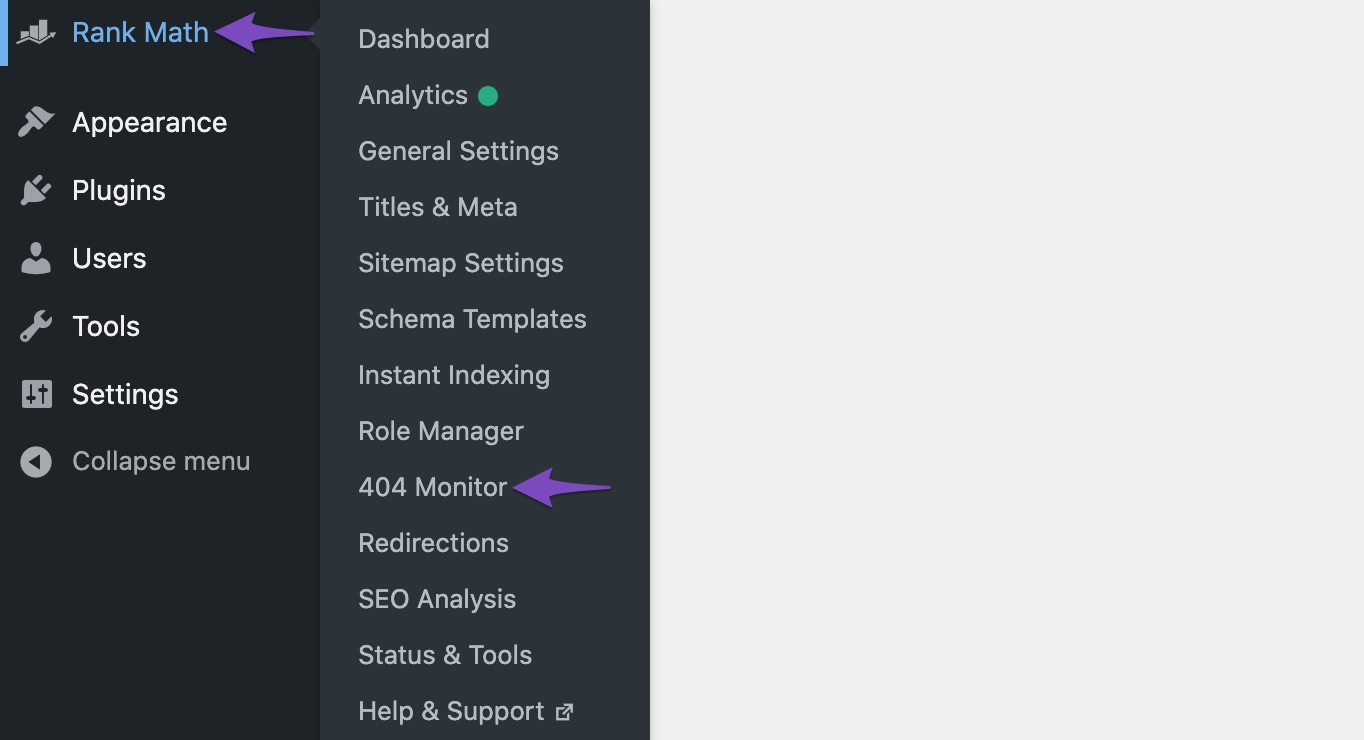
Let us know how this goes.
Thank you.
Hi Reinelle,
I wouldn’t have sent a message if the 404 monitor was not enabled. I did clearly state above that I can’t access the log. Not the 404 monitor area. That can be seen clearly. Does your support tickets not allow for customers to add screenshots? This will make the whole process easier as I will show you my screen.
Again, I am in the 404 monitor area, however, once clicked the following headings and options appear: mode, log limit, exclude paths, ignore query parameters. Underneath there is a save changes and reset options button. No place allows for me to see the log. So again, what do I do?
Thanks
George
Hello,
We apologize for the inconvenience.
Please share your screenshots using this handy tool https://imgbb.com/ and share the URL here.
If you prefer, we can take a closer look at your dashboard to further check the issue you are having. Please edit the first post on this ticket and include your WordPress login in the designated Sensitive Data section.
Please do take a complete backup of your website before sharing the information with us.

It is completely secure and only our support staff has access to that section. If you want, you can use the below plugin to generate a temporary login URL to your website and share that with us instead:
https://wordpress.org/plugins/temporary-login-without-password/
You can use the above plugin in conjunction with the WP Security Audit Log to monitor what changes our staff might make on your website (if any):
https://wordpress.org/plugins/wp-security-audit-log/
We really look forward to helping you.
Hi,
I have uploaded the screenshot to you. Can you tell me if you can see it?
Thanks
George
Hello,
Once you have uploaded the screenshot, please share the URL here or in the sensitive data section so we can check.
Looking forward to helping you.
Thank you.
Hi Reinelle,
Here are my WordPress backend login details. Access it and take a look from your end please. This is easier, and I will update my password once you are finished.
[Moved to sensitive data]
I look forward to your update.
Hello,
The logs for the 404 monitor are present under WordPress Dashboard > Rank Math > 404 Monitor as you can see from this video: https://i.rankmath.com/BDF5Cj
Hope this helps solve your issues.
Don’t hesitate to get in touch if you have any other questions.
Hi Migeul,
Thanks. This is something that was clearly an internal issue then because once I shared my login details with Rankmath the 404 section now works. Assuming the issue was to do with something on your end not displaying on my dashboard correctly?
Nevertheless, thanks for sorting.
Hello,
We didn’t do anything on the website. We simply logged in with the credentials provided and directly accessed the 404 monitor which was showing without any issues.
Having said that we’re glad that this is sorted now.
Don’t hesitate to get in touch if you have any other questions.



