Hello,
We apologize for the issue you are facing with the duplicate rel="canonical" URLs on your Thai language pages. To ensure that these pages have only one canonical URL in Thai characters, you can follow these steps:
-
Edit the Canonical URL:
- Go to the WordPress dashboard and navigate to the specific Thai page that is showing the issue.
- Scroll down to the Rank Math meta box (if you don’t see it, make sure to enable Advanced Mode from Rank Math > Dashboard).
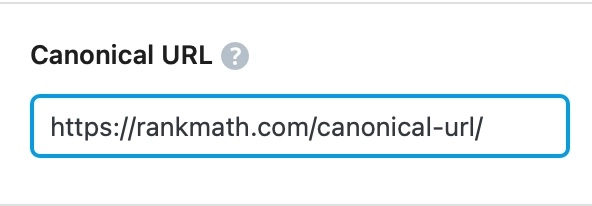
- Under the Advanced tab, you will find the Canonical URL field. Here, you can specify the canonical URL that you want Google to recognize.
- Make sure to enter the canonical URL in Thai characters.
-
Remove Duplicate Canonical Tags:
- Check your theme or any plugins that might be adding additional canonical tags. Sometimes, themes or SEO plugins can automatically generate canonical URLs, which may lead to duplicates.
- If you find any conflicting settings, adjust them accordingly to ensure only one canonical tag is outputted.
-
Clear Cache:
- If you are using a caching plugin, clear your cache after making these changes to ensure that the updated canonical tag is reflected on the front end of your site.
-
Test the Changes:
- After making these adjustments, view the page source again to confirm that only one
rel="canonical" tag is present and that it points to the correct Thai URL.
By following these steps, you should be able to resolve the issue of having multiple canonical URLs on your Thai pages. If you continue to experience problems, please reply to this ticket, and a human agent from the Rank Math Support team will assist you further.
Thank you for raising this concern!
Sources:
How to Fix ‘Duplicate Without User-Selected Canonical’ Status in Google Search Console » Rank Math
How to Fix “Duplicate, Google Chose Different Canonical than User” » Rank Math
When I specify the canonical url in the advanced tab it removes the url from my sitemap. Is there a reason for this?
Hello,
Please disregard the previous reply from our bot.
Yes, Rank Math removes the URL from your sitemap when you have added the canonical in that option.
However, Rank Math should add the canonical automatically on your site.
If there’s a duplicate canonical URL, then it must be generated by one of your plugins or active theme.
Assuming you are using the latest version of all the plugins and the themes (please update if not yet), to determine that, please follow this troubleshooting guide:
https://rankmath.com/kb/check-plugin-conflicts/
Here is a video you can follow as well: https://www.youtube.com/watch?v=FcIWRhcUP2c
Only the site admin would know and your users won’t be affected by this troubleshooting.
Looking forward to helping you.
Hello,
Since we did not hear back from you for 15 days, we are assuming that you found the solution. We are closing this support ticket.
If you still need assistance or any other help, please feel free to open a new support ticket, and we will be more than happy to assist.
Thank you.



