Hello,
我们很抱歉您遇到的问题。根据您描述的情况,您可能需要重新连接 Rank Math 与您的 Google Analytics 账户。请按照以下步骤操作:
-
移除 Rank Math 的访问权限:前往 您的 Google 账户,在 第三方应用程序的账户访问权限 中找到 Rank Math,并点击 移除访问权限。

-
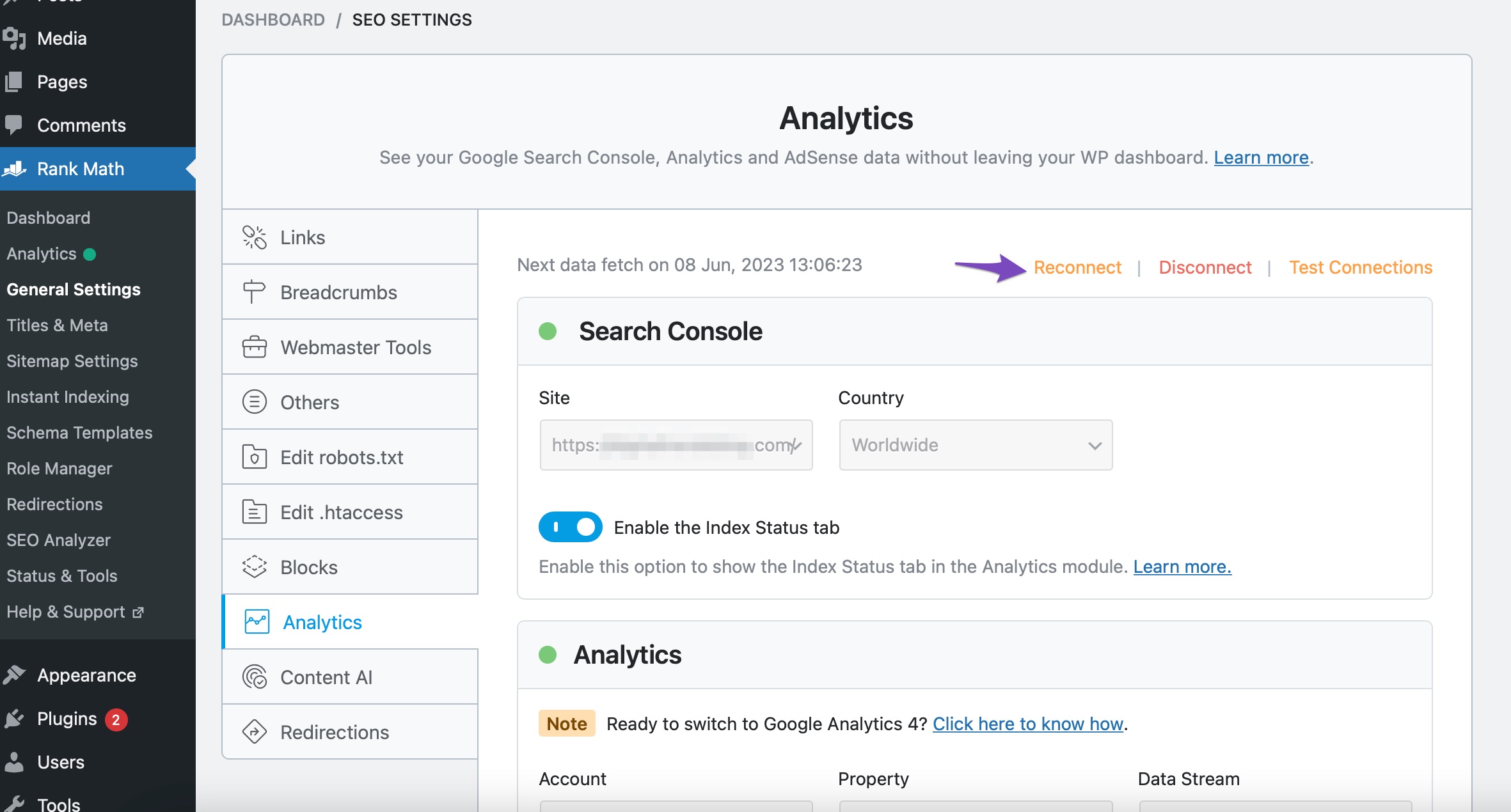
重新连接:在 WordPress 后台,导航到 Rank Math SEO → 常规设置 → 分析,然后点击顶部的 重新连接 按钮。
-
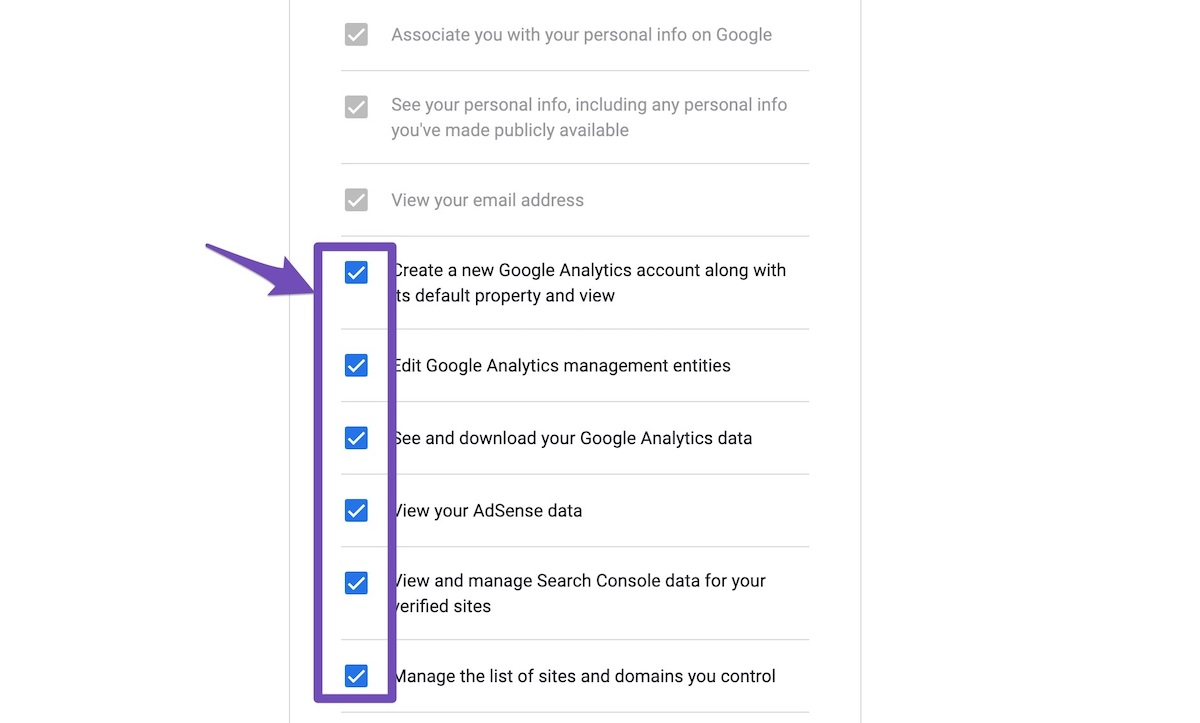
授予所有权限:在接下来的页面上,确保允许所有权限。
-
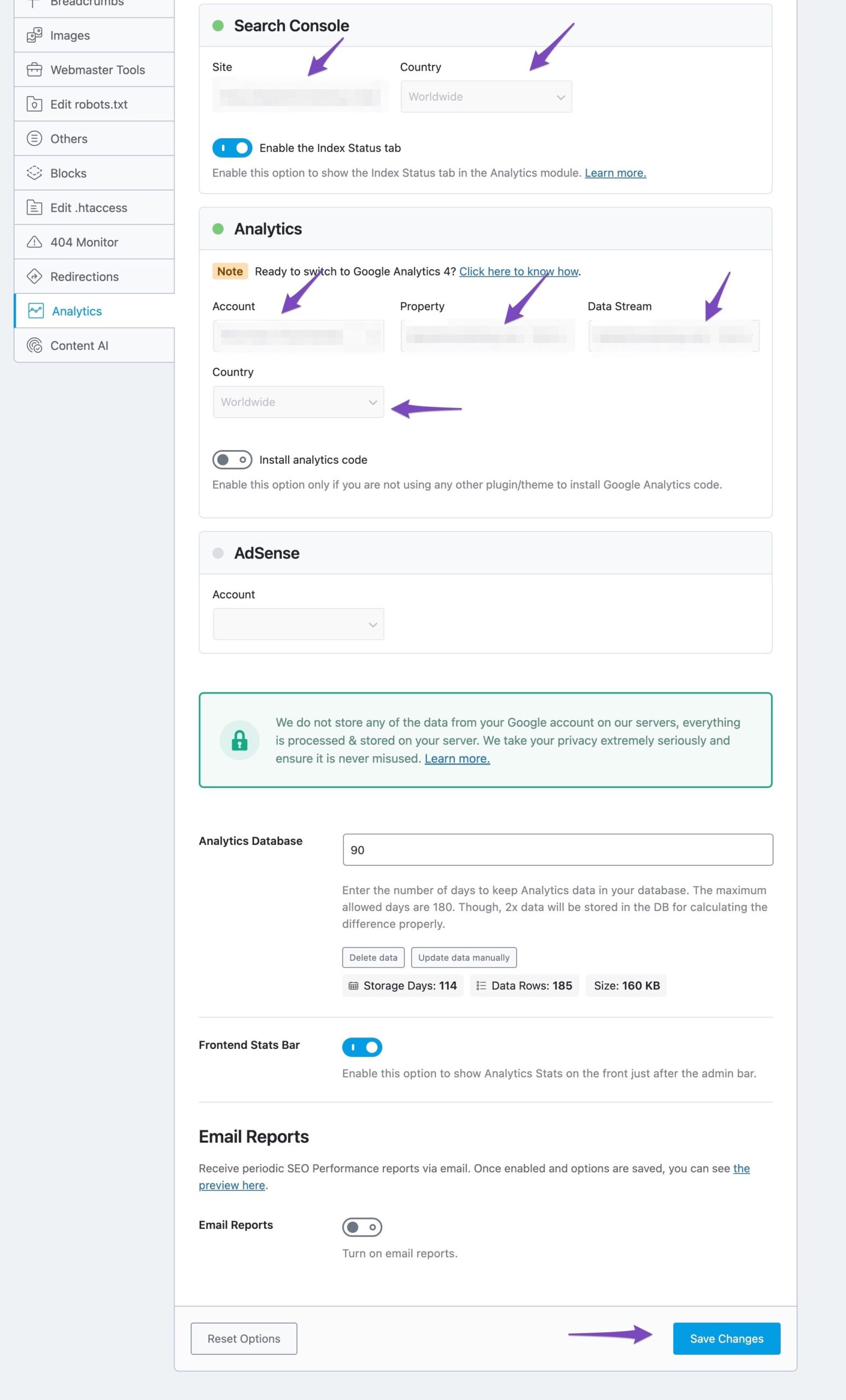
配置分析设置:在 Rank Math 的分析设置中,选择下拉列表中的所有值以配置分析属性,然后点击 保存更改。
完成这些步骤后,您应该能够成功连接。如果问题仍然存在,请回复此票据,我们的人工支持团队将会协助您解决问题。感谢您提出这个问题!
Sources:
Resolving Rank Math Analytics Related Issues » Rank Math
Resolving Rank Math Analytics Related Issues » Rank Math
Hello,
Thank you for your query and we are so sorry about the trouble this must have caused.
As the error message suggests, you haven’t given our plugin enough permission to access data from your Google account for the Analytics module to work.
Try reconnecting your Google account. Remove RankMath’s app from your Google apps permissions: https://myaccount.google.com/permissions
Then, head over to your WordPress Dashboard > Rank Math > General Settings > Analytics and reconnect the Google service and this time, ensure that all permissions are checked:


Let us know how that goes. Looking forward to helping you.
Hello,
In this case, we might need to take a closer look at the settings. Please edit the first post on this ticket and include your WordPress & FTP logins in the designated Sensitive Data section.
Please do take a complete backup of your website before sharing the information with us.

It is completely secure and only our support staff has access to that section. If you want, you can use the below plugin to generate a temporary login URL to your website and share that with us instead:
https://wordpress.org/plugins/temporary-login-without-password/
You can use the above plugin in conjunction with the WP Security Audit Log to monitor what changes our staff might make on your website (if any):
https://wordpress.org/plugins/wp-security-audit-log/
Looking forward to helping you.
Thank you.
Hello,
Since we did not hear back from you for 15 days, we are assuming that you found the solution. We are closing this support ticket.
If you still need assistance or any other help, please feel free to open a new support ticket, and we will be more than happy to assist.
Thank you.




