Hello,
We apologize for the issue you are facing with connecting the Rank Math plugin to your account. If you are getting redirected back to the WordPress dashboard without any action, here are a few steps you can try:
-
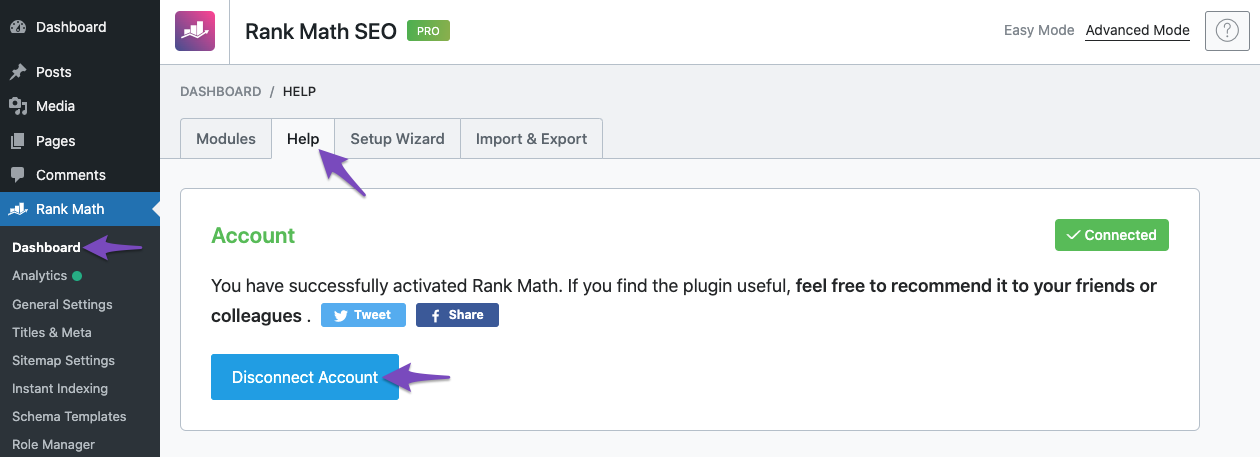
Disconnect and Reconnect: Go to your WordPress Dashboard, navigate to Rank Math SEO → Dashboard → Help, and click on the Disconnect Account button. This will allow you to reconnect your Rank Math account.
-
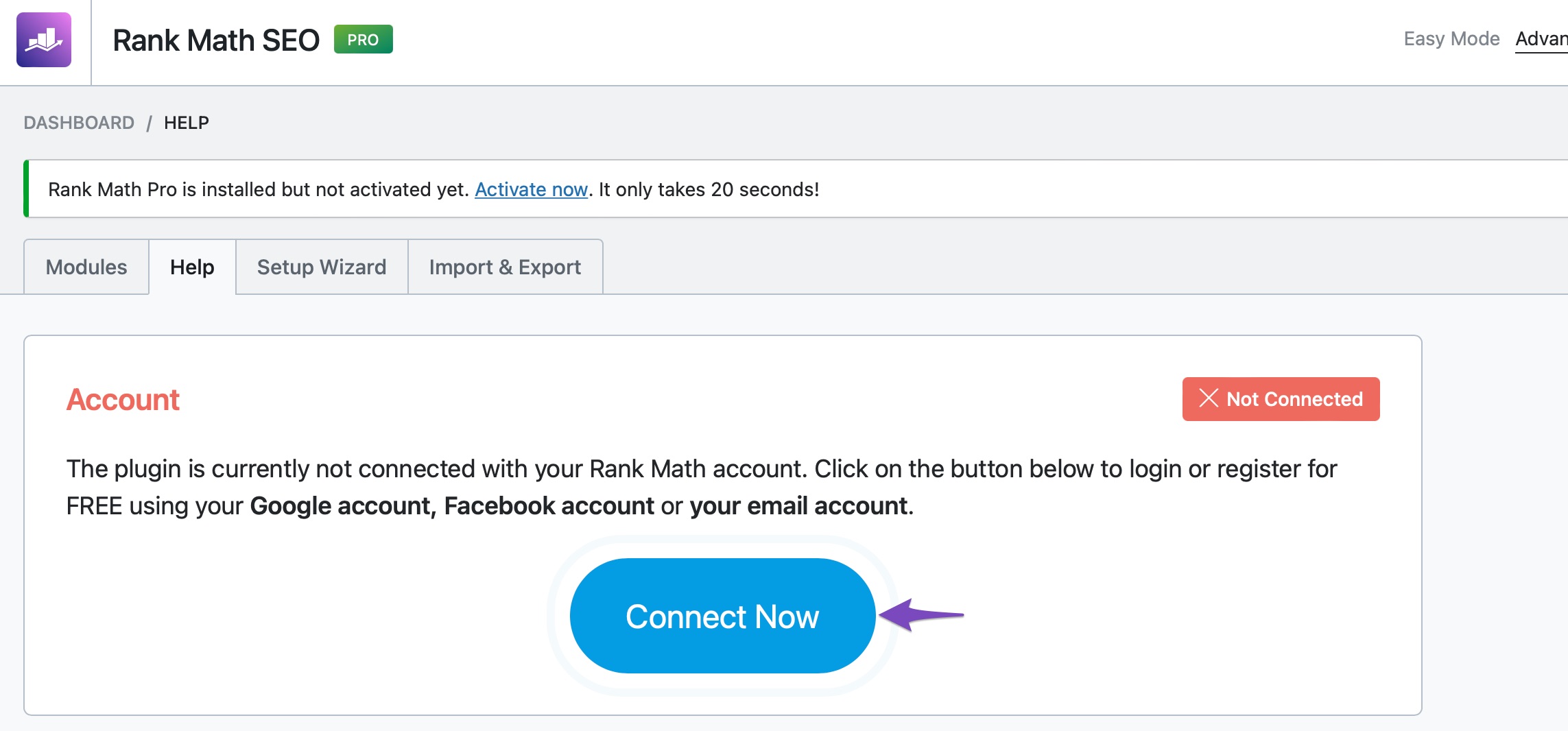
Connect Again: After disconnecting, click on the Connect Now button. This should redirect you to the Rank Math website where you can log in to your account.
-
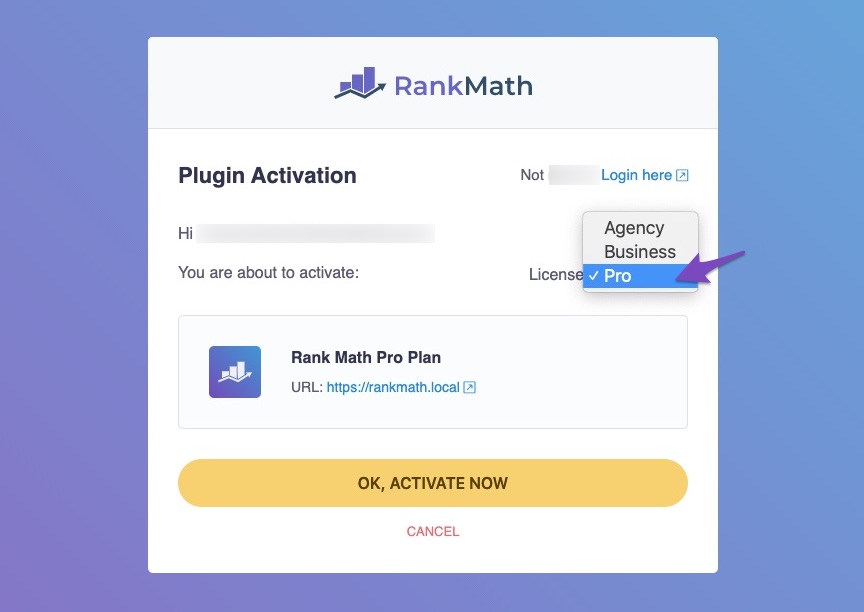
Select the Correct Account: Ensure that you are using the same Rank Math account associated with your subscription. If you have multiple subscriptions, select the appropriate one from the drop-down list before clicking OK, ACTIVATE NOW.
-
Check for Conflicts: Sometimes, other plugins or themes may cause conflicts. Try deactivating other plugins temporarily to see if that resolves the issue.
If these steps do not resolve the problem, please reply to this ticket with your site URL, and a human agent from our support team will assist you further. Thank you for raising this concern!
yes i had the same issue click skip and then open the rankmath > rankmath dashboard > help > u should fnd connect ur account there it should work it worked for me
I deactivated all the plugins but Elementor and I’m still facing the same problem
Ok, I was able to connect
Hello,
We are glad that the issue has been sorted out.
Please feel free to reach out to us again in case you need any other assistance.
We are here to help.
Thank you.




