Hello, we apologize for the issue you are facing. After installing Rank Math, the Setup Wizard should automatically initiate to help you configure the essential SEO settings for your website. If it didn’t start automatically, you can manually access the Setup Wizard by following these steps:
-
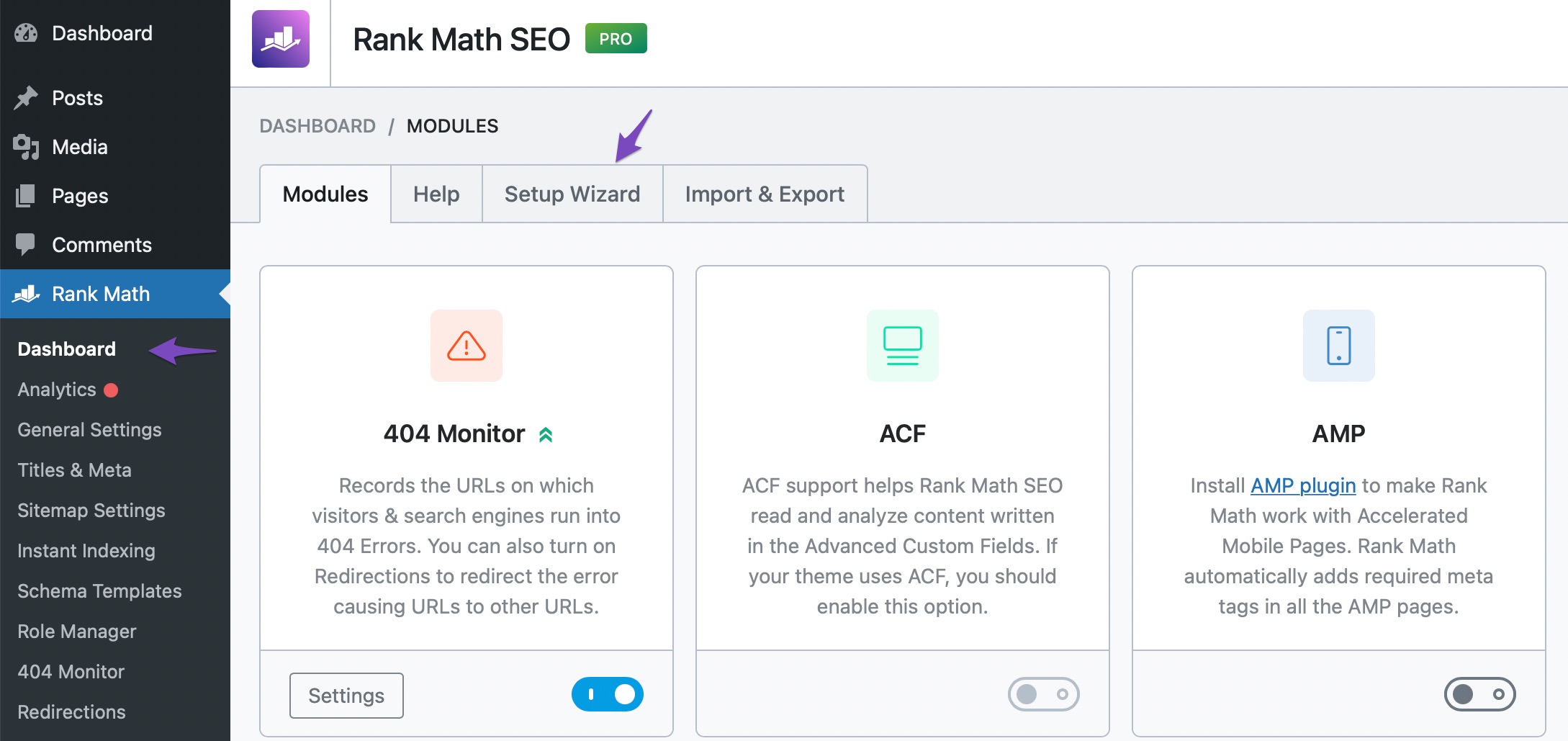
From the Rank Math Dashboard: Navigate to WordPress Dashboard → Rank Math SEO → Dashboard and click on the Setup Wizard tab.
-
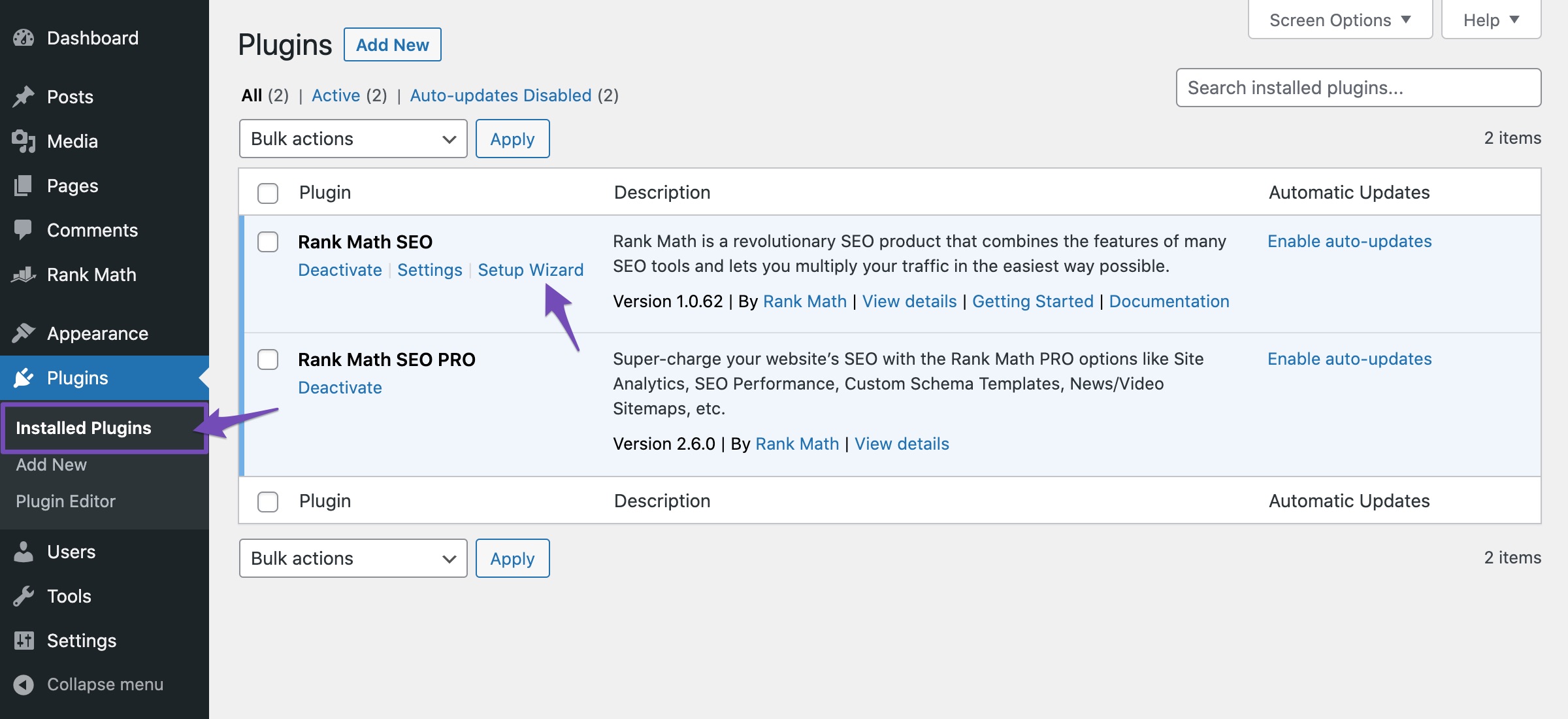
From the Plugins Page: If you prefer, you can also rerun the Setup Wizard from the plugins page by going to WordPress Dashboard → Plugins → Installed Plugins, finding Rank Math SEO, and selecting the option to run the Setup Wizard from there.
Once you launch the Setup Wizard, you will be guided through the process of connecting your Google account and configuring your settings. If you encounter any issues during this process, please reply to this ticket, and a human agent from our support team will assist you further. Thank you for raising this concern!
Sources:
How to Access Rank Math’s Setup Wizard
How to Access Rank Math’s Setup Wizard
There is no set up wizard on my side
Hello,
Thank you for contacting us and sorry for any inconvenience that might have been caused due to that.
Can you please share a screenshot with us by using a tool like https://imgur.com/upload so that we can check the issue further for you?
Looking forward to helping you.
Hello,
Since we did not hear back from you for 15 days, we are assuming that you found the solution. We are closing this support ticket.
If you still need assistance or any other help, please feel free to open a new support ticket, and we will be more than happy to assist.
Thank you.



