Hello,
We apologize for the issue you are facing with editing the "sameAs" parameter in Rank Math SEO. To ensure that the changes you make are reflected correctly in the Schema, please follow these steps:
-
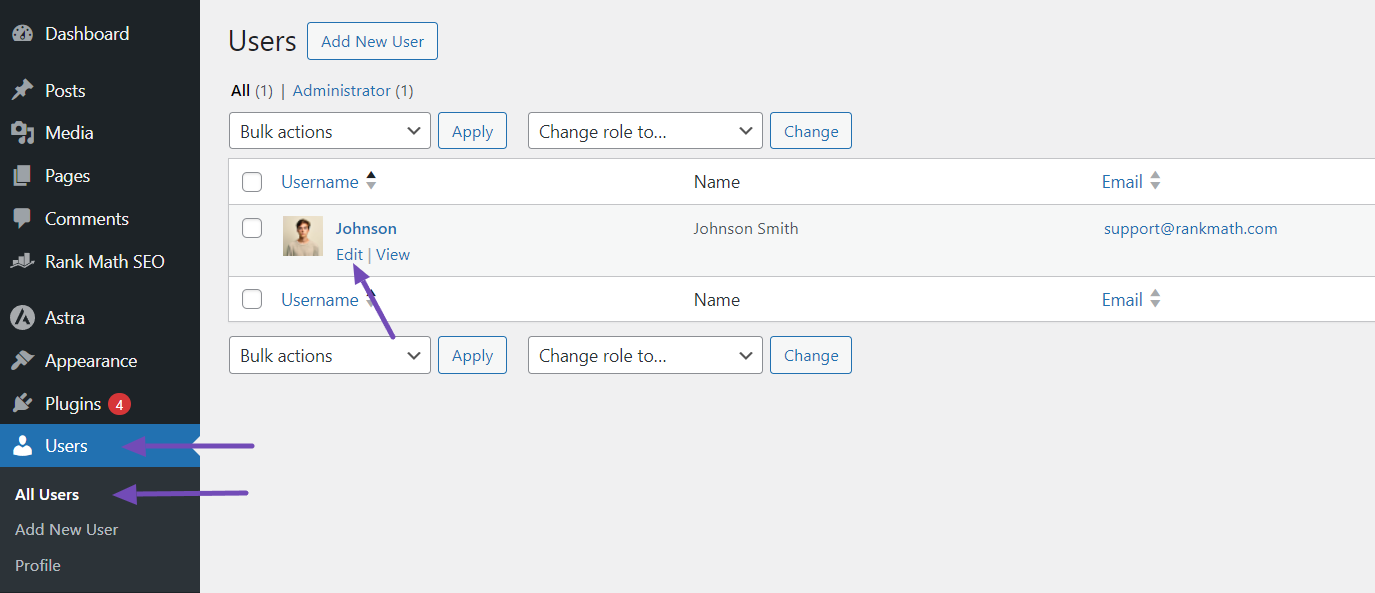
Navigate to Your Profile: Go to Users → All Users in your WordPress dashboard. Locate your username and click on the “Edit” option.
-
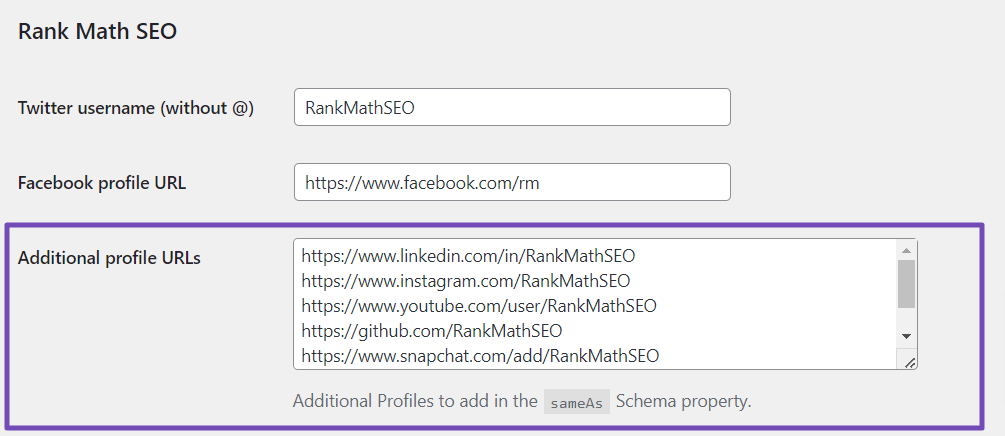
Update the sameAs Schema: Scroll down to the ‘Rank Math SEO’ section. Here, you can add or update your LinkedIn profile URL in the appropriate field and fill in any other relevant URLs in the “Additional profile URLs” field.
-
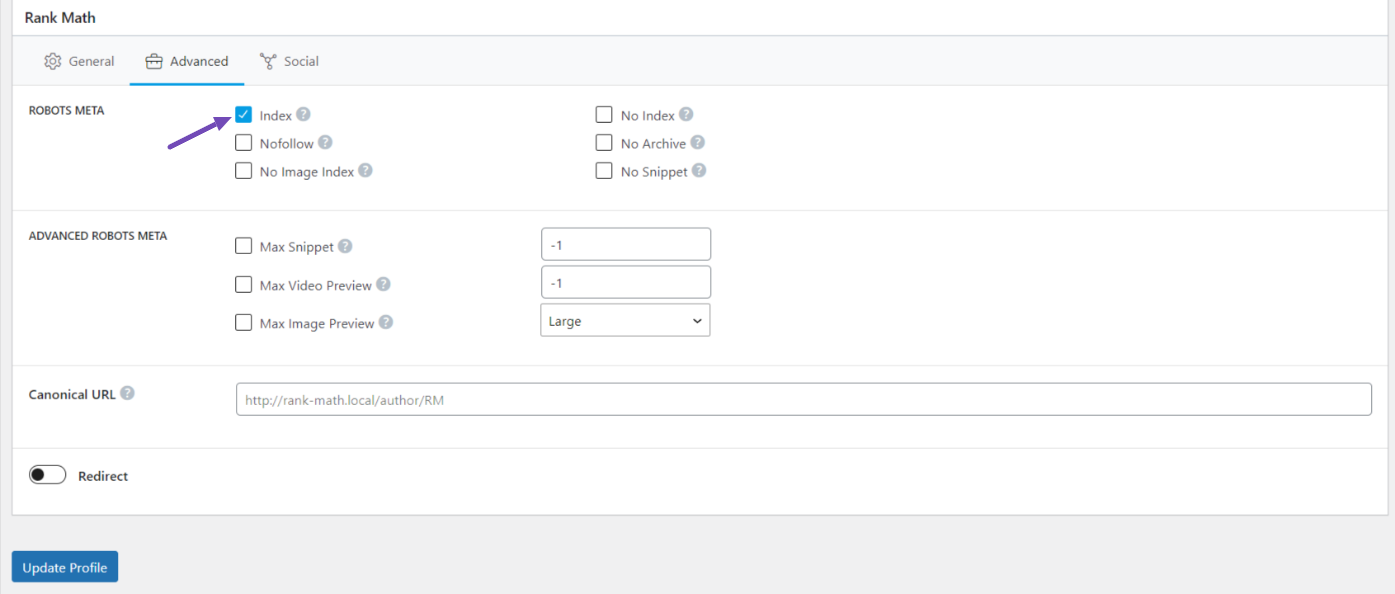
Check Robots Meta Settings: Ensure that the ROBOTS META option is set to ‘Index’ in the Advanced tab of the Rank Math meta box. This ensures that search engines can crawl your profile page.
-
Save Changes: After making these updates, scroll down and click the Update Profile button to save your changes.

If you have followed these steps and are still experiencing issues, please reply to this ticket with your site URL so we can assist you further. Thank you for raising this concern, and we look forward to helping you resolve it!
Sources:
How to Implement sameAs Schema on Your Website » Rank Math
This is an automated reply from Rank Math Support Bot. If you need further assistance, please reply to this topic and a human support agent will reply to you shortly.
Hello,
Since we did not hear back from you for 15 days, we are assuming that you found the solution. We are closing this support ticket.
If you still need assistance or any other help, please feel free to open a new support ticket, and we will be more than happy to assist.
Thank you.


