Hello,
We apologize for the issue you are facing with not receiving the email to change your payment method. Here are the steps you can follow to access the FastSpring Checkout page and update your payment method:
-
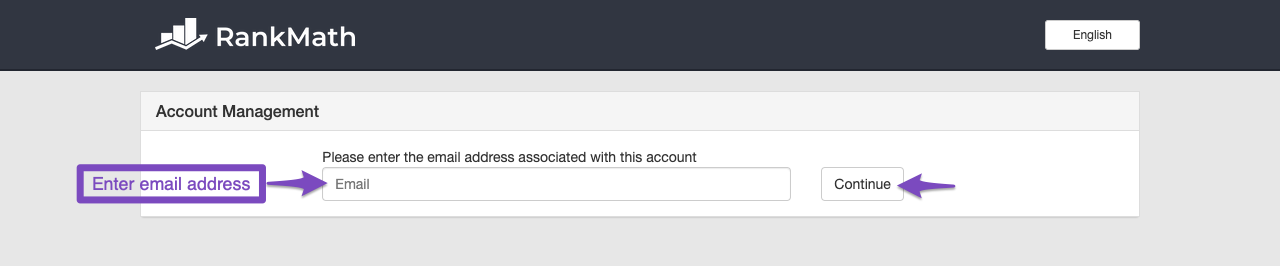
Access FastSpring Checkout: Go to the FastSpring Checkout Page and enter the email address you used to purchase the Rank Math PRO subscription, then click the Continue button.
-
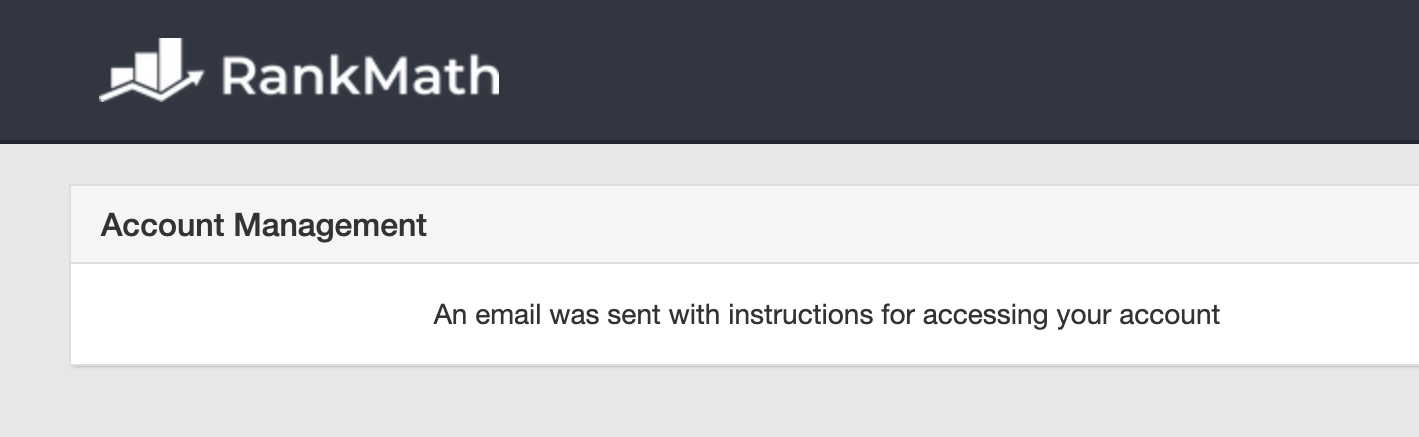
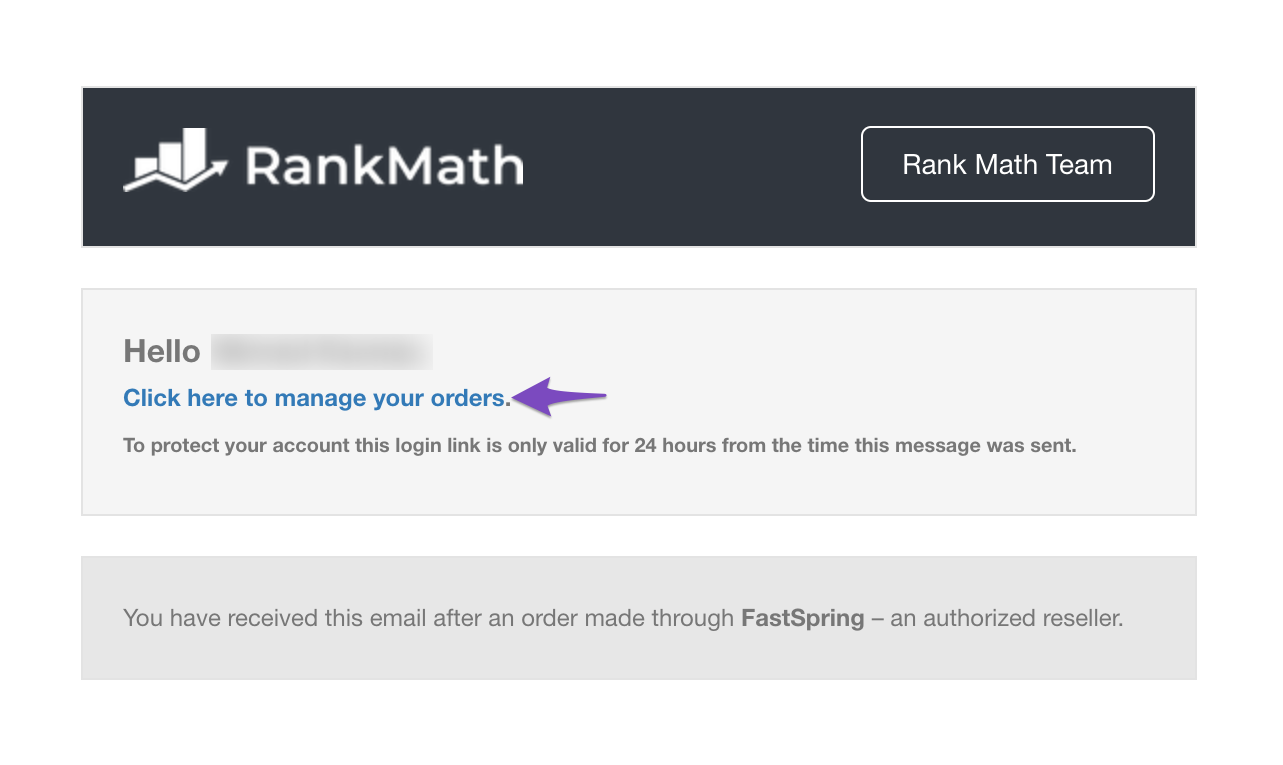
Check Your Inbox: After clicking Continue, check your inbox for an email from our Rank Math SEO team with a unique login link. If you don’t see it, please check your spam or junk folder as well.
-
Login to FastSpring Checkout: Use the link provided in the email to log in and manage your payment methods.
If you still do not receive the email, please reply to this ticket, and a human agent from our support team will assist you further. Additionally, if you could provide your site URL, it may help us in resolving any technical issues more effectively.
Thank you for raising this concern, and we look forward to helping you!
Sources:
How to Change or Update the Payment Method » Rank Math
This is an automated reply from Rank Math Support Bot. If you need further assistance, please reply to this topic and a human support agent will reply to you shortly.
Hello,
Since we did not hear back from you for 15 days, we are assuming that you found the solution. We are closing this support ticket.
If you still need assistance or any other help, please feel free to open a new support ticket, and we will be more than happy to assist.
Thank you.


