Hello,
We apologize for the issue you are facing with the statistics not showing in Rank Math Analytics. Here are some steps you can take to troubleshoot and potentially resolve this issue:
1. Check Google Account Connection
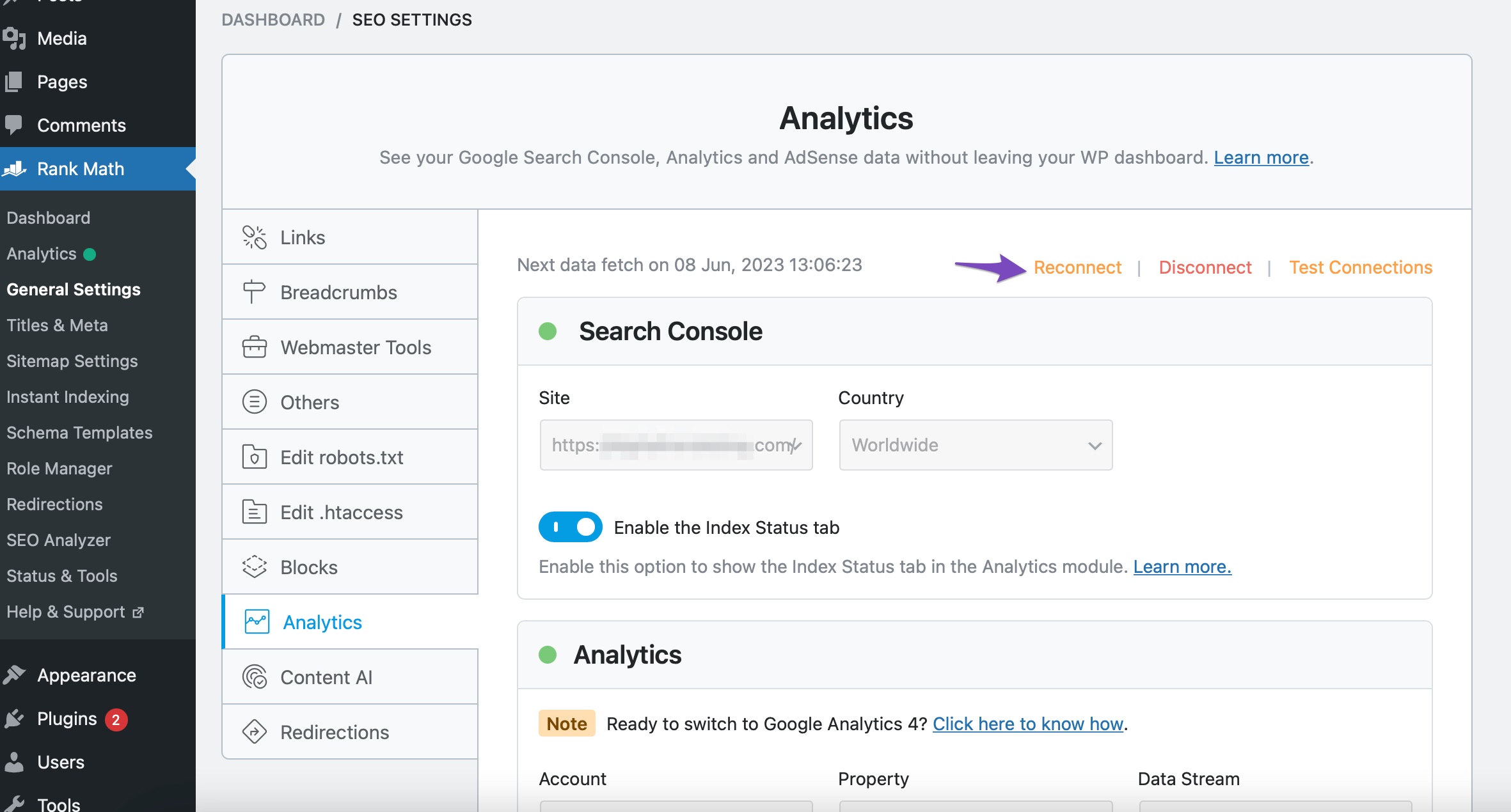
Make sure that your Google Account is properly connected to Rank Math. You can do this by navigating to Rank Math SEO → General Settings → Analytics and clicking the Reconnect link to disconnect and reconnect your Google Account.
2. Import New Data Manually
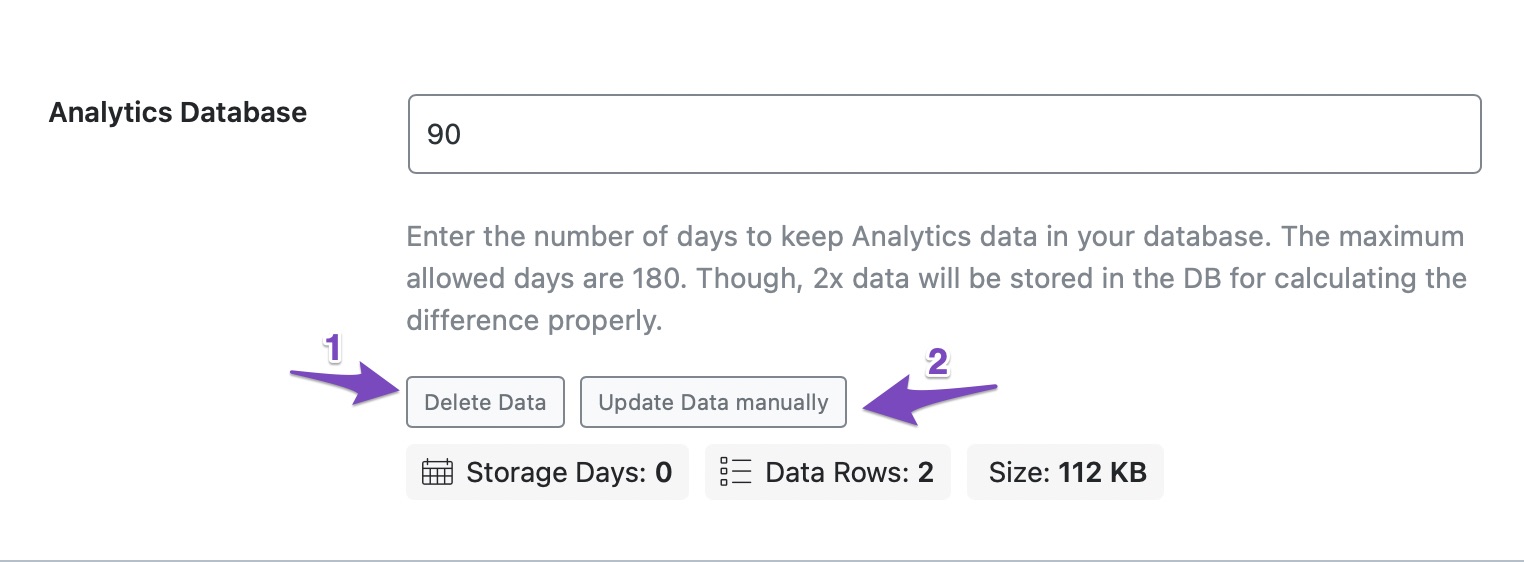
If the connection is fine, try importing new data manually. Go to Rank Math SEO → General Settings and scroll down to the Analytics Database section. Click on Delete Data and then click on Update Data manually. This should fetch your data within a few minutes.
3. Recreate Database Tables
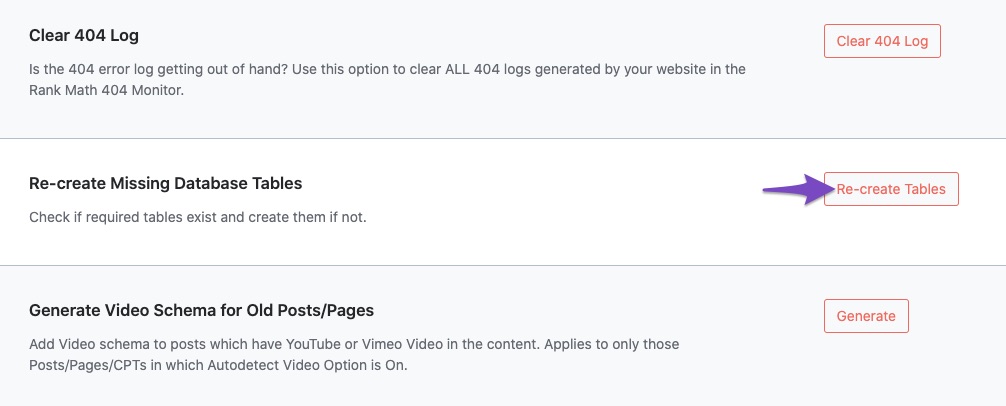
If the issue persists, you may need to recreate the database tables. Navigate to WordPress Dashboard → Rank Math SEO → Status & Tools → Database Tools and find the option to Re-create Missing Database Tables. Click the Re-create Tables button.
4. Check for Plugin Conflicts
Sometimes, other plugins can conflict with Rank Math. You can check for plugin conflicts by following the guide on running a plugin conflict.
5. Rebuild Index for Analytics
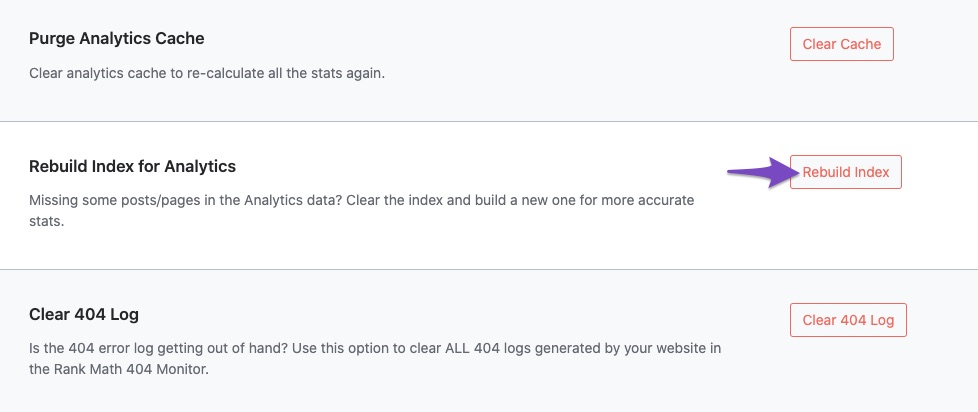
You can also try rebuilding the index for Analytics by going back to Database Tools and clicking on Rebuild Index for Analytics.
6. Purge Analytics Cache
If you have enabled the Analytics module, consider purging the Analytics cache by going to Rank Math SEO → Status & Tools and using the Purge Analytics Cache option.

After performing these steps, check if your statistics are showing up again in the Rank Math Analytics tab and on your WordPress dashboard.
If you still encounter issues, please reply to this ticket, and a human agent from the Rank Math Support team will assist you further. Thank you for raising this concern!
Sources:
What to Do When Rank Math Analytics Shows Zero Search Traffic » Rank Math
What to Do When Rank Math Analytics Shows Zero Search Traffic » Rank Math
This is an automated reply from Rank Math Support Bot. If you need further assistance, please reply to this topic and a human support agent will reply to you shortly.


