Hello,
We apologize for the issue you are facing with the Noindex tag on your post-type-builder pages. It seems that the Noindex tag is preventing your pages from being indexed by Google, which can be frustrating.
To resolve this issue, you can follow these steps:
-
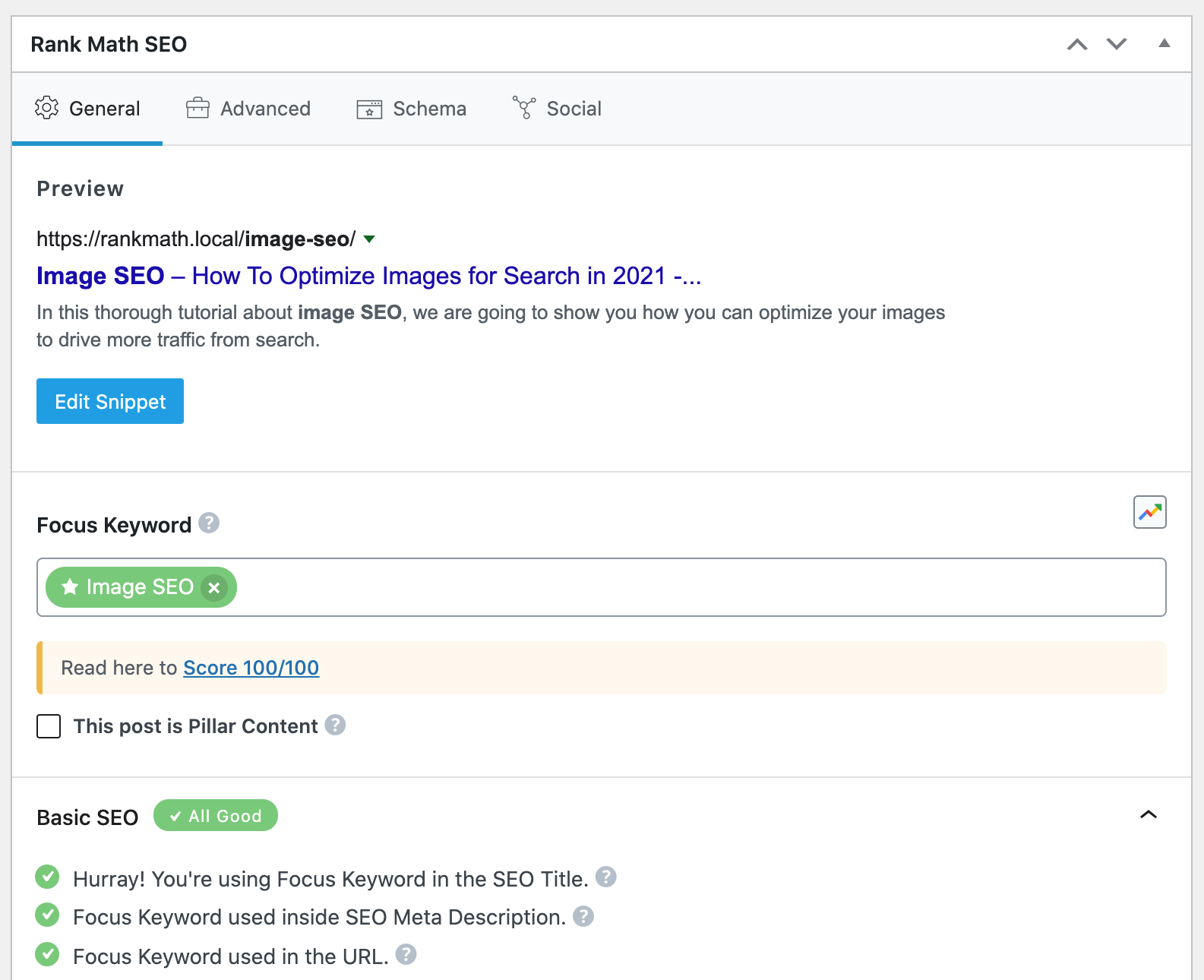
Check Rank Math Metabox: Open the specific post or page in the WordPress Editor. If you are using the Gutenberg Editor, click the Rank Math SEO icon in the top-right corner to open the Rank Math Metabox. For Classic Editor, scroll down to find the Rank Math Metabox.

-
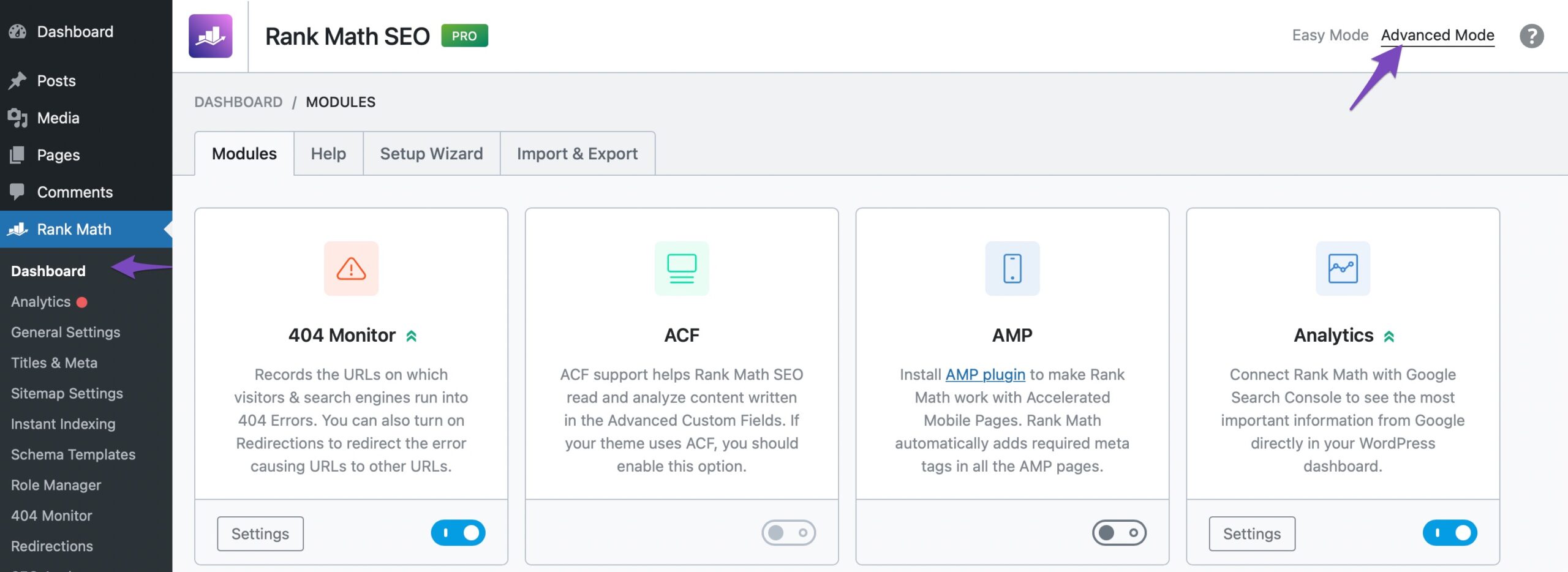
Advanced Tab: In the Rank Math Metabox, navigate to the Advanced Tab. If you cannot find this tab, ensure that you have enabled the advanced mode from Rank Math SEO → Dashboard.
-
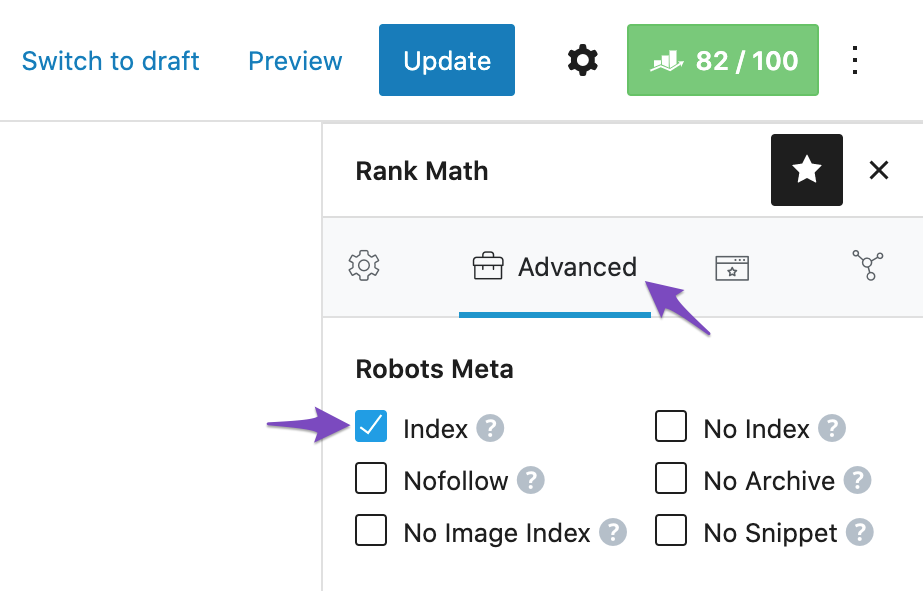
Robots Meta Settings: Check if the Robots Meta is set to No Index. If it is, simply select the Index checkbox and update the page/post.
-
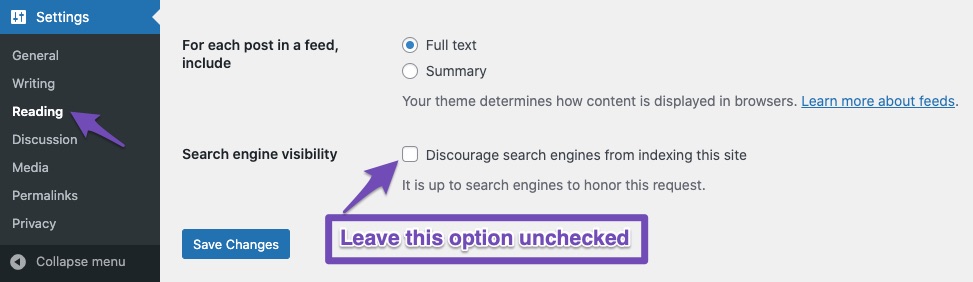
Search Engine Visibility: Additionally, check your Search Engine Visibility settings by going to Settings → Reading in your WordPress dashboard. Ensure that the checkbox labeled Discourage search engines from indexing this site is unchecked.
After making these changes, it may take some time for Google to re-crawl your pages and update their index status. If you continue to experience issues, please reply to this ticket, and a human agent from our support team will assist you further.
Thank you for raising this concern, and we hope this helps resolve your issue!
Sources:
Fix Excluded by NoIndex Tag – Google Search Console Status » Rank Math
Hello,
Thank you for contacting us. We apologize for any inconvenience this issue may have caused.
It is a pretty common mistake to open the page source and search for a noindex tag to see if the page is marked as noindex or not.
However, Rank Math offers a No Index option in the admin menu bar, which could show up in the page’s source code when logged in like the codes you have shared.
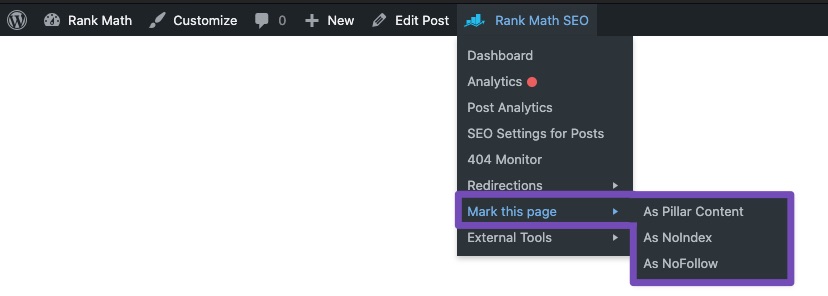
Please note that the actual noindex tag is added like this:
<meta robots="noindex">
To ensure that your post/page is set to index, you should refer to this section in your page’s source code or visit the page using incognito mode (logged out from your WP dashboard):

Hope that helps.
Hello,
Since we did not hear back from you for 15 days, we are assuming that you found the solution. We are closing this support ticket.
If you still need assistance or any other help, please feel free to open a new support ticket, and we will be more than happy to assist.
Thank you.



