Hello,
We apologize for the issue you are facing with the Rank Math plugin not displaying the fields properly. This can sometimes happen due to conflicts with themes or other plugins.
Here are a few steps you can try to troubleshoot the issue:
-
Check for JavaScript Errors: Open your browser’s developer console (usually by pressing F12) and check for any JavaScript errors that might be preventing Rank Math from functioning correctly.
-
Theme Compatibility: Since you are using Yootheme Pro, ensure that it is compatible with Rank Math. You can try switching to a default WordPress theme (like Twenty Twenty-One) temporarily to see if the issue persists.
-
Plugin Conflicts: Deactivate all other plugins except for Rank Math to see if there is a conflict causing the issue. If the fields appear after deactivating other plugins, reactivate them one by one to identify the conflicting plugin.
-
Update Everything: Ensure that your WordPress, theme, and all plugins are up to date. Sometimes, updates can resolve compatibility issues.
-
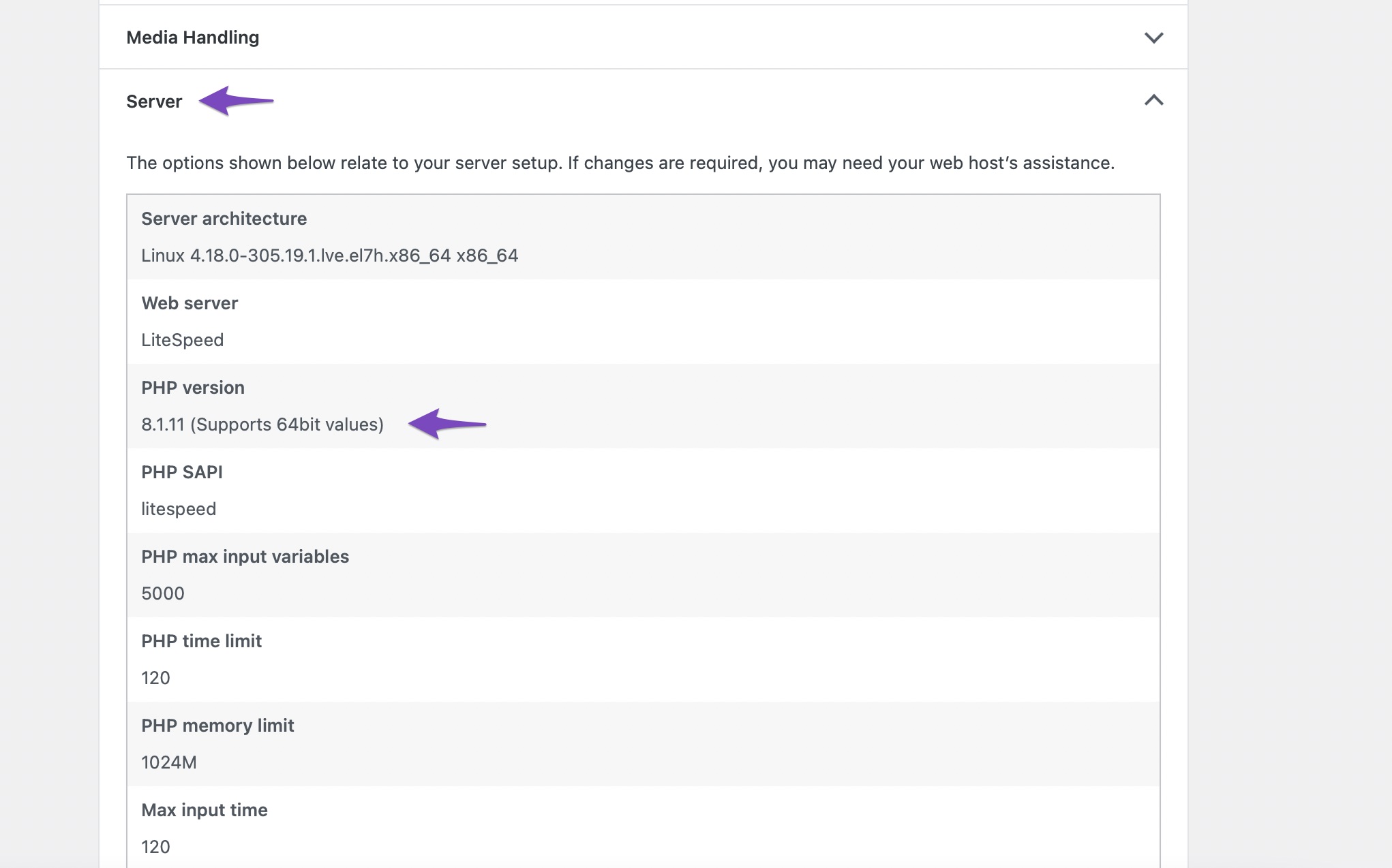
Check PHP Version: Make sure your server is running a supported version of PHP. You can check this in your WordPress dashboard under Tools → Site Health → Info and look for the PHP version.
If none of these steps resolve the issue, please reply to this ticket with any error messages you find or additional details about your setup, and a human agent from the Rank Math Support team will assist you further.
Thank you for raising this concern, and we look forward to helping you resolve it!
This is an automated reply from Rank Math Support Bot. If you need further assistance, please reply to this topic and a human support agent will reply to you shortly.
Hello,
Since we did not hear back from you for 15 days, we are assuming that you found the solution. We are closing this support ticket.
If you still need assistance or any other help, please feel free to open a new support ticket, and we will be more than happy to assist.
Thank you.


