Hello, we apologize for the issue you are facing regarding the permission denied error when trying to verify URL ownership.
This error typically indicates that there is a problem with the API key or the verification process with Bing Webmaster Tools. Here are some steps you can follow to resolve this issue:
-
Check Your API Key: Ensure that the API key you are using belongs to the Bing Webmaster Tools account where your website is verified. If you have multiple accounts, it’s possible that you are using the wrong API key.
-
Verify Your Website on Bing: Make sure that your website is properly verified in your Bing Webmaster Tools account. You can do this by logging into Bing Webmaster Tools and checking if your site appears in the dashboard.
-
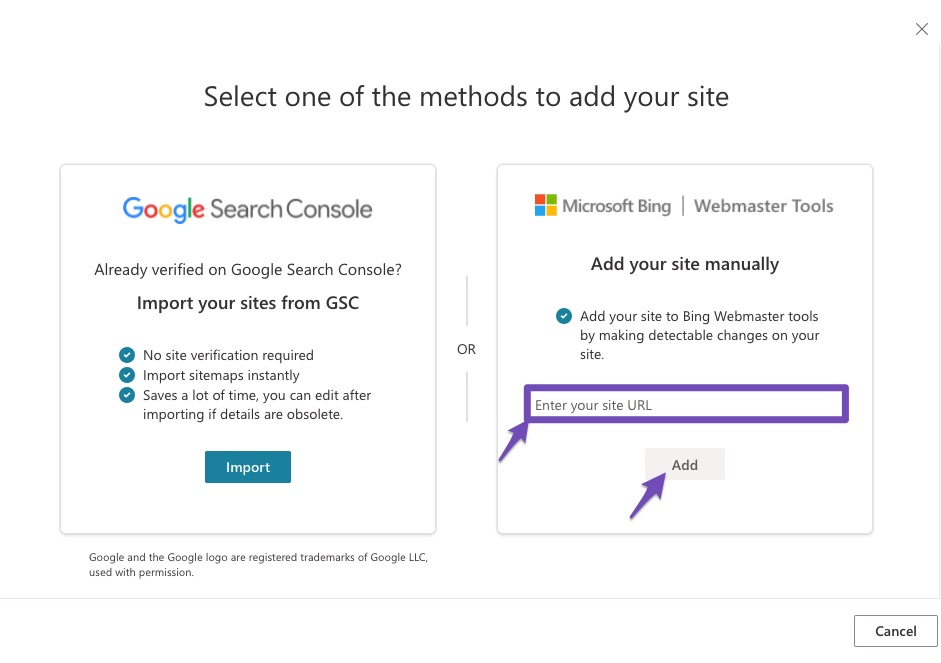
Re-add Your Website: If your website is not listed, you may need to add it manually. Enter the URL of your site and click the Add button.
-
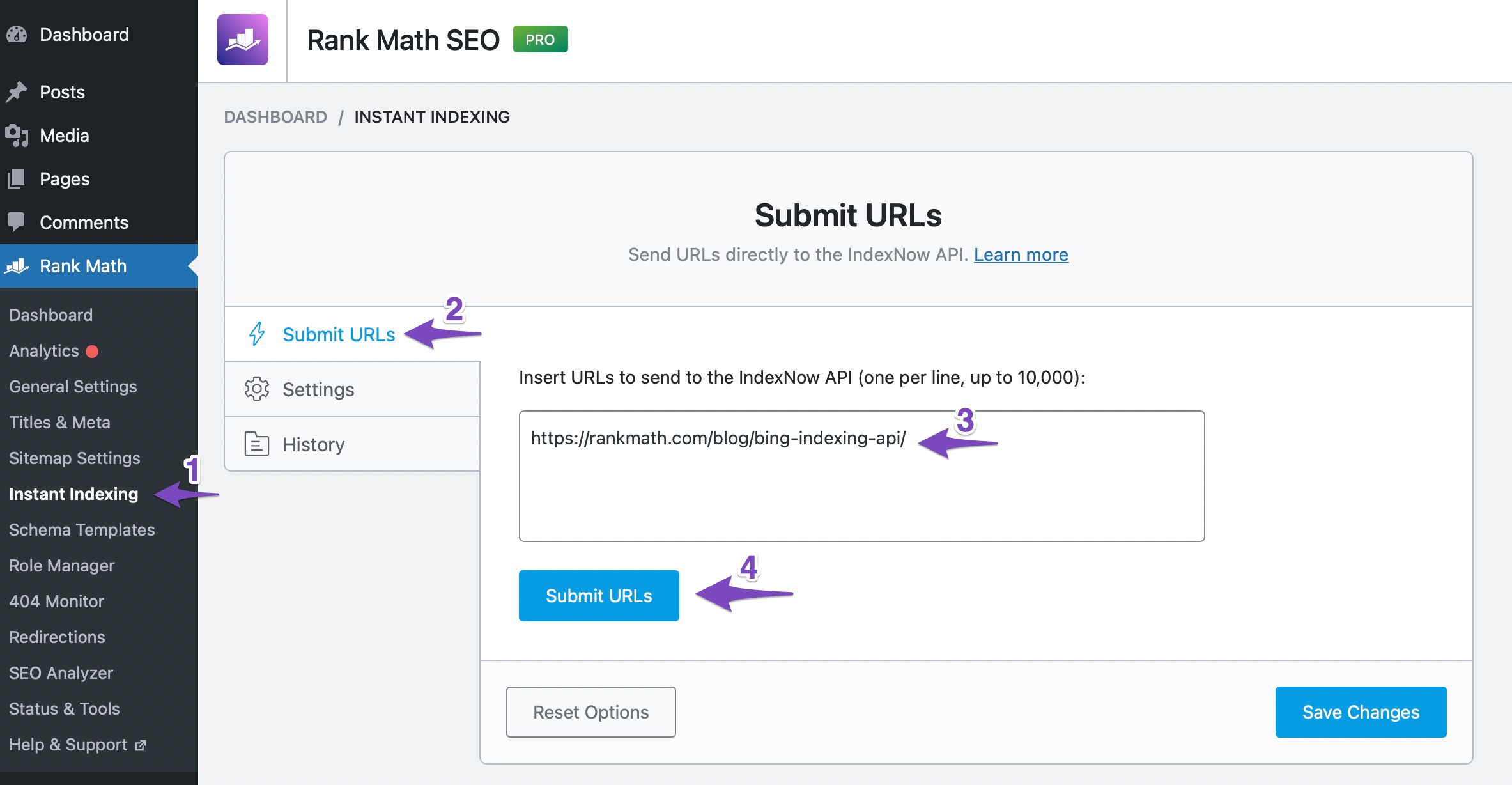
Use the URL Submission Tab: Navigate to the URL Submission tab under Rank Math SEO → Instant Indexing in your WordPress admin area. Enter the URL you are trying to submit and hit the Submit URLs button. This will provide more details about the error if it persists.
If you continue to experience issues after following these steps, please reply to this ticket, and a human agent from the Rank Math Support team will assist you further. Thank you for raising this concern!
Sources:
How to Fix Failed to Submit Post to the Bing URL Submission API Error » Rank Math
Hello,
Thank you for contacting us and sorry for any inconvenience that might have been caused due to that.
Can you please confirm if you’re facing the issue with Google Instant Indexing? If so, please make sure the service account is listed as the Owner of the site in the Search Console.
You can follow the steps illustrated here to solve the issue:
https://rankmath.com/blog/google-indexing-api/#403-permission-denied
Let us know how it goes. Looking forward to helping you.
Hello,
Since we did not hear back from you for 15 days, we are assuming that you found the solution. We are closing this support ticket.
If you still need assistance or any other help, please feel free to open a new support ticket, and we will be more than happy to assist.
Thank you.



