Hello,
We apologize for the issue you are facing with non-essential schemas being generated by the Rank Math SEO PRO plugin for your WooCommerce products. To exclude specific schema types like WebSite, Organization, and ImageObject, you can follow these steps:
-
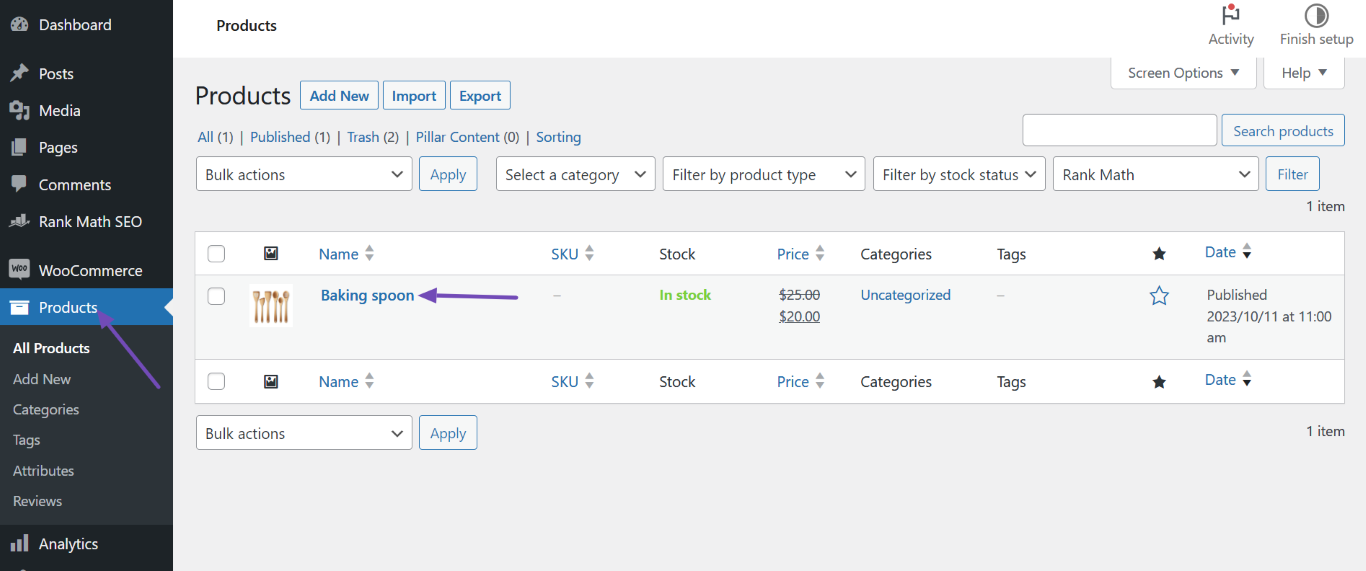
Navigate to the Product Page: Go to your WordPress Dashboard and click on Products. Select the product from which you want to remove the non-essential schema.
-
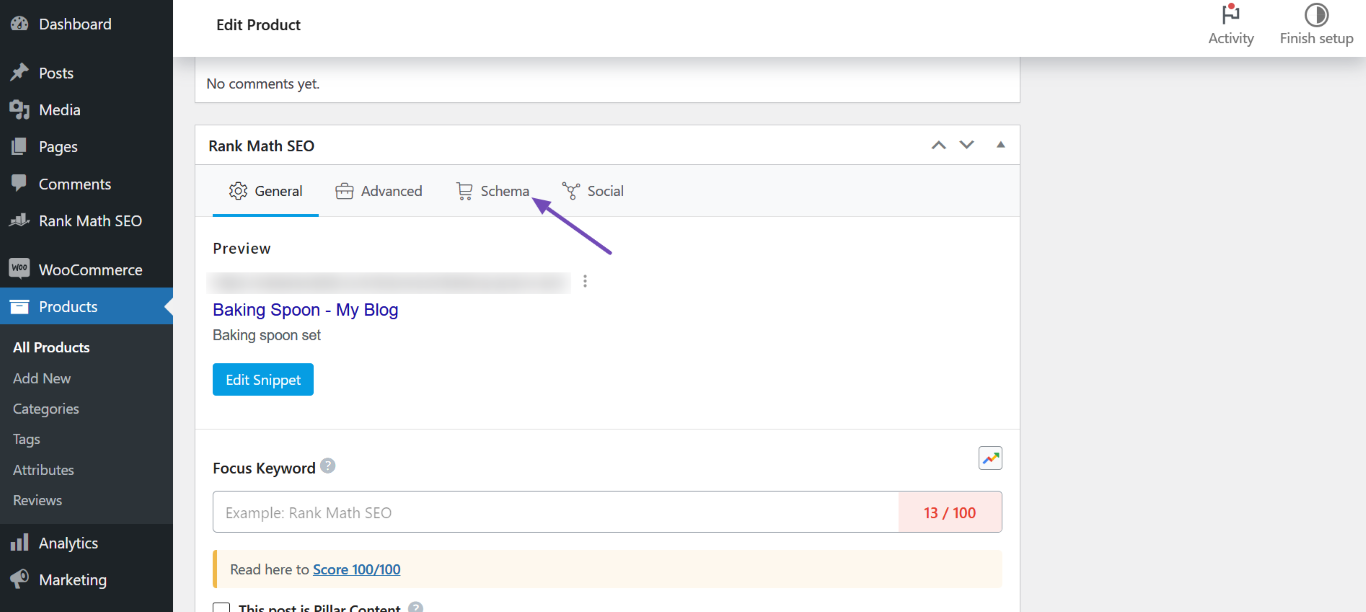
Access the Rank Math SEO Metabox: In the product edit screen, locate the Rank Math SEO metabox and click on the Schema icon.
-
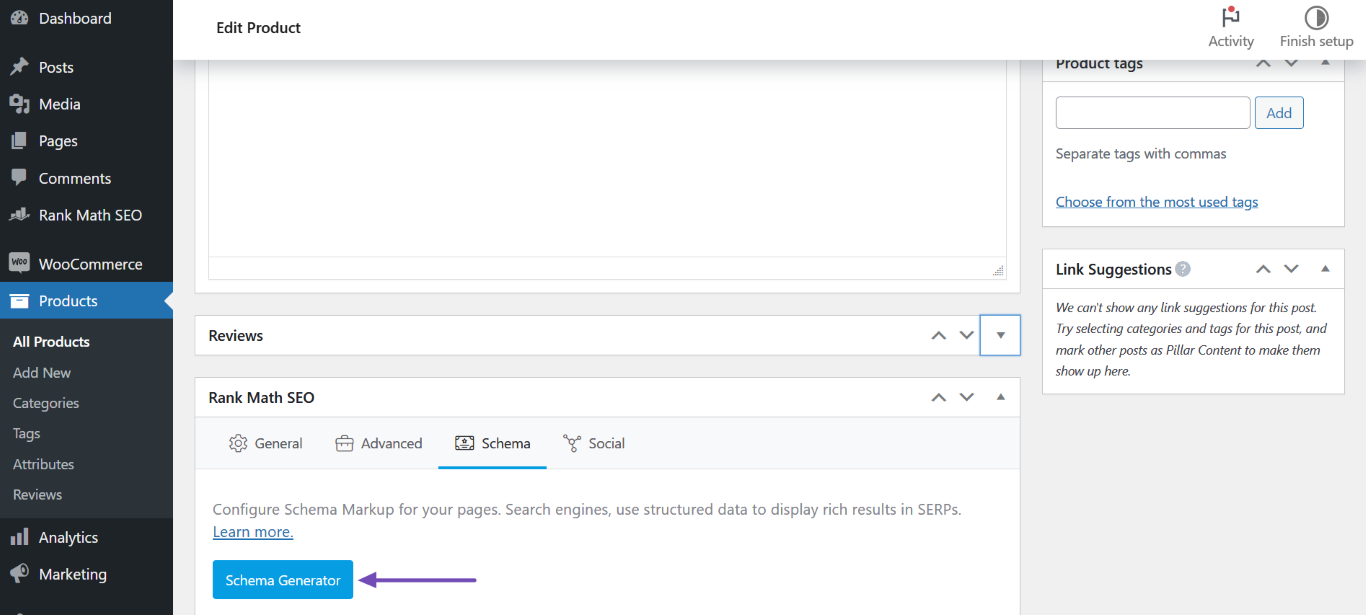
Open Schema Generator: Click on the Schema Generator button.
-
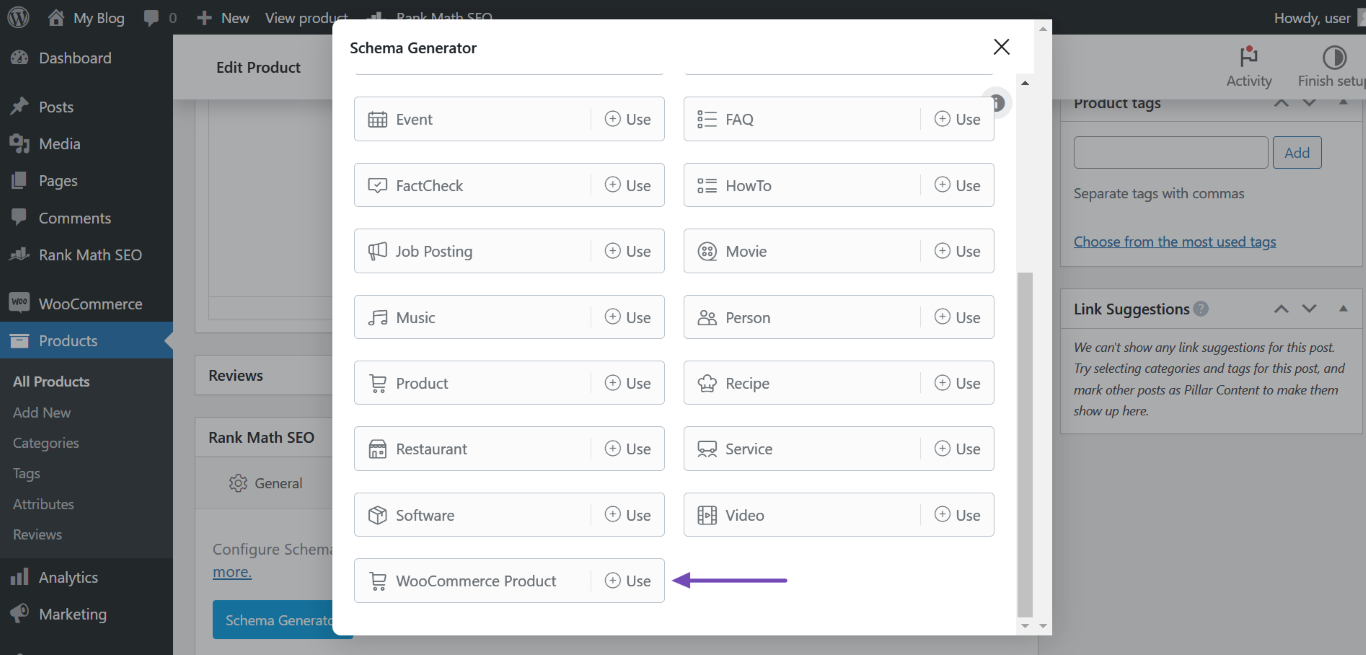
Select WooCommerce Product Schema: Choose the appropriate schema type for your product (e.g., WooCommerce Product Schema) and ensure that you do not include the non-essential schemas you want to exclude.
-
Save Changes: After making your selections, click on Save for this Post to apply the changes.
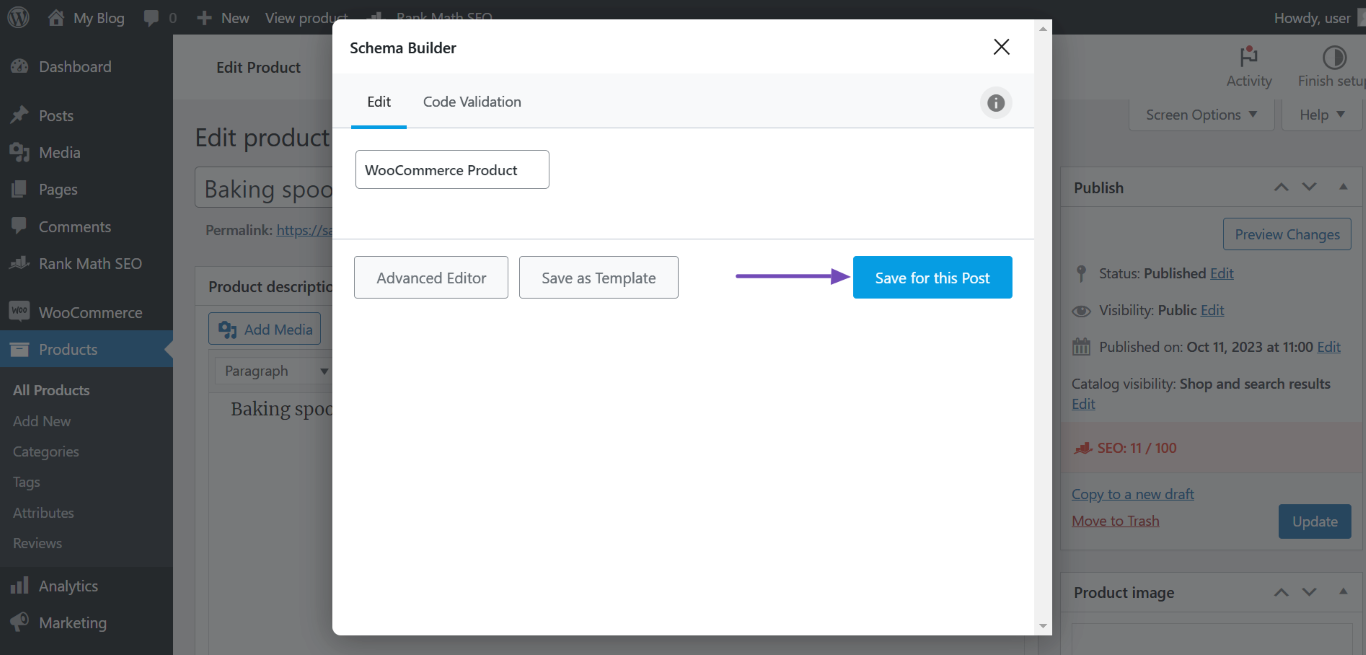
If you want to remove all instances of these schemas across multiple products, you may need to adjust settings in the global schema settings or use custom code to filter out these specific types. Unfortunately, there isn’t a direct option in Rank Math to exclude specific schema types globally, so custom coding might be necessary.
For more detailed guidance, you can refer to our documentation on removing schema from product category pages or reach out to our support team for further assistance.
Thank you for raising this concern, and we hope this helps you manage your schema effectively!
Sources:
Resolving Rank Math Schema Markup Related Issues
Hi support team,
Thanks for your valuable feedback. Where we can get the “global schema settings” in wordpress admin?
https://rankmath.com/kb/remove-schema-from-product-category-pages
The above mentioned link is related to remove Schema from the product category pages. Please provide us the documentation for the Product details page as well.We want to remove some Schemas from Wocommerce product details page using custom coding.
Hi Support Team,
Any update on the above mentioned queries? This is really urgent to solve the discrepancy we are getting in the live site.
Thanks and regards,
Hello,
You mentioned that you’re using Rank Math PRO but the account you have used to open this ticket is the Rank Math free version.
Can you please search and forward a receipt from FastSpring.com or the email address you used to purchase so we can locate your account and verify it?
Meanwhile, you can use and customize this filter to remove those properties you mentioned from Rank Math’s automatic schema:
add_filter( 'rank_math/json_ld', function( $data, $jsonld ) {
    if (isset( $data['publisher'] ) ) {
        unset( $data['publisher'] );
    }
    unset($data['ImageObject']);
    unset($data['WebSite']);

return $data;
}, 99, 2);
Here is a guide you can follow to add the filter:
https://rankmath.com/kb/wordpress-hooks-actions-filters/
Looking forward to helping you.
Hi Reinelle,
Thanks for your valuable feedback. Here is the registered account email – s******@e***************. We will apply the suggested solution and get back to you if we need any further assistance from your end.
Thanks and regards,
Hello,
Let us know how it goes.
Also, to avoid any confusion in the future, would you like to merge these two accounts?
If so, please tell us the preferred email address and we will do the needful.
We really look forward to helping you.
Hello,
Since we did not hear back from you for 15 days, we are assuming that you found the solution. We are closing this support ticket.
If you still need assistance or any other help, please feel free to open a new support ticket, and we will be more than happy to assist.
Thank you.




