Hello,
We apologize for the issue you are facing with the authors not showing up in the sitemap. It seems like you’ve already taken several important steps to ensure that the author profiles are indexed and included in the sitemap.
Here are a few additional things you can check:
-
Enable Author Archives: Ensure that the Author Archives option is enabled in Rank Math. You can do this by navigating to WordPress Dashboard → Rank Math SEO → Titles & Meta → Authors. If you are the only author on the site, it is recommended to disable this option, but since you have multiple authors, it should be enabled.
-
Check User Roles: Make sure that the authors you created have the correct user roles assigned. They should be set as "Author" or a higher role to appear in the sitemap.
-
Sitemap Settings: Double-check your sitemap settings to ensure that the authors’ profiles are included. You can find these settings under Rank Math SEO → Sitemap Settings. Make sure that the option to include author archives in the sitemap is toggled on.
-
Custom Slugs: Since you are using custom slugs for your authors, ensure that there are no conflicts with other slugs or pages on your site that might prevent them from being indexed properly.
-
Flush Caches Again: Sometimes, caching plugins can cause issues even after flushing. Try temporarily disabling any caching plugins and then check if the authors appear in the sitemap.
-
Check for Plugin Conflicts: There might be a conflict with another plugin that affects how Rank Math generates the sitemap. You can use the Health Check plugin to troubleshoot this.
If you’ve checked all of these and the issue persists, we recommend replying to this ticket so a human agent from the Rank Math Support team can assist you further.
Thank you for raising this concern, and we hope to resolve it soon!
I’ve done all the steps from the above advice. And I cannot change user role from “Eventin Organizer” to “Author” because then it doesn’t work with Eventin plugin
Hello,
Thank you for contacting us. We apologize for any inconvenience this issue may have caused.
It appears you have manually entered canonical URLs for the author archive pages.
Kindly remove the entries in that field and allow Rank Math to generate self-referencing canonical URLs for those pages.
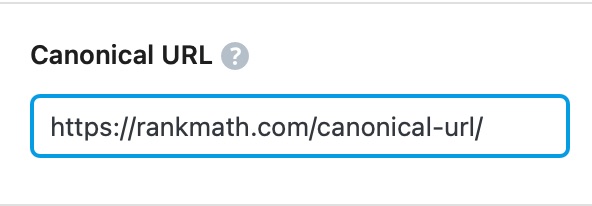
We hope this helps. Please let us know if you have further questions or concerns.
Thank you.
Tbh canonical URLs were not set when I checked them. Maybe they are somehow created by Eventin.
Anyway, I was quite urgent with this so I ended up using custom code with Snippets plugin:
/**
 * Filter to add extra URLs to the XML sitemap by type.
 */
add_action( 'rank_math/sitemap/page_content', function() {
    // Get all users with the roles 'etn-speaker' or 'etn-organizer'.
    $users = get_users( [
        'meta_query' => [
            'relation' => 'OR',
            [
                'key'     => 'bsj_capabilities',
                'value'   => 'etn-speaker',
                'compare' => 'LIKE',
            ],
            [
                'key'     => 'bsj_capabilities',
                'value'   => 'etn-organizer',
                'compare' => 'LIKE',
            ],
        ],
    ] );

    // Today's date at 08:00 AM in ISO 8601 format.
    $today_morning = date( 'Y-m-d\T08:00:00+00:00' );

    // Prepare the custom XML content.
    $custom_urls = '';
    foreach ( $users as $user ) {
        $custom_urls .= '
            <url>
                <loc>' . esc_url( home_url( '/dance-artist/' . $user->user_nicename . '/' ) ) . '</loc>
                <lastmod>' . esc_html( $today_morning ) . '</lastmod>
            </url>';
    }

    // Return the custom XML content.
    return $custom_urls;
});
Hello,
That custom solution works but the author sitemap should be included in the main sitemap with the information about the authors.
If you have a staging website where the issue is happening and if you could give us access to that staging website we can debug the issue further and let you know the steps to make this work normally without custom code snippets.
Looking forward to hearing back from you.
Hello,
Since we did not hear back from you for 15 days, we are assuming that you found the solution. We are closing this support ticket.
If you still need assistance or any other help, please feel free to open a new support ticket, and we will be more than happy to assist.
Thank you.




