Hello,
We apologize for the issue you are facing with your site name not being displayed correctly in Google search results. It sounds like there may be some adjustments needed in your schema data to ensure that Google recognizes your site name properly.
To help Google display your site name correctly, you should ensure that the following schema data is set up properly:
-
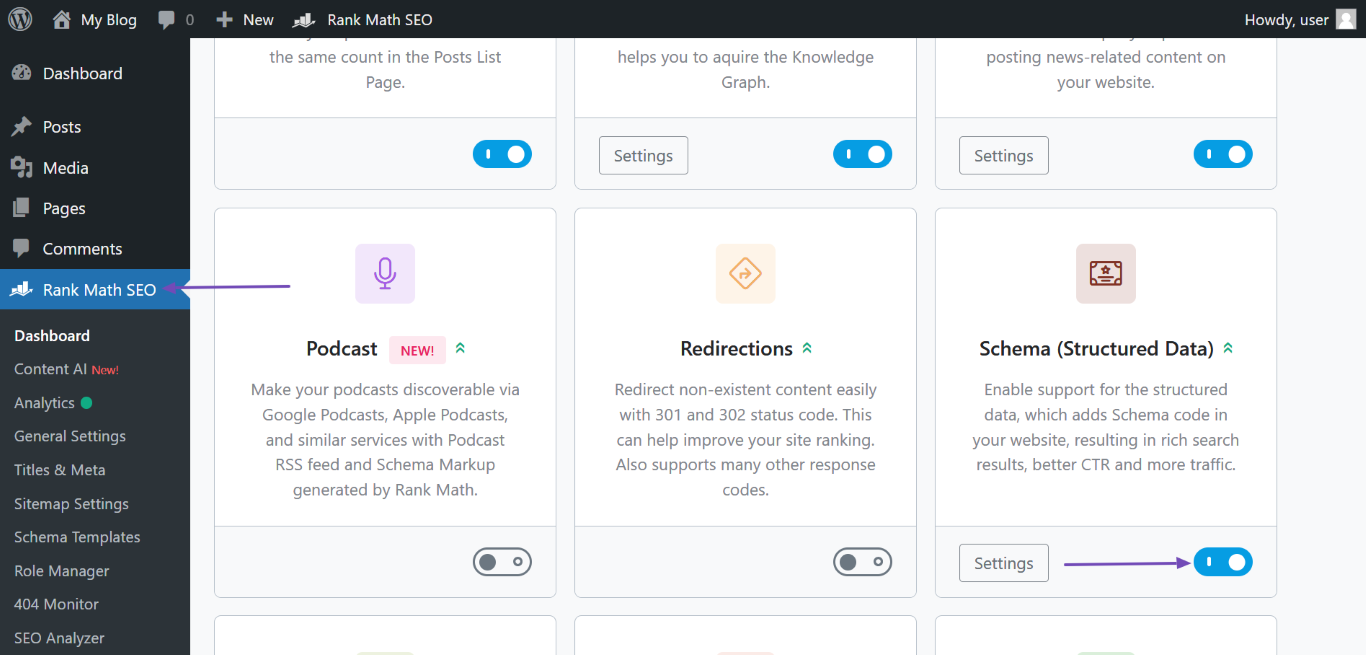
Enable the Schema Module: If you have Rank Math, make sure the Schema module is enabled. You can do this by navigating to WordPress Dashboard → Rank Math SEO and enabling the Schema module.
-
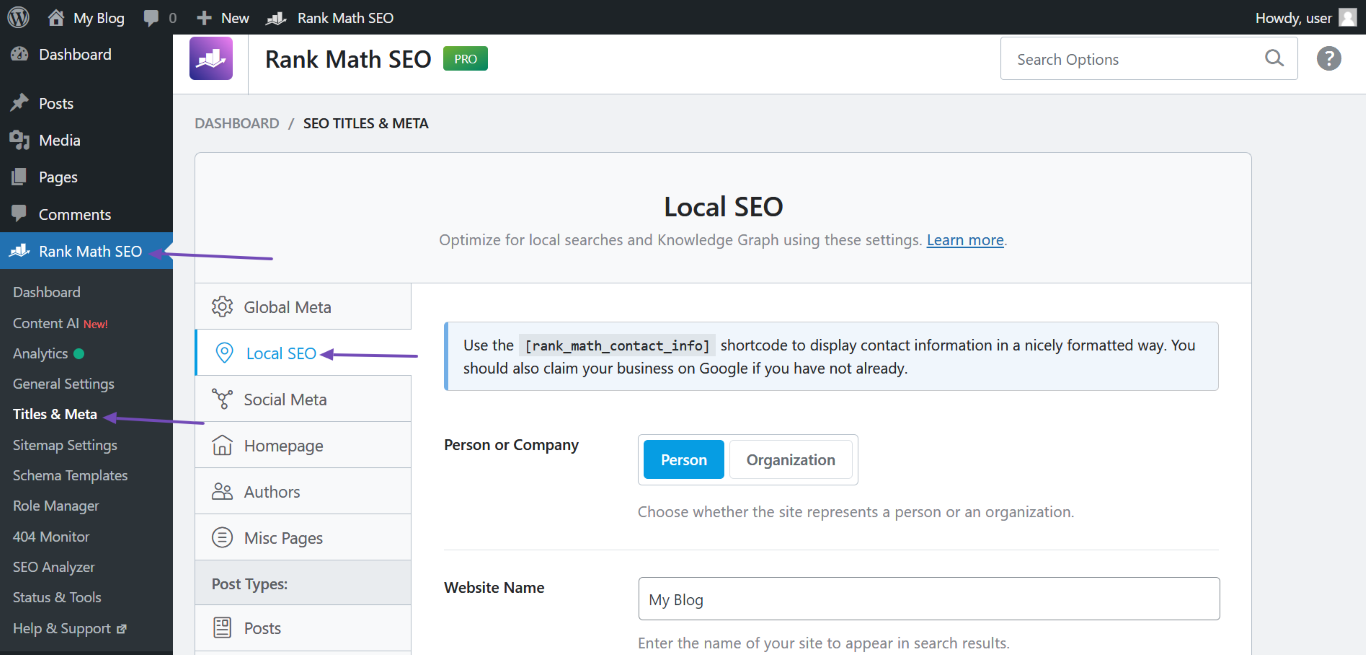
Set Up WebSite Schema: Go to Rank Math SEO → Titles & Meta → Local SEO and fill in the required fields:
- Person or Company: Specify if the website is operated by an individual or organization.
- Website Name: Enter the name of your site.
- Website Alternate Name: If applicable, enter any alternate names.
- Person/Organization Name: Enter the name of the person or organization operating the site.
- Logo: Upload your site logo.
- URL: Enter the link to your homepage.
-
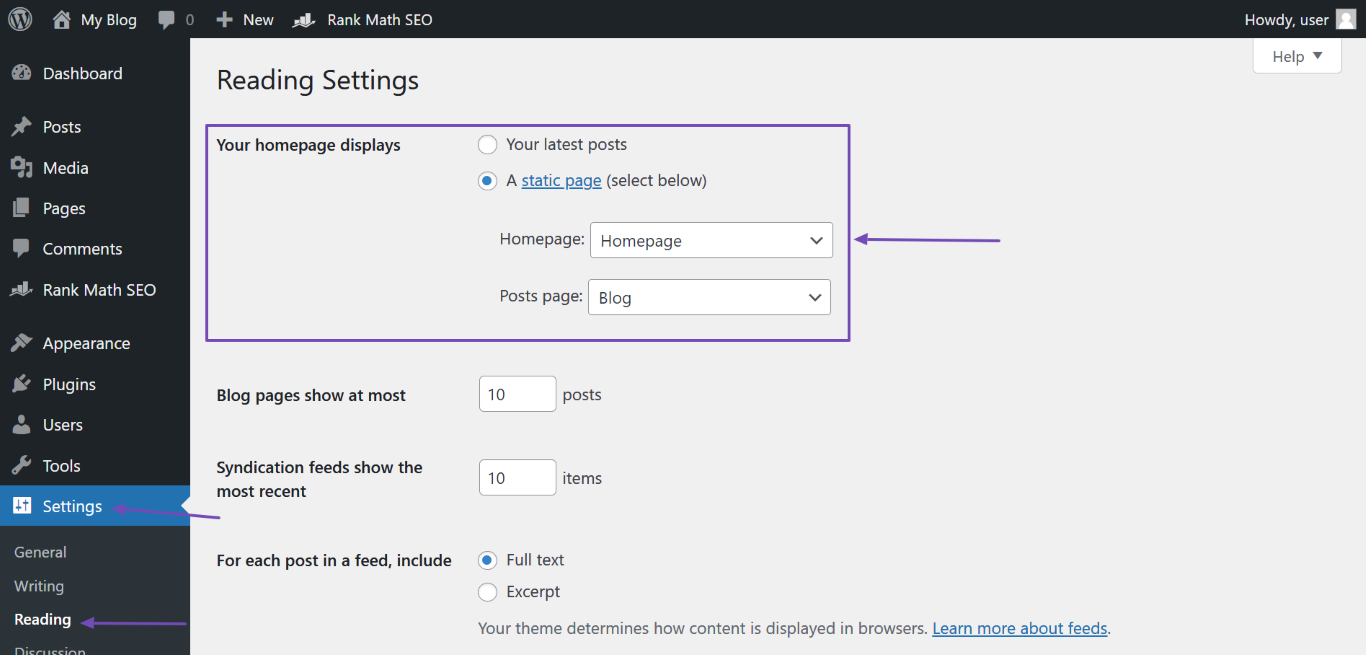
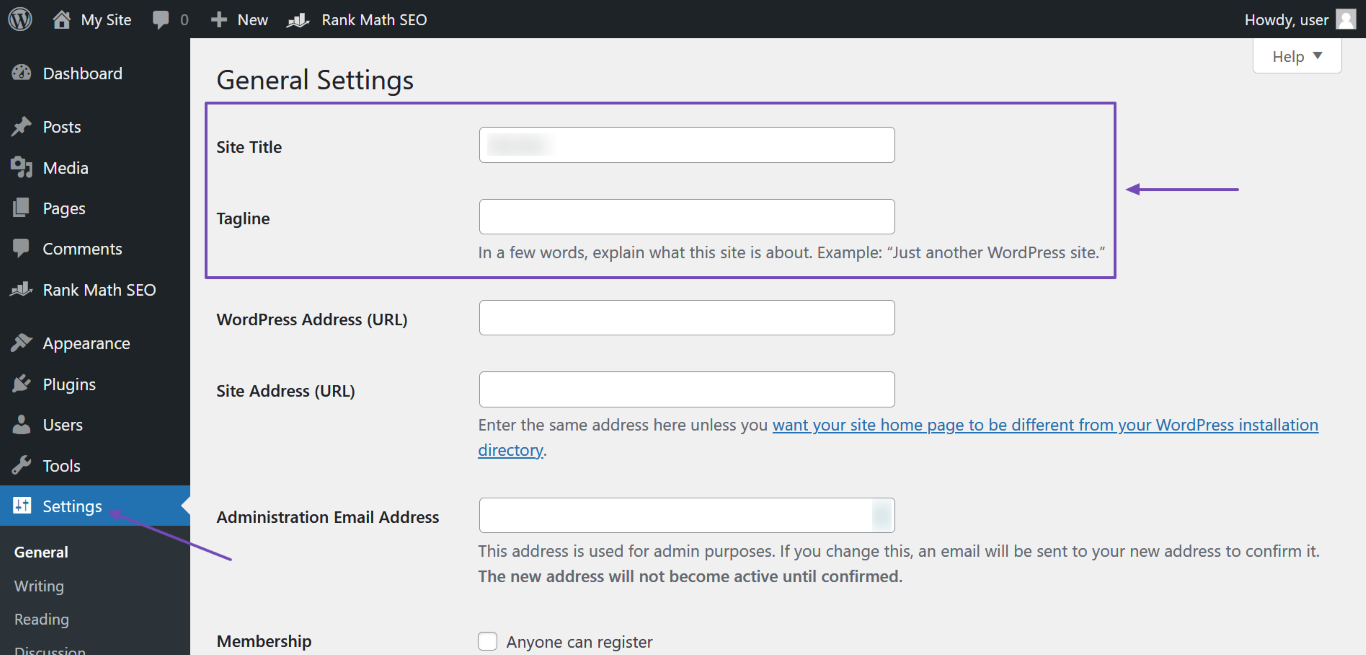
Check Your Homepage Title Tag and H1 Header: Ensure that your homepage title tag and H1 header contain your site name. You can set this in WordPress Dashboard → Settings → General for the Site Title and in Pages for the H1 header if you are using a static page.
-
Open Graph Metadata: Ensure that your Open Graph metadata is correctly set up, as this can also influence how Google understands your content. Rank Math automatically adds this for you, so you may not need to do anything here.
-
Validate Your Schema: After making these changes, use the Schema Markup Validator to check if everything is set up correctly.
Once you’ve made these adjustments, it may take some time for Google to crawl your site again and update the search results accordingly.
If you continue to experience issues after following these steps, please reply to this ticket, and a human agent from the Rank Math Support team will assist you further. Thank you for raising this concern!
Hello,
Thank you for contacting us and bringing your concern to our attention.
Please note that there are various sources that Google uses to define your site name on SERPs including:
- og:site_name meta tag
- WebSite structured data
- Content in
title elements
- Heading elements
Among them, Rank Math automatically includes the og:site_name meta tag and the WebSite Schema on your website, and the rest you’ll have to include manually.
However, as is mentioned in the Google documentation, this process is automated by the algorithm and even though it takes into account the information on the website, it is still not guaranteed that your site name will come up correctly in Google SERPs since it’s solely decided by Google what they found relevant and user-friendly and which one they want to show.
For more details, you can check this URL: https://rankmath.com/kb/display-site-name-in-search-results/
Hope this helps and please don’t hesitate to let us know if you have any other questions.
Hello,
Since we did not hear back from you for 15 days, we are assuming that you found the solution. We are closing this support ticket.
If you still need assistance or any other help, please feel free to open a new support ticket, and we will be more than happy to assist.
Thank you.