

-
Hello,
We apologize for the issue you are facing with the constant prompt to reconnect. This can happen if Rank Math is unable to maintain a stable connection with your website.
To resolve this, please follow these steps:
-
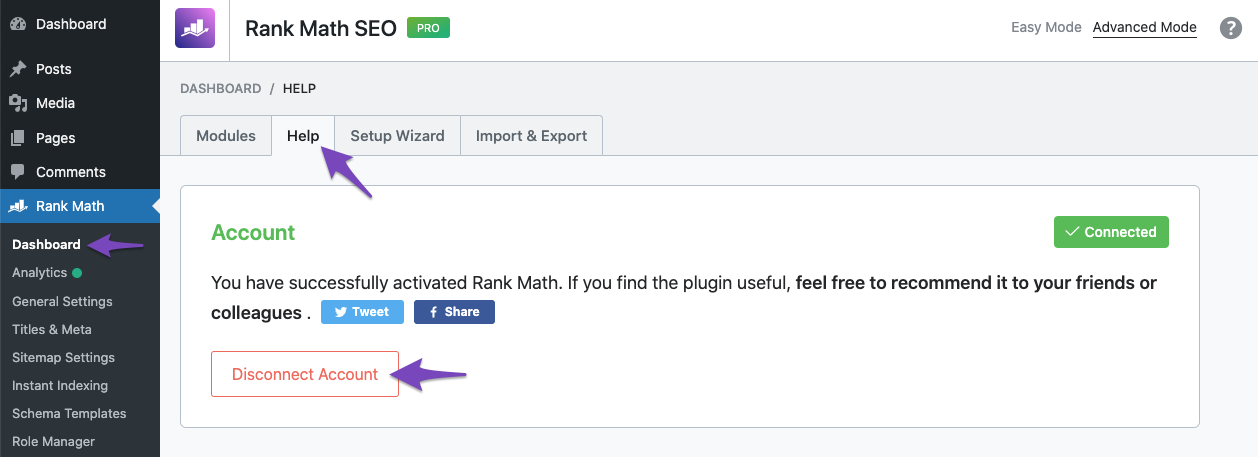
Disconnect Your Website: Go to your WordPress admin area, navigate to Rank Math → Dashboard → Help, and select Disconnect Account.
-
Reconnect Your Account: After disconnecting, reconnect your Rank Math account by following the prompts in the same section.
-
Refresh Credits: Once reconnected, head over to your Content AI and refresh the credits count again to ensure the plugin requests the updated credits from our server.
If the issue persists after trying these steps, please reply to this ticket, and a human agent from the Rank Math Support team will assist you further. Thank you for bringing this to our attention!
Sources:
How to Get Rid of "No Connected Websites Found" Message » Rank MathHello,
Thank you for contacting us and sorry for any inconvenience that might have been caused due to that.
To solve the issue with your website not being connected properly to your Rank Math account, let’s start by checking your WordPress settings and making sure that your website URL is correct. Sometimes, a mismatch in the URL or a missing slash can mess up the connection.
To do this, please go to your WordPress dashboard and click on Settings > General. Then look at the WordPress Address (URL) and Site Address (URL) fields and see if they match your website URL exactly.
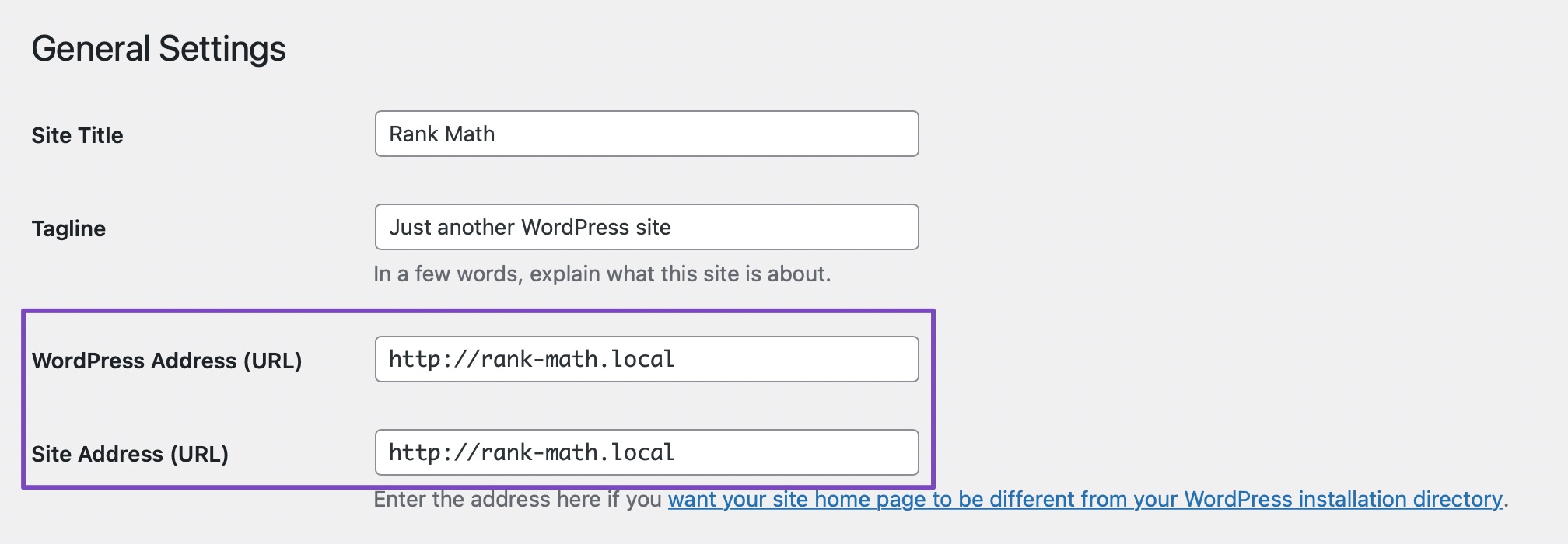
If you find any mismatches, please correct them and save the settings.
After that, please try disconnecting and reconnecting your Rank Math account to see if this resolves your issue.
If this doesn’t work, you can try adding a filter code to your website that will bypass the URL check. This might help if there is some issue with your server configuration or DNS settings. The filter code you need to add is below:
/**
 * Filter whether we need to check for URL mismatch or not.
 */
add_filter( 'rank_math/registration/do_url_check', '__return_false' );
To add the filter code, please follow this guide: https://rankmath.com/kb/wordpress-hooks-actions-filters/
And that’s it! The website should now be able to stay connected without any issues.
For more information on why this issue happens and how to fix it, you can check this page: https://rankmath.com/kb/problems-while-connecting-account/
We tried the login you provided however it lacks the admin credentials to check the above steps and to install a fress copy of both Rank Math SEO and Rank Math PRO plugins.
Can you please check on your end and let us know how it goes.
We really look forward to helping you. Thank you.
Hello,
Since we did not hear back from you for 15 days, we are assuming that you found the solution. We are closing this support ticket.
If you still need assistance or any other help, please feel free to open a new support ticket, and we will be more than happy to assist.
Thank you.
-


The ticket ‘it always show reconnect’ is closed to new replies.