SEO Changes Not Being Saved Properly

#911207
  • Resolved farzana Bithi
    Rank Math free

    Dear Support Team,

    I hope this message finds you well. I am currently experiencing an issue with my website where, after making SEO updates and saving them, the changes do not persist. When I reload the page, it reverts to the previous state, and the SEO updates are not reflected.

    I have checked using the developer tools and there doesn’t seem to be any problem; there is no blocked issue either. However, nothing is being saved. Could this be a version issue or a conflict with WordPress?

    Could you please assist me in resolving this issue? Any guidance or support would be greatly appreciated.

    Thank you for your assistance.

    Best regards,

Viewing 2 replies - 1 through 2 (of 2 total)

  • Hello,

    We apologize for the issue you are facing with your SEO changes not being saved properly. Thank you for raising this concern.

    There are several common causes for this issue:

    1. Plugin Conflicts: Sometimes, other plugins can conflict with Rank Math, preventing changes from being saved. We recommend checking for plugin conflicts by following our plugin conflict troubleshooting guide.

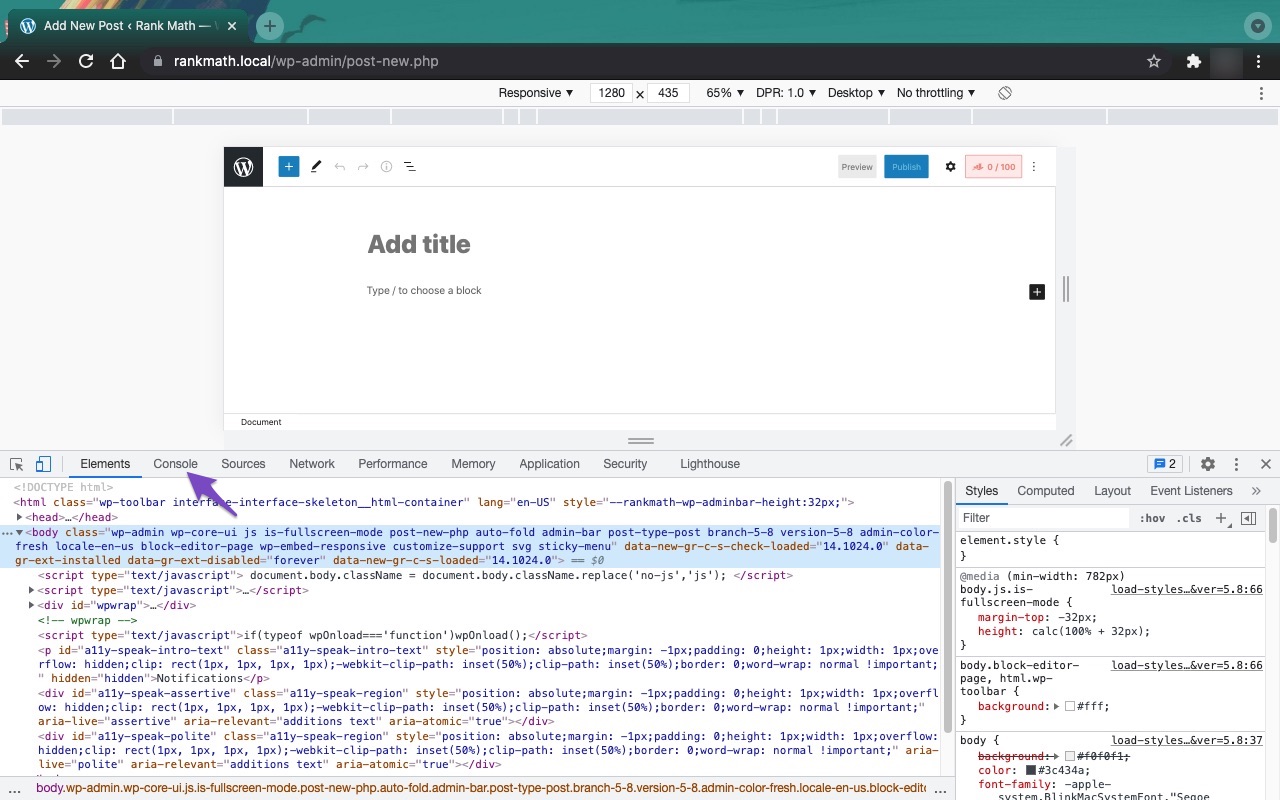
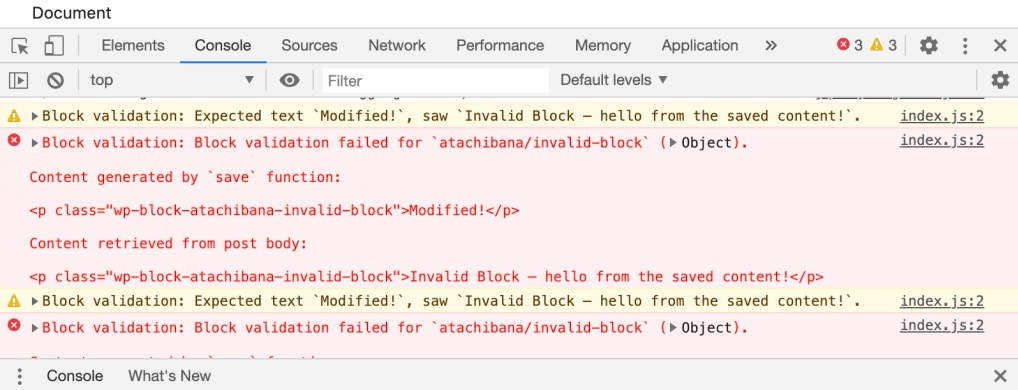
    2. JavaScript-Related Errors: Even if you didn’t find any issues in the developer tools, it’s worth double-checking for JavaScript errors. You can diagnose these errors using the JavaScript Console in your browser. Here’s how to open it in Chrome:

      • Navigate to More ToolsDeveloper Tools from the Chrome menu.
      • Click on the Console tab.
        Open Developer Tools
        Open console tab
      • Reload the page and check for any errors that might be displayed.
        Google Chrome JavaScript console errors
    3. Firewall Blocked Access: If you are using a firewall, it might be blocking access to certain files that Rank Math needs to save your settings. Ensure that Rank Math is whitelisted in your firewall settings.

    4. ModSecurity: If your hosting provider has ModSecurity enabled, it could be blocking requests from Rank Math. You may need to contact your hosting provider to temporarily disable ModSecurity to see if that resolves the issue.

    If you have checked all of these and are still experiencing issues, please reply to this ticket, and a human agent from the Rank Math Support team will take over and assist you further.

    Thank you for your patience, and we look forward to helping you resolve this issue!

    Hello,

    Thank you for contacting the support and sorry for not following up quickly and any inconvenience that might have been caused due to that.

    Please check if you are using a Firewall, as it may prevent saving the changes.

    If you are using a Firewall, please whitelist this route:
    /wp-json/rankmath/v1/updateMeta

    Whitelisting the route should fix the issue.

    You can check this link for more information:
    https://rankmath.com/kb/meta-data-not-saving/

    I hope this helps. Looking forward to helping you.

    Hello,

    Since we did not hear back from you for 15 days, we are assuming that you found the solution. We are closing this support ticket.

    If you still need assistance or any other help, please feel free to open a new support ticket, and we will be more than happy to assist.

    Thank you.

Viewing 2 replies - 1 through 2 (of 2 total)

The ticket ‘SEO Changes Not Being Saved Properly’ is closed to new replies.