
-
I have disabled, uninstalled, reinstalled rank math.
I have cleared all caches on site.
I can not get Rank Math to update to currently set meta information for; title, description, and OG:image and twitter:image parameters.It will not update with latest information entered into configuration within wordpress.

-
Hello,
We apologize for the issue you are facing with Rank Math not updating the meta tag information. Here are a few steps you can take to troubleshoot this problem:
-
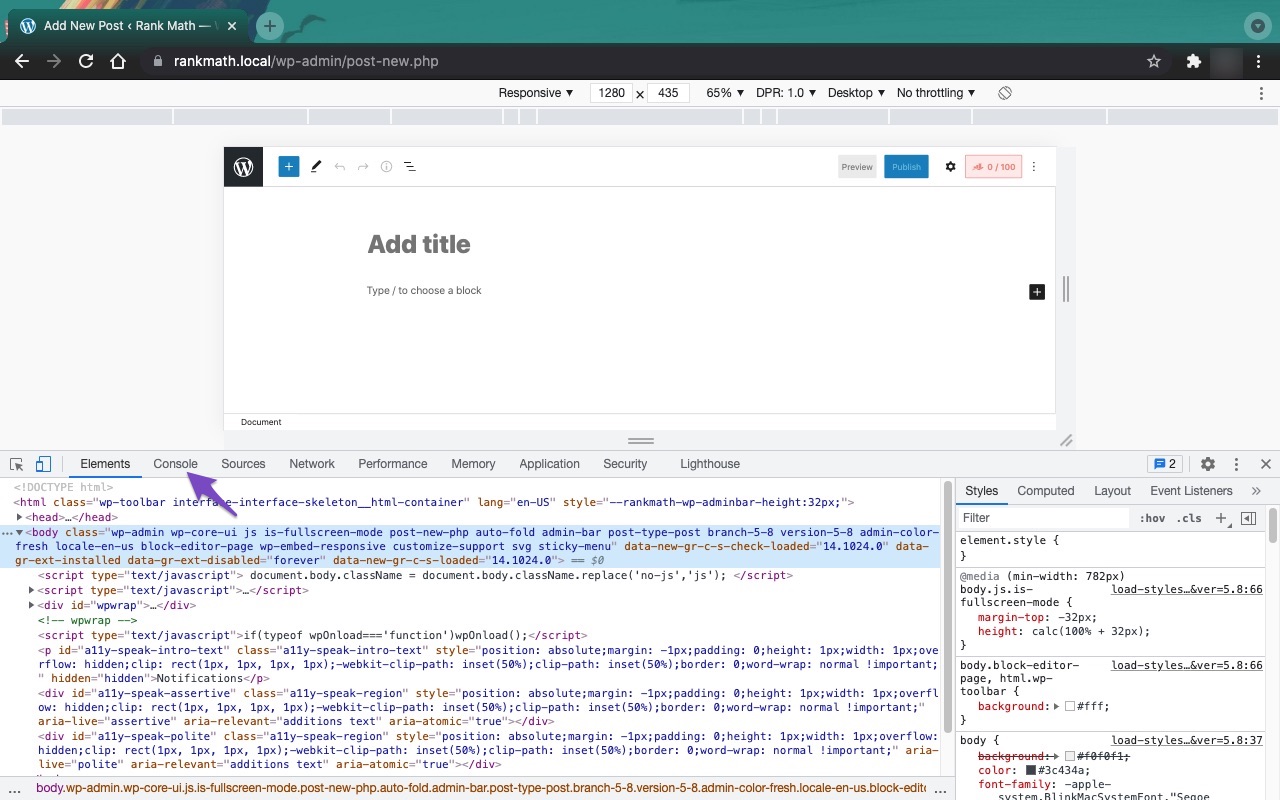
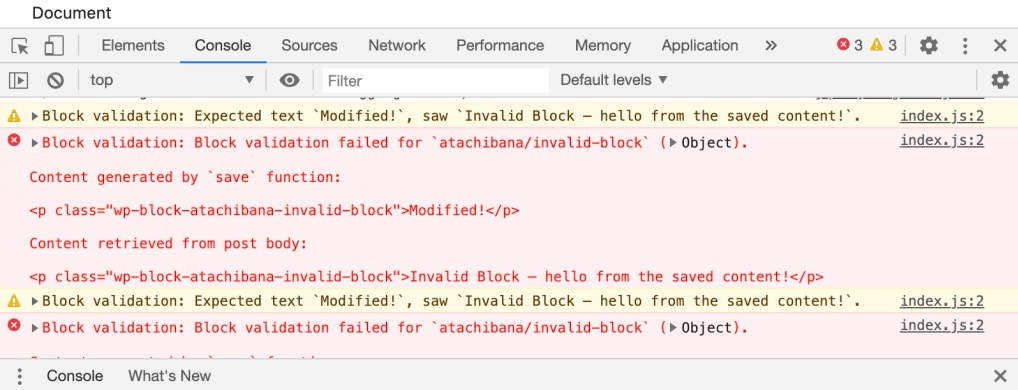
Check for JavaScript Errors: Sometimes, JavaScript conflicts with other plugins or themes can prevent Rank Math from saving metadata. You can open the Developer Tools Console in Chrome by navigating to More Tools → Developer Tools and then clicking on the Console tab. If there are any errors, they will be displayed here.

-
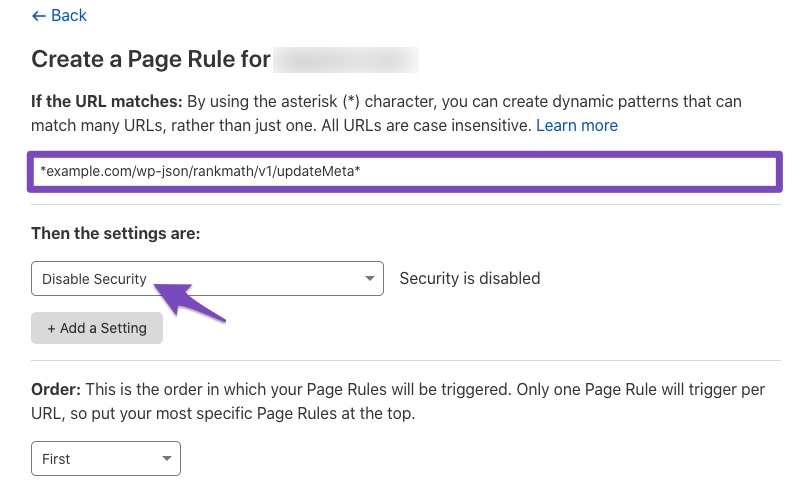
Firewall Settings: If you are using a firewall, it might be blocking access to Rank Math files. Ensure that the following files are whitelisted:
/wp-json/rankmath/v1/updateMeta/wp-json/rankmath/v1/updateSchemas/wp-json/rankmath/v1/updateRedirection/wp-json/rankmath/v1/getFeaturedImageId/wp-json/rankmath/v1/getHead
-
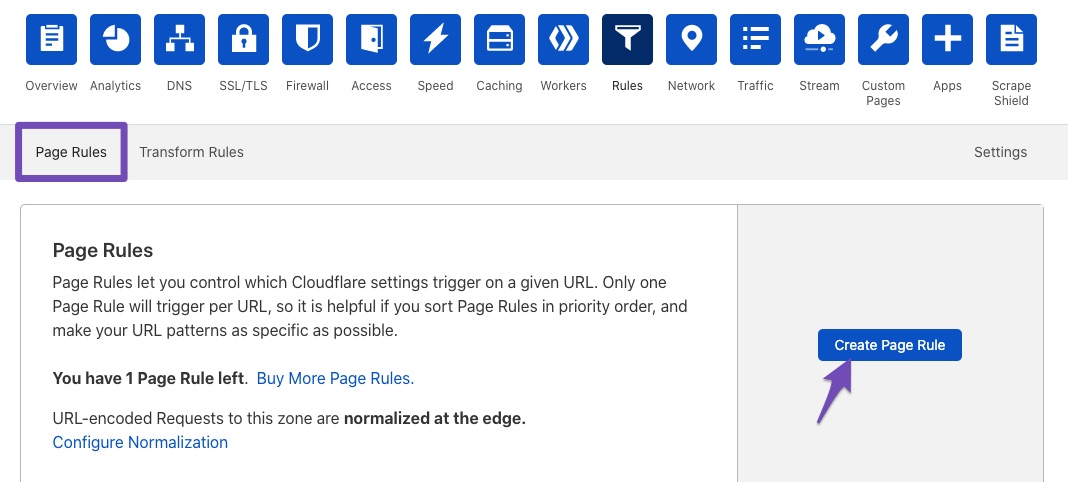
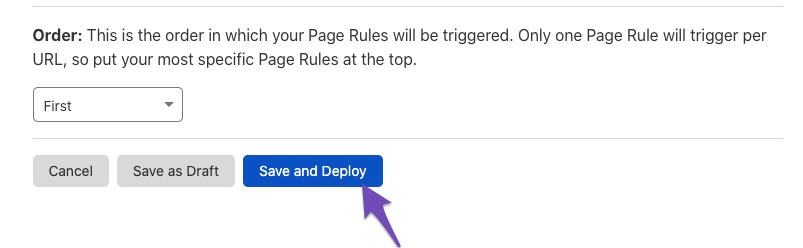
Cloudflare Page Rules: If you are using Cloudflare, you may need to create page rules to whitelist Rank Math files. You can do this by going to the Rules tab in Cloudflare and creating a new page rule with the necessary settings.
-
Caching Plugins: Ensure that any caching plugins are fully cleared and that you are not serving cached versions of your pages.
If you have tried all these steps and the issue persists, please reply to this ticket, and a human agent from the Rank Math Support team will assist you further. Thank you for your patience!
None of the above resolved my issue with meta tags not updating.
Hello,
Could you please share the affected URL so we can check as well? You can add it to the sensitive data section by editing your first post
It is completely secure, and only our support staff has access to that section.
Meanwhile, please check if you are using a Firewall as it may prevent saving the changes.
If you are using a Firewall, please whitelist this route:
/wp-json/rankmath/v1/updateMeta
/wp-json/rankmath/v1/saveModule
You can check this link for more information:
https://rankmath.com/kb/meta-data-not-saving/Looking forward to helping you.
Hello,
I have updated the sensitive data as requested. Can you please check further?
Thank you.
URL added to Sensitive data section as requested.
Hello,
To investigate this issue further, we might need to take a closer look at your website and settings. Please follow these steps:
- Edit the first post on this ticket and include your WordPress and FTP logins in the Sensitive Data section. This is a secure section that only our support staff can access.
- Make sure you take a complete backup of your website before sharing the information with us.
- If you prefer, you can use this plugin to generate a temporary login URL to your website and share that with us instead: https://wordpress.org/plugins/temporary-login-without-password/
- You can also use this plugin to monitor what changes our staff might make on your website (if any): https://wordpress.org/plugins/wp-security-audit-log/
We appreciate your cooperation and patience.
Thank you for choosing Rank Math.
Hello,
I have updated the sensitive data as requested. Can you please check further?
Thank you.
Hello,
Thank you for contacting Rank Math support.
Can you please confirm the steps we should take to reproduce this error? Is there a specific post or post-types that isn’t updating?
We tried updating your meta keyword and title/description for the first post on your website and it was updating fine.
Thank you for your patience and cooperation. We are looking forward to hearing back from you.
Visit website, then
view-source:https://scottastle.ca/you will see that the listed RankMath inclusion data does NOT match that which I have saved in settings for meta parameters – og & twitter description og & twitter image Displays wrong socialnetworks image, and site description is not what I have it set to.
displays:
<meta property=”og:description” content=”Scott Astle Canada Insurance Solutions offers the Safe Family Network Package, providing no-cost benefits like final expense coverage, income protection, and hospital accident insurance. Protect your loved ones with affordable insurance plans designed for Canadian families. Request your free package today.” />
should display:
Living Benefits in Canada for Accident and Sickness. ScottAstle.ca provides financial security when life takes an unexpected turn.Does not display image set in setting either.
as setup in RankMath settings
Hello,
The meta details are actually outputted correctly to your page source code. Here’s a video of the test I made: https://i.rankmath.com/v/IwbEbS
We’d suggest you record a loom.com video of the issue on your end so we’re able to understand how to replicate and investigate it. Also, please specify the post/page you’re using for this test so we can try that as well.
Thank you for your patience and cooperation
POSTS are not the issue – PAGES are.
HOME page – that is what I’m referring to in visiting ScottAstle.ca and looking at the page source code example above.
Hello,
I’m afraid we’re still not able to detect the issue. Please share a video.
Here’s a video of testing your Contact page and your homepage. Both are working and updating fine: https://i.rankmath.com/v/xt1LVh
Don’t hesitate to let us know if you need help with anything else.
Hello,
Since we did not hear back from you for 15 days, we are assuming that you found the solution. We are closing this support ticket.
If you still need assistance or any other help, please feel free to open a new support ticket, and we will be more than happy to assist.
Thank you.
-



The ticket ‘not updating meta tag info’ is closed to new replies.