Hello,
We apologize for the issue you are facing with your website not appearing in Google Search Console. Here are a few steps you can take to troubleshoot this problem:
-
Check Indexation Status: Use the Google Search Console to monitor your website’s indexation status. It will show you any errors that Google has encountered while trying to crawl and index your site.
-
Verify Robots.txt File: Ensure that your robots.txt file is not blocking Google from crawling your site. You can use the robots.txt testing tool to check for any directives that might be preventing Googlebot from accessing your site.
-
New Website Consideration: If your website is new, it may take some time for Google to index it. It can take up to a few weeks for a new website to appear in search results. In this case, patience is key.
-
Use Rank Math’s Instant Indexing: If you haven’t already, consider using Rank Math’s Instant Indexing feature, which allows you to submit your URLs directly to Google and helps speed up the indexing process.
-
Check for Penalties: If your website has been penalized by Google, it may not appear in search results. You can check this by searching for your website on Google. If it doesn’t show up, you may need to resolve any issues that led to the penalty.
If you have checked all these aspects and the issue persists, please reply to this ticket, and a human agent from the Rank Math Support team will overtake the ticket and assist you further.
Thank you for raising this concern!
Hello,
Thank you for your query and we are so sorry about the trouble this must have caused.
Assuming that you’ve already followed this guide and the issue persists, please share the affected page URL here so we can take a closer look.
Looking forward to helping you.
Hello,
Thank you for your response. I’ve followed the guide as instructed, but the issue persists. Here’s my website URL:
[https://wisdomorbit.com/]
Please take a closer look and let me know if there’s anything I need to fix.
Hello,
Please verify using the URL prefix and ensure that you have verified the correct version of your website on the Google Search Console (HTTP or HTTPS, www or non-www).
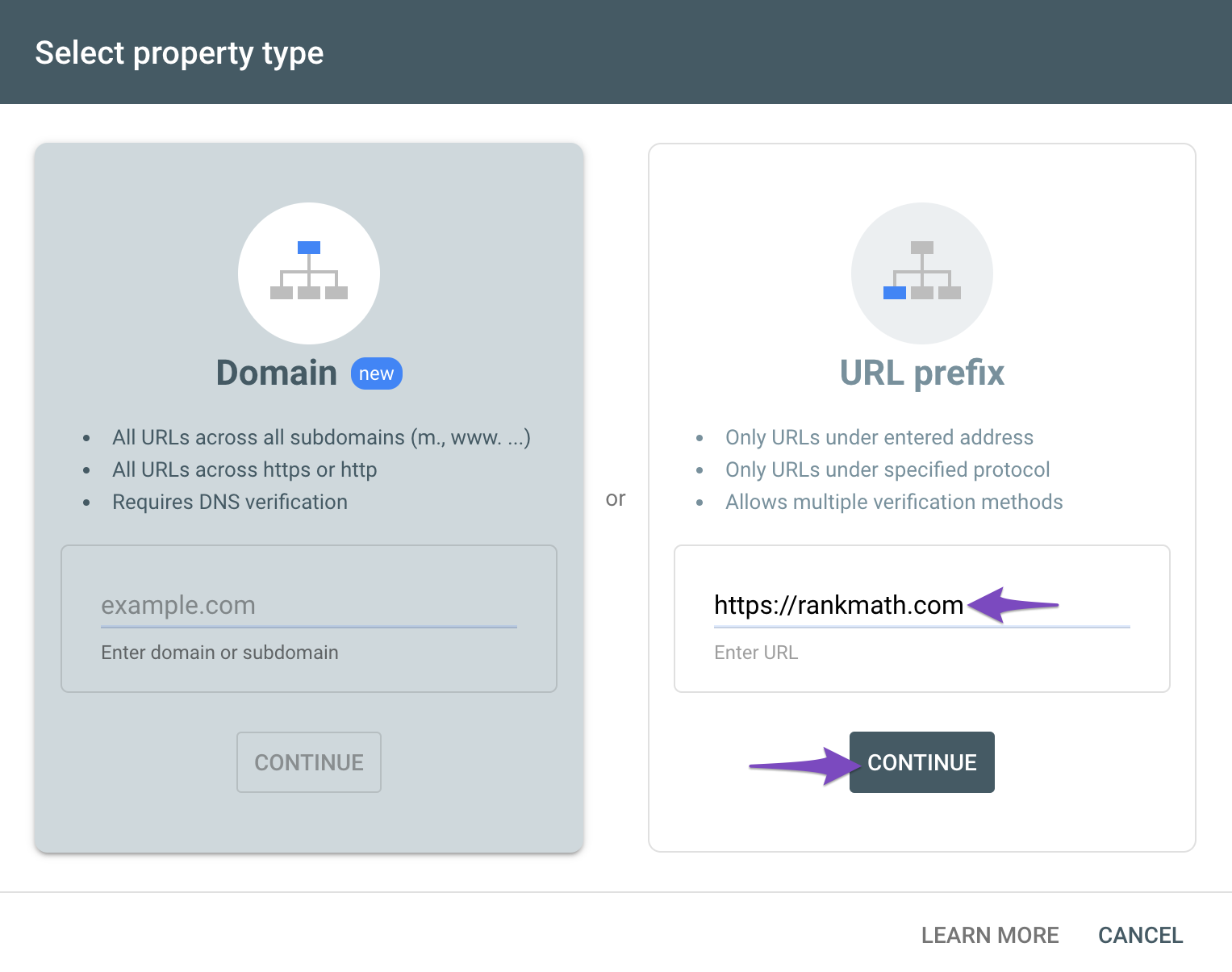
You can follow our guide here to create the URL Prefix property:
https://rankmath.com/kb/google-site-verification/#num-1-1-open-google-search-console
The URL-prefix property also helps keep your sitemap in sync with Google Search Console as we submit it automatically for you. In addition, the domain property won’t work correctly on some sections of the Analytics module such as the IndexStatus.
Let us know how this goes.
Issue has been resolved. Thank You for your help.
Hello,
Glad that everything has been sorted out.
Please feel free to reach out to us again in case you need any other assistance.
We are here to help.
Thank you.





