Hello,
We apologize for the issue you are facing with your website not indexing in Google Search Console. There are several potential reasons why your posts may not be getting indexed. Here are some steps you can take to troubleshoot the issue:
1. Check Your Robots.txt File
Make sure that your robots.txt file is not blocking Google from crawling your site. You can use the robots.txt testing tool to check if there are any directives preventing Googlebot from accessing your pages.
2. Monitor Indexation Status
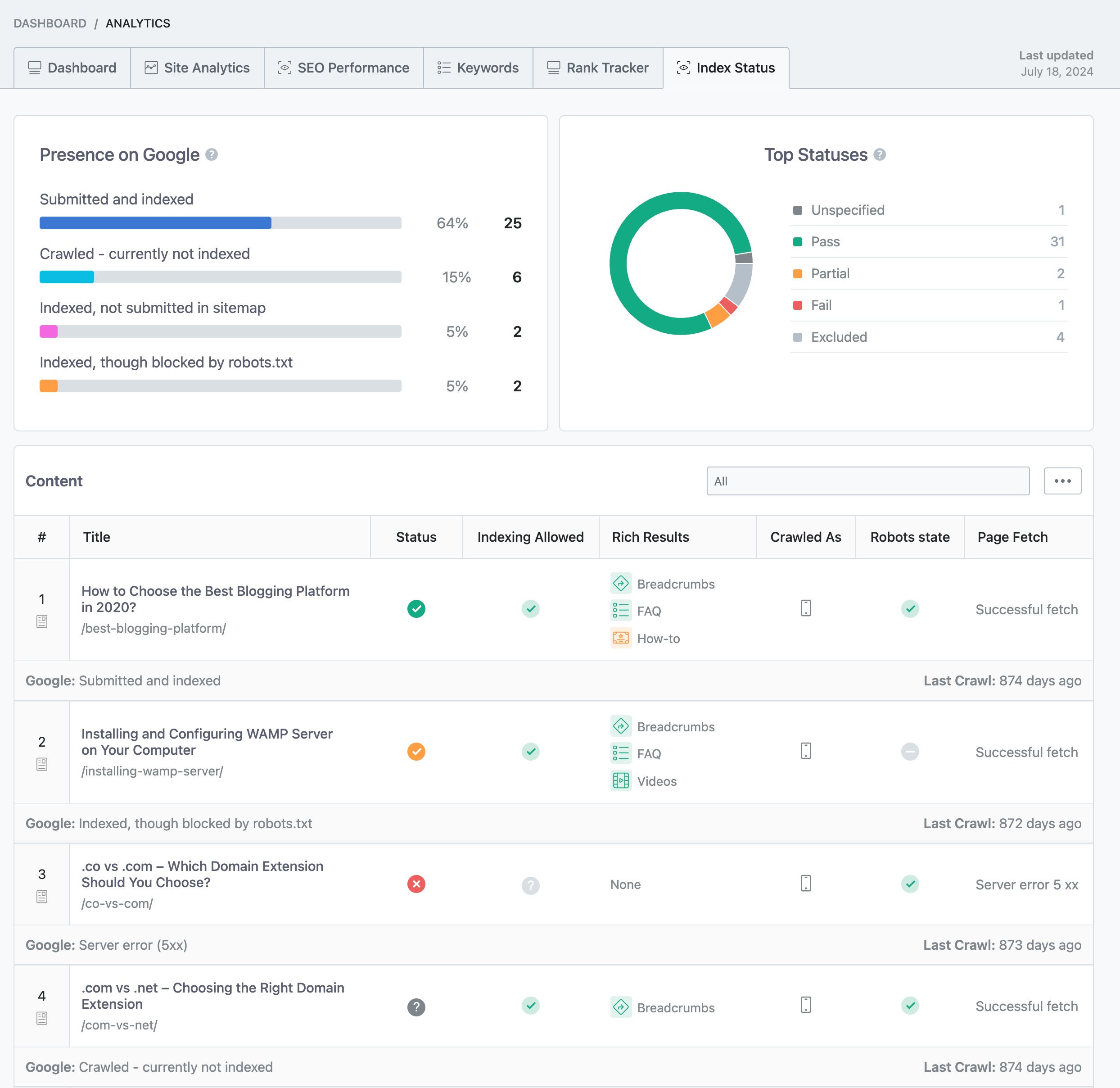
Utilize the Google Search Console to monitor your website’s indexation status. It will show you any errors that Google has encountered while trying to crawl and index your site. Additionally, you can check the Index Status report in Rank Math’s Analytics by navigating to Rank Math SEO → Analytics in your WordPress dashboard and clicking on the Index Status tab.
3. Ensure NoIndex Tags Are Not Set
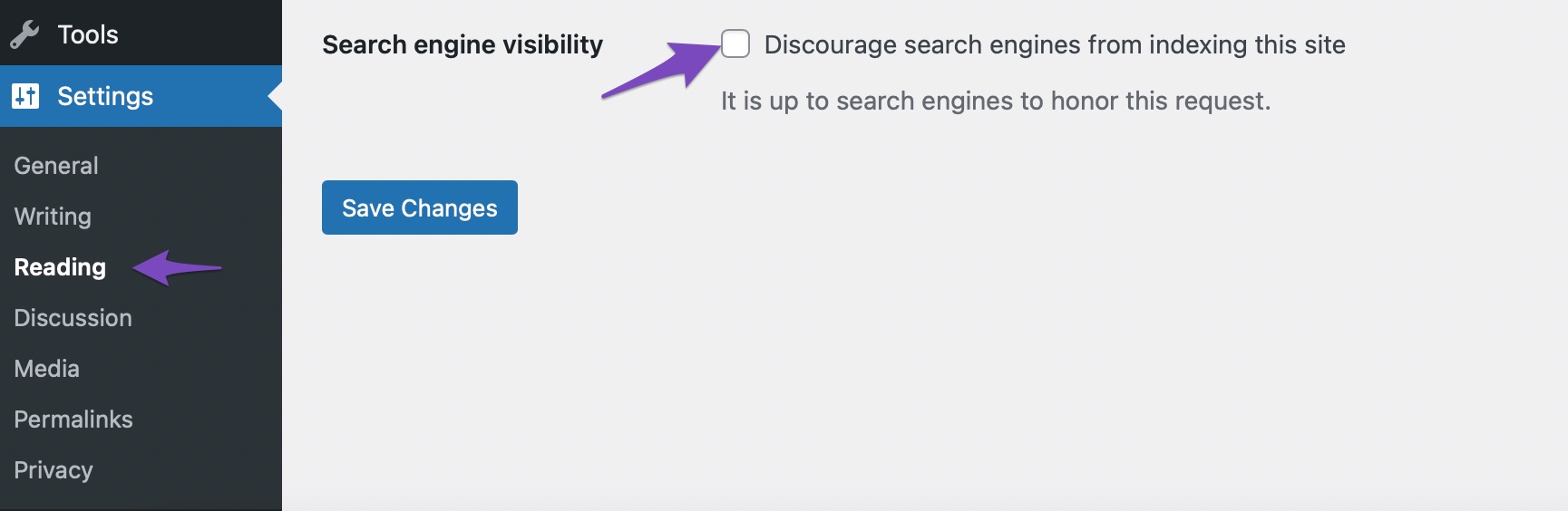
Check if any of your posts or pages have a noindex tag set. You can do this by navigating to the Settings in your WordPress admin dashboard and ensuring that the Search engine visibility option is unchecked.
4. Use Instant Indexing Plugin
If your website is new or if you have made significant changes, consider using our Instant Indexing plugin for Google to submit your URLs directly to Google, which can help speed up the indexing process.
5. Validate Fixes in Google Search Console
After making any necessary changes, ensure that your sitemap is updated and then head over to Google Search Console to choose the Validate Fix option for any errors you have resolved.
If you continue to experience issues after following these steps, please reply to this ticket, and a human agent from the Rank Math Support team will assist you further. Thank you for raising this concern, and we are here to help!
Sources:
Why Did My Website Disappear From Google Search? » Rank Math
How to Fix Submitted URL Marked ‘NoIndex’ Error » Rank Math
Checked everything but could not find any problem
Checked everything but could not find any problem
Hello,
Thank you so much for getting in touch.
It seems that you already have another ticket with the same concern.
We have replied to your other ticket to address your issue. Please check.
We will now close this one in favor of that ticket.
Looking forward to helping you there.



