Hello,
We apologize for the issue you are facing with your website’s SEO data being incorrectly transmitted to Google. Thank you for raising this concern.
To ensure that Google receives the correct data for your products, please follow these steps:
-
Check Your Sitemap: Make sure that your sitemap is correctly generated and includes all 1800 products. You can find your sitemap at `https://rankmath.com/kb/website-disappeared-from-google-search/. Ensure that this URL is submitted in Google Search Console.
-
Validate Your Sitemap: After submitting your sitemap, check for any errors in Google Search Console. If there are issues, you may need to resolve them before Google can index your pages correctly.
-
Clear Cache: If you are using any caching plugins, clear the cache to ensure that the latest version of your pages is being served.
-
Use the URL Inspection Tool: In Google Search Console, use the URL Inspection tool to check individual product URLs. This tool can provide insights into how Google sees your pages and if there are any issues.
-
Re-submit Your Sitemap: If you have made changes or fixed issues, re-submit your sitemap in Google Search Console and request indexing for the affected URLs.
-
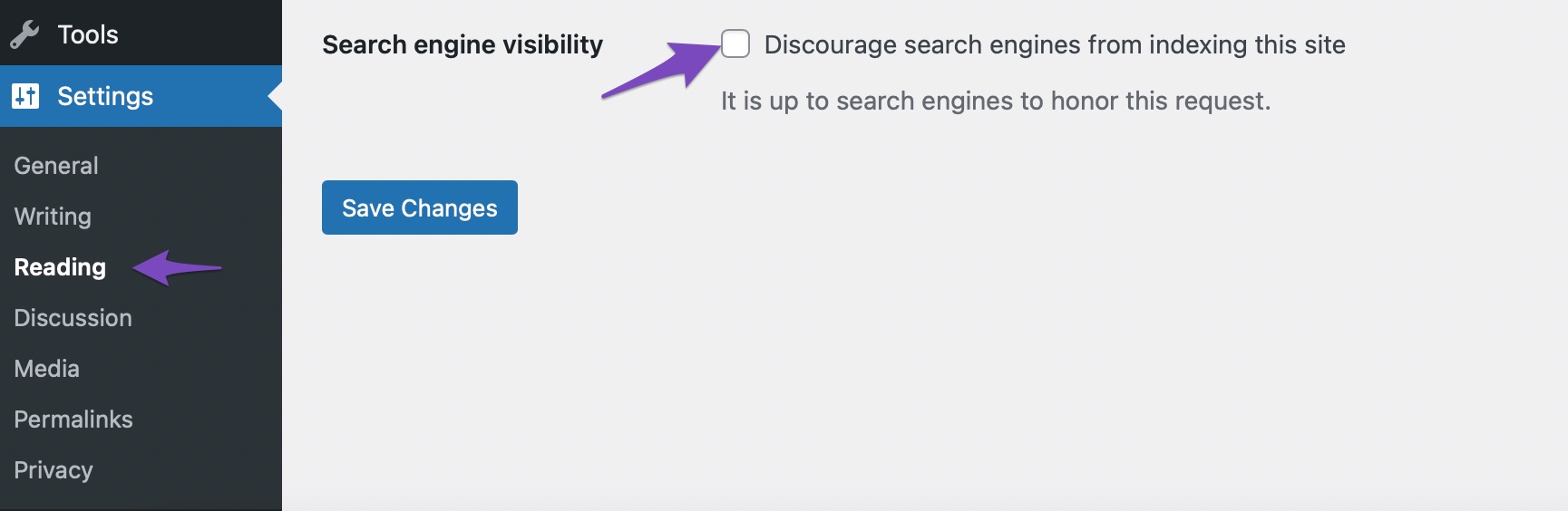
Check for NoIndex Tags: Ensure that none of your product pages are marked as "NoIndex" in Rank Math settings. You can check this by navigating to the Rank Math meta box on each product page and ensuring that the "Search Engine Visibility" option is set to Index.
-
Monitor for Changes: After making these adjustments, it may take some time for Google to crawl and index your pages again. Keep an eye on your Google Search Console for updates.
If you continue to experience issues after following these steps, please reply to this ticket, and a human agent from the Rank Math Support team will assist you further.
We appreciate your patience and understanding as we work to resolve this issue together!
Hello,
Please note that Google considers various factors while indexing. Your frequency of posting and your site’s domain authority are just two of the many factors Google considers when indexing web pages.
Google assigns a crawl budget to your website depending on these factors (especially these two), and that has a direct effect on how soon (i.e. how efficiently) your content can be indexed and update the result on the search results pages.
Looking forward to helping you.
Hello, this answer doesnt even help me a little bit. You just told me things I already know. You can see on the sitemap when url is last updated. You just need to give google the information that my site is updated again. Because I cant do it manually and information is created from rank math seo.
Hello,
Your sitemap is updated and has the latest modified date:

Please wait for Google to recrawl the URLs. If the issue persists, you can also share some screenshots so we can check this further. You can use a tool like https://imgur.com/ to share screenshots.
Looking forward to helping you.
Hello the problem is not about the sitemap, click inside the sitemap on product pages https://trikotworld.com/product-sitemap2.xml and you see last update is over 1 month. And the products are really the important thing to be updated.
https://trikotworld.com/product-sitemap3.xml
https://trikotworld.com/product-sitemap4.xml
You can check they are all not updated!
Hello,
Please note that your sitemap’s latest updates will be always in your https://trikotworld.com/product-sitemap1.xml
The products that you update/publish are always added to your first sitemap and then will be pushed down to the 2nd, 3rd, 4th sitemap, and so on.
Looking forward to helping you.
Yes but you dont understand that I need all products from sitemap updated! Because SEO Title and Meta changed. And Google is not crawling it when theres no change on the site…
Hello,
Please follow these steps:
- Reset your WordPress permalinks by going to WordPress Dashboard > Settings > Permalinks and clicking Save Changes without making any changes.
- Regenerate your sitemap by going to Rank Math > Sitemap Settings and changing the Link per Sitemap to 201 or anything else and then click Save Changes. You can change it later, this is just to regenerate your sitemap. You can follow this screencast: https://i.rankmath.com/pipRDp
- Exclude the Sitemap files of the Rank Math plugin in your caching plugin. The cache could be via a plugin or from the server. For plugins or Cloudflare, please follow this article:
https://rankmath.com/kb/exclude-sitemaps-from-caching/
- To make sure your sitemap gets updated immediately, add the following code to your site:
/**
 * Filter if XML sitemap transient cache is enabled.
 *
 * @param boolean $unsigned Enable cache or not, defaults to true
 */
add_filter( 'rank_math/sitemap/enable_caching', '__return_false');
You can learn how to add this code to your website here: https://rankmath.com/kb/wordpress-hooks-actions-filters/
We hope this helps. Please let us know if you have any questions or concerns.
Hello,
Since we did not hear back from you for 15 days, we are assuming that you found the solution. We are closing this support ticket.
If you still need assistance or any other help, please feel free to open a new support ticket, and we will be more than happy to assist.
Thank you.





