Hello,
We apologize for the issue you are facing with the og:image not updating from the old logo to the new one. It can be frustrating when changes do not reflect as expected.
To resolve this issue, please follow these steps:
-
Check the Image URL: Ensure that the new image URL is correctly set in the Rank Math settings for Open Graph. You can do this by navigating to the specific post or page in your WordPress dashboard and checking the Rank Math meta box for the Open Graph settings.
-
Clear Cache: If you are using any caching plugins, clear your website cache. Additionally, if you are using a CDN like Cloudflare, make sure to clear that cache as well.
-
Disable Gzip Compression: If you have Gzip compression enabled in your caching plugin, try disabling it. This can sometimes interfere with how Facebook reads your Open Graph tags. For example, in W3 Total Cache, you can find this option under Performance → Browser Cache → HTTP (gzip) compression.
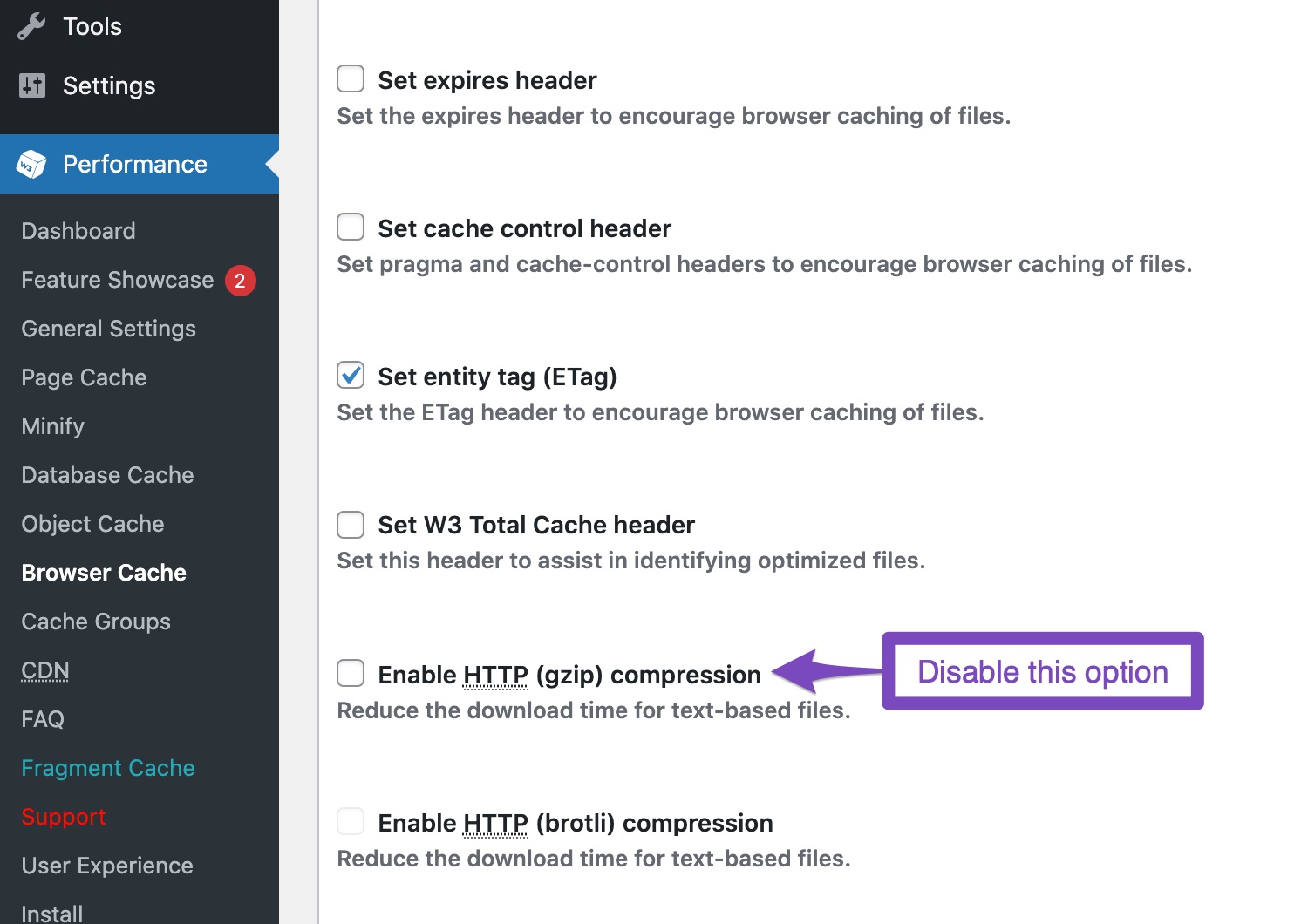
-
Check for Minification: If you have minification enabled, it might push your Open Graph tags down in the source code. Make sure that your og:image tag is within the first 60 KB of your page source. You can check this by right-clicking on your page and selecting View Page Source.
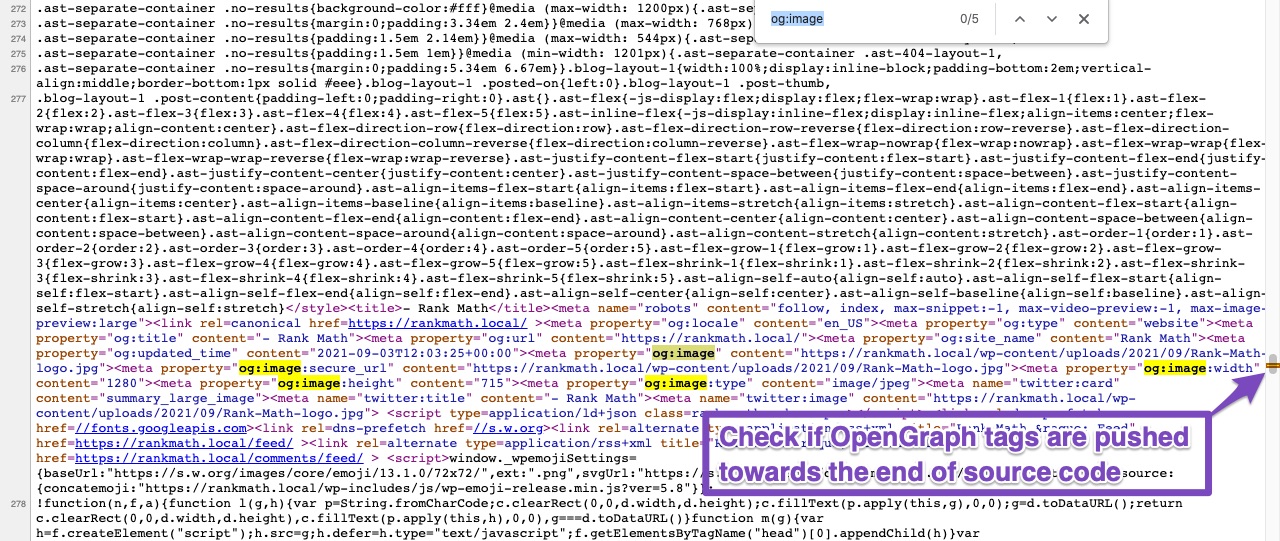
-
Use Facebook Debugger: After making these changes, go back to the Facebook Sharing Debugger and click on Scrape Again to refresh Facebook’s cache for your URL.
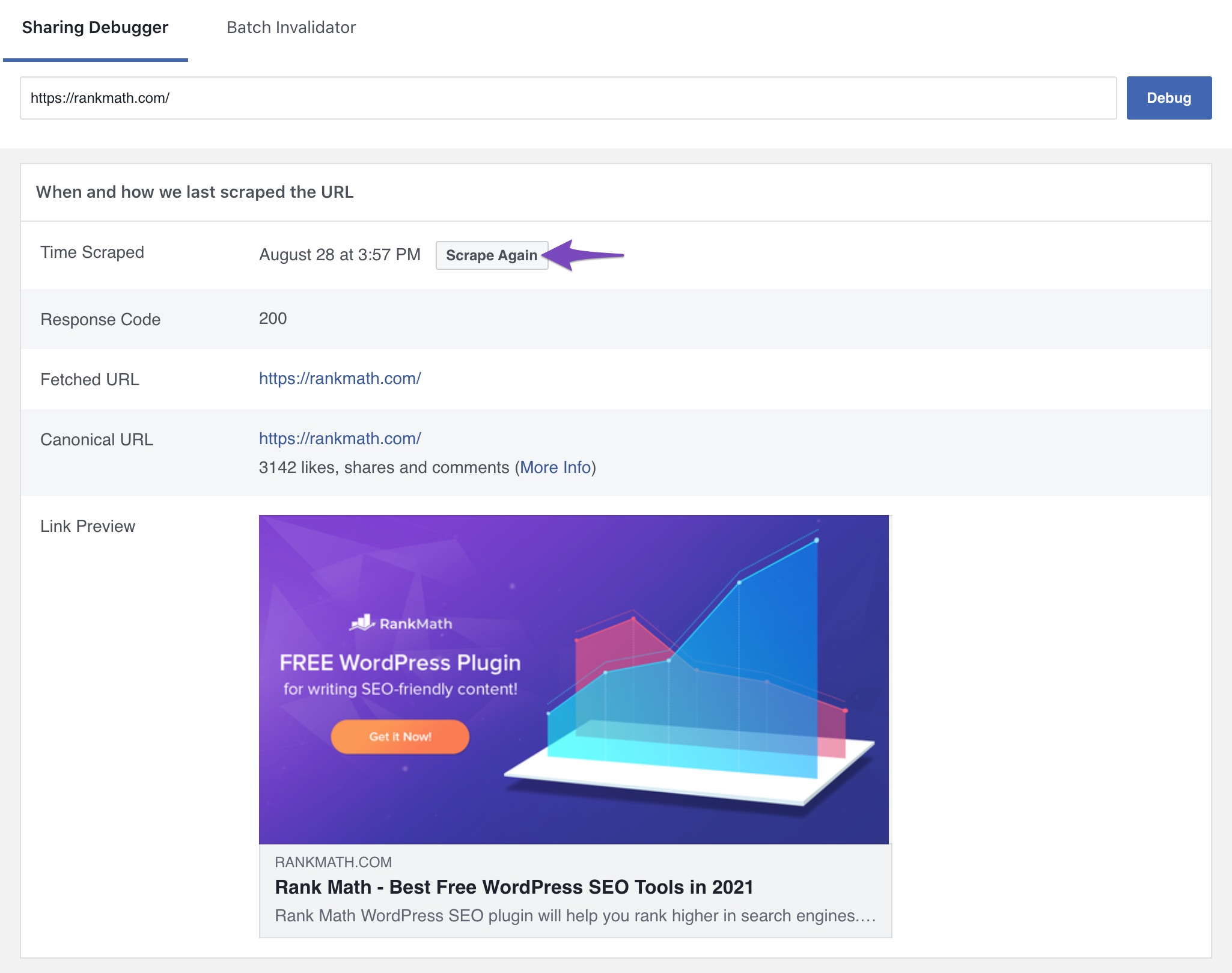
If you have followed these steps and are still experiencing issues, please reply to this ticket, and a human agent from the Rank Math Support team will assist you further. Thank you for your patience!
Sources:
Open Graph/Social Preview Image Is Not Displayed » Rank Math
Not working
I am not using cash plugin
https://prnt.sc/PV5tCu1TJjY1
https://prnt.sc/nEAf12O6k_eX
I have added logo as OpenGraph Thumbnail, where can I change the OG:IMAGE
I have hardcoded new image by deleting and uploading new logo to new URL
https://fadp.dk/wp-content/uploads/2022/10/SOME-fadp-share-small.jpg
Facebook sharing debugger still show the old logo, even when they say they use this image and its the image showing in the META tags.
Just for info….
Hello,
The image URL you last shared and the logo showing in the debugger are the same

Could you please confirm if you’re still seeing a different result?
Looking forward to helping you.
Hello,
Since we did not hear back from you for 15 days, we are assuming that you found the solution. We are closing this support ticket.
If you still need assistance or any other help, please feel free to open a new support ticket, and we will be more than happy to assist.
Thank you.





