Hello, we’re sorry to hear that you’re facing issues with renewing your website’s URLs after changing servers. To help you with this, you can follow these steps:
-
Install Rank Math: Make sure you have the Rank Math plugin installed on your new website.
-
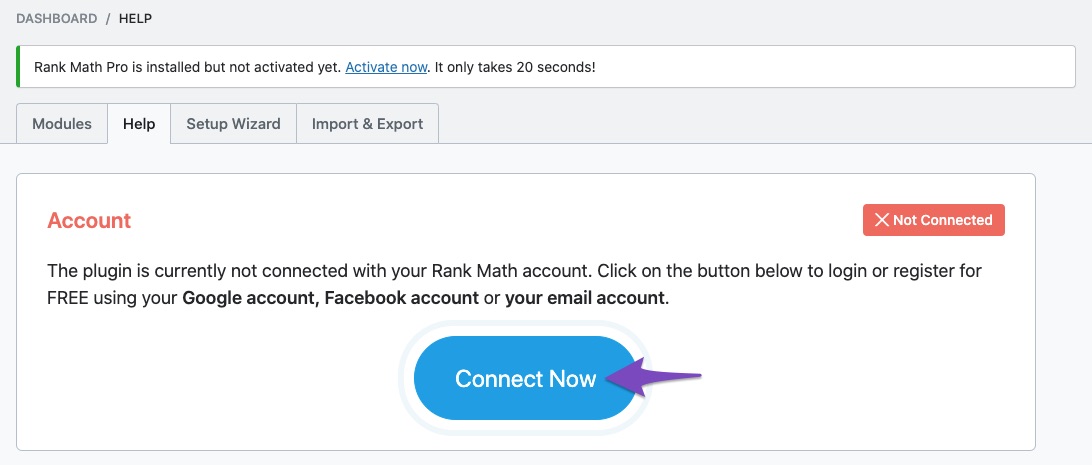
Connect Your License: Once installed, connect your Rank Math account to activate your license. You can do this by going to Rank Math > Dashboard > Help and clicking on the Connect Now button. This will allow you to activate your license using the same account associated with your Rank Math subscription.
-
Set Up Your URLs: After activating your license, you can start setting up your URLs. You may need to manually update your permalinks and ensure that all your content is properly indexed.
-
Use the Redirection Module: If you have old URLs that need to redirect to new ones, you can use the Redirection module in Rank Math to set up 301 redirects.
If you need further assistance or specific guidance on how to set up your URLs, please reply to this ticket, and a human agent from the Rank Math Support team will be happy to assist you further. Thank you for reaching out!
Hello,
Thank you for your query and we are so sorry about the trouble this must have caused.
You can disconnect your account by navigating to WordPress Dashboard > Rank Math > Dashboard > Help and then simply disconnect the account by clicking on Disconnect Account.

Once you’ve disconnected your Rank Math account, you can connect it again in the same settings. In order to connect your correct account, click on Connect Now.

Once you click on Connect Now, please ensure that you’ve selected the correct account and then click on OK, Activate Now, as shown below.

After that, you can see all your connected sites here: https://rankmath.com/my-account/websites/
Please do not hesitate to let us know if this doesn’t help or you have any follow-up queries.
Hello,
Since we did not hear back from you for 15 days, we are assuming that you found the solution. We are closing this support ticket.
If you still need assistance or any other help, please feel free to open a new support ticket, and we will be more than happy to assist.
Thank you.



