Hello,
We apologize for the issue you are facing with updating plugins on your websites. Here are some steps you can take to resolve the "Automatic Update is Unavailable for this Plugin" error in Rank Math:
1. Reconnect Your Website with Rank Math
- Go to WordPress Dashboard → Rank Math SEO → Dashboard → Help.
- Click on Disconnect Account.
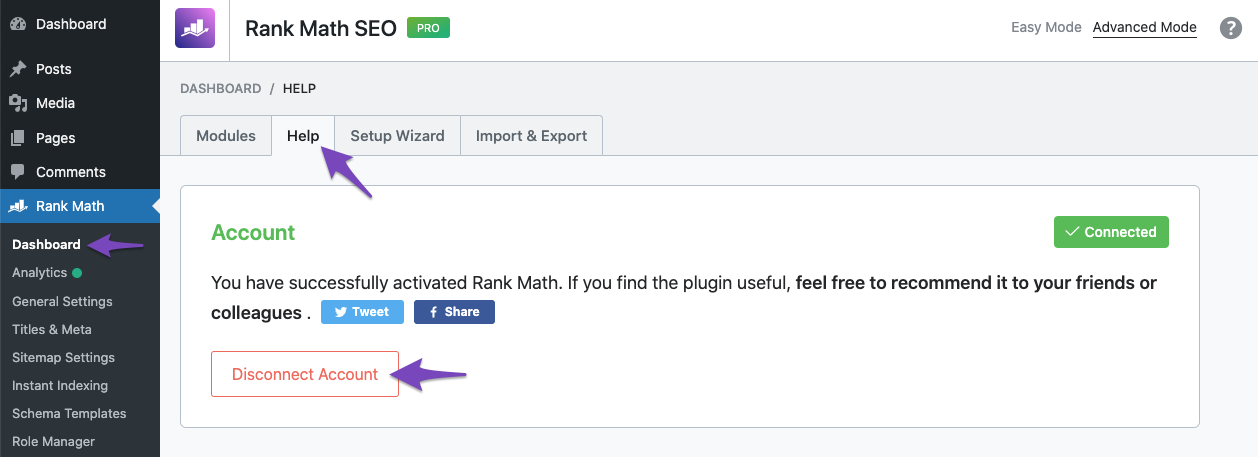
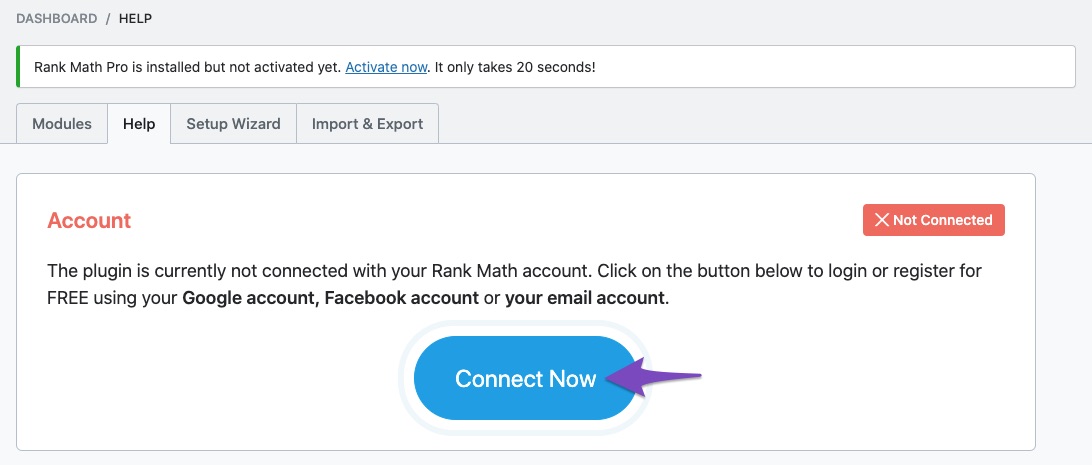
- After disconnecting, click on Connect Now to reconnect your website.
- Ensure you select the correct account and click on OK, Activate Now.

2. Check for Plugin Conflicts
Sometimes, conflicts with other plugins or themes can cause update issues. You can check for conflicts by following this guide: Check Plugin/Theme Conflict With Rank Math.
3. Unable to Encrypt Issue
If your website is connected but still shows the update error, it might be due to encryption issues. You can define the following constants in your wp-config.php file:
define( 'RANK_MATH_ENCRYPTION_KEY', 'S)xC=}0D!J;GB[Waz*)@lQ@!?MmXjQp>w57v!zeK,{WzdlF3>lnU5G8
Sources:
How to Fix ‘Automatic Update is Unavailable for this Plugin’ Error in Rank Math » Rank Math
But I still wanted to use this account, because I wanted to use the paid version (not the free version). Because my account already has a paid license.
Hello,
Thank you for contacting support.
The PRO subscription on this account expired in July this year and that’s why the updates to the PRO plugin are not working.
If you would like to continue updating the plugin you need to purchase a subscription from here: https://rankmath.com/pricing
Don’t hesitate to get in touch if you have any other questions.
Hello,
Since we did not hear back from you for 15 days, we are assuming that you found the solution. We are closing this support ticket.
If you still need assistance or any other help, please feel free to open a new support ticket, and we will be more than happy to assist.
Thank you.



