Hello,
We apologize for the issue you are facing with your featured image not appearing when sharing links on social media. There are a few reasons why this might happen, and we appreciate you bringing this concern to our attention.
Here are some steps to troubleshoot the issue:
-
Check if Facebook/Twitter Sharing Images are Added: Ensure that you have added the Facebook/Twitter sharing images through the Rank Math Meta Box. You can do this by clicking the Add Image button in the social options section of your post.
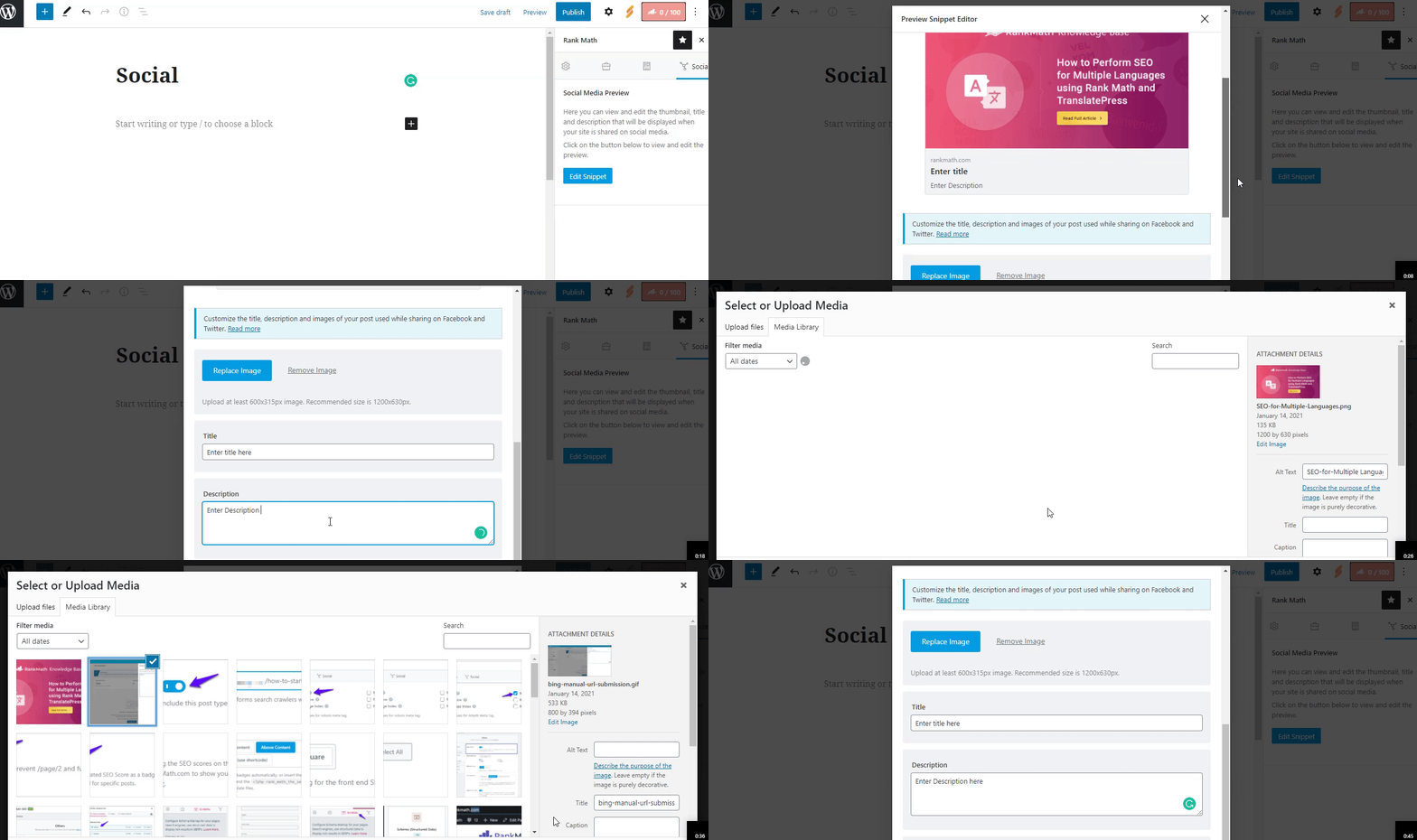
-
Image Dimensions & Format: Verify that the image you are trying to share meets the recommended dimensions of 1200px X 630px and is in a supported format (JPEG, PNG, GIF, WebP). If the image dimensions are too small or too large, social networks may not read your image correctly.
-
Check Visibility Settings: Since you mentioned that you have selected and deselected the option to hide the featured image in single post view, please ensure that this setting is correctly configured in your Rank Math settings. Sometimes, changes may not reflect immediately due to caching.
-
Clear Cache: If you are using any caching plugins or services, clear your cache after making changes to ensure that the latest settings are applied.
-
Use Debugging Tools: You can use Facebook’s Sharing Debugger tool to see how Facebook interprets your page. This tool can help identify any issues with how your images and metadata are being read by Facebook. You can access it here.
If you have followed these steps and the issue persists, please reply to this ticket, and a human agent from the Rank Math Support team will assist you further.
Thank you for your patience, and we hope to resolve this issue for you soon!
Hello,
The image resolution from the post you shared is 1024x1024.
As we mentioned above, please ensure that the image/featured image you’re using is as close as 1200 x 630 pixels, and the image file format you are using is only between jpeg, gif, or png as per Opengraph Standards:
https://rankmath.com/kb/open-graph-image-not-displaying/#num-4-2-image-dimensions-image-format
Alternatively, you can set a resized version of the picture and set it under the Social tab in Rank Math:
https://rankmath.com/kb/meta-box-social-tab/#facebook-options
Looking forward to helping you.
Hello,
Since we did not hear back from you for 15 days, we are assuming that you found the solution. We are closing this support ticket.
If you still need assistance or any other help, please feel free to open a new support ticket, and we will be more than happy to assist.
Thank you.



