Help with Plugin Compatibility

#892050
  • Resolved Martin Oxby
    Rank Math free

    Hey there!

    I’ve just spent a few hours trying and largely failing to get one aspect of my own tiny plugin to be compatible with RankMath. I use RM all the time on my site.

    My issue is simple: when my plugin saves a post, the OpenGraph, ‘meta’ Title, and Meta Description fields in RankMath do not update. I can’t figure out the RM hooks from your dev document that could help this.

    What I’ve tried:
    – to pull in the relevant fields in PHP, but your fields only have IDs, not name attributes, so are hard to read. That, and the meta description field, for example appears inaccessible on document load.
    – to add a name attribute dynamically, using JavaScript, so that I could read the fields (e.g. document.getElementById('rank-math-editor-description')) – but that does not exist except during the editing of those fields. Maybe this is because of your JSON?

    I don’t want to change anything in your data. Literally, I want to make sure, when document.getElementById('post').submit(); is invoked, that the data in the RM panel is saved as well. And I can’t find what to trigger in my plugins code to make that happen.

    Hope you can help!
    Thanks.

Viewing 1 replies (of 1 total)
  • Hello,

    We apologize for the issue you are facing with your plugin’s compatibility with Rank Math. Thank you for reaching out and providing detailed information about your situation.

    To ensure that the OpenGraph, meta Title, and Meta Description fields in Rank Math are updated when your plugin saves a post, you may need to utilize the appropriate hooks provided by Rank Math. Here are some suggestions that might help:

    1. Use Rank Math’s Save Hooks: You can hook into the rank_math/save_meta action, which is triggered when the metadata is saved. This allows you to ensure that your plugin’s data is saved alongside Rank Math’s metadata.

      add_action('rank_math/save_meta', 'your_custom_function', 10, 2);
      function your_custom_function($post_id, $data) {
         // Your code to handle saving data
      }
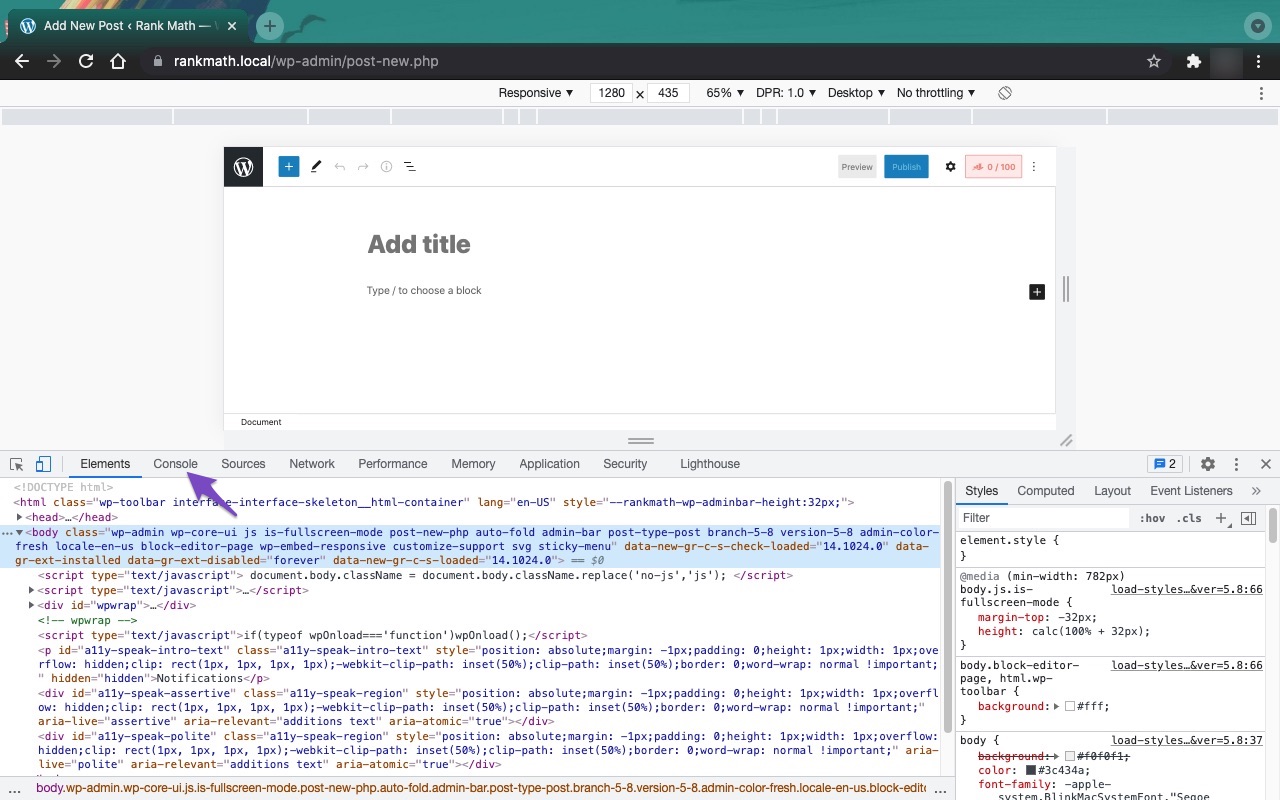
    2. Check for JavaScript Errors: Since you mentioned that the meta description field appears inaccessible on document load, it might be beneficial to check for any JavaScript errors in the console that could be preventing the fields from being accessible. You can do this by opening the Developer Tools Console in your browser.
      Open Developer Tools
      Open console tab

    3. Triggering Save on Submit: If you want to ensure that the Rank Math fields are saved when your plugin submits the post, you might consider triggering a save event for those fields before the form submission. You can do this by calling the appropriate Rank Math save function or simulating a click on the save button of the Rank Math editor.

    4. Refer to Documentation: For more specific hooks and functions, please refer to the Rank Math Developer Documentation where you can find more details on how to interact with Rank Math programmatically.

    If these suggestions do not resolve your issue, please feel free to reply to this ticket, and a human agent from our support team will assist you further. We appreciate your patience and understanding as we work to help you resolve this matter!

    Sources:
    Why Your SEO Title, Description & Focus Keyword Aren’t Being Saved » Rank Math

    This is an automated reply from Rank Math Support Bot. If you need further assistance, please reply to this topic and a human support agent will reply to you shortly.

    Hello,

    Since we did not hear back from you for 15 days, we are assuming that you found the solution. We are closing this support ticket.

    If you still need assistance or any other help, please feel free to open a new support ticket, and we will be more than happy to assist.

    Thank you.

Viewing 1 replies (of 1 total)

The ticket ‘Help with Plugin Compatibility’ is closed to new replies.