Hello, we apologize for the issue you are facing regarding the default single post description. Unfortunately, the character limit for meta descriptions is generally set by search engines, and there isn’t a way to increase this limit directly within Rank Math or any other SEO plugin.
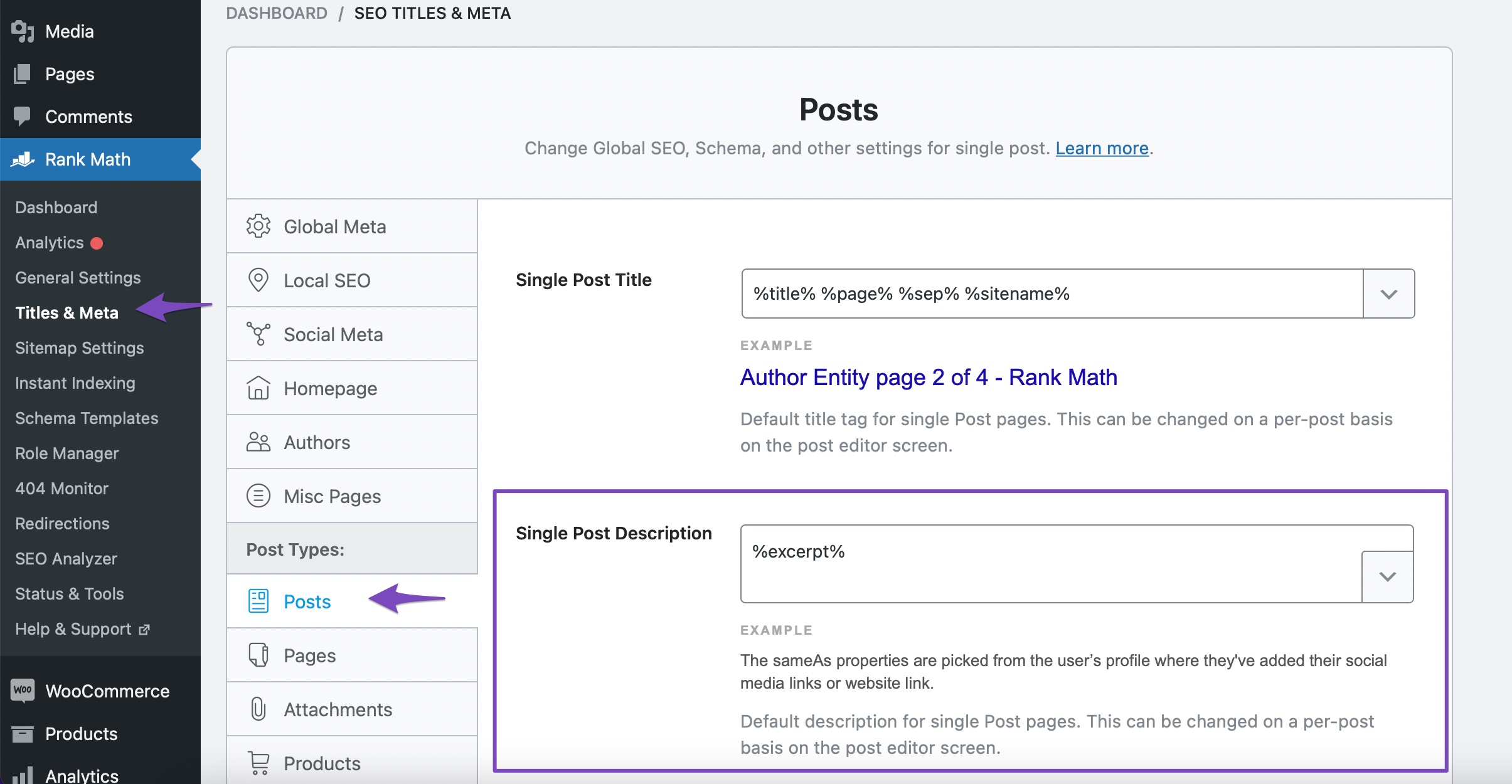
However, you can optimize your meta descriptions by ensuring they are concise and relevant to the content of your posts. Here’s how you can set a default description for all your posts:
- Go to Rank Math SEO → Titles and Meta.
- Navigate to the Posts section.
- Here, you can set a default description using variables to create a dynamic template that fits within the character limits recommended by search engines.
If you want to customize the meta description for individual posts, you can do so in the post editing screen by clicking on the Rank Math icon and then editing the snippet in the General tab.
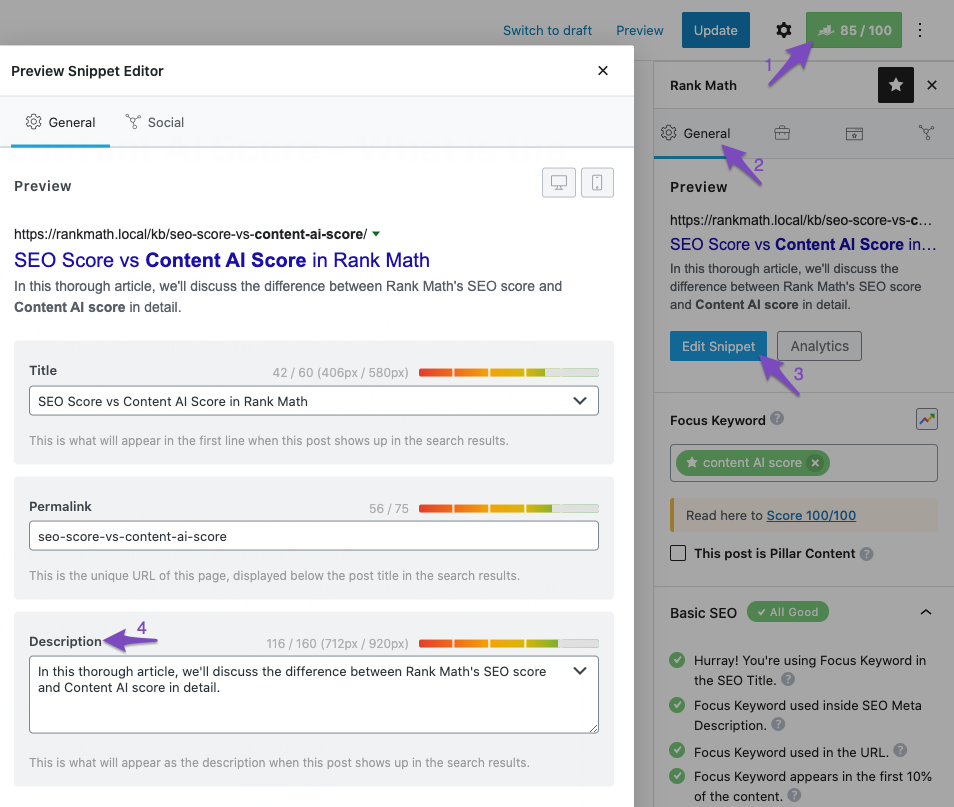
For best practices, aim for around 150-160 characters for your meta descriptions to ensure they display fully in search results. If you have further questions or need assistance, please reply to this ticket, and a human agent from the Rank Math Support team will assist you.
Sources:
Rank Math ‘Titles and Meta’ Options and Settings
Bulk Editing Options in the Rank Math SEO Plugin
This is an automated reply from Rank Math Support Bot. If you need further assistance, please reply to this topic and a human support agent will reply to you shortly.
Hello,
Since we did not hear back from you for 15 days, we are assuming that you found the solution. We are closing this support ticket.
If you still need assistance or any other help, please feel free to open a new support ticket, and we will be more than happy to assist.
Thank you.


