Hello,
We apologize for the issue you are facing. To upgrade to a Rank Math PRO account, you can follow these steps:
- Purchase a License: Visit the Rank Math Pricing page to purchase a PRO license.
- Update the Free Version: Ensure that your Rank Math Free version is updated to the latest version from your WordPress Dashboard.

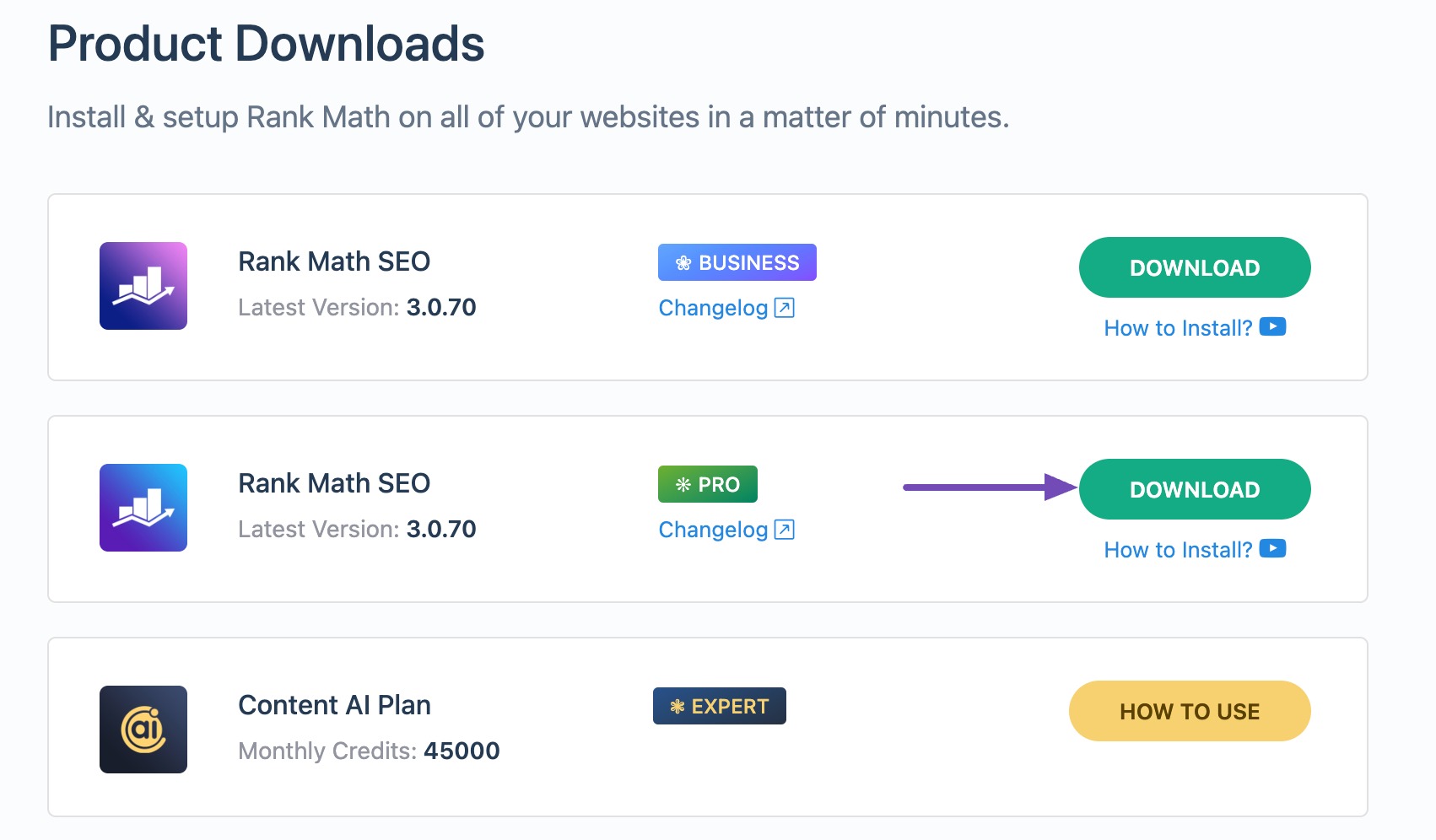
- Download Rank Math PRO: After purchasing, download the PRO version from your account area.
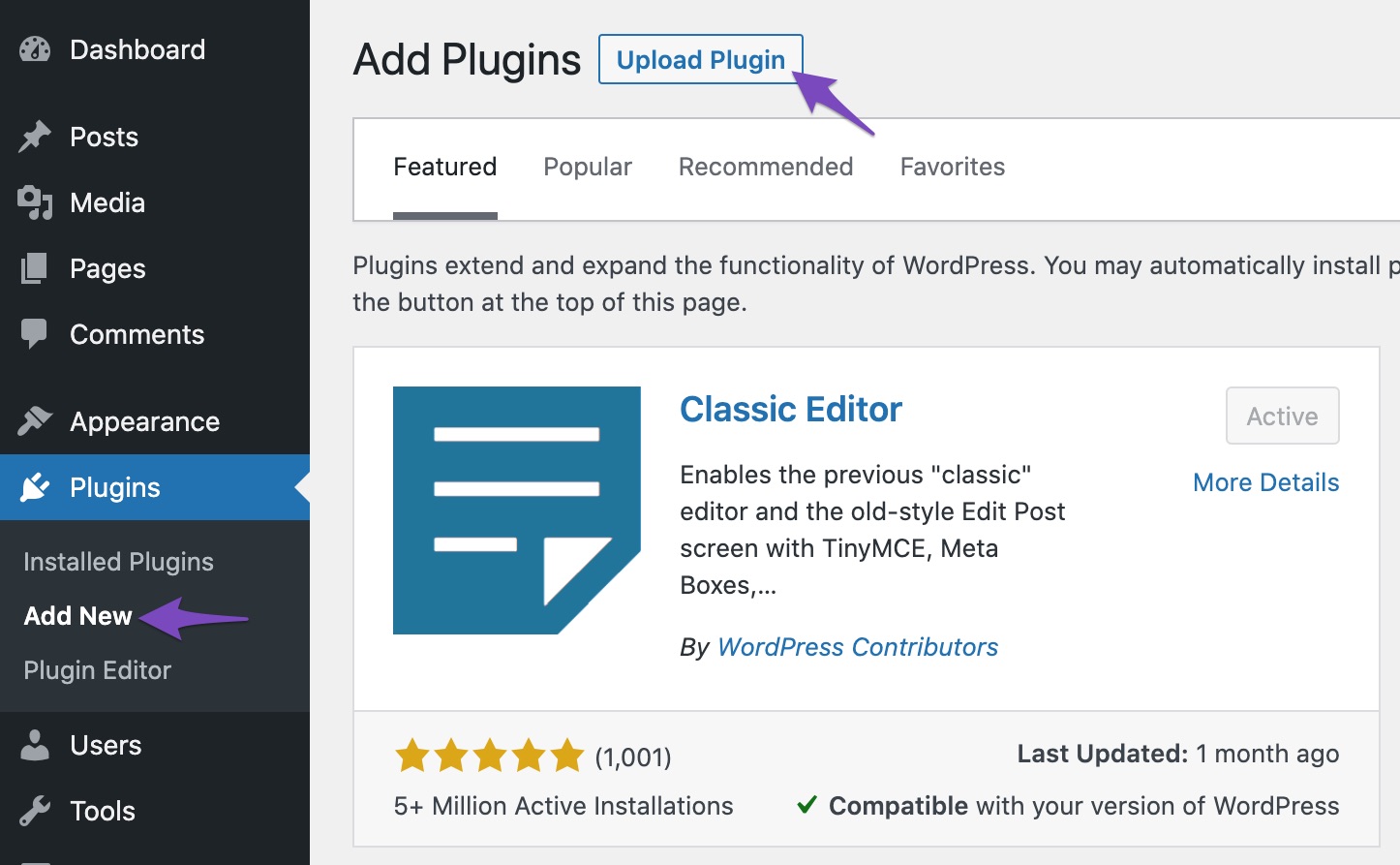
- Install the PRO Version: Go to your WordPress Dashboard → Plugins → Add New → Upload Plugin, and upload the downloaded zip file.
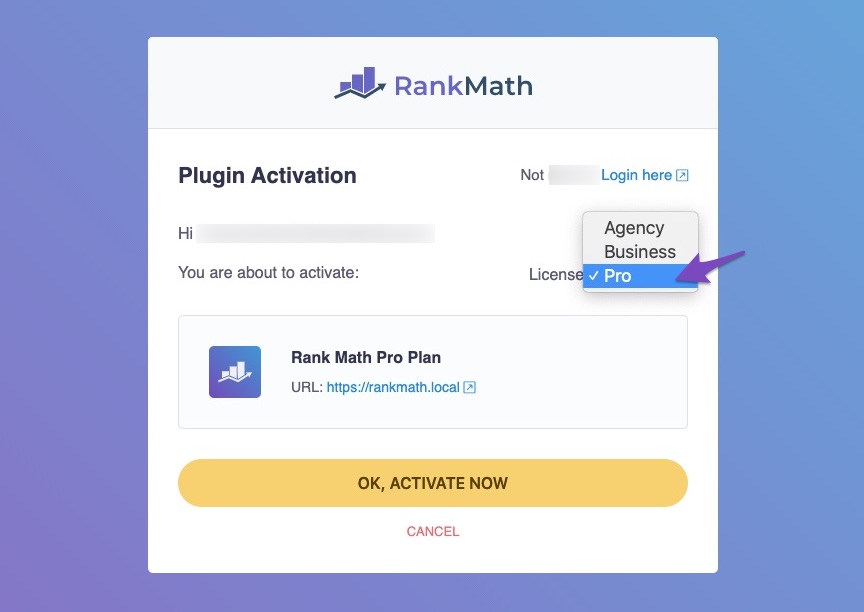
- Activate the License: Finally, activate the license from WordPress Dashboard → Rank Math SEO → Dashboard → Help.
If you have any further questions or need assistance, please reply to this ticket, and a human agent from the Rank Math Support team will assist you.
Thank you for reaching out!
Sources:
How to Upgrade to Rank Math PRO » Rank Math
Hello,
Unfortunately, our scope of support does not extend to chats, phone calls, or remote applications like AnyDesk or Zoom apps.
If you need any assistance or have any queries, please let us know here.
Looking forward to helping you.
Thank you.
Hello,
Since we did not hear back from you for 15 days, we are assuming that you found the solution. We are closing this support ticket.
If you still need assistance or any other help, please feel free to open a new support ticket, and we will be more than happy to assist.
Thank you.



