Hello, we’re sorry to hear that you’re still facing the 429 Too Many Requests error despite trying the fixes in the article. This error typically indicates that your IP address has sent too many requests to the IndexNow API in a short period.
If you’ve already disabled the auto-submission feature and waited for a while, here are a few additional steps you can consider:
-
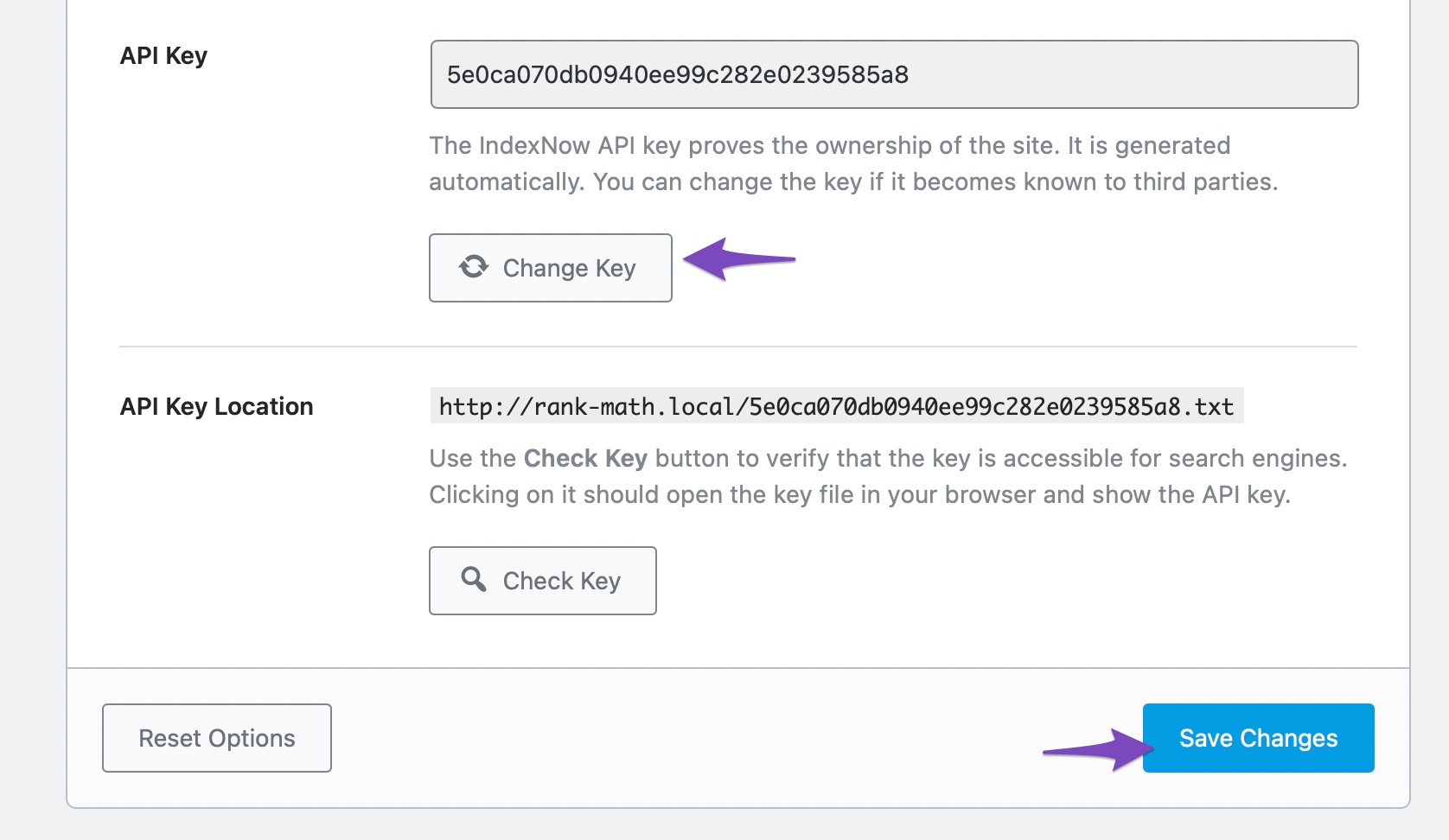
Change Your API Key: Sometimes, changing your API key can help. You can do this by navigating to Rank Math SEO → Instant Indexing → Settings and then clicking on Change Key. After changing the key, make sure to save your changes.
-
Clear Your Website Cache: After changing the API key, clear your website cache to ensure that the changes take effect.
Learn how to clear cache in WordPress.
-
Wait for a Few Hours: After making these changes, wait for a few hours before attempting to submit URLs again.
-
Check for Other Sites on Shared Hosting: If you are on shared hosting, other websites on the same server may be using up the quota assigned to your shared IP address. In this case, you may need to wait it out or contact your hosting provider for assistance.
If the issue persists after trying these steps, please reply to this ticket, and a human agent from the Rank Math Support team will assist you further. Thank you for your patience!
This is an automated reply from Rank Math Support Bot. If you need further assistance, please reply to this topic and a human support agent will reply to you shortly.
Hello,
Since we did not hear back from you for 15 days, we are assuming that you found the solution. We are closing this support ticket.
If you still need assistance or any other help, please feel free to open a new support ticket, and we will be more than happy to assist.
Thank you.


