Hello,
We apologize for the issue you are facing with IndexNow and the persistent 429 error. The HTTP 429 response code means "Too Many Requests," indicating that your IP address has sent too many requests to the IndexNow API within a short period.
Here are some steps you can take to resolve this issue:
-
Stop Submitting URLs Temporarily: You should pause submitting your URLs to the IndexNow API for a while.
-
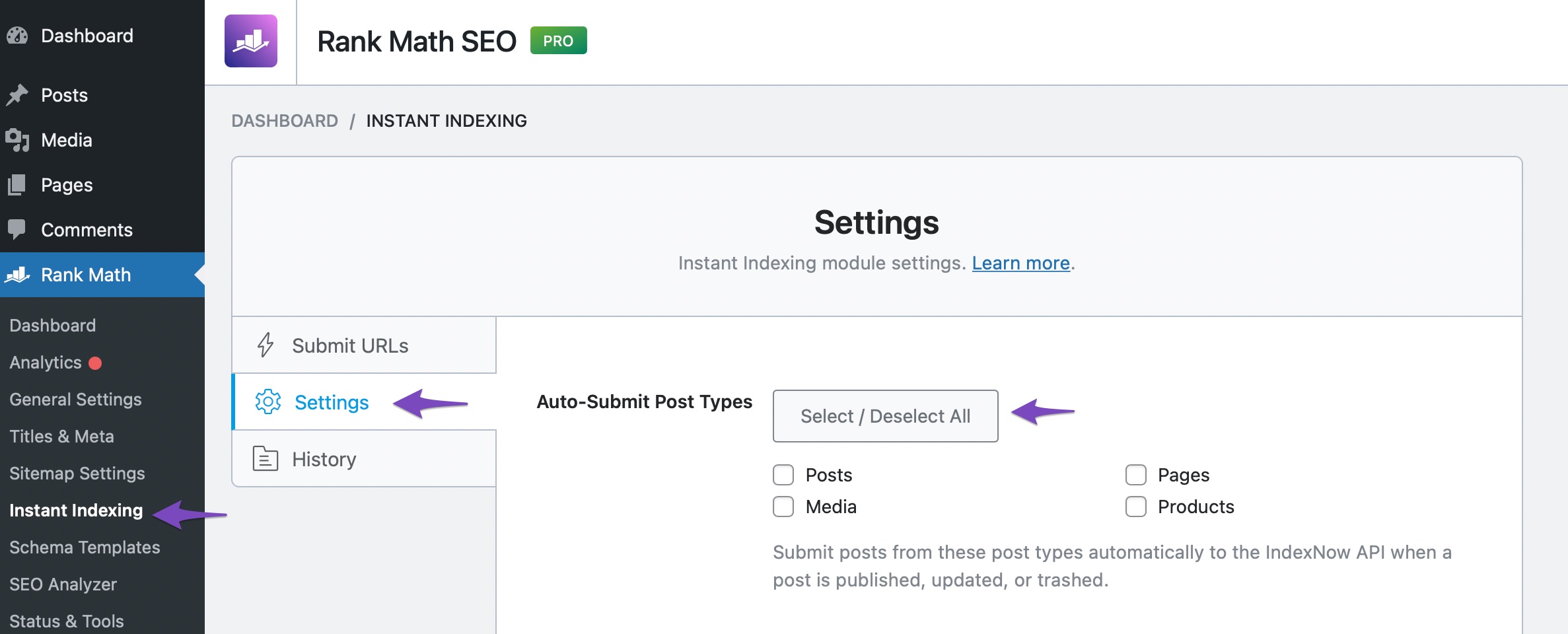
Disable Auto-Submission: To prevent automatic submissions, navigate to Rank Math SEO → Instant Indexing → Settings in your WordPress dashboard. In the Auto-Submit Post Types setting, click the Select / Deselect All button until the Posts, Media, and Pages options are unchecked.
-
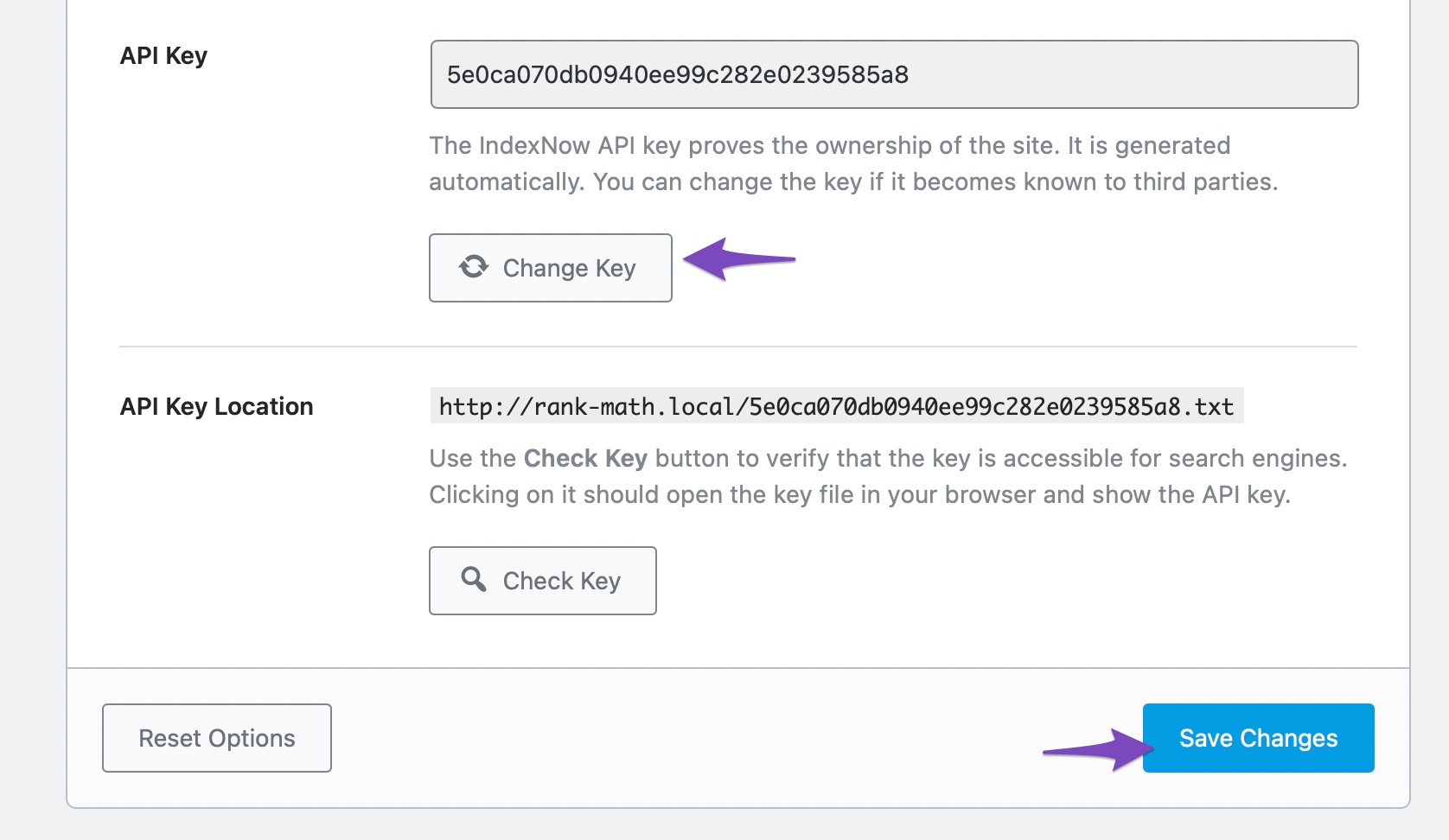
Change Your API Key: If the problem persists, consider changing your API key. After changing it, make sure to clear your website cache and wait for a few hours before trying to submit another URL.
-
Shared Hosting Consideration: If you are on shared hosting, other websites on the same server may be using up the quota assigned to your shared IP address, leading to the 429 error. In this case, you may need to wait or contact your hosting provider for assistance.
For more detailed information, you can refer to our article on How to Fix 429 Error with IndexNow API.
If you continue to experience issues, please reply to this ticket, and a human agent from our support team will assist you further. Thank you for raising this concern!
Hello,
Thank you for contacting us and sorry for any inconvenience that might have been caused due to that.
When you see a 429 error it means that the IP address of your website is sending too many requests to the API.
Also, that error suggests that you are exhausting the quota limit for the number of publishing requests per day.
Can you please confirm if you have selected the Auto-Submit Post Types? If yes, the post will be automatically sent to the IndexNow API when a post is published, updated, or trashed.
However, if you have other websites on the same server or are on shared hosting, There’s a possibility that other websites may be using up the quota.
For some initial troubleshooting, you can change the API key and clear your website cache. Then wait for a few hours and try submitting another URL again.
Let us know how it goes. Looking forward to helping you.
Thank you.
Hello,
Since we did not hear back from you for 15 days, we are assuming that you found the solution. We are closing this support ticket.
If you still need assistance or any other help, please feel free to open a new support ticket, and we will be more than happy to assist.
Thank you.



