
-
Hi there,
Its been a while, but I really need to revisit this topic.It is still not working, I have added the filter but that didnt fix the problem.
Also using regex in this case doesnt really makes sense to me.It seems Rank Math just cant handle url parameters to me. Has there been any development lately that addresses this issue??
[moved to sensitive data section]
But it still shows the 404 and no redirect happens.
Urls I redirect without url parameters seems to work fine. But with /?lang=en they dont work for me.
Any help would be appreciated.Thanks,
Kasper

-
Hello,
We apologize for the issue you are facing with language parameter redirects in Rank Math. It can be frustrating when things don’t work as expected.
From your description, it seems that the redirects involving URL parameters are not functioning correctly. While we understand that regex might not be intuitive for everyone, it is often necessary for more complex redirect scenarios.
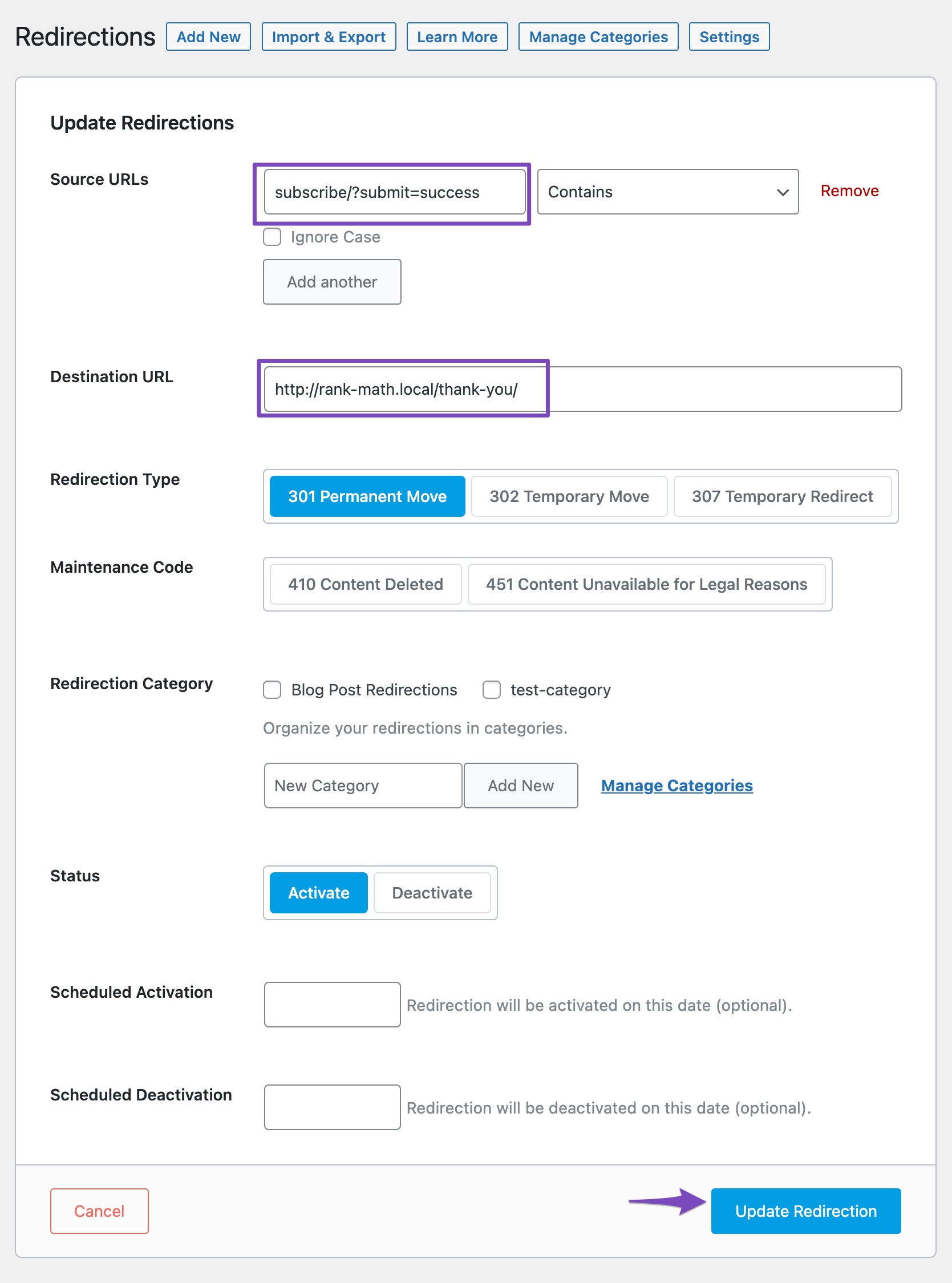
To address your specific case, please ensure that you are using the correct format for the source URL when including parameters. For example, you might want to try setting up your redirect like this:
Source URL:
product-category/plus-size/?lang=enDestination URL:
`https://rankmath.com/wp-content/uploads/2022/10/parameterized-url-3.jpgIf you have already done this and it still results in a 404 error, it could be due to caching issues or missing database tables. Here are a few steps you can take:
- Clear your cache: Make sure to clear any caching plugins you may be using, as they can sometimes prevent redirects from working properly.
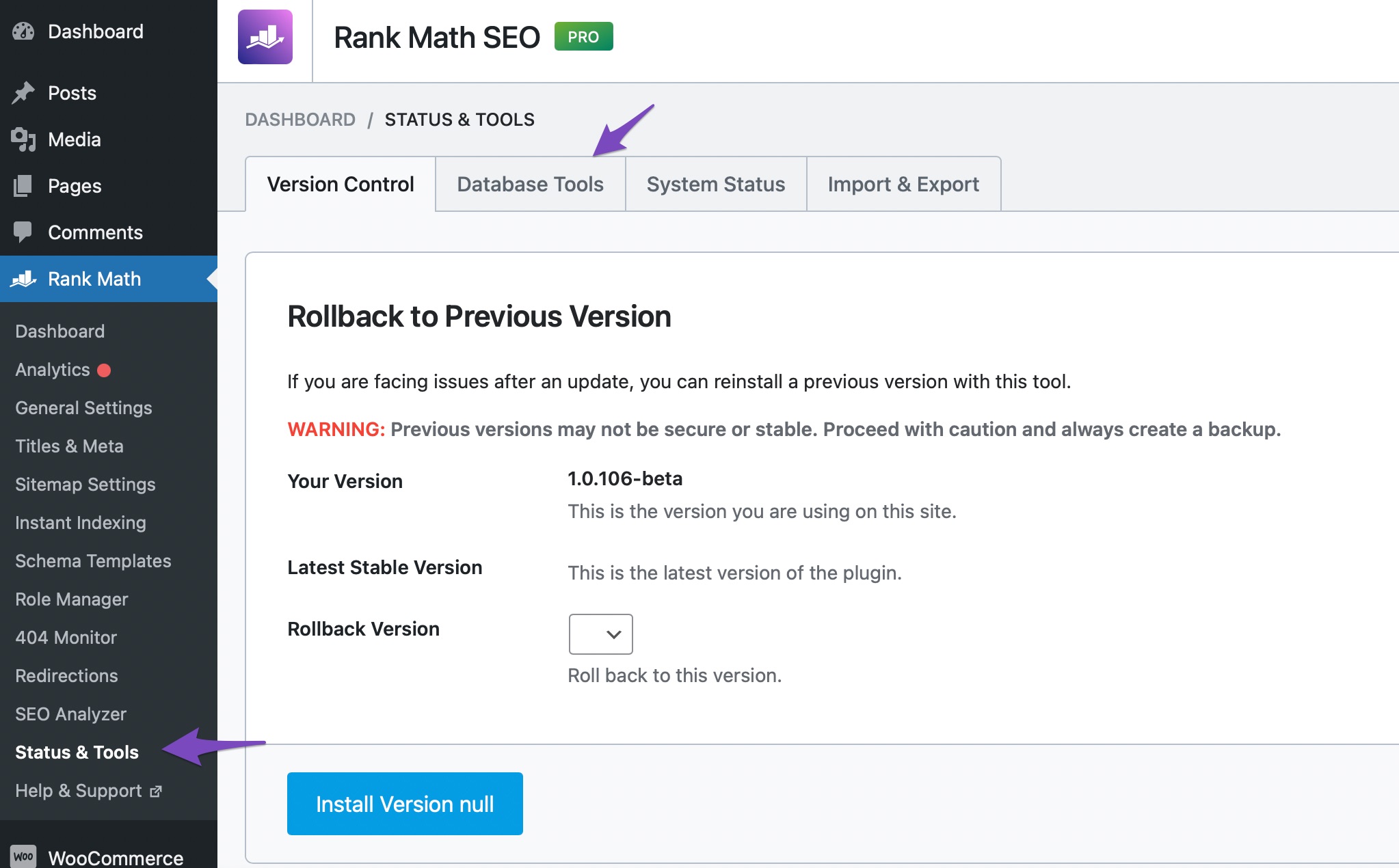
- Check for missing database tables: Navigate to Rank Math SEO → Status & Tools → Database Tools in your WordPress dashboard and click on Re-create Missing Database Tables if necessary.
- Test without caching: After clearing the cache, test the redirect again to see if it works.
If the problem persists, we recommend checking our guide on how redirections in Rank Math work with UTM parameters for additional insights.
If you continue to experience issues, please reply to this ticket, and a human agent from the Rank Math Support team will assist you further. Thank you for your patience, and we hope to resolve this for you soon!
Unfortunately not working for me.
If I use a language parameter in the source url, it just doesnt work, doesnt matter if I use exact or contain.
If the source url is: product-category/boho-dresses/midi-dresses/
And I redirect to this: dresses/midi-dresses/?lang=enIt works, but nobody visits product-category/boho-dresses/midi-dresses/ because there is always a /?lang=en after the url, and then this redirect does not work.
The whole reason why I am in this mess is because a while ago I tried the remove category base option from url from Rank Math. But a few weeks later I decided to undo that. For the base language it changed back the category base, but for my translation it has never returned anymore. I have tried everything, empty cache of WPML, empty cache on server, de-install rank math, you name it I have tried it. But somehwere this setting has been set in stone for my translation.
So now I need to re-direct all the urls with language parameters to the correct one, and it just does not work. I tried to resolve this a while ago with you guys, but nonen of the advice helped. Really hope you guys can fix this issue now so I can move on and start redirecting 4000 urls
Hello,
Please head over to your WP Dashboard > Rank Math > General Settings > WooCommerce and from there please check if the Remove category base option is enabled or not.
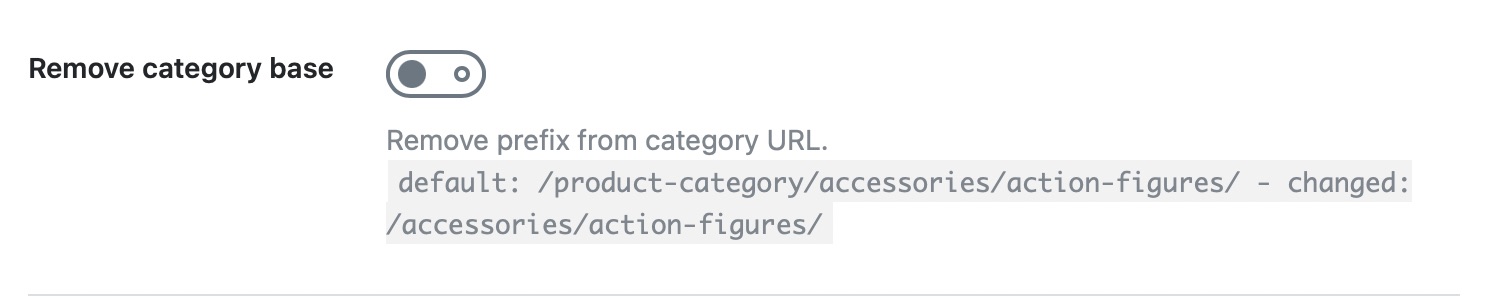
If this option is enabled, Rank Math will remove the
/product-category/slug from your product categories and will redirect them automatically. You can try to disable that option and see if that works for you.Let us know how it goes. Looking forward to helping you.
Thank you.
No, I checked already, It is not enabled. Its a weird issue Ive been struggling with for the last year orso. I tried this option once, but after a few weeks when I realised the SEO impact I disabled it again. But it only disabled it for the base language, the english version of the website is still using the removed category base urls.
So in german it looks like this: /produkt-kategorie/kleider
In english it looks like this: /dresses/I am using WPML and have emptied the cache of wpml, I have removed htaccess files, I have deleted server cache, I have de-installed WPML and installed again. The only thing that brings it back to normal is deactivating Rank Math.
Please help me out here. This is sooooo frustrating.
Regards, Kasper
Hello,
In this case, please head over to your WordPress Dashboard > Settings > Permalinks, and hit the “Save Changes” button (without making any changes) to clear the permalink cache.
Once done, please clear your website cache and see if that works for you.
If the issue persists, then we might need to take a closer look at the settings. Please edit the first post on this ticket and include your WordPress & FTP logins in the designated Sensitive Data section.
Please do take a complete backup of your website before sharing the information with us.
It is completely secure and only our support staff has access to that section. If you want, you can use the below plugin to generate a temporary login URL to your website and share that with us instead:
https://wordpress.org/plugins/temporary-login-without-password/
You can use the above plugin in conjunction with the WP Security Audit Log to monitor what changes our staff might make on your website (if any):
https://wordpress.org/plugins/wp-security-audit-log/
Let us know how it goes. Looking forward to helping you.
Thank you.
Hello,
I have updated the sensitive data as requested. Can you please check further?
Thank you.
I have tried saving the permalinks multiple times. Didnt work.
Have deleted htaccess file multiple times, also no change. Only thing that works is deactivating Rank Math. To me it seems like some weird persistant thing in the DB or something.Anyway, I have setup a staging website where you can have a look around and see what you can come up with. Would be awesome if this can get solved finally..:-D
I dont need to install these plugins, I trust you guys. You can completely mess that staging up if you want, no problem at all..:-D Install whatever you guys need on there to see what is causing this.
Regards, Kasper
Hello,
The redirections with URL parameters don’t work in the Free version of the plugin: https://rankmath.com/kb/setting-up-redirections/#parameterized-url
The ones you see on your website working are done via WordPress and not triggered by our plugin as you can see from the
X-Redirected-Byheader on the redirections.You can check an example of that on your staging website:
Don’t hesitate to get in touch if you have any other questions.
Hello Miguel,
I am surprised to hear that. I havent done any redirections outside of the Rank Math redirection menu, so that seems strange if WordPress redirects this.
Besides, the problem only occurs with product categories in the english language, with all other redirects there are no problems when using the language parameter.To me the issue seems the difference between the german language and the english language category base being different. Only disabling the Rank Math plugin puts back the category base in the english language. Redirects I do that do contain the category base for the ?lang=en (/product-category/) parameter sometimes work and sometimes dont. So there is a bug there.
Did you guys find anything how I can fix this category base problem, because when this gets fixed I am almost sure the ?lang=en parameter redirects will work again for product categories.
Regards, Kasper
Hello,
The redirections that have the
X-Redirected-Byheader pointing to WordPress are usually automated redirections done from functionality baked into WordPress and don’t necessarily mean that you have added them somewhere.Any redirection handled by our plugin has that header set to
Rank Mathand given that one shared in the screenshot doesn’t have that, it’s not being handled by our plugin.You can put the category base back into the URL of the categories by disabling the option you have selected for it under WordPress Dashboard > Rank Math SEO > General Settings > WooCommerce. The setting to remove the category base is the reason that disabling the plugin enables that base again, but that is the default behavior.
Thank you.
I have fixed the issue now, by de-installing Rank Math, installing Yoast, go through the setup, then deactivate Yoast, and re-install Rank Math again.
Now the category base is back again for BOTH languages. Before it was only there for the german(base) language. Now it finally shows up again for the english language as well.Why is it actually that an exact redirect on a language parameter is only available in the pro version?
So when I try to redirect this:
product-category/boho-accessories/boho-earrings/?lang
To this:
https://weltentanzer.com/product-category/jewellery-accessories/earrings/?lang=enIt does not work. But when I use contain and leave out the ?lang=en from the source parameter it does work.
Regards, Kasper
Hello,
The redirection of the parameterized URL is a PRO feature, and that’s why it is only available in the PRO plugin. You can use contains match to redirect the parameterized URLs as a workaround.
Please do not hesitate to let us know if you need our assistance with anything else.
Ok, thank you for letting me know. Unfortunately contain doesnt always work for me with deeper urls.
I think I will install a separate redirection plugin and disable Rank Math module on the dashboard.Thank you for the help.
Regards, Kasper
Hello,
We are super happy that we were able to address your concerns.
If you do have another question in the future, please feel free to create a new forum topic, and it will be our pleasure to assist you again.
Thank you.



The ticket ‘Language parameter redirects dont work’ is closed to new replies.