Hello,
We apologize for the issue you are facing with multiple meta description and title tags on your website. This can often occur due to conflicts with your theme or other plugins.
To troubleshoot this issue, we recommend the following steps:
-
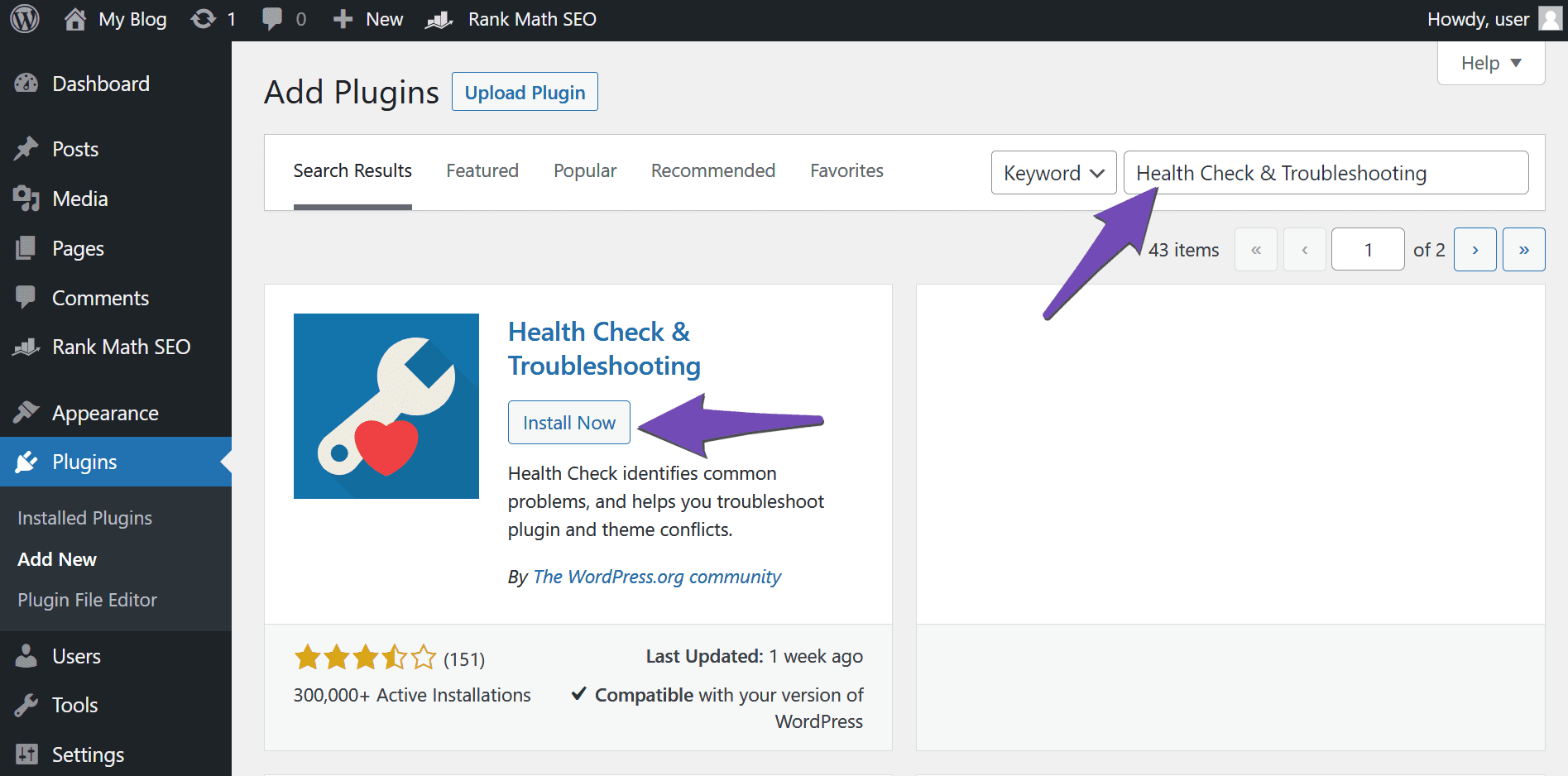
Install the Health Check & Troubleshooting Plugin: This plugin will help you identify if your theme or another plugin is causing the duplicate meta tags. You can install it by going to WordPress Dashboard → Plugins → Add New.
-
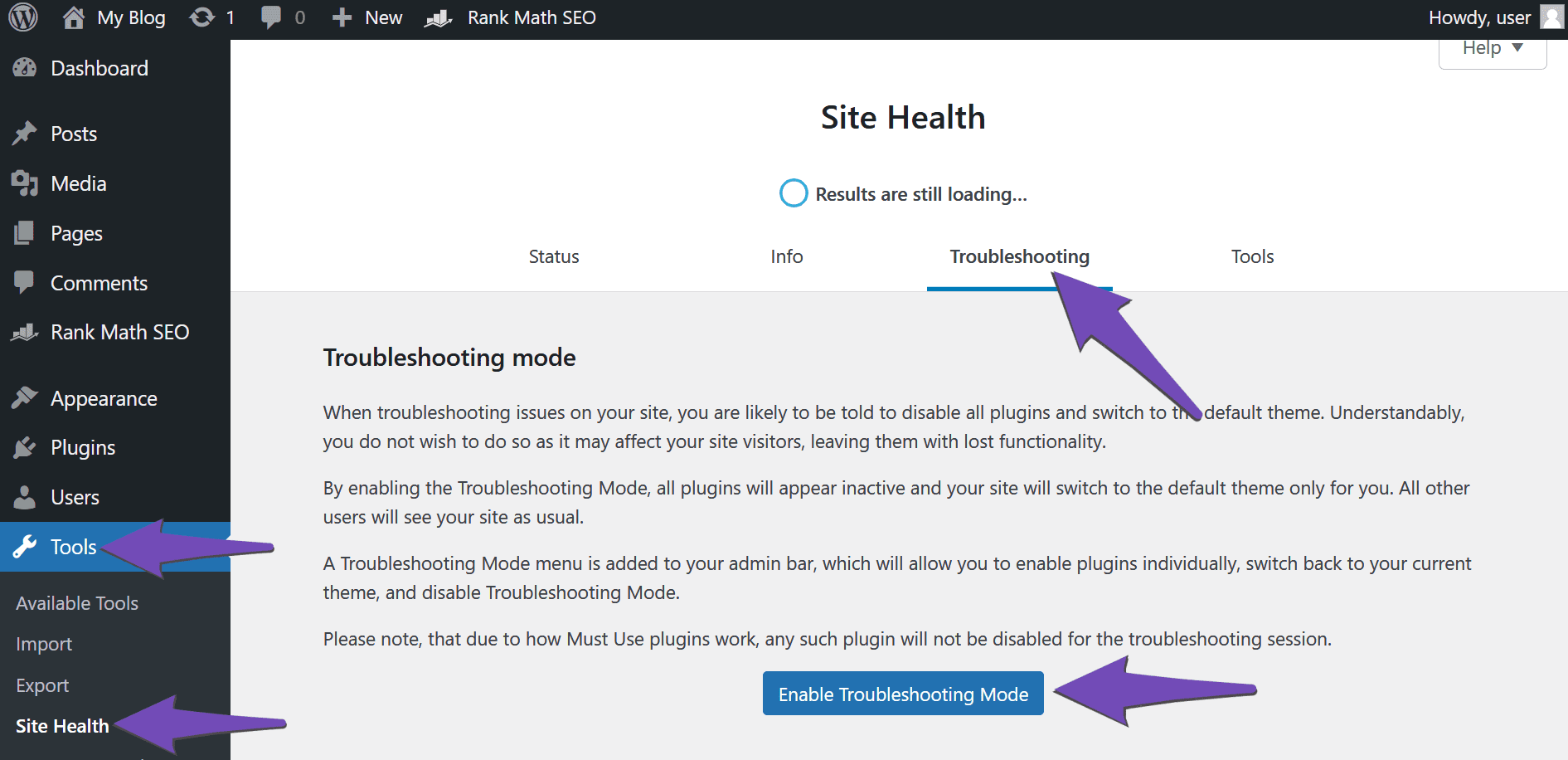
Enable Troubleshooting Mode: After installing the plugin, navigate to Tools → Site Health → Troubleshooting and click Enable Troubleshooting Mode.
-
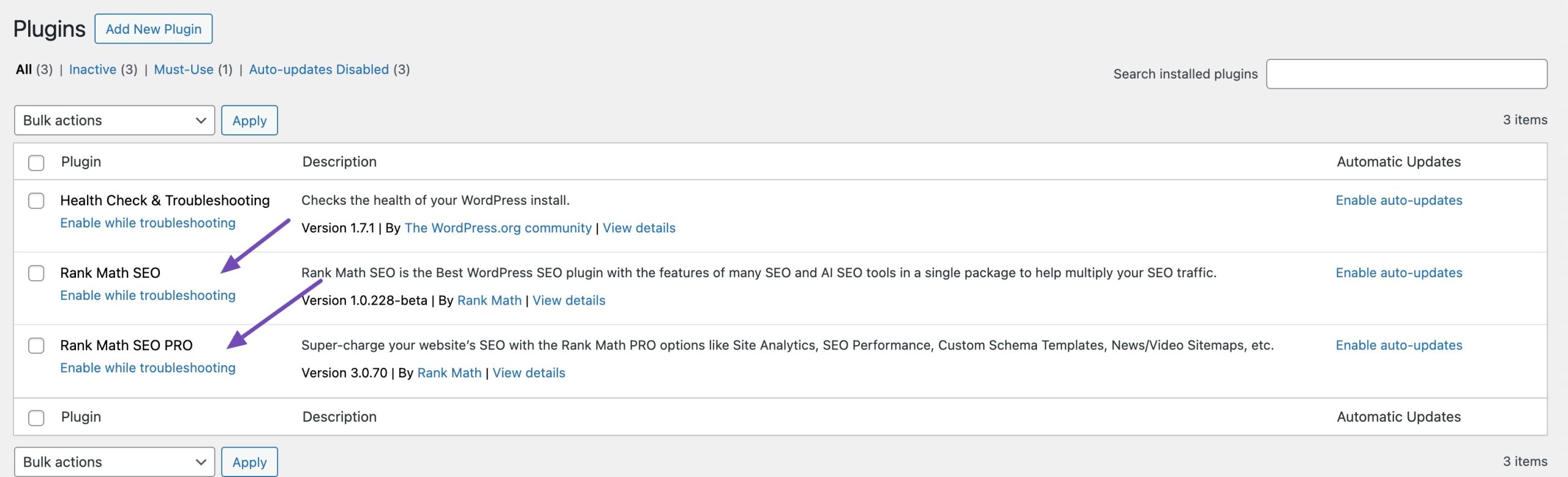
Enable Rank Math: Go to Plugins → Installed Plugins and click Enable while troubleshooting under Rank Math SEO.
-
Check Your Theme: Activate your GeneratePress theme and check if it is adding duplicate meta tags. If it is, you may need to adjust its settings or contact the theme developer for support.
-
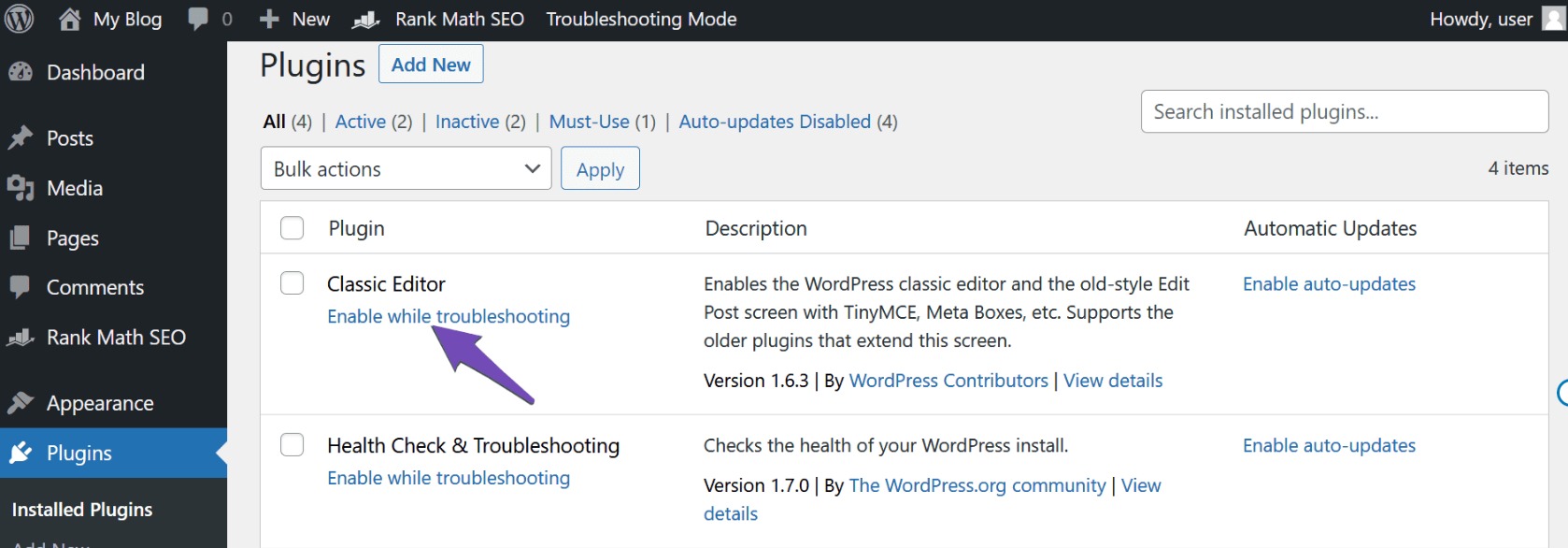
Check Plugins: If the theme isn’t responsible, enable your plugins one by one until you find the one causing the issue.
Once you identify the source of the duplicate meta tags, you can uninstall or adjust its settings accordingly. If you continue to experience issues, please reply to this ticket, and a human agent from the Rank Math Support team will assist you further.
Thank you for raising this concern, and we hope this helps resolve your issue!
Sources:
How to Fix Duplicate Meta Tags » Rank Math
Hello,
Thank you for your prompt response and troubleshooting steps. I followed your instructions and disabled all plugins. When all plugins were disabled, there were no duplicate meta description or title tags. However, when I enabled Rank Math, the issue of multiple tags reappeared, confirming that the problem is related to Rank Math.
Could you please assist me in resolving this issue within Rank Math?
Thank you for your help.
Hello,
Your theme contains two calls to the wp_head() function and that’s why it’s duplicating the entire content not only from our plugin but also any other code that is inside that function.
You need to remove this from the header.php file of your theme to make sure that the data is not duplicated.
Don’t hesitate to get in touch if you have any other questions.
Hello,
Thank you for your guidance on resolving the duplicate meta tags issue. After reviewing the header.php file, I removed the extra wp_head() function, and the issue is now resolved.
I appreciate your help and prompt response!
Best regards,
Hello,
Glad that helped.
Please feel free to reach out to us again in case you need any other assistance.
We are here to help.
Thank you.
Hello, I use nifty theme and it is the same issue with me
Hello @emrealemdar,
Please open a new ticket here and share your website URL with us so we can help investigate this issue.
That said, I’d be closing this ticket now if you need additional help regarding this please open a new ticket.
Thank you for your patience and cooperation





