Hello, we apologize for the issue you are facing with allocating credits. To allocate credits for a site, you can follow these steps:
-
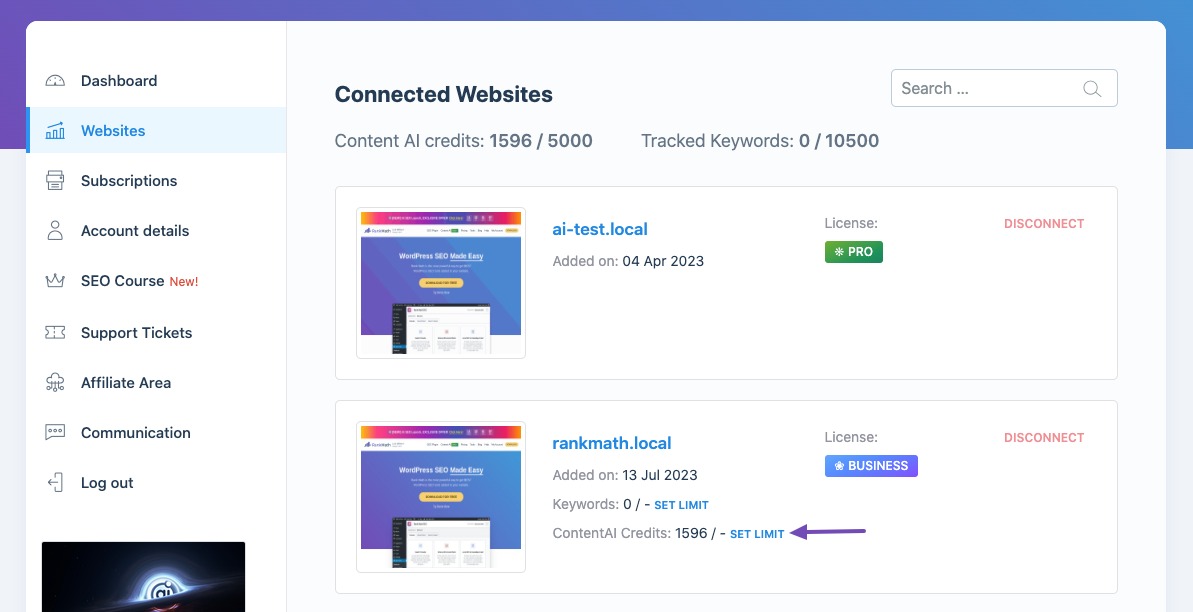
Click the Set Limit button next to the Content AI Credits.
-
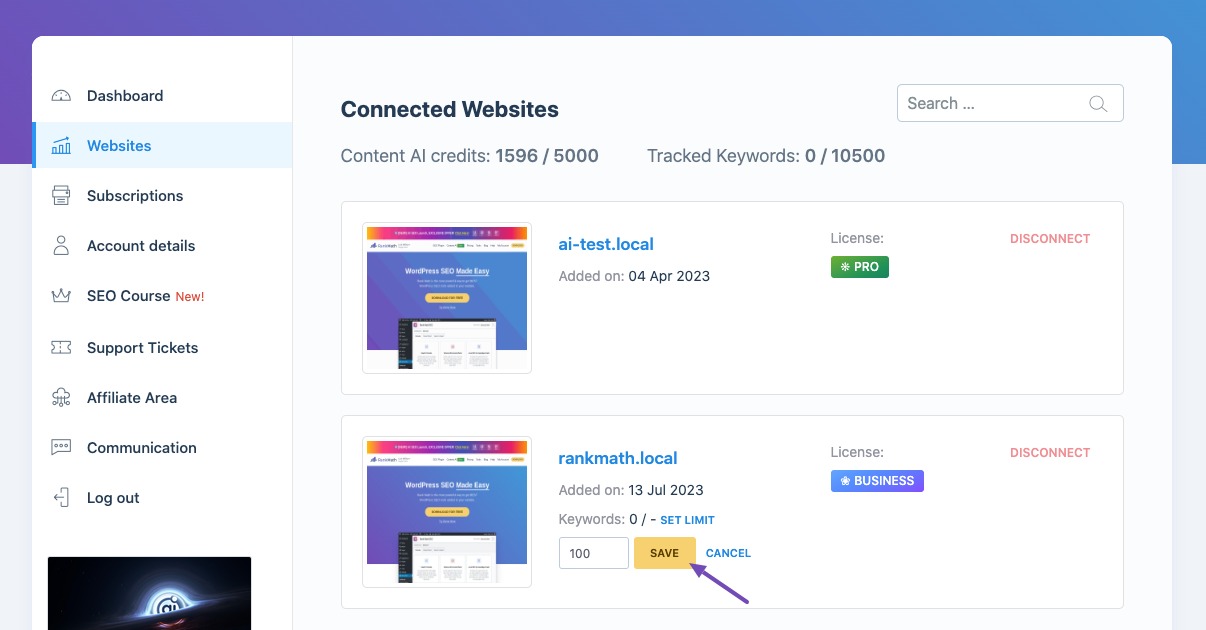
Enter the number of credits that you want to allocate, and then click the Save button.
-
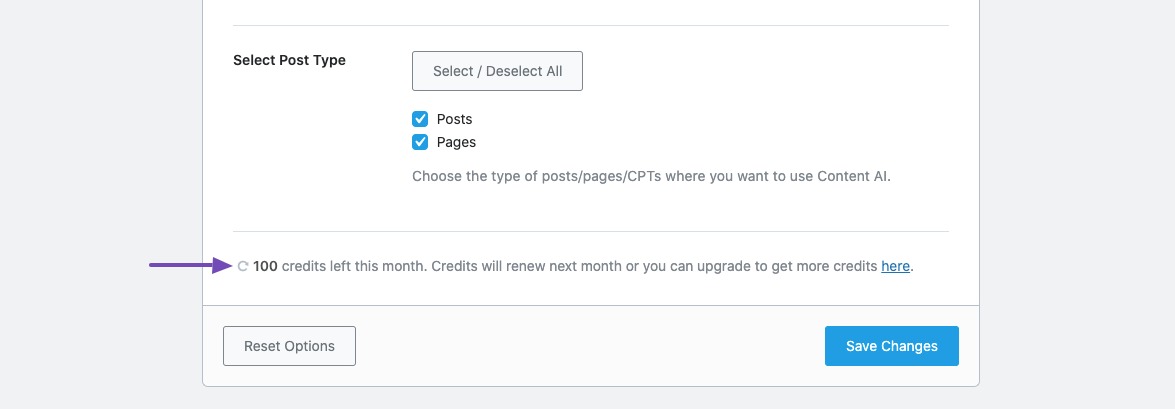
You can also check the changes reflected in your WordPress dashboard.
If you are still unable to allocate credits after following these steps, please reply to this ticket, and a human agent from the Rank Math Support team will assist you further. Thank you for raising this concern!
Hello,
Thank you for contacting us and bringing your concern to our attention.
The option to allot Content AI credits to individual websites is part of our client management features and is available only in the Business/Agency subscriptions. In Rank Math free and PRO subscription, the credits can be used across all the connected websites.
If you’re not able to see the credits on your website, please try to follow the steps from this guideline and see if that works for you: https://rankmath.com/kb/how-to-restore-missing-content-ai-credits/
Let us know how it goes. Looking forward to helping you.
Thank you.
Hello,
Since we did not hear back from you for 15 days, we are assuming that you found the solution. We are closing this support ticket.
If you still need assistance or any other help, please feel free to open a new support ticket, and we will be more than happy to assist.
Thank you.



