Hello, we’re sorry to hear that you’re facing issues with Rank Math not saving changes. Here are a few steps you can take to troubleshoot this problem:
-
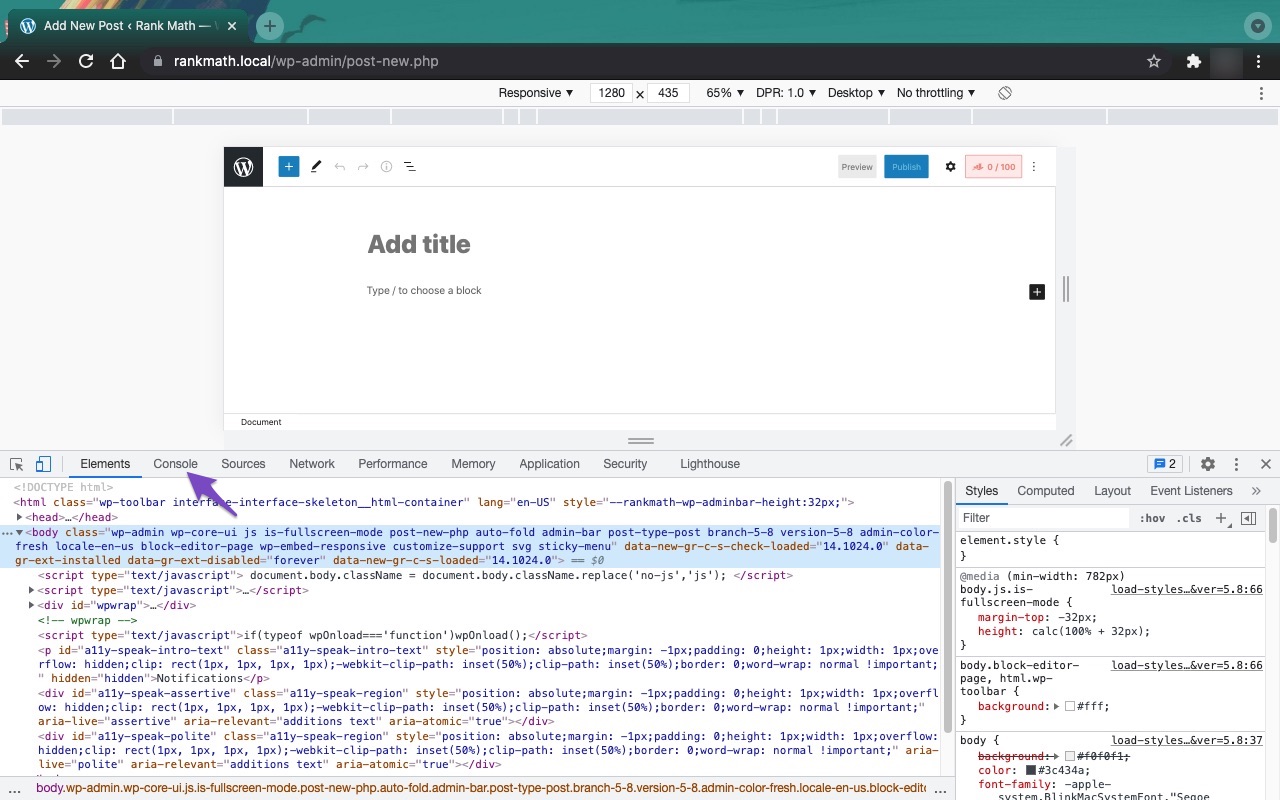
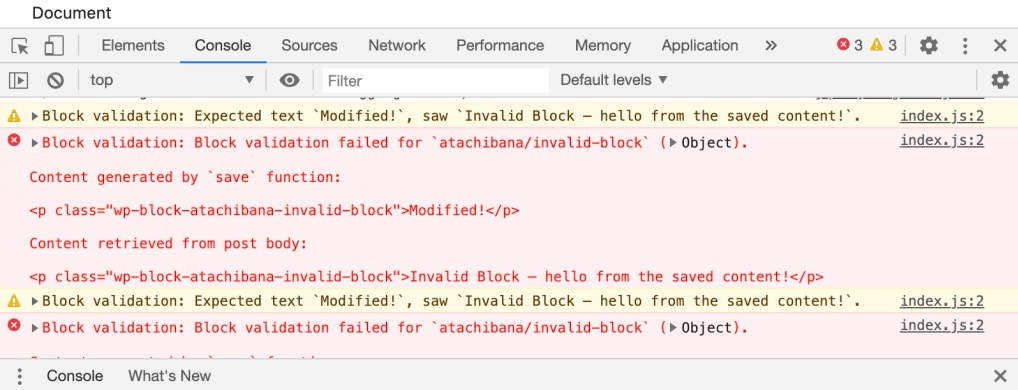
Check for JavaScript Errors: Open the Developer Tools Console in your browser to see if there are any JavaScript errors that might be causing the issue. You can do this by navigating to More Tools → Developer Tools and then clicking on the Console tab. If you see any errors, please note them down as they can help identify the problem.

-
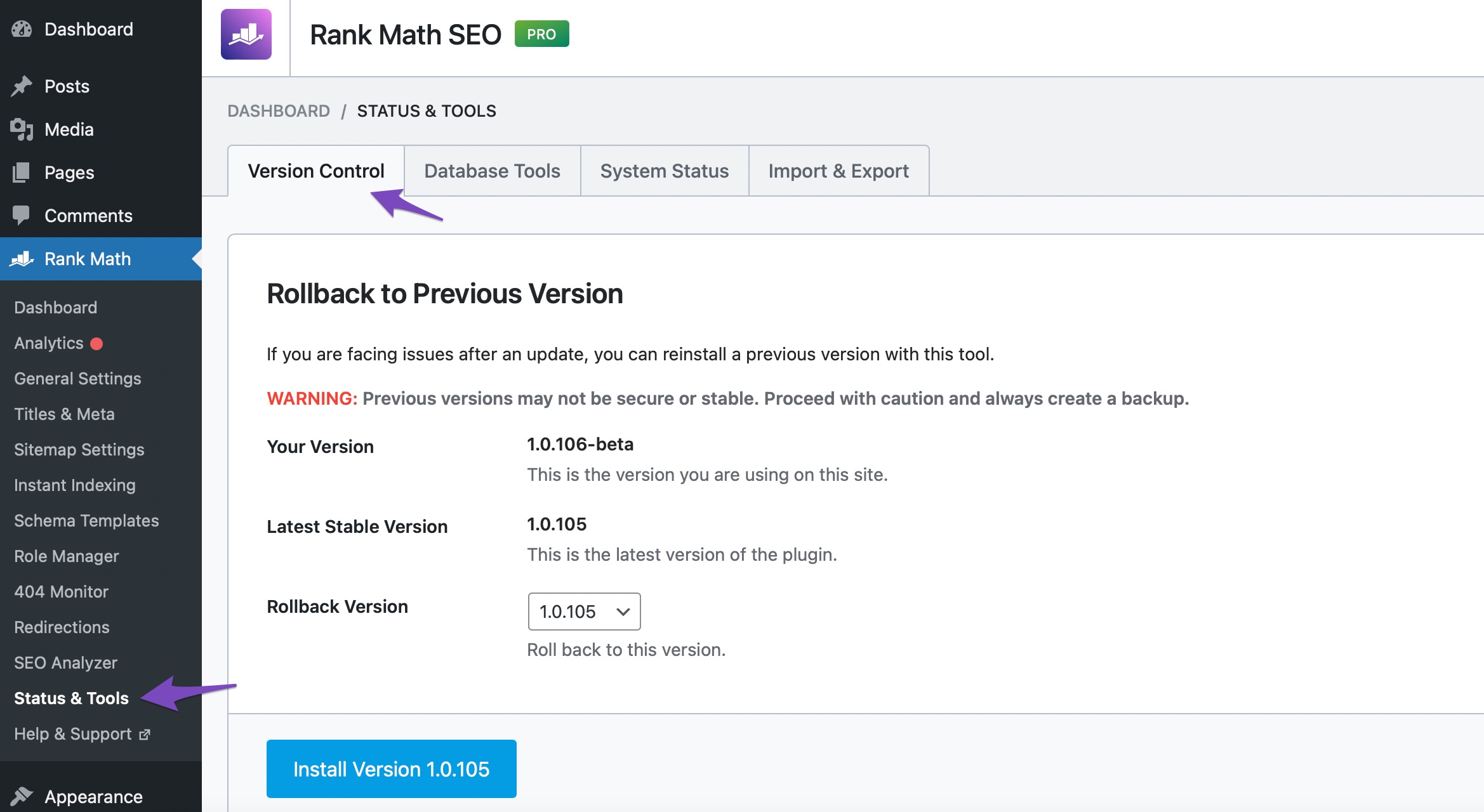
Update Rank Math: Ensure that you are using the latest version of Rank Math. You can check this by going to your WordPress Dashboard → Rank Math SEO → Status & Tools → Version Control. If an update is available, please update the plugin.
-
Conflict with Other Plugins: Since you mentioned that you have Elementor Pro and Jet Engine, there might be a conflict with these plugins. Try temporarily deactivating them one by one to see if the issue persists.
-
Browser Cache: Clear your browser cache or try accessing your site in incognito mode to rule out any caching issues.
-
Server Configuration: Sometimes server settings can prevent changes from being saved. Check with your hosting provider to ensure there are no restrictions in place.
If none of these steps resolve the issue, please reply to this ticket with any error messages you find in the console, and a human agent from the Rank Math Support team will assist you further. Thank you for bringing this concern to our attention!
Hello,
Thank you for contacting us and sorry for any inconvenience that might have been caused due to that.
While saving the metadata, please keep the browser console open in the “Network” tab and see what the status code of the following route: https://www.yourdomain.com/wp-json/rankmath/v1/updateMeta?_locale=user
You can find the browser console in your browser following this guide: https://balsamiq.com/support/faqs/browserconsole/
If it’s returning any other value than a 200, there’s something wrong with the route and we would request you to get in touch with your hosting provider to make sure that REST APIs are not getting blocked.
However, if it returns 200, then you can try to follow this guideline for further troubleshooting: https://rankmath.com/kb/check-plugin-conflicts/
Let us know how it goes. Looking forward to helping you.
Thank you.
I was reading about this issue and trying different things until I read the word “firewall” and I remembered in this particular not live site i´m working I wans´t using the wordfence plugin I ALWAYS use on my sites.
So, yes. i worked! I installed Wordfence with my regular free licence, run the test they asked as normal and now Rank Math is saving my metas.
I know this is no the real solution, but at least I´m calmed now
Hello,
@FeriaPixel Glad that helped.
If you have any other concerns, please don’t hesitate to contact us anytime so we can assist you further.
Looking forward to helping you.
Hello,
Since we did not hear back from you for 15 days, we are assuming that you found the solution. We are closing this support ticket.
If you still need assistance or any other help, please feel free to open a new support ticket, and we will be more than happy to assist.
Thank you.





