
-
Hello I am trying to connect Rank Math SEO to use google analytics however it is not connecting and when I try to reconnect the website it is still not working.

-
Hello, we apologize for the issue you are facing with connecting Rank Math SEO to Google Analytics. Here are some steps you can follow to troubleshoot the connection:
-
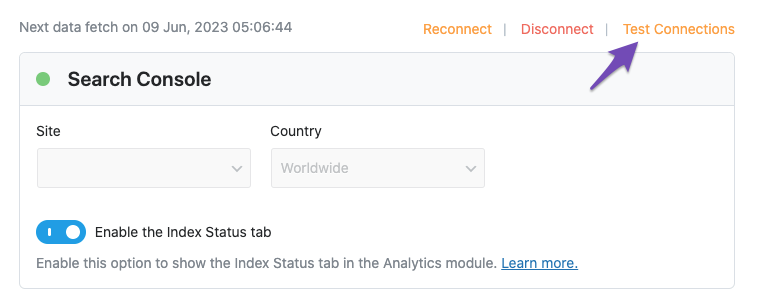
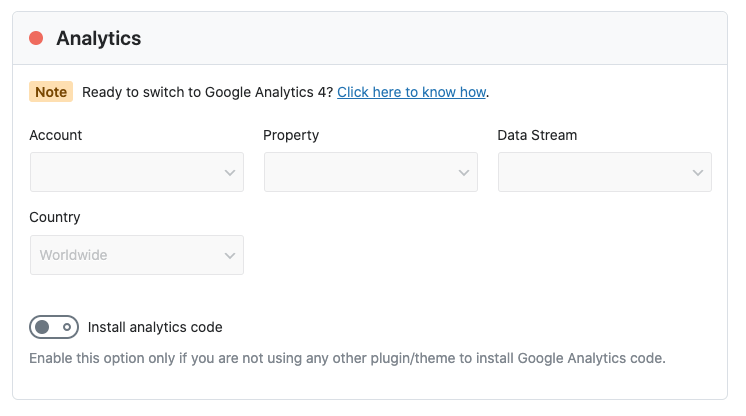
Test Connections: Go to Rank Math SEO → General Settings → Analytics and click on the Test Connections option at the top right. This will validate your existing connections. A green signal indicates a valid connection, while a red signal indicates an issue.
-
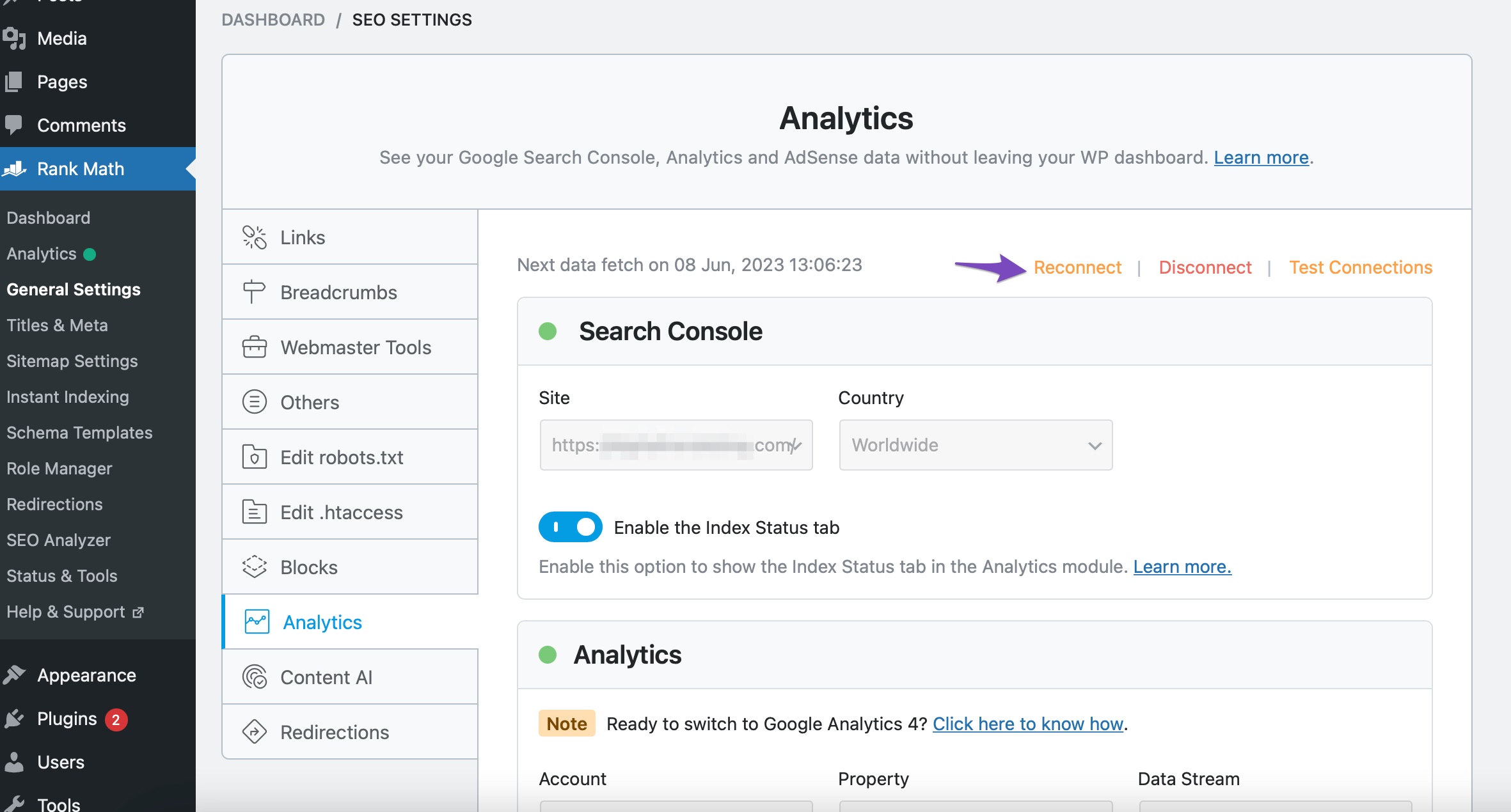
Reconnect Your Google Account: If you see a red signal, try reconnecting your Google account. You can do this by clicking the Reconnect link in the Analytics settings.
-
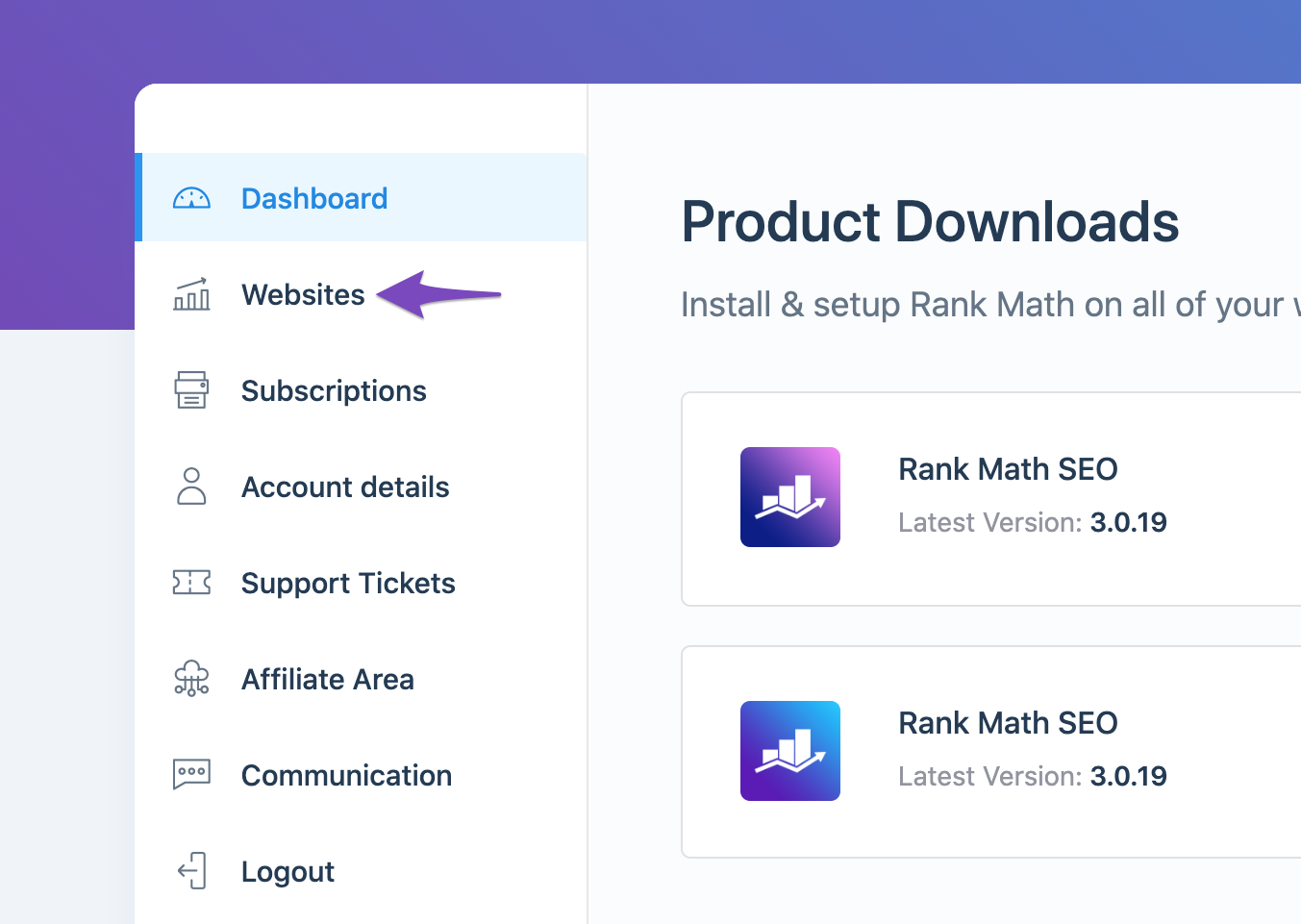
Check Rank Math Account Connection: Ensure that your website is connected to the Rank Math account that has a PRO license. You can check this by logging into your Rank Math account and navigating to the My Account area, then clicking on the Websites tab.
-
Refresh Tokens: If the issue persists, it may be due to expired authorization tokens. You can delete the Rank Math app from your Google Account permissions here and then reconnect your Google services for your website.

-
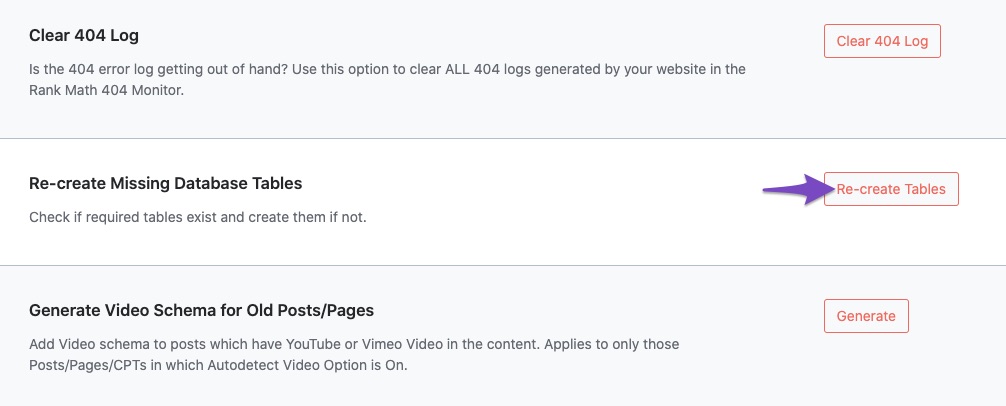
Recreate Database Tables: Navigate to WordPress Dashboard → Rank Math SEO → Status & Tools → Database Tools and click on Re-create Tables if necessary.
-
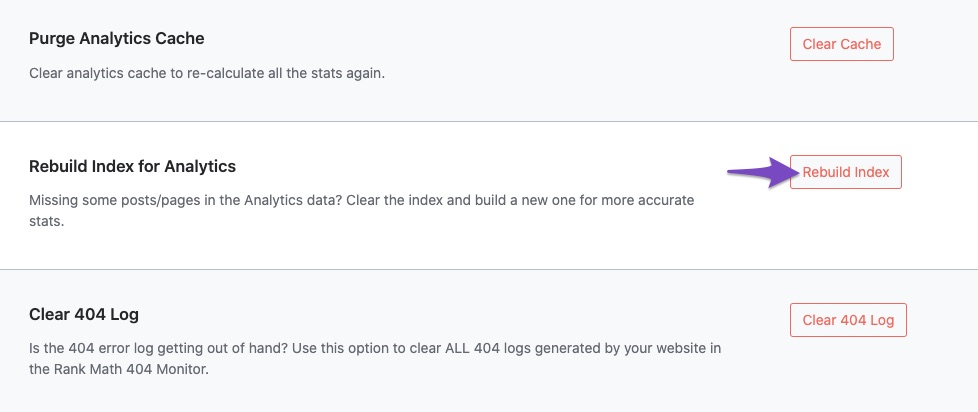
Rebuild Index for Analytics: After reconnecting, go back to Database Tools and click on Rebuild Index for Analytics.
If you have followed these steps and are still experiencing issues, please reply to this ticket, and a human agent from the Rank Math Support team will assist you further. Thank you for raising this concern!
Sources:
Resolving Rank Math Analytics Related Issues » Rank Math
What to Do When Rank Math Analytics Shows Zero Search Traffic » Rank MathIt shows red dots next to the search console and analytics, with no test connections button just reconnect or disconnect
Hello,
Please follow this guide to remove Rank Math App from your Google account and after that, please try to reconnect it again from WordPress Dashboard > Rank Math > General Settings > Analytics with all the required permissions: https://rankmath.com/kb/analytics-issues/#expired-google-oauth-token
Also, please make sure that you’ve connected the correct Google account and not connecting to Google Search Console via a domain property but rather a URL prefix and that you have verified the correct version of your website on the Google Search Console (HTTP or HTTPS, www or non-www).
Let us know how it goes. Looking forward to helping you.
Thank you.
Hi,
I have already done all the reconnecting and removing of Rank Math from my google account,
when I go to select the site in the drop down for the console it says it cant find any results,
Same for the account dropdown on Analytics.
When you say the correct google account, does it need to be a specific one I have used elsewhere?
Hello,
You should connect to the same Google account you used to create your Google Search Console and Google Analytics accounts. You also need to be a verified owner of the site property.
Let us know if the issue persists even if you connect the correct Google account.
Looking forward to helping you.
Ahh okay the problem might be I dont have google search console setup or google analytics accounts setup on this email address!
Can I ask some advice, as in the future I plan on upgrading to the business package and having multiple clients, what would be the best way to set my clients up in the future? Is it possible to have all the google search consoles and google analytics accounts on my single email?
Hello,
We have seen some issues where the connection to Google Search Console and Analytics automatically disconnects when there are multiple websites under the same Google account.
We recommend using multiple Google accounts for Search Console and Analytics when managing a large number of clients’ websites. This approach allows for more efficient organization and monitoring of each website’s performance, as well as clearer data separation for each client’s online presence.
Hope that helps, and please do not hesitate to let us know if you need our assistance with anything else.
So when it says it supports up to 200 websites this is not true?
I am looking for a tool that I can use for multiple clients with ease, however having a separate google account for every client does not sound easy! Am I definitely understanding that correctly?
Hello,
We support connecting 200 clients’ websites to your Rank Math account with the Rank Math BUSINESS subscription.

This is different from connecting the websites with Google Services (Search Console, Analytics and Adsense) using Rank Math. This connection is associated with your Google Account.
Hope that helps, and please do not hesitate to let us know if you need our assistance with anything else.
Hello,
Since we did not hear back from you for 15 days, we are assuming that you found the solution. We are closing this support ticket.
If you still need assistance or any other help, please feel free to open a new support ticket, and we will be more than happy to assist.
Thank you.
-



The ticket ‘Analytics Not Connecting’ is closed to new replies.