Hello, we apologize for the issue you are facing. To include a link and a picture in your meta text snippet for search results, you can follow these steps:
Adding a Link
- Navigate to the post/page where you want to add the link.
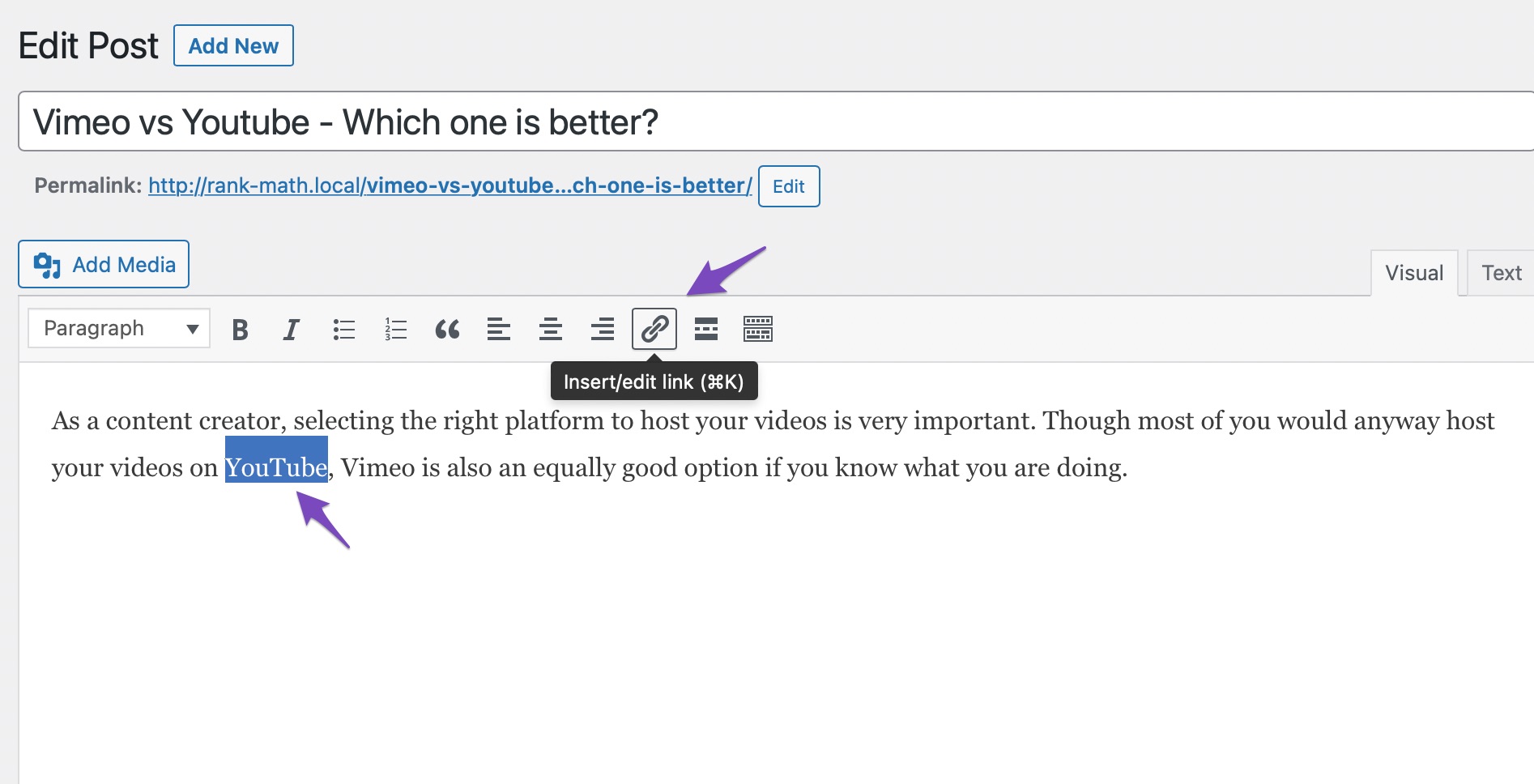
- Select the text you want to link and click on the Insert/edit link option.
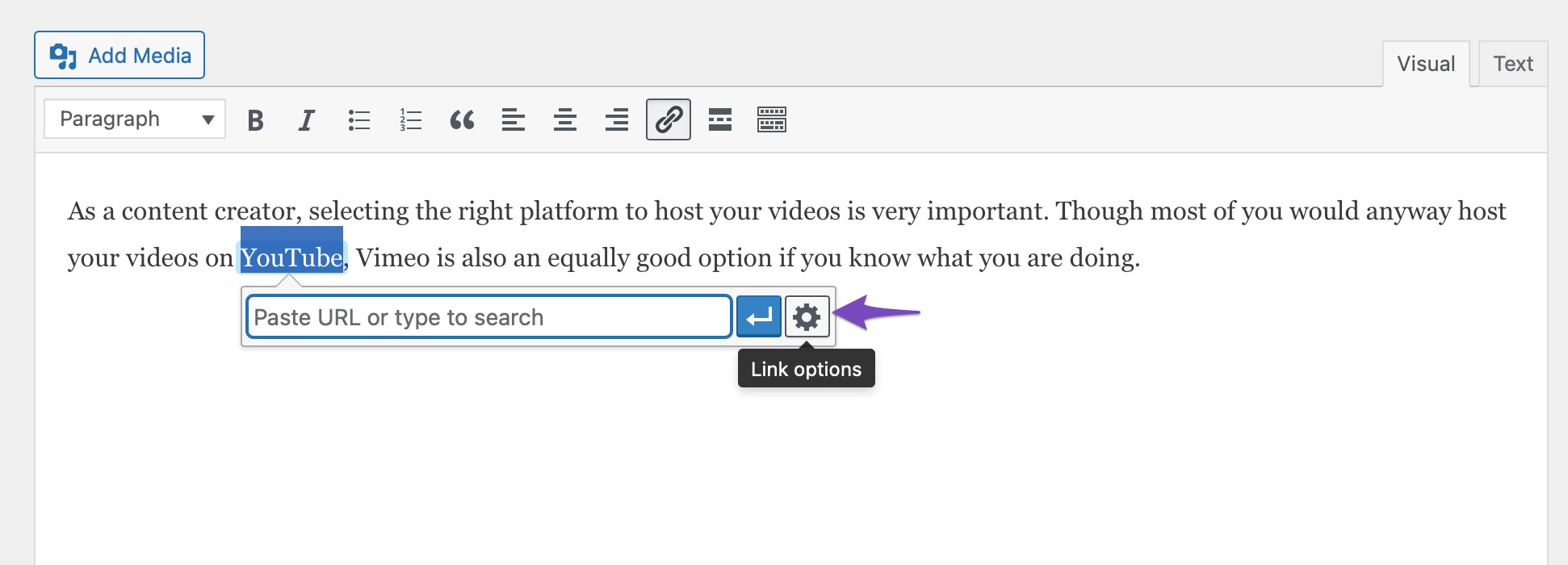
- In the Paste URL box, select the Link options icon.
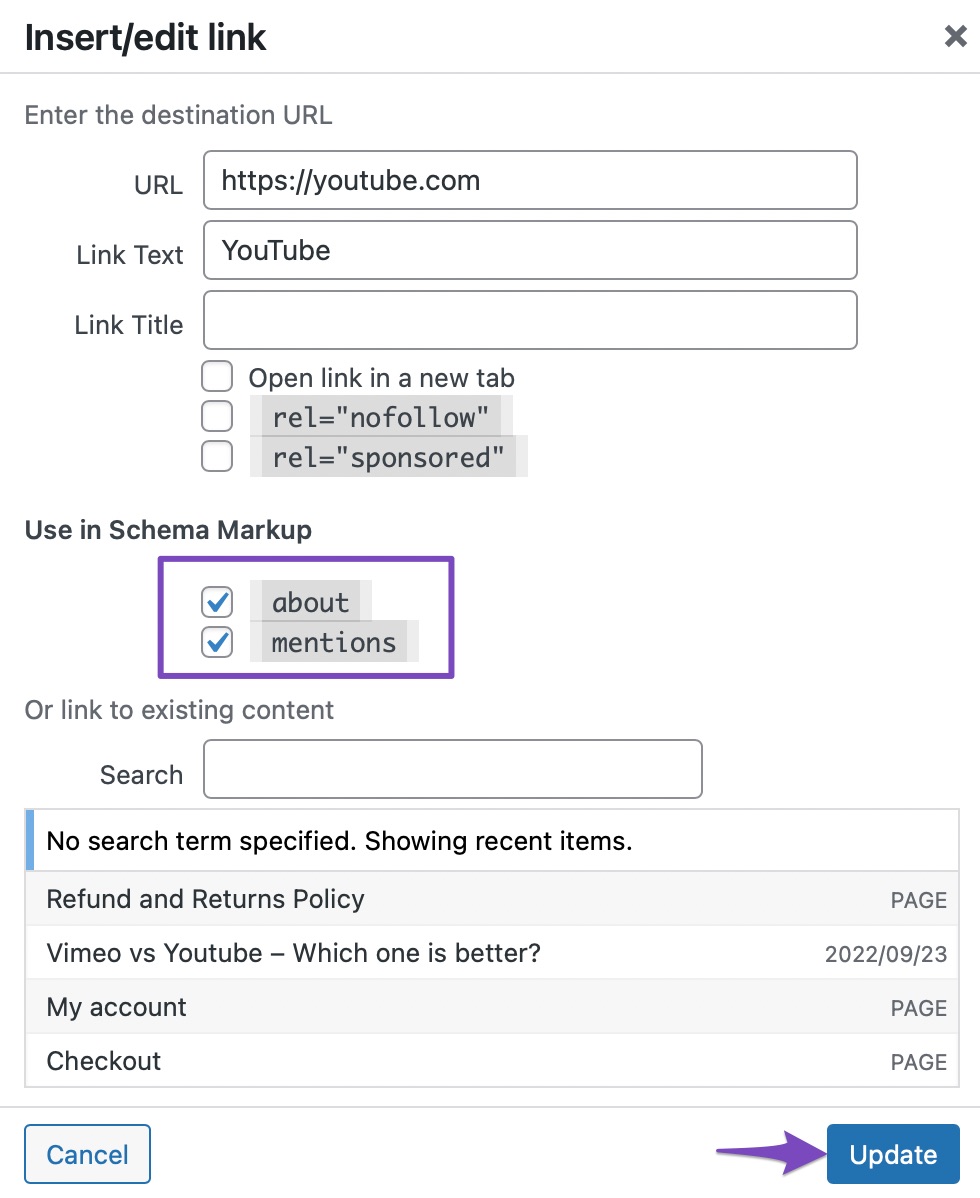
- Insert the URL in the text box, and in the Use in Schema Markup section, select the about and mentions options. Once done, click on the Update button to save your changes.
Adding a Picture
To ensure that images are included in your snippets:
- Go to the Advanced Tab in Rank Math’s Meta Box.
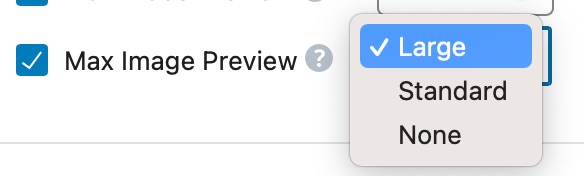
- Look for the Max Image Preview setting, which allows you to configure what size of images Google should use from the page: large, standard, or if they shouldn’t use any images at all.
Final Steps
After making these changes, you can check your Schema with the help of Google’s Rich Results Testing Tool to see how your snippets will appear in search results.
If you have any further questions or need assistance, feel free to reply to this ticket, and a human agent from the Rank Math Support team will be happy to help!
Hey. This is the exact answer the chatbot provided ! Not helpful at all.
If I edit my snippet in the WordPress/Rank Math menu, there is no such thing as the editing menu you show in the reply.
Hello,
Please note that Rank Math doesn’t have any control over how images in the SERP results are displayed and search engines display them as per their will and it mostly depends on the keyword search term and the website authority.
In this case, you may try to add relevant ALT text to the featured image or image you wanted to show, and chances are search engines will refer to it.
Here’s a guide you can follow as well:
https://rankmath.com/kb/how-to-show-images-in-search-results/
Looking forward to helping you.
Hello,
Since we did not hear back from you for 15 days, we are assuming that you found the solution. We are closing this support ticket.
If you still need assistance or any other help, please feel free to open a new support ticket, and we will be more than happy to assist.
Thank you.



