Hello,
We apologize for the issue you are facing with the meta titles not showing on your website pages. It can be frustrating when things don’t work as expected.
Here are a few steps you can take to troubleshoot this issue:
-
Check Your Schema Settings: Ensure that the settings in Rank Math’s Schema tab for each post or page show %seo_title% in the Headline and %seo_description% in the Description. This ensures that your SEO title and description are used for structured data.
-
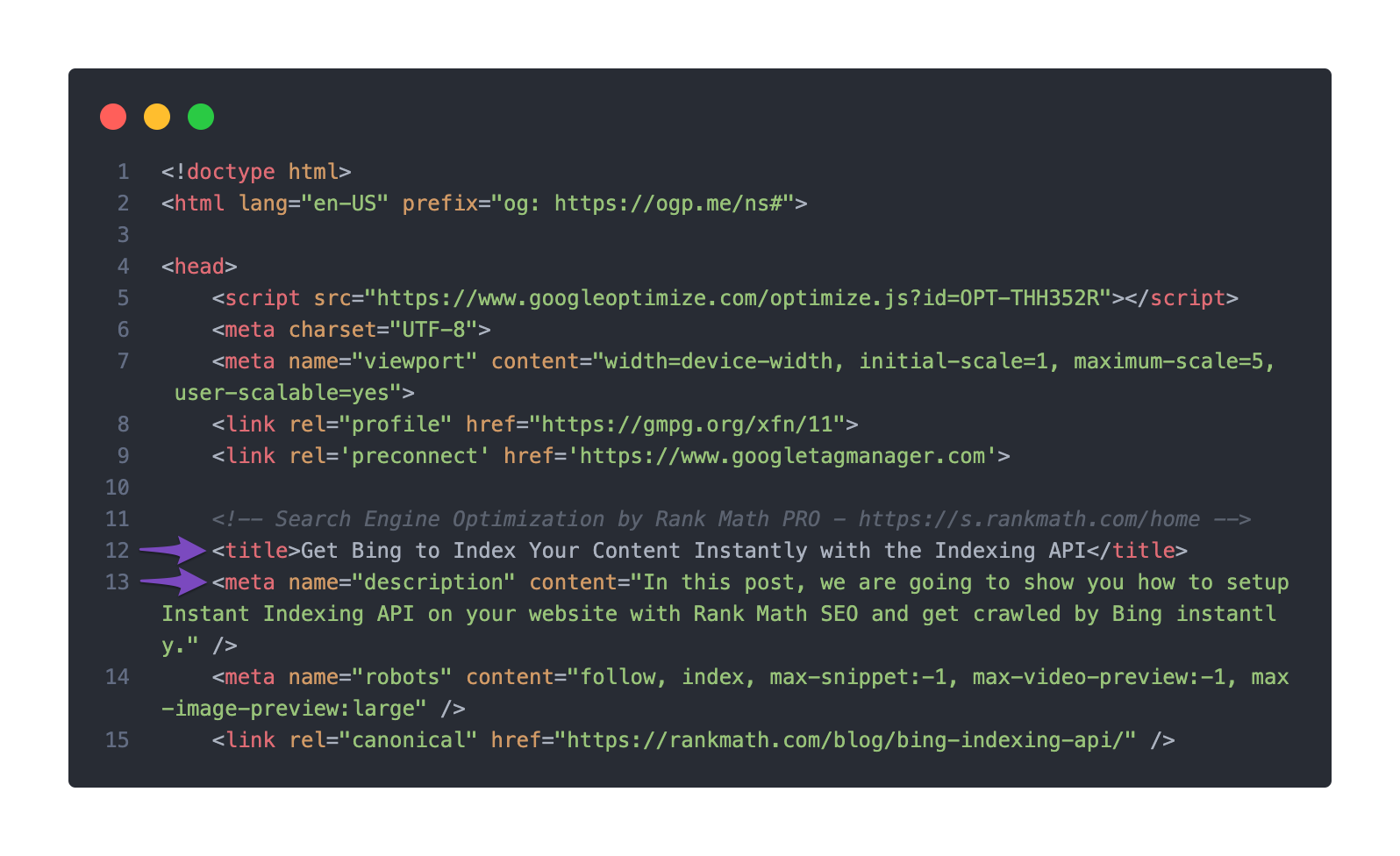
Inspect Page Source: Since you mentioned checking the source code, make sure that there are no conflicting meta title tags being generated by your theme or other plugins. You can do this by right-clicking on your page and selecting View page source to see if multiple title tags are present.
-
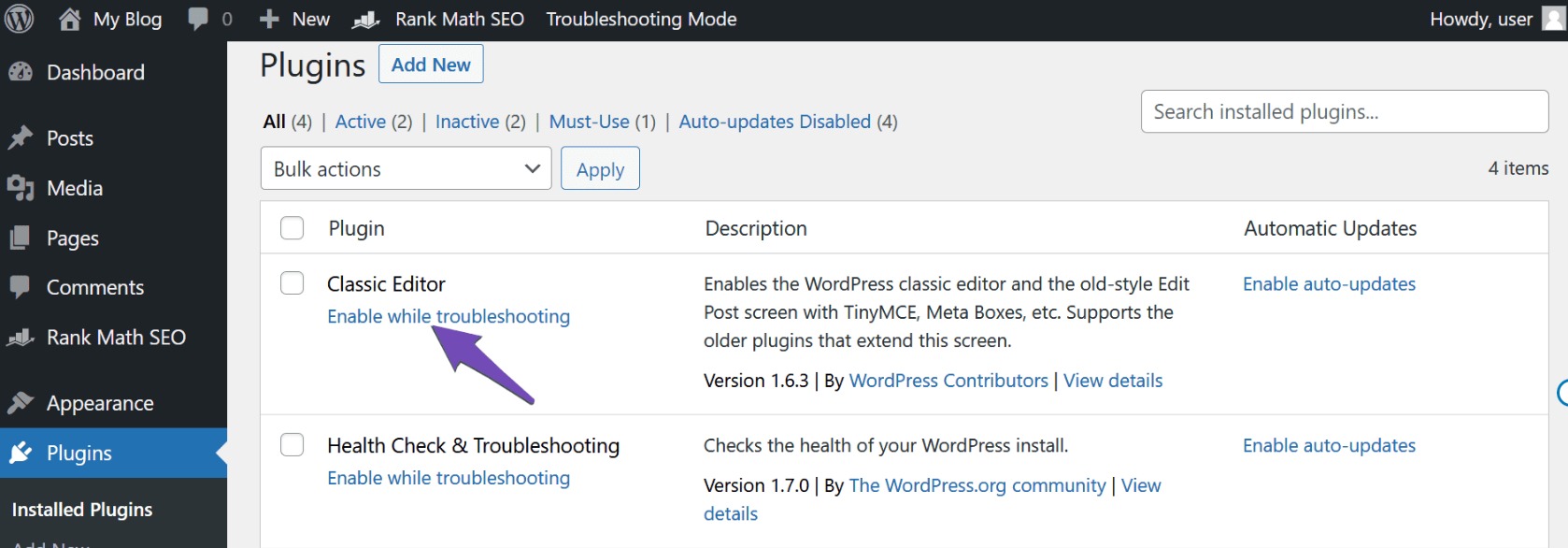
Theme and Plugin Conflicts: Sometimes, themes or other plugins can add their own meta tags, which may conflict with Rank Math. You can try activating your theme and plugins one by one to identify if any of them are causing the issue.
-
Caching Issues: If you are using a caching plugin, clear the cache to ensure that the latest changes are reflected on your site.
If after trying these steps the issue persists, please reply to this ticket with any additional details or screenshots, and a human agent from the Rank Math Support team will assist you further.
Thank you for raising this concern, and we hope to resolve it quickly for you!
Hi Team,
Thanks for your reply and suggestion.
I am sharing with you a Screenshot.
Please let me know how I can deal with this issue.
You can check the website source code in the screenshot.
The source code meta description is showing as I said earlier, but the meta title is not showing. I didn’t get any clue, which setting was preventing my meta title from showing.
https://ibb.co/VvSvDVN
https://ibb.co/D7fr1cj
Hello,
We’ve checked your site, and indeed the meta <title> tag is missing in the source code.
In this case, assuming you are using the latest version of all the plugins and the themes (please update if not yet), this can be caused by conflicting plugin/theme on your site.
To determine that, please follow this troubleshooting guide:
https://rankmath.com/kb/check-plugin-conflicts/
Here is a video you can follow as well: https://www.youtube.com/watch?v=FcIWRhcUP2c
Only the site admin would know and your users won’t be affected by this troubleshooting.
Looking forward to helping you.
Hi,
We have already installed the Site Health plugin on our website.
However, I’m unsure of what to do next. The screenshot of the plugin shows some recommendations, but I’m not sure which option is preventing the meta title from displaying on the website. How can I resolve this? I’m concerned that making any changes might affect the live content or UI/UX of the website.
Here’s the screenshot for reference: https://ibb.co/cYt9X8L
Hello,
We might need to take a closer look at the settings. Please edit the first post on this ticket and include your WordPress logins in the designated Sensitive Data section.
Please do take a complete backup of your website before sharing the information with us.

It is completely secure and only our support staff has access to that section. If you want, you can use the below plugin to generate a temporary login URL to your website and share that with us instead:
https://wordpress.org/plugins/temporary-login-without-password/
You can use the above plugin in conjunction with the WP Security Audit Log to monitor what changes our staff might make on your website (if any):
https://wordpress.org/plugins/wp-security-audit-log/
We really look forward to helping you.
Hello,
Since we did not hear back from you for 15 days, we are assuming that you found the solution. We are closing this support ticket.
If you still need assistance or any other help, please feel free to open a new support ticket, and we will be more than happy to assist.
Thank you.




