
-
Cannot import data from Google Analytics – Analytics panel in Rank Math is empty, SEO Performance/Keywords are all zeros.
Under General Settings – Analytics it says:
Storage Days: 0 Data Rows: 0Size: 80 KB
Manual updating of data does not help.I tried to do everything according to the recommendations from your site – and test connection with Google, and reconnect, and reindexing and rebuild databases – does not help 🙁
On another site – everything is fine, but here is such nonsense, I do not understand what can be the matter.
What else should I do, what logs should I send?

-
Hello,
We apologize for the issue you are facing with importing data from Google Analytics into Rank Math. It sounds frustrating, especially since you’ve already tried several troubleshooting steps.
Here are a few additional steps you can take to resolve the issue:
-
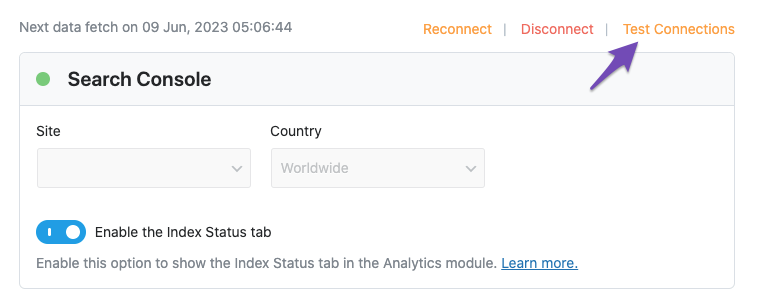
Check Google Analytics Connection: Ensure that your Google Analytics account is properly connected. You can do this by navigating to Rank Math SEO → General Settings → Analytics and clicking on the Test Connections option. A green signal indicates a valid connection, while a red signal indicates an issue.
-
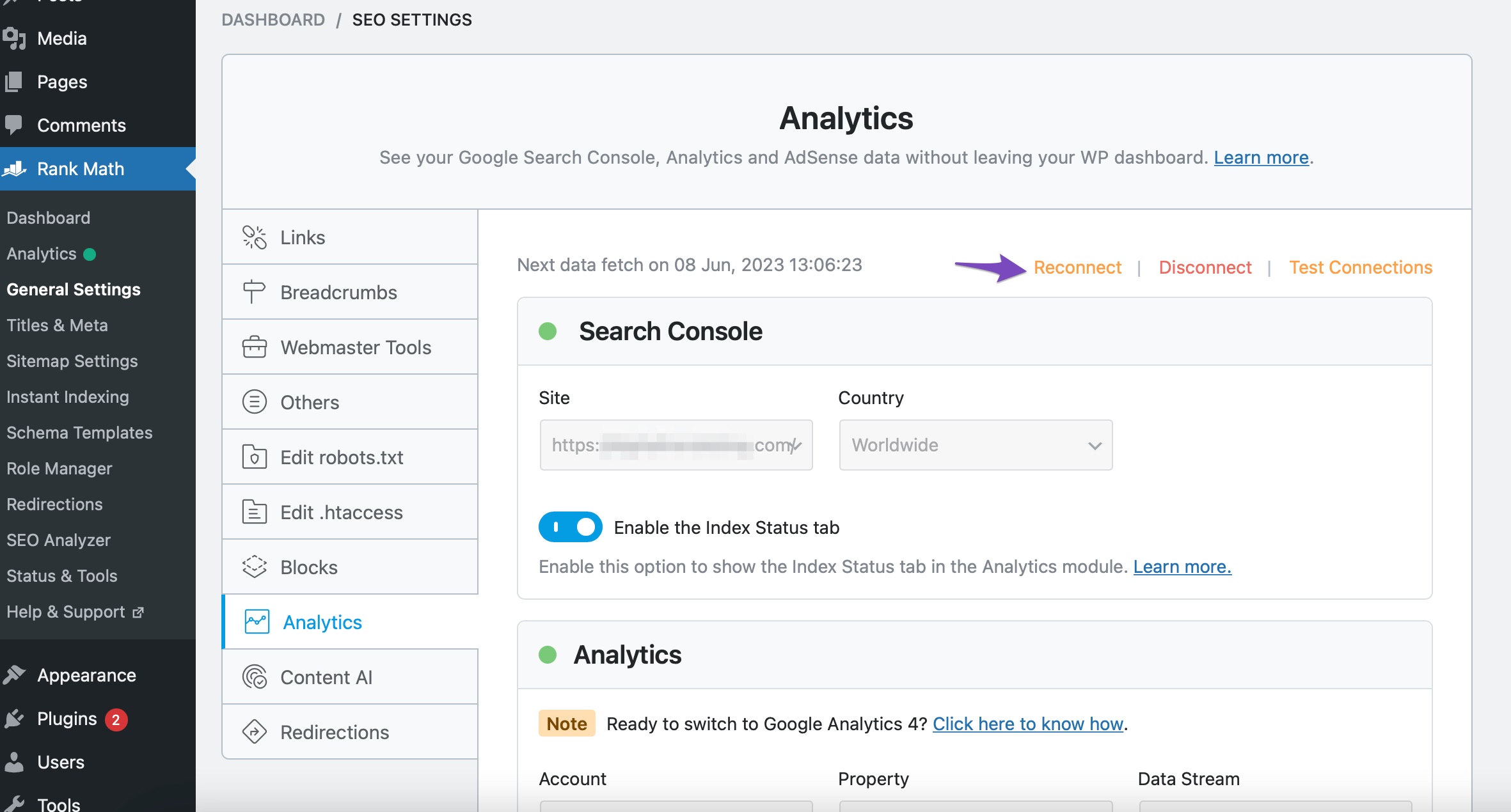
Reconnect Your Google Account: If you see a red signal, try disconnecting and reconnecting your Google account. You can do this by clicking the Reconnect link in the same settings area.
-
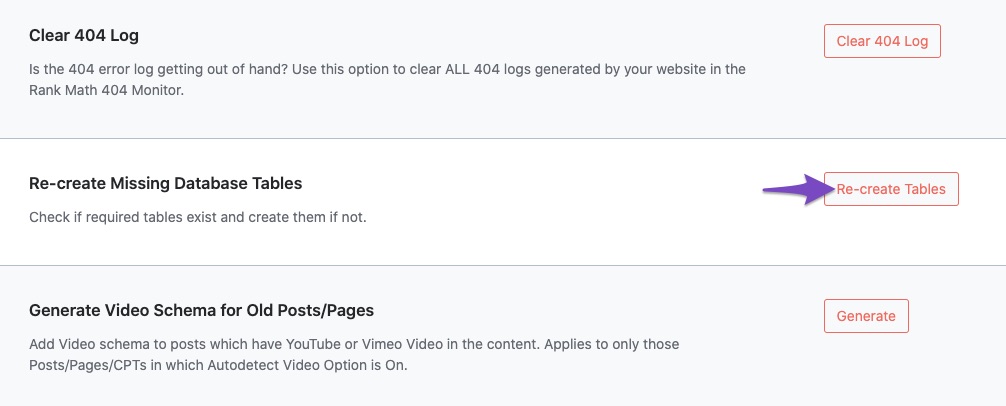
Recreate Database Tables: Navigate to WordPress Dashboard → Rank Math SEO → Status & Tools → Database Tools and use the Re-create Missing Database Tables option.
-
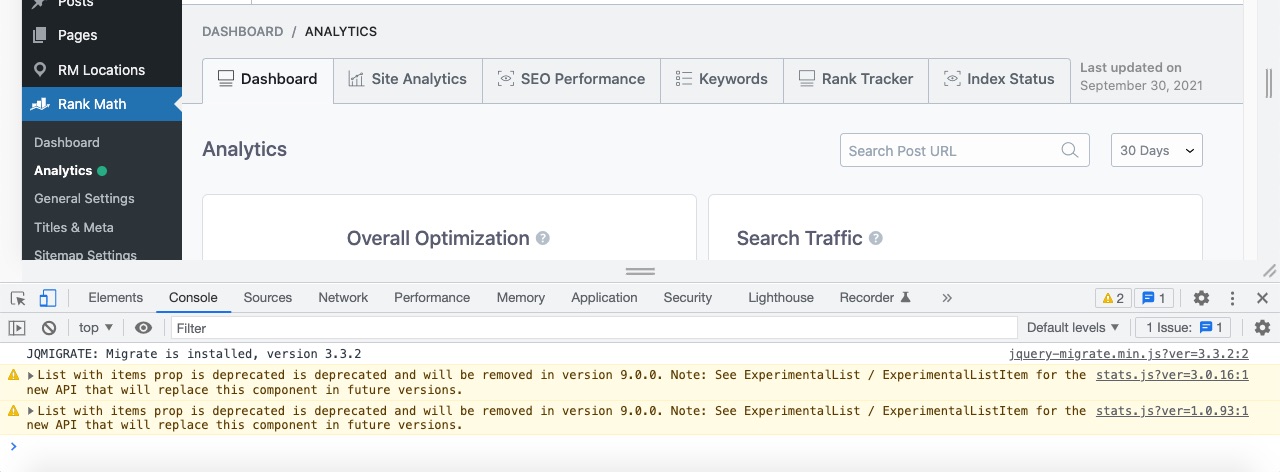
Check for Plugin Conflicts: Sometimes, other plugins can interfere with Rank Math’s functionality. We recommend running a plugin conflict test to see if disabling other plugins resolves the issue.
-
Error Logs: If the problem persists, please check the error logs for any specific messages that could help diagnose the issue. You can find the error log under Rank Math SEO → Status & Tools → Error Log.
If none of these steps resolve the issue, please reply to this ticket with any relevant error logs or additional details about your setup, and a human agent from the Rank Math Support team will assist you further.
Thank you for your patience, and we hope to resolve this for you soon!
I found some errors with the tables in the log file (attached), tried recreating the tables through the Rank Math interface, but it didn’t help, still writes:
Storage Days: 0 Data Rows: 0Size: 80 KBErrors here: (I truncate sensitive data – system path, it’s not important I think)
[24-Sep-2024 11:50:54 UTC] WordPress database error Table ‘dbase.MySite_rank_math_analytics_gsc’ doesn’t exist for query SELECT COUNT(DISTINCT(created)) AS days FROM MySite_rank_math_analytics_gsc LIMIT 0, 1 made by require_once(‘wp-admin/admin.php’), require_once(‘wp-load.php’), require_once(‘wp-config.php’), require_once(‘wp-settings.php’), do_action(‘init’), WP_Hook->do_action, WP_Hook->apply_filters, CMB2_Bootstrap_2110->include_cmb, cmb2_bootstrap, do_action(‘cmb2_admin_init’), WP_Hook->do_action, WP_Hook->apply_filters, RankMath\Admin\Options->register_option_page, include(‘/plugins/seo-by-rank-math/includes/modules/analytics/views/options.php’), RankMath\Analytics\DB::info, RankMath\Admin\Database\Query_Builder->getVar, RankMath\Admin\Database\Query_Builder->one
[24-Sep-2024 11:50:54 UTC] WordPress database error Table ‘dbase.MySite_rank_math_analytics_gsc’ doesn’t exist for query SELECT COUNT(id) FROM MySite_rank_math_analytics_gsc LIMIT 0, 1 made by require_once(‘wp-admin/admin.php’), require_once(‘wp-load.php’), require_once(‘wp-config.php’), require_once(‘wp-settings.php’), do_action(‘init’), WP_Hook->do_action, WP_Hook->apply_filters, CMB2_Bootstrap_2110->include_cmb, cmb2_bootstrap, do_action(‘cmb2_admin_init’), WP_Hook->do_action, WP_Hook->apply_filters, RankMath\Admin\Options->register_option_page, include(‘/plugins/seo-by-rank-math/includes/modules/analytics/views/options.php’), RankMath\Analytics\DB::info, RankMath\Admin\Database\Query_Builder->getVar, RankMath\Admin\Database\Query_Builder->one[24-Sep-2024 11:57:03 UTC] WordPress database error Table ‘dbase.MySite_rank_math_analytics_objects’ doesn’t exist for query truncate table MySite_rank_math_analytics_objects; made by require(‘wp-blog-header.php’), wp, WP->main, WP->parse_request, do_action_ref_array(‘parse_request’), WP_Hook->do_action, WP_Hook->apply_filters, rest_api_loaded, WP_REST_Server->serve_request, WP_REST_Server->dispatch, WP_REST_Server->respond_to_request, RankMath\Rest\Admin->tools_actions, apply_filters(‘rank_math/tools/analytics_reindex_posts’), WP_Hook->apply_filters, RankMath\Analytics\Analytics_Common->analytics_reindex_posts, RankMath\Admin\Database\Query_Builder->truncate, RankMath\Admin\Database\Query_Builder->query
Hello,
We might need to take a closer look at the settings. Please edit the first post on this ticket and include your WordPress & FTP logins in the designated Sensitive Data section.
Please do take a complete backup of your website before sharing the information with us.
It is completely secure and only our support staff has access to that section. If you want, you can use the below plugin to generate a temporary login URL to your website and share that with us instead:
https://wordpress.org/plugins/temporary-login-without-password/
You can use the above plugin in conjunction with the WP Security Audit Log to monitor what changes our staff might make on your website (if any):
https://wordpress.org/plugins/wp-security-audit-log/
We really look forward to helping you.
Hello,
I have updated the sensitive data as requested. Can you please check further?
Thank you.
Hello,
The action to fetch the data was missing. We created it, started a new data fetch, and the stats have started to appear in the Analytics dashboard:
Hope that helps and please do not hesitate to let us know if you need our assistance with anything else.
Hi!
> The action to fetch the data was missing.
And why would this happen and why did completely uninstalling Rank Math and installing it again not help? (just in case for the future 🙂Thank you for your help!
Hello,
This could happen due to various reasons, including a failed connection during setup, plugin conflicts, or incomplete database table creation during the installation process.
As for why a complete uninstall and reinstall of Rank Math didn’t resolve the issue, it’s likely because the database entries related to Analytics were not fully removed during the uninstall process. Some plugins, including Rank Math, retain certain settings and data to prevent complete loss in case of reinstallation, which is why reinstalling didn’t re-create the missing action automatically.
We are glad to hear that the data is now appearing in your dashboard. Please feel free to reach out again if you need further assistance.
Thanks.
Ike,
Thank you for information!
In case there will be such failures again – can you tell me how I can create an action to fetch the data myself?
Hello,
If you ever have the need to recreate the scheduled action, navigate to WordPress Dashboard > Rank Math SEO > General Settings > Analytics and reconnect your Google account to create the scheduled action.
We hope this helps. Please let us know if you have further questions or concerns.
Thank you.
Strange, of course I did this repeatedly when I was trying to fix analytics before contacting you.
But okay, if it doesn’t work, I already know where to turn for help 🙂
Thanks again for your help, I’m closing the ticket.
Hello,
Let us know how it goes.
Meanwhile, if you have any other questions, please feel free to ask.
We are here to help you.
Hello,
I have updated the sensitive data as requested. Can you please check further?
Thank you.
Looks like I broke something again ((
No new data appears in the analytics. After September 26, when you corrected – since then the data is not updated.
And when I give a command to manually update the data – in scheduled actions appear actions that request data for today and yesterday, but in the analytics this data does not appear 🙁
I tried rebuild index and recreate tables, it doesn’t help.I have added a link to log in private data.
Hello,
Please note that the data is only updated weekly in the Free version of the plugin.
We can check the latest import of data happened on September 29th, so yesterday and it will happen again 7 days after that, so that explains the missing days.
Don’t hesitate to get in touch if you have any other questions.
Migueal
I forgot about free version limitation, 7 days, yes.
> We can check the latest import of data happened on September 29th, so yesterday and it will happen again 7 days after that, so that explains the missing days.
But I can’t understand why RankMath in Analytics pane reports: “Last updated: 09/29/2024”, but graph (SEO performance for example) stops at September, 27?
And in General Options – Analytics still the same numbers:
Storage Days: 3 Data Rows: 1.2KSize: 7 MB -



The ticket ‘Cannot import data from Google Analytics – Analytics panel in Rank Math is empty’ is closed to new replies.