Hello,
We apologize for the issue you are facing with your website’s favicon not displaying. Since you’ve already cleared all caches, here are a few steps you can take to ensure your favicon is set up correctly:
-
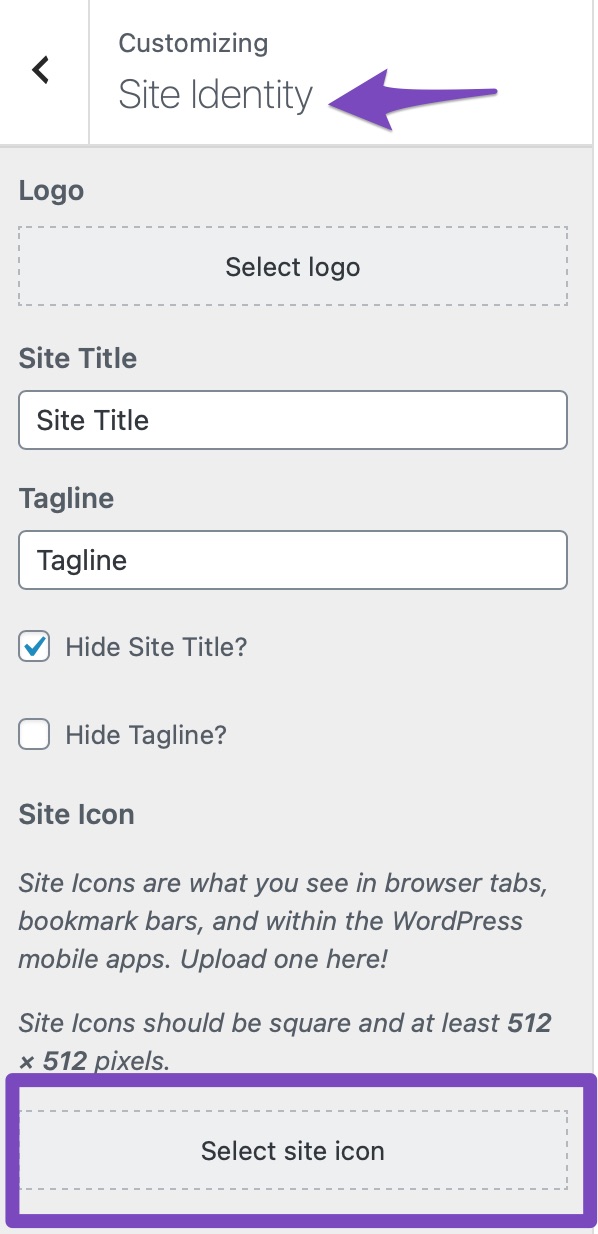
Set Your Favicon in WordPress: Navigate to your WordPress Dashboard and go to Appearance → Customize → Site Identity. Here, you can upload your favicon image. Make sure to save the changes.
-
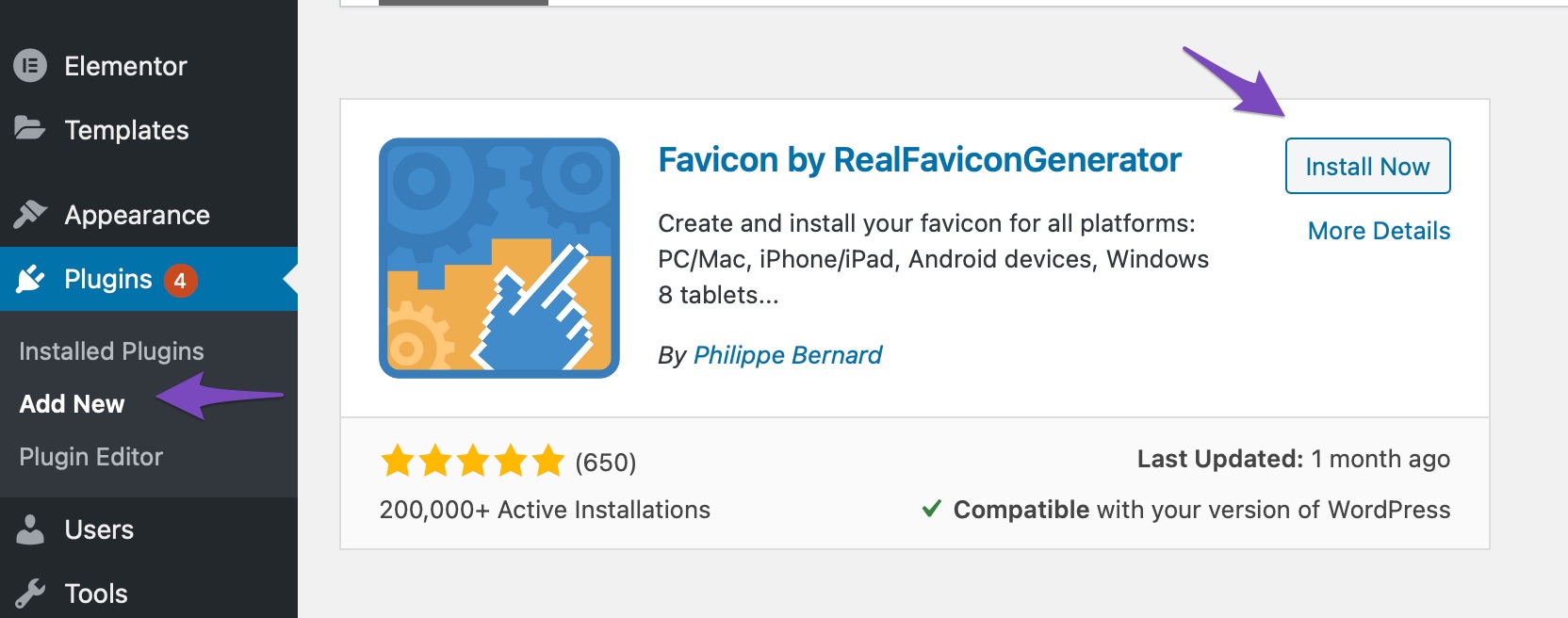
Use a Favicon Plugin: If you’re still having trouble, consider using the RealFaviconGenerator plugin. This plugin can help generate and set up favicons for various devices easily. After installing and activating the plugin, follow the instructions to upload your favicon.
-
Check Theme Compatibility: If the favicon still does not appear, it may be related to your theme. In this case, we recommend reaching out to your theme provider for further assistance.
-
Google Favicon Crawler: Keep in mind that Google’s favicon crawler may take some time to update your favicon in search results. You can refer to Google’s guidelines for more information.
If you have followed these steps and the issue persists, please reply to this ticket, and a human agent from the Rank Math Support team will assist you further.
Thank you for raising this concern, and we hope to resolve it quickly for you!
Hello,
Thank you for contacting us and sorry for any inconvenience that might have been caused due to that.
We checked your website and we can see the favicon is showing properly:

However, please note that Rank Math has no control over how the favicon will appear on the SERP. The images on Google SERPs are not controlled via the Schema markup or any plugin, it mostly depends on the keyword search term and the website authority.
You can check these Google guidelines on how to ensure that your favicon is set up to show on the search results page.
Hope that helps and please don’t hesitate to let us know if you have any other questions.
Thank you.
Hello,
Since we did not hear back from you for 15 days, we are assuming that you found the solution. We are closing this support ticket.
If you still need assistance or any other help, please feel free to open a new support ticket, and we will be more than happy to assist.
Thank you.



