
-
I am struggling to solve the Excluded by ‘noindex’ tag despite that I have followed the correct steps provided by Rank Math knowledge Bases

-
Hello, we apologize for the issue you are facing with the Excluded by ‘noindex’ tag. It can be frustrating when things don’t work as expected.
Here are some steps you can take to troubleshoot this issue further:
-
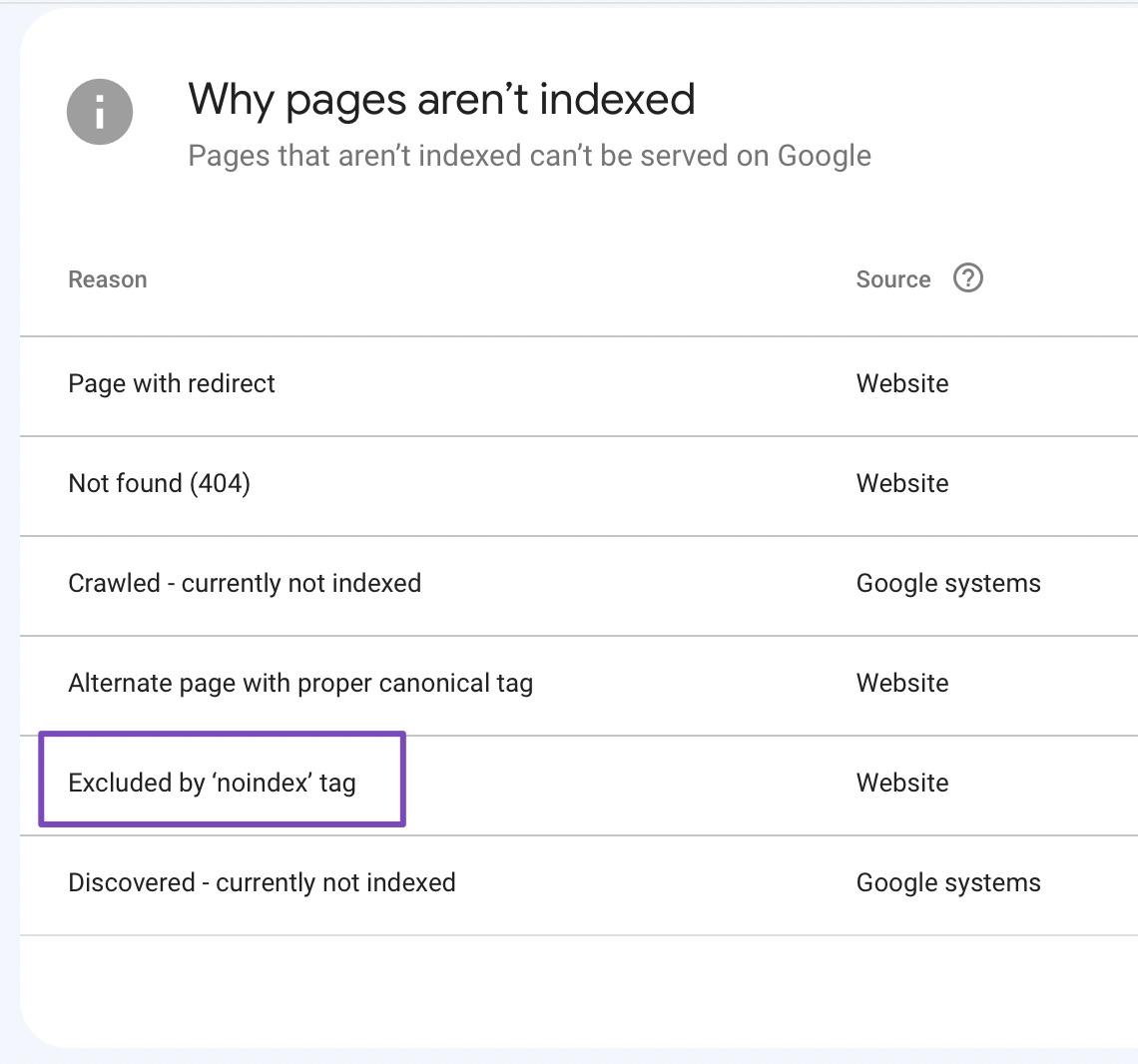
Identify Affected Pages: Make sure you have identified all the pages affected by the ‘noindex’ tag. You can do this by navigating to the Pages section of Google Search Console and clicking on Not indexed. Then, click on the “Excluded by ‘noindex’ tag” status to see the list of affected pages.
-
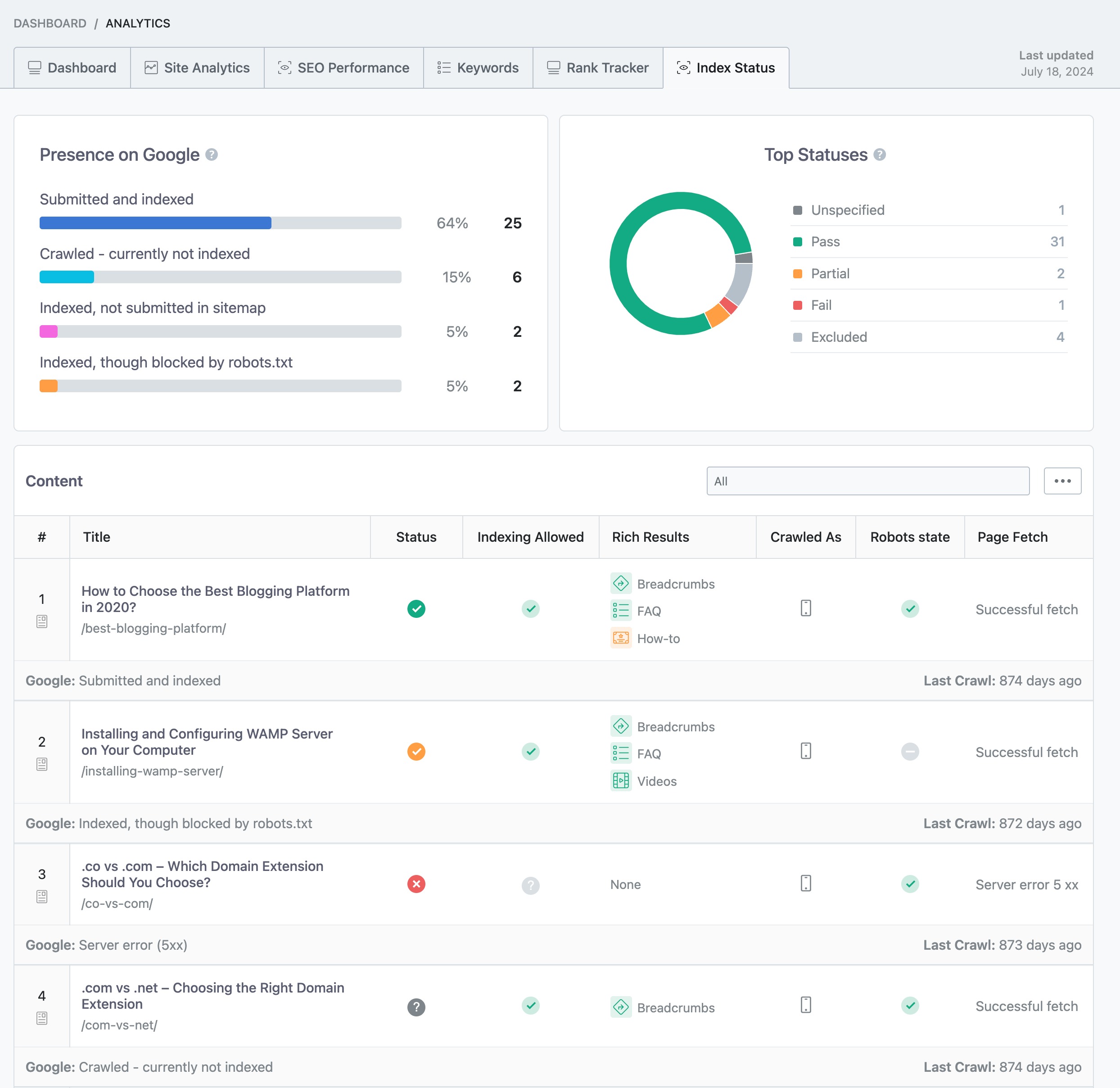
Remove the NoIndex Tag: For each page you want indexed, ensure that the ‘noindex’ meta tag is removed from the page’s HTML code. If you are using Rank Math PRO, you can also check the Index Status under Rank Math SEO → Analytics → Index Status tab to see the real data/status of your pages.
-
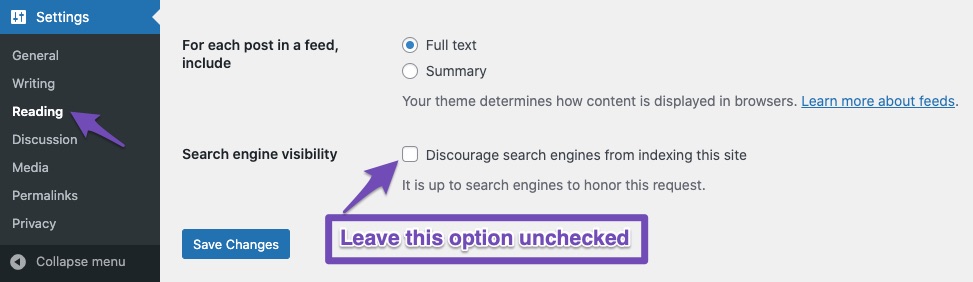
Check Search Engine Visibility Settings: Go to Settings → Reading in your WordPress dashboard and ensure that the checkbox labeled Discourage search engines from indexing this site is unchecked. If it is checked, uncheck it and save changes.
-
Review Plugins and Themes: Sometimes, other plugins or themes may add a ‘noindex’ tag to your pages. Review any active plugins or themes that might be affecting your site’s indexing settings.
-
Check Robots.txt File: Ensure that your pages are not blocked from crawling through your robots.txt file, as this can prevent Google from recognizing that the ‘noindex’ tag has been removed.
If you have followed all these steps and are still experiencing issues, please reply to this ticket, and a human agent from the Rank Math Support team will take over and assist you further. Thank you for raising this concern!
I did that
Hello,
We can see that those URLs have
noindexmeta robots.Rank Math only automatically adds the noindex to the robots meta of myaccount, checkout, cart pages and empty category pages as they are unique for each user.
To set the checkout and cart pages to index please try to use the following filter on your website and see if that works for you:
add_filter( 'rank_math/frontend/robots', function( $robots ) {
    if( is_cart() || is_checkout() ) {
        $robots['index'] = 'index';
    }
    return $robots;
});
Here’s how you can add filter/hook to your WordPress site: https://rankmath.com/kb/wordpress-hooks-actions-filters/
For the empty taxonomy pages, although we do not advise you do so, if you want to set them to index navigate to WordPress Dashboard > Rank Math SEO > Titles & Meta > Global Meta and disable the Noindex Empty Category and Tag Archives option to set the category to Index.
Let us know how it goes. Looking forward to helping you.
Thank you.
Hello,
I have updated the sensitive data as requested. Can you please check further?
Thank you.
I have followed all the instructions. This is the error message I get
Hello,
Please note that when you use the
rank-math.phpfile to add the filter code, you should add thephpbefore the code. Here’s a screenshot for your reference:However, the current filter code you’re using is not fully correct. You can share all the page URLs with us so that we can assist you in modifying the code.
Looking forward to helping you.
Thank you.
I have successfully added rank-math.php as per instructions, so I tested one of the pages I want to be indexed, the Google console still detect Noidex tag
Hello,
If you would like to set the page you shared with us to
indexyou need to edit the filter we shared to the following:add_filter( 'rank_math/frontend/robots', function( $robots ) { if( is_cart() || is_checkout() || is_account_page() ) { $robots['index'] = 'index'; } return $robots; });This will switch all the pages we shared before to
index.Thank you.
Hello,
Since we did not hear back from you for 15 days, we are assuming that you found the solution. We are closing this support ticket.
If you still need assistance or any other help, please feel free to open a new support ticket, and we will be more than happy to assist.
Thank you.
-



The ticket ‘Excluded by ‘noindex’ tag’ is closed to new replies.