Hello,
We apologize for the issue you are facing with Rank Math not updating the data on your website. It can be frustrating when you expect to see analytics data and it’s not appearing as it should.
Here are a few steps you can take to troubleshoot the issue:
-
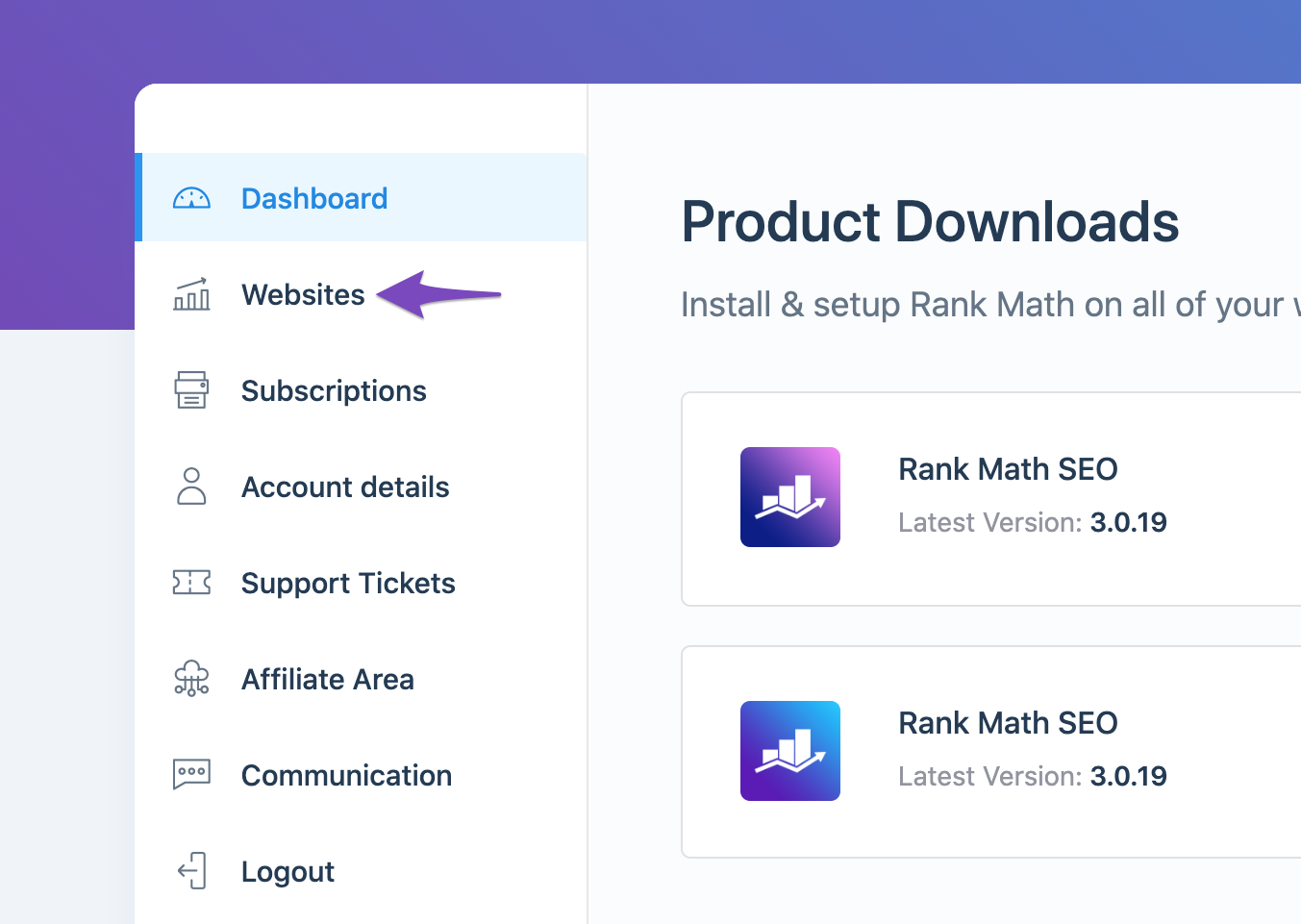
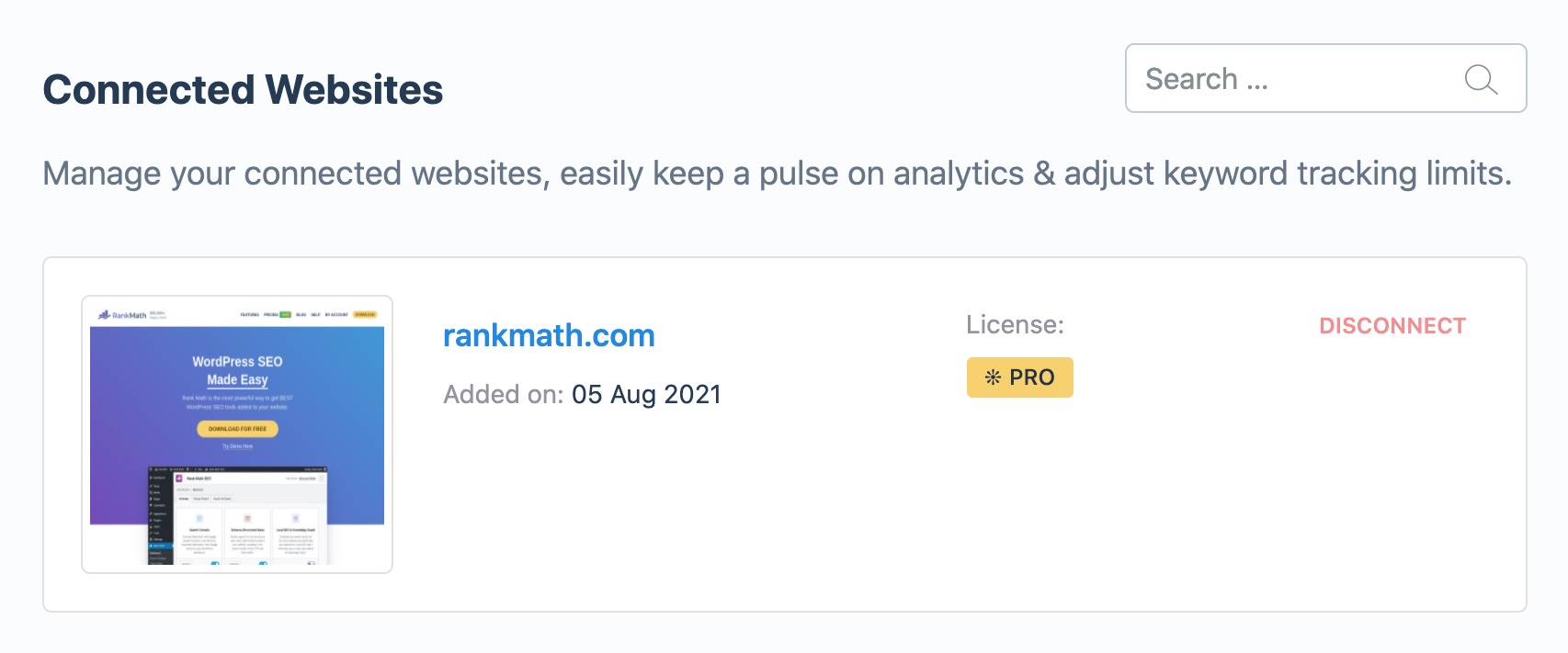
Check if Rank Math SEO Account is Connected: Ensure that your website is connected with the Rank Math account that has a PRO license. You can do this by logging into your Rank Math account and navigating to the My Account area, then clicking on the Websites tab. If your website is not listed, you may need to reconnect it.
-
Refresh Tokens: If the data still appears zero, it might be due to expired authorization tokens from Google. You can refresh these tokens by deleting the Rank Math app from your Google Account permissions and then reconnecting it.
- Open the Google Account permissions from here and remove access to Rank Math SEO.

-
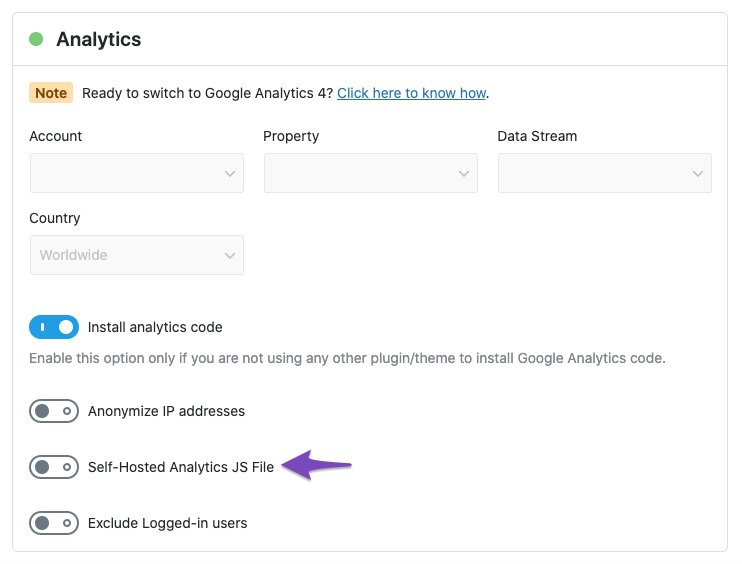
Check for Self-Hosted Option: If you are using the self-hosted option for analytics, live tracking will not happen, and data will be processed later (which can take 24-48 hours). You can check this in the Analytics settings under WordPress Dashboard → Rank Math SEO → General Settings → Analytics.
-
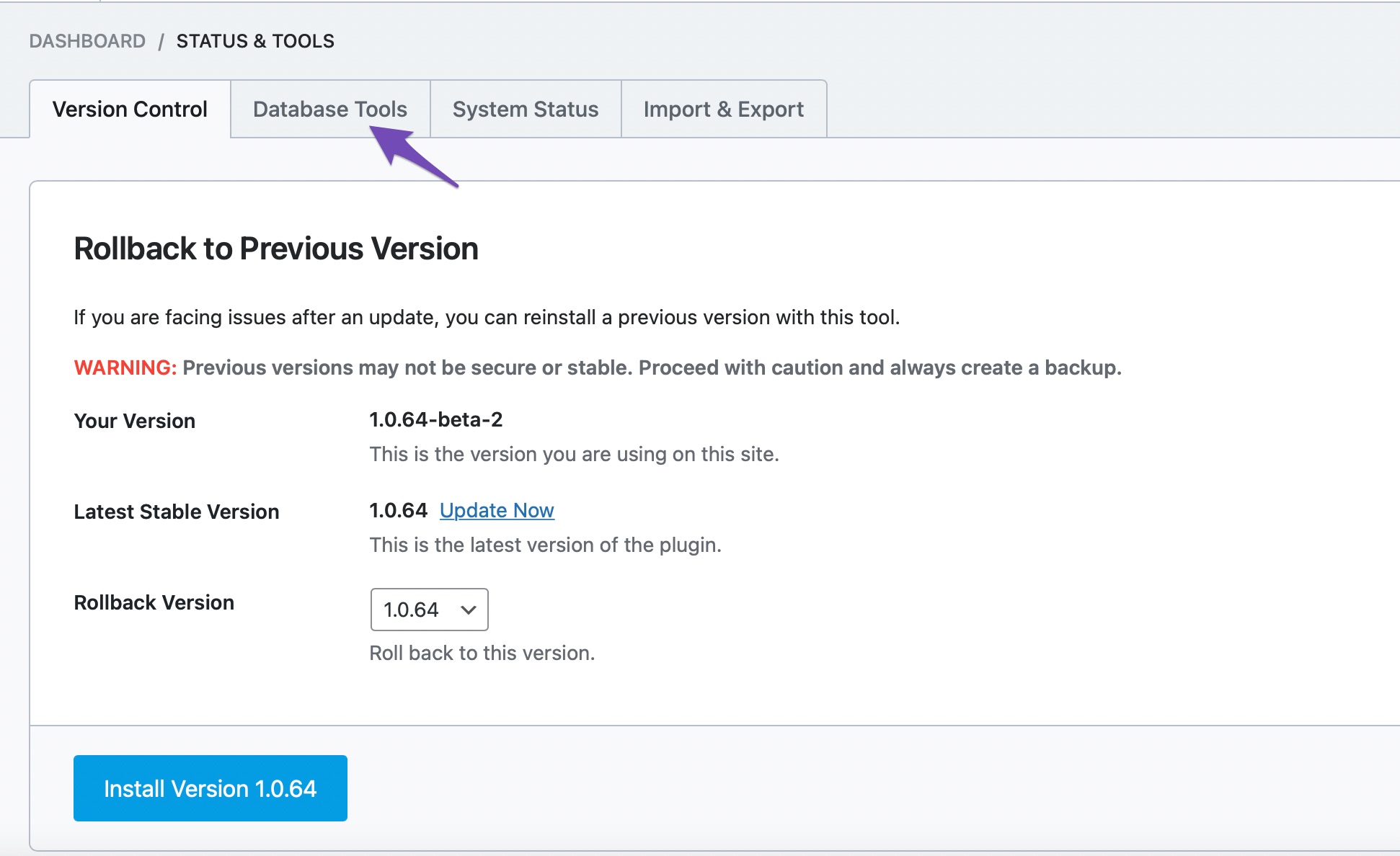
Rebuild Index for Analytics: If you notice incorrect data or multiple entries, you can rebuild the index for analytics by going to Rank Math > Status & Tools > Database Tools > Rebuild Index for Analytics.

If you have followed these steps and are still experiencing issues, please reply to this ticket, and a human agent from the Rank Math Support team will take over and assist you further.
Thank you for raising this concern, and we hope to resolve it for you soon!
Sources:
What to Do When Rank Math Analytics Shows Zero Search Traffic » Rank Math
I have followed the above advice but the problem persists.
Hello,
Apologies for the inconvenience.
In this case, please follow the steps below to create a troubleshooting log so that we can check the issue further:
Step #1.
First, add the following filter to your website:
add_filter( 'rank_math/analytics/log_response', '__return_true' );
Here is a guide you can follow to add the filter:
https://rankmath.com/kb/wordpress-hooks-actions-filters/
Step #2.
After adding the filter, please run the pending Scheduled Action from your WordPress Dashboard > Tools > Scheduled Actions > Pending:
If in your case, you do not see the Scheduled Actions menu, then you can try visiting the following URL:
https://yourdomain.com/wp-admin/tools.php?page=action-scheduler&status=pending
Ensure that you replace yourdomain.com with your own domain in the above link.

Step #3.
When some actions have completed running, please check the Analytics log under /wp-content/uploads/rank-math and share that with us.
You can use a tool like Dropbox/Pastebin for debug log files and share the generated links here.
Looking forward to helping you.
Hi there,
The website was built by 3rd party developers. I am having issues with the website not working as expected so do not want to change any of the coding on the website. All we need is to know why Rank Math is not showing any new data since the developers handed the website back to us.
Hello,
We understand that but adding this piece of code to generate the error log would help us identify the issue with the Analytics module.
Adding this piece of code won’t have any effect on the theme provided that you use one of the methods from the tutorial we shared before.
Thank you.
Hello,
Since we did not hear back from you for 15 days, we are assuming that you found the solution. We are closing this support ticket.
If you still need assistance or any other help, please feel free to open a new support ticket, and we will be more than happy to assist.
Thank you.




