Hello,
We apologize for the issue you are facing with your XML sitemap and its visibility in Google Search Console. Here are some steps you can take to troubleshoot and resolve the issue:
-
Check Your Sitemap URL: Ensure that you are submitting the correct sitemap URL to Google Search Console. The correct URL for your sitemap index should be https://rankmath.com/kb/how-to-change-canonical-url/. Make sure to replaceyourdomain.com` with your actual domain name.
-
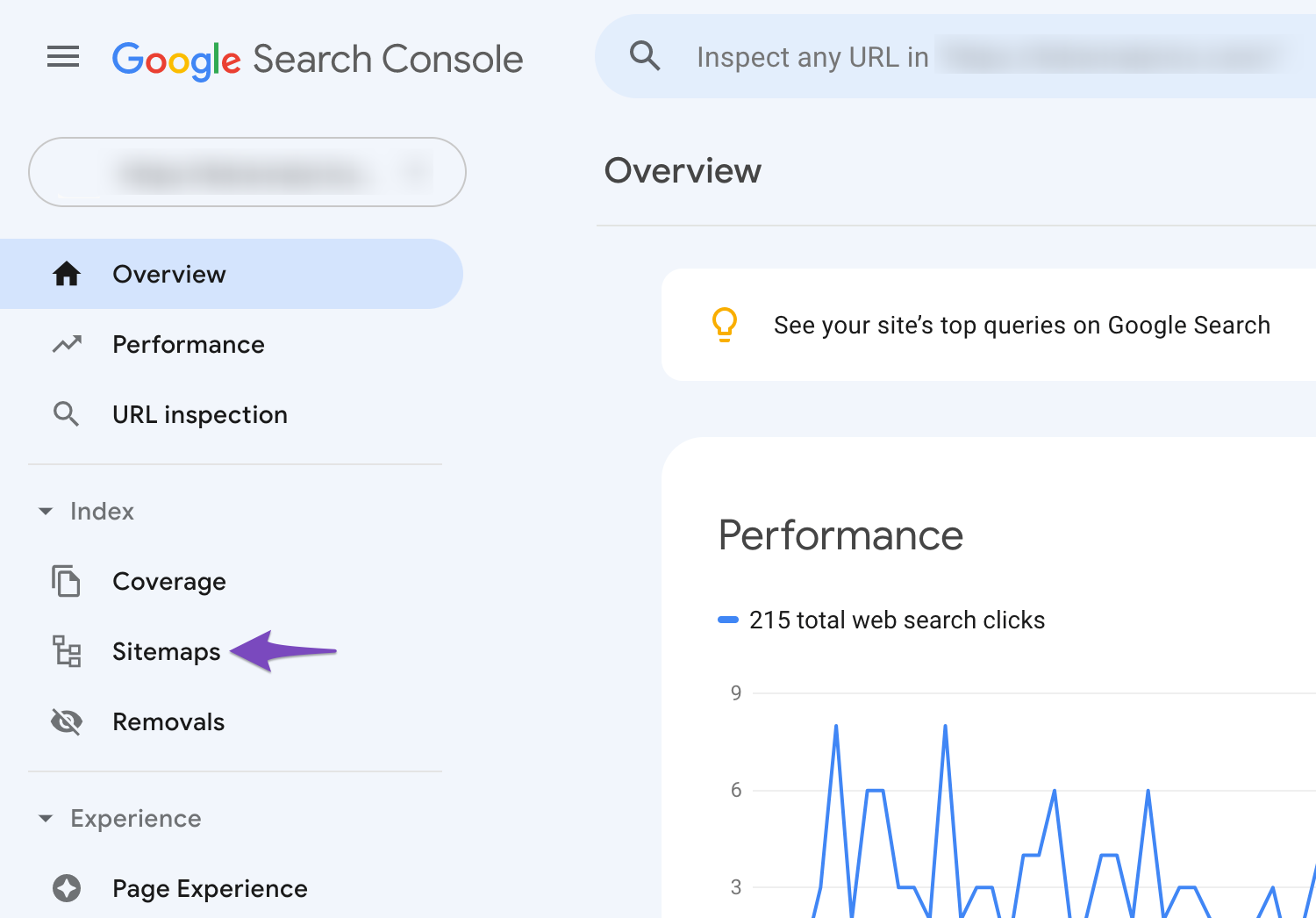
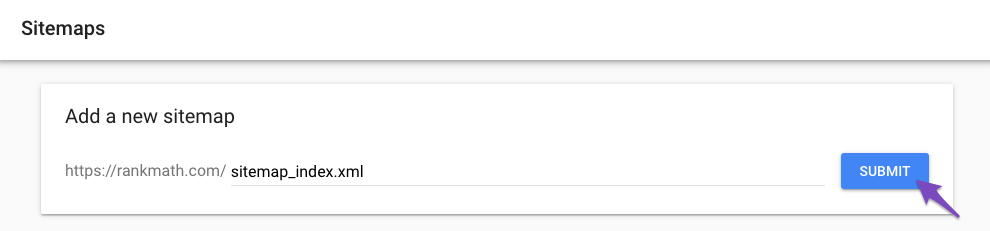
Submit Your Sitemap: If you haven’t already, log into your Google Search Console and submit your sitemap. After logging in, navigate to the Sitemaps section and paste your sitemap URL in the "Add New Sitemap" field.
-
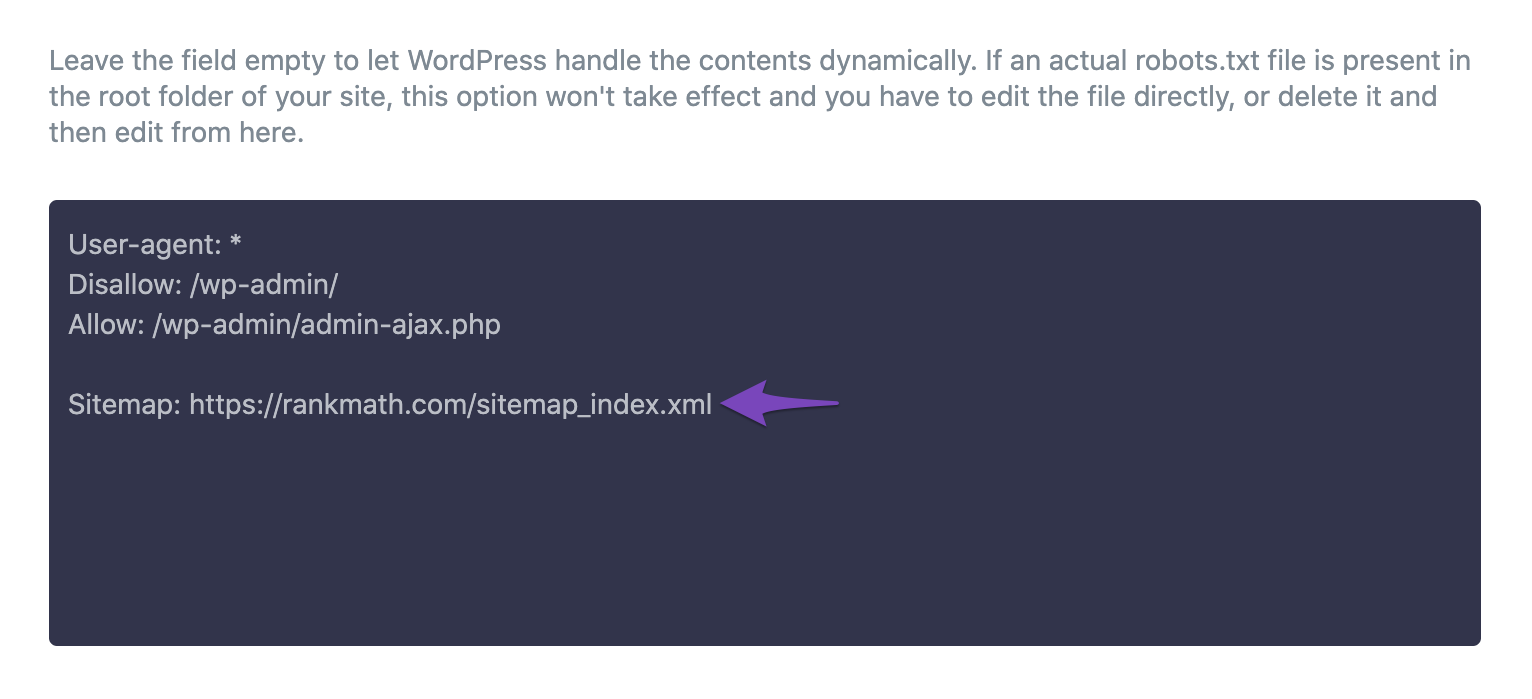
Check Robots.txt: Ensure that your robots.txt file is not blocking access to your sitemap. Rank Math automatically adds rules to your robots.txt file, but you can check and edit it by going to Rank Math SEO → General Settings → robots.txt. Make sure there are no rules that prevent search engines from accessing your sitemap.
-
Verify Website Ownership: Make sure that your website is verified in Google Search Console. If it’s not verified, you won’t be able to submit a sitemap or see any data related to your site.
-
Check for Errors: In Google Search Console, check for any errors related to your sitemap submission. If there are issues, they will be listed there, and you can take appropriate action based on the error messages.
-
Clear Cache: If you are using caching plugins like W3 Total Cache, try clearing the cache or disabling the plugin temporarily to see if that resolves the issue.
-
Resubmit Your Sitemap: If you’ve made changes or fixed issues, remove your sitemap from Google Search Console and resubmit it as described above.
If you continue to experience issues after trying these steps, please reply to this ticket, and a human agent from the Rank Math Support team will assist you further.
Thank you for raising this concern, and we hope this helps resolve your issue!
Sources:
How to Configure Sitemaps in Rank Math – Best Settings and Tips
Why Did My Website Disappear From Google Search? » Rank Math
How to Add Sitemaps to Robots.txt » Rank Math
How to Fix Submitted URL Marked ‘NoIndex’ Error » Rank Math
Rank Math Sitemap Issues and Their Fixes » Rank Math
no i try this its not working , i check the pluging as well its not working
Hello,
Thank you for contacting Rank Math support.
Please share some screenshots of the issue using a tool like https://imgur.com/ so we can check and assist you further.
Looking forward to helping you.
Hello,
I have updated the sensitive data as requested. Can you please check further?
Thank you.
Hello,
From your screenshot, you have submitted your sub-sitemaps and your index.
Please note that you only need to submit your index and Google will use it to crawl the other sitemaps.
Once done, resubmit your main sitemap only by following the steps in this link:
https://rankmath.com/kb/submit-sitemap-to-google/
Regarding the block in your robots.txt, it is due to these lines:
User-Agent: Googblebot
Allow: /
User-Agent: bingbot
Allow: /
User-Agent: *
Disallow: /
Please follow our default and recommended rules here to ensure that search engines can crawl your site properly:
https://rankmath.com/kb/how-to-edit-robots-txt-with-rank-math/#default-rules
Hope that helps.
Hello,
Since we did not hear back from you for 15 days, we are assuming that you found the solution. We are closing this support ticket.
If you still need assistance or any other help, please feel free to open a new support ticket, and we will be more than happy to assist.
Thank you.




