Hello,
We apologize for the issue you are facing with the cron unscheduled event error in your WordPress error log. This error indicates that there is a problem with saving the list of cron actions, which can be caused by various factors.
Here are a few steps you can take to troubleshoot this issue:
-
Check WP-Cron Settings: Ensure that your wp-config.php file has the following line set:
define('DISABLE_WP_CRON', false);
This setting allows WP-Cron to run properly.
-
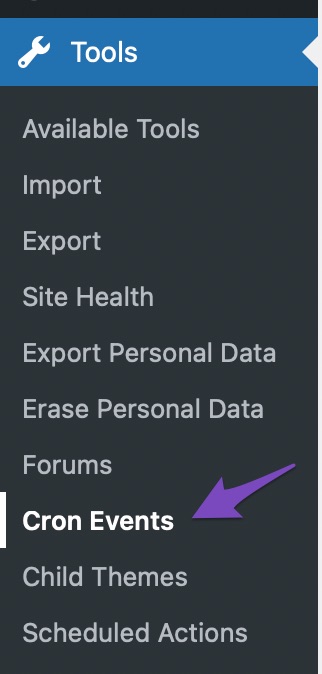
Use WP Crontrol Plugin: Install and activate the WP Crontrol plugin to manage and monitor your cron events. After activation, navigate to Tools → Cron Events in your WordPress dashboard to check for any errors or issues with scheduled events.
-
Check for Plugin Conflicts: Sometimes, other plugins may conflict with Rank Math’s cron jobs. Try deactivating other plugins temporarily to see if the issue persists.
-
Server Configuration: If your site relies on server cron jobs instead of WP-Cron, consider configuring server cron to trigger WP-Cron. This can help ensure that scheduled tasks run as expected.
If these steps do not resolve the issue, please reply to this ticket, and a human agent from the Rank Math Support team will assist you further.
Thank you for raising this concern!
Sources:
Resolving Rank Math Analytics Related Issues » Rank Math
This is an automated reply from Rank Math Support Bot. If you need further assistance, please reply to this topic and a human support agent will reply to you shortly.
Hello,
Since we did not hear back from you for 15 days, we are assuming that you found the solution. We are closing this support ticket.
If you still need assistance or any other help, please feel free to open a new support ticket, and we will be more than happy to assist.
Thank you.


