Hello,
We apologize for the issue you are facing with the "Missing field ‘mainEntity’" error in Google Search Console. This error often occurs when the FAQ Schema is not set up correctly. Here are some steps you can take to resolve this issue:
-
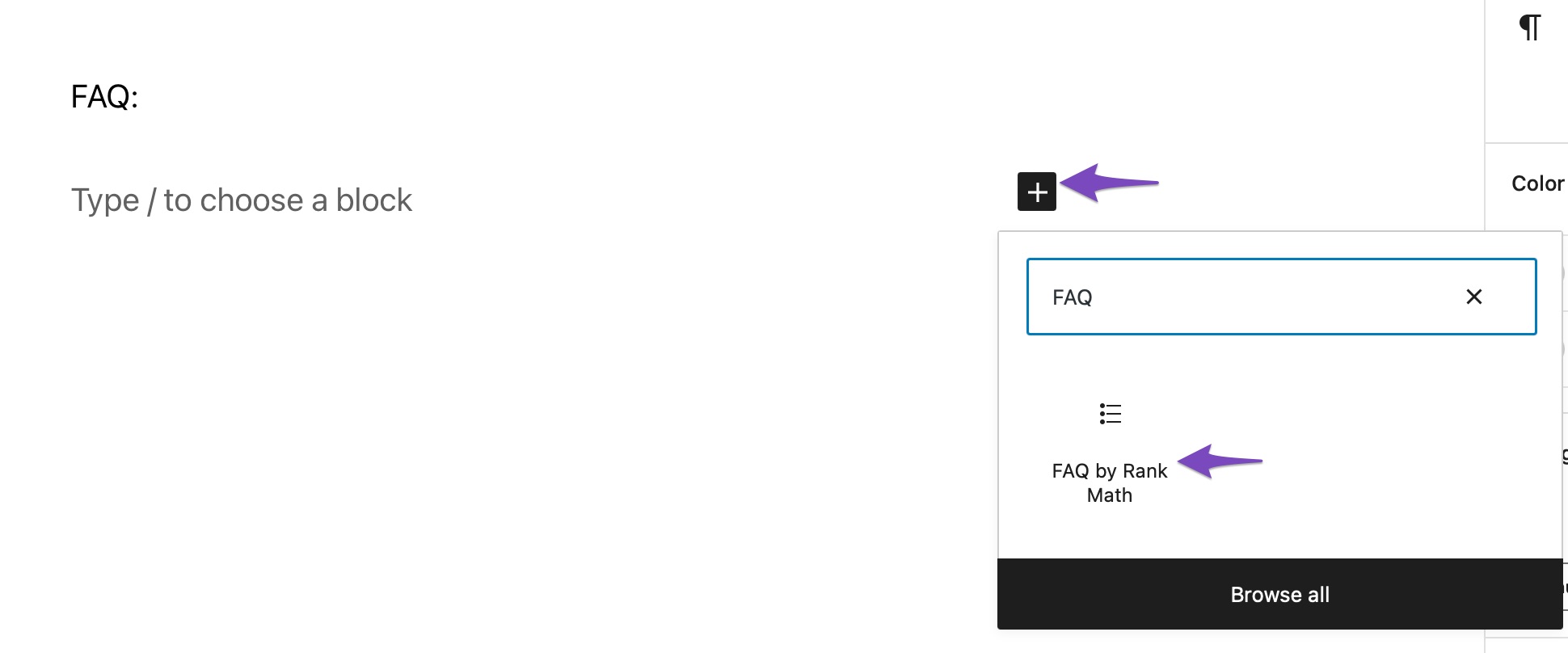
Ensure FAQ Schema is Added Properly: Make sure you have added the FAQ Schema using the FAQ by Rank Math block. You can do this by navigating to Posts → Add New in your WordPress dashboard, then using the + icon to find and add the FAQ by Rank Math block.
-
Check Visibility Settings: If you have hidden all FAQs, Google will not be able to detect any Schema for FAQs, leading to the missing mainEntity error. It’s better to turn off the visibility of FAQs that you don’t want to show rather than hiding all of them.
-
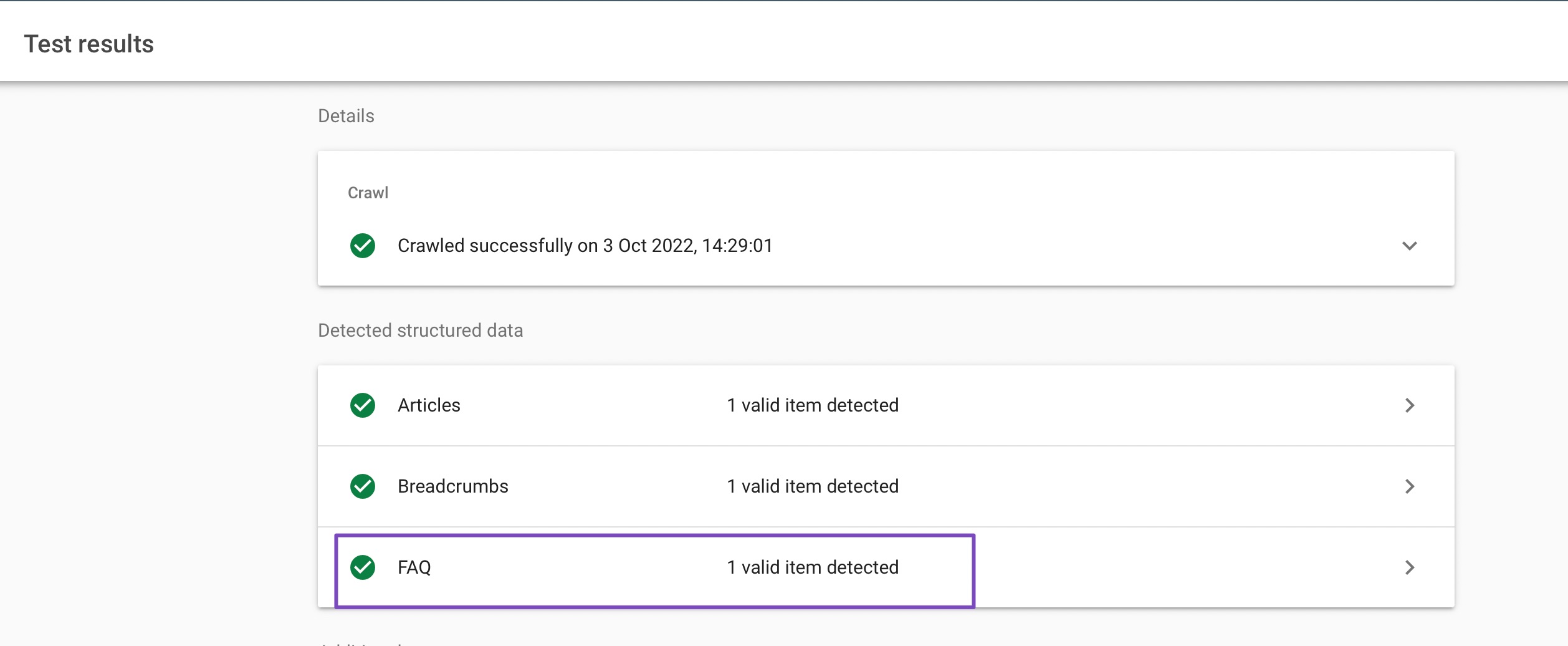
Test Your URL: After making these changes, test your post/page URL in the Google Rich Results Test to check if the FAQ Schema is valid and if the mainEntity error persists.
-
Check for Plugin Conflicts: Sometimes, conflicts with other Schema plugins can cause issues. Ensure that you are not using multiple plugins for generating Schema. You can check for any theme/plugin conflicts with Rank Math by following this guide.

If you follow these steps and still encounter issues, please reply to this ticket, and a human agent from the Rank Math Support team will assist you further. Thank you for raising this concern!
Sources:
How To Fix mainEntity Schema Issues in Rank Math » Rank Math
Hello,
When using the FAQs block, please make sure to enter at least 1 question and answer and if you do have the question and answer, please ensure you don’t leave them empty.
If the issue persist, please share the affected page URL here so we can take a closer look.
Looking forward to helping you.
Hello,
Since we did not hear back from you for 15 days, we are assuming that you found the solution. We are closing this support ticket.
If you still need assistance or any other help, please feel free to open a new support ticket, and we will be more than happy to assist.
Thank you.



