Hello,
We apologize for the issue you are facing with your metadata not updating. It seems like you’ve taken some good steps by whitelisting Rank Math IPs and creating page rules in Cloudflare. However, there are a few additional things you might want to check:
-
Firewall/Security Plugins: Ensure that no other firewall or security plugins (like Wordfence) are blocking access to the Rank Math files. If you are using Wordfence, you may need to whitelist the Rank Math files in its settings. You can refer to our tutorial on whitelisting Rank Math in Wordfence.
-
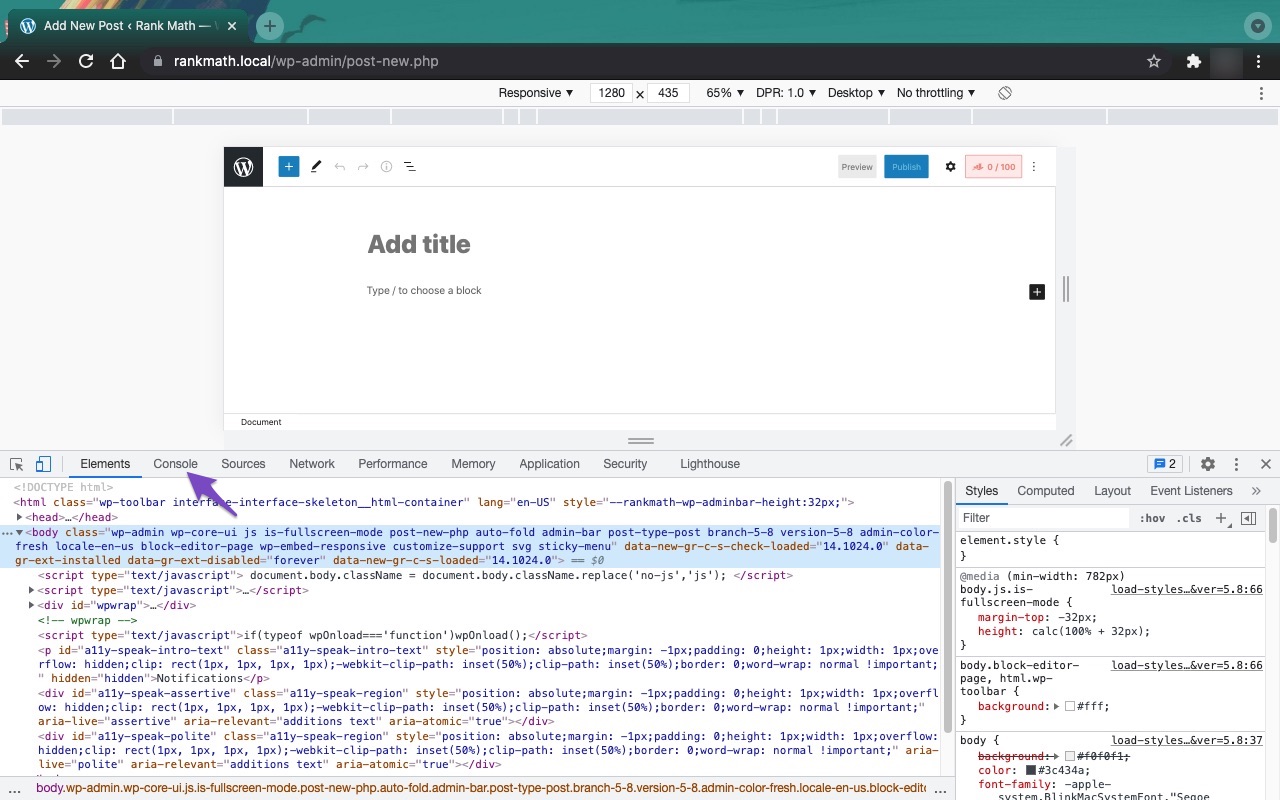
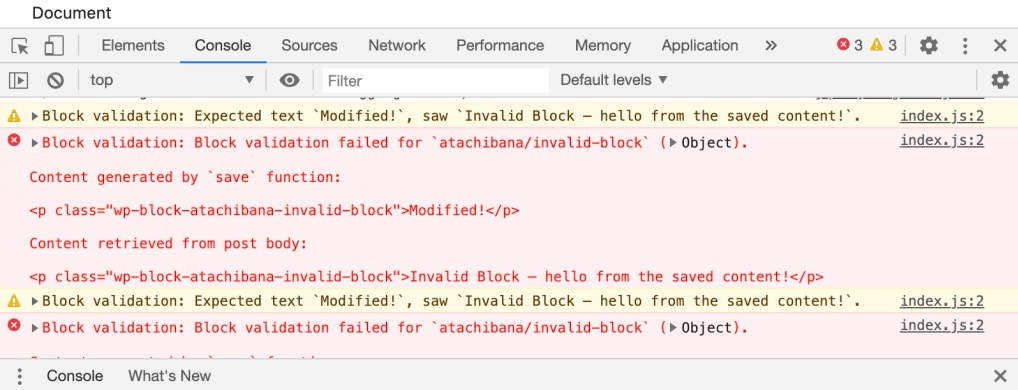
Check for JavaScript Errors: Sometimes, JavaScript conflicts with other plugins or themes can prevent metadata from being saved. You can open the Developer Tools Console in your browser to check for any errors. Here’s how to do it:
- Open Chrome Developer Tools by navigating to More Tools → Developer Tools or using the shortcut Ctrl + Shift + J (Windows) or Cmd + Option + J (Mac).
- Click on the Console tab and look for any error messages that might indicate a conflict.

-
403 Errors: If you are encountering 403 errors when trying to access the Rank Math files, it could be due to server settings or restrictions from your hosting provider. In this case, contacting your web host for assistance would be advisable.
If you’ve checked all of these and the issue persists, please reply to this ticket with any error details you find, and a human agent from our support team will assist you further.
Thank you for raising this concern, and we hope to help you resolve it soon!
Sources:
Why Your SEO Title, Description & Focus Keyword Aren’t Being Saved » Rank Math
The console doesn’t show any .js errors and I’m not getting any 403 errors.
Any other suggestions?
Many thanks!
Hello,
In this case, we might need to take a closer look at the settings. Please edit the first post on this ticket and include your WordPress & FTP logins in the designated Sensitive Data section.
Please do take a complete backup of your website before sharing the information with us.

It is completely secure and only our support staff has access to that section. If you want, you can use the below plugin to generate a temporary login URL to your website and share that with us instead:
https://wordpress.org/plugins/temporary-login-without-password/
You can use the above plugin in conjunction with the WP Security Audit Log to monitor what changes our staff might make on your website (if any):
https://wordpress.org/plugins/wp-security-audit-log/
We really look forward to helping you.
Hello,
I have updated the sensitive data as requested. Can you please check further?
Thank you.
Thank you for your message; I’ve created a temporary login.
Hello,
If we visit the updateMeta API route created by our plugin, you will notice that it was blocked with a response code of 401 instead of a 404 response code.
See screenshot:

Please contact your hosting provider to whitelist our API route to ensure the meta data you modified is updated.
Hope that helps.
Thanks for looking at this. I checked with my host and they’re not blocking the request.
I checked the known conflicts [https://rankmath.com/kb/plugin-conflicts/] list and I’m not using any of the plugins mentioned.
Do you have any other suggestions?
Update: I discovered I’d disabled Rest API via the Perfmatters plugin. I had to set an exception for Rank Math [https://perfmatters.io/docs/disable-wordpress-rest-api/] by adding a filter to authorise requests.
add_filter(‘perfmatters_rest_api_exceptions’, function($exceptions) {
$exceptions[] = ‘rankmath/v1’;
return $exceptions;
});
Hello,
We are super happy that this resolved your issue. If you have any other questions in the future, know that we are here to help you.
If you don’t mind me asking, could you please leave us a review (if you haven’t already) on https://wordpress.org/support/plugin/seo-by-rank-math/reviews/#new-post about your overall experience with Rank Math? We appreciate your time and patience.
If you do have another question in the future, please feel free to create a new forum topic, and it will be our pleasure to assist you again.
Thank you.





